

Buying automated invoice processing software can significantly reduce manual data entry, approval delays, and invoice processing costs. Yet, choosing the wrong solution can create new problems for accounts payable teams.
Many vendors demonstrate impressive extraction accuracy, fast processing, and seamless ERP connectivity. But these claims may not reflect actual performance when invoices contain missing information, duplicate entries, or matching discrepancies. Without proper evaluation, businesses risk unexpected implementation expenses, additional manual reviews, and poor automation results.
Before committing to a solution, finance teams must examine its capabilities beyond standard demonstrations.
This guide covers nine questions to ask before buying automated invoice processing software, including data extraction, exception handling, ERP integration, security, pricing, and vendor performance.
Why Asking the Right Questions Matters Before Buying Invoice Processing Software
Invoice processing software affects financial accuracy, supplier payments, compliance, and AP productivity. Selecting a solution based exclusively on demonstrations or advertised features can leave significant operational gaps.
Before comparing software options, finance teams should understand how automated invoice processing works, from capturing invoice data and validating details to matching, approvals, and ERP posting.
A structured evaluation ensures the selected software meets actual processing requirements, including exceptions and internal controls.
9 Questions to Ask Before Choosing Automated Invoice Processing Software
The following nine questions help finance leaders evaluate operational capabilities, implementation requirements, and long-term costs.
1. Can the Software Accurately Capture and Extract Data From Different Invoice Formats?
The software should accurately extract invoice information across different document formats without requiring extensive manual preparation.
Evaluate these capabilities:
- Support for PDFs, Scanned Invoices, Emails, and Supplier Portals: Confirm automatic invoice capture across existing submission channels.
- Header-Level and Line-Item Extraction Accuracy: Test supplier details, invoice numbers, quantities, prices, taxes, and totals.
- Handling Missing Fields, Poor-Quality Scans, and Unstructured Invoices: Check performance on incomplete or unfamiliar documents.
- Confidence Scores and Human Review for Uncertain Data: Verify whether uncertain information is flagged before processing.
Extraction accuracy should be measured using actual supplier invoices rather than prepared samples.
2. How Does the Software Validate Invoices and Detect Errors Before Approval?
Reliable software should validate extracted information against purchase records, supplier data, accounting rules, and payment policies.
Key validation capabilities include:
- Two-Way and Three-Way Matching With Purchase Orders and Goods Receipts: Compare invoices against authorized purchases and received quantities.
- Duplicate Invoice Detection and Supplier Master Data Validation: Identify repeated submissions and incorrect supplier information.
- Tax Verification, Price Variances, and Non-PO Invoice Checks: Apply transaction-specific validation rules.
- Handling Invoice Discrepancies and Validation Failures: Flag exceptions and prevent incorrect invoices from proceeding automatically.
Validation should identify incorrect transactions before they reach payment approval.
3. Can the Software Handle Invoice Exceptions Without Creating More Manual Work?
The software should automatically identify exceptions, assign responsibility, and track resolution without requiring repeated manual follow-ups.
Evaluate how it supports:
- Automated Exception Identification and Risk-Based Routing: Categorize discrepancies and assign invoices based on risk.
- Exception Ownership, Escalation Rules, and Resolution Tracking: Establish accountability and deadlines for unresolved transactions.
- Handling Supplier Disputes, Missing Documents, and Approval Delays: Maintain visibility into outstanding issues.
- Human Review Requirements for High-Risk Transactions: Preserve employee authorization for suspicious or unusual invoices.
Effective exception handling prevents unresolved invoices from accumulating in AP queues.
4. Will the Software Integrate With Our Existing ERP and Accounting Systems?
The solution should exchange invoice, supplier, and accounting information reliably with existing financial systems.
Integration evaluation should cover:
- Compatibility With SAP, Oracle, NetSuite, Dynamics 365, and Other ERP Systems: Verify supported integration methods and versions.
- Real-Time Data Synchronization Versus Scheduled Updates: Determine how frequently information moves between systems.
- Vendor Master, GL Coding, and Multi-Entity Data Mapping: Confirm accurate accounting classifications.
- ERP Posting Failures, Error Recovery, and Duplicate Prevention: Test unsuccessful postings and transaction recovery.
Successful integration must be verified in a realistic environment before deployment.
5. Can the Software Support Our Existing Approval Workflows and Financial Controls?
Invoice automation should accommodate established authorization policies without weakening financial oversight.
Important requirements include:
- Configurable Approvals Based on Amount, Department, and Entity: Apply relevant authorization thresholds.
- Multi-Level Approvals, Delegation, and Escalation Rules: Support different approval structures.
- Role-Based Access, Segregation of Duties, and Approval Histories: Restrict unauthorized actions and maintain accountability.
- Audit Trails and Compliance Reporting Requirements: Record invoice changes, decisions, and supporting evidence.
These controls help prevent unauthorized payments and maintain audit readiness.
6. What Percentage of Our Invoices Can Be Processed Without Manual Intervention?
The vendor should provide a measurable straight-through processing rate based on realistic invoice conditions.
Request evidence covering:
- Straight-Through Processing Rates Versus Demonstrated OCR Accuracy: Distinguish successful extraction from completed processing.
- Touchless Processing for PO and Non-PO Invoices: Measure automation across different transaction categories.
- Manual Touchpoints Across the Invoice Lifecycle: Identify where employee intervention remains necessary.
- Measuring Processing Time, Exception Rates, and Cost per Invoice: Evaluate actual operational savings.
A meaningful automation rate includes successful validation, matching, approval, and posting without manual intervention.
7. How Does the Software Protect Invoice Data and Prevent Payment Fraud?
The software should protect financial information and identify suspicious activity before payment authorization.
Review the following:
- Data Encryption, Access Controls, and Security Certifications: Verify documented security practices and applicable certifications.
- Supplier Bank Detail Verification and Unauthorized Changes: Check controls over sensitive supplier information.
- Duplicate Payments, Suspicious Transactions, and Fraud Alerts: Assess fraud detection and prevention capabilities.
- Data Retention, Audit Evidence, and Regulatory Requirements: Confirm compliance with applicable retention and privacy obligations.
Security claims should be supported by documented evidence and practical testing.
8. What Is the Total Cost of Buying, Implementing, and Maintaining the Software?
Total ownership cost includes software fees, integration expenses, support, and ongoing operational requirements.
Evaluate:
- Subscription, Per-Invoice, and Usage-Based Pricing Models: Understand pricing thresholds and additional charges.
- ERP Integration, Configuration, and Implementation Expenses: Identify deployment-related costs.
- Employee Training, Technical Support, and Ongoing Maintenance: Account for continuing expenditure.
- Calculating ROI Based on Actual Invoice Volumes and Processing Costs: Compare total investment against measurable savings.
Calculate ROI using realistic processing volumes, manual effort reductions, and implementation assumptions.
9. Can the Vendor Prove Real-World Performance, Implementation Readiness, and Ongoing Support?
The vendor should demonstrate reliable processing under actual business conditions and provide documented implementation commitments.
Verify:
- Testing Actual Supplier Invoices Instead of Preselected Demo Samples: Evaluate unfamiliar formats and exceptions.
- Pilot Success Criteria and Performance Benchmarks: Establish measurable acceptance thresholds.
- Implementation Timelines, Responsibilities, and Employee Training: Confirm deployment expectations.
- Service-Level Agreements, Support Response Times, and Customer References: Examine service commitments and relevant customer experience.
- Data Export, Contract Exit Terms, and Business Continuity: Assess operational flexibility and transition risks.
Vendor selection should depend on verified results rather than presentation quality.
How to Compare Automated Invoice Processing Software Vendors Before Making a Purchase
A structured comparison helps finance teams assess competing solutions against consistent business requirements.
- Create a Vendor Evaluation Scorecard Based on AP Requirements: Document mandatory features and expected performance.
- Rank Invoice Accuracy, Exception Handling, Integration, and Security: Assign scores according to operational priorities.
- Compare Vendor Claims Against Pilot Results: Use measured performance instead of advertised figures.
- Identify Contractual Risks and Unresolved Implementation Dependencies: Review service commitments, additional costs, and integration responsibilities.
For a broader comparison, review the best automated invoice processing software options against your organization's invoice volume, approval requirements, and existing ERP environment.
Common Mistakes to Avoid When Buying Invoice Processing Software
Purchasing decisions often fail when businesses overlook operational conditions beyond standard invoice processing.
Common mistakes include:
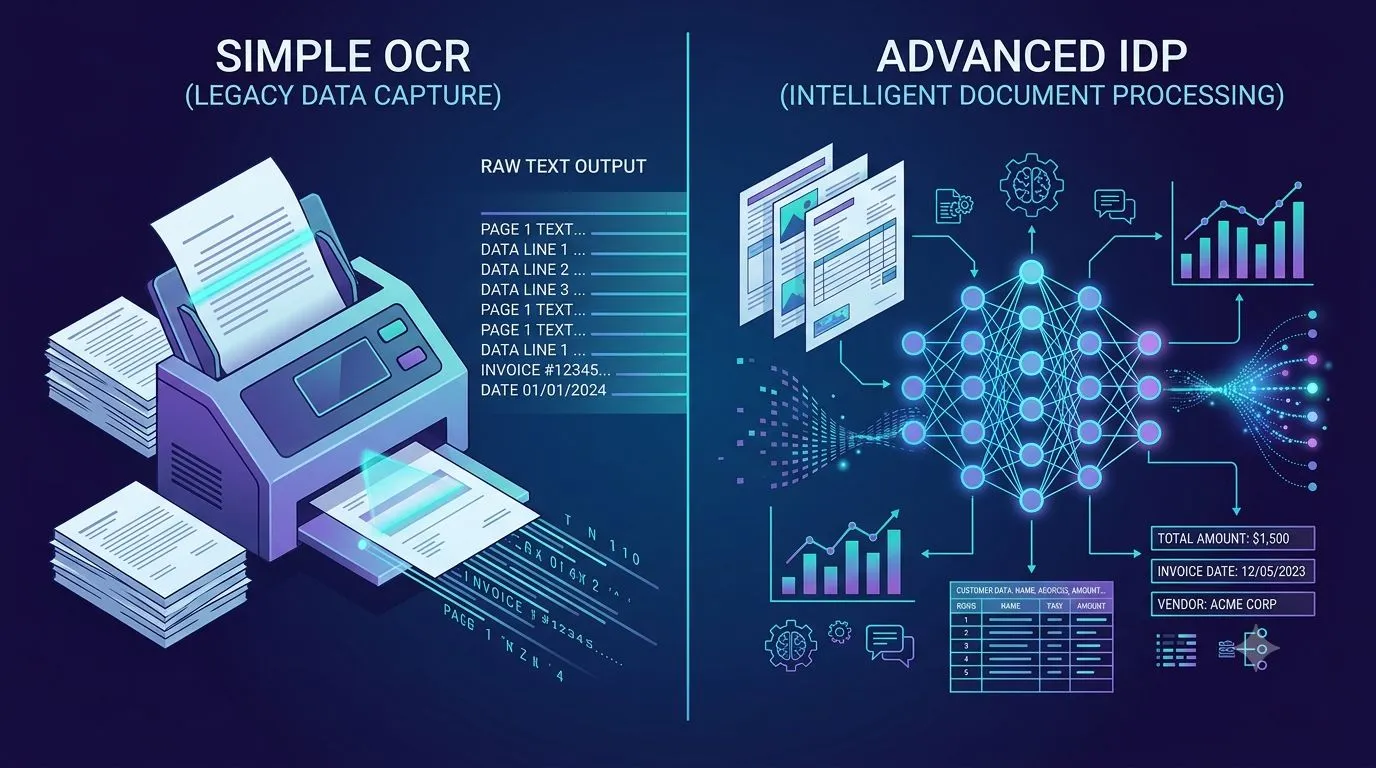
- Choosing Software Based Only on OCR Accuracy or Demo Results: Accurate extraction does not guarantee successful invoice processing.
- Overlooking Exception Handling and ERP Integration Requirements: Unresolved discrepancies and posting failures increase manual intervention.
- Ignoring Manual Review Costs and Hidden Implementation Expenses: Unexpected expenses reduce anticipated savings.
- Accepting Automation Claims Without Testing Real Invoices: Vendor demonstrations may exclude difficult transaction scenarios.
Testing actual invoices and documenting performance expectations can prevent these purchasing errors.
Conclusion: Choose Automated Invoice Processing Software Based on Verified AP Performance
Selecting automated invoice processing software requires evaluating the complete AP lifecycle, from document capture and validation to exception resolution, approvals, and ERP posting. Extraction accuracy alone cannot establish operational readiness.
Finance teams should prioritize solutions that demonstrate consistent processing results, configurable financial controls, reliable integrations, and transparent exception management.
A structured vendor scorecard, realistic pilot, and total cost assessment provide a stronger basis for purchasing decisions. Ultimately, the right software should deliver measurable reductions in manual effort and processing delays while maintaining financial accuracy, compliance, and auditability.

















Sign in to leave a comment.