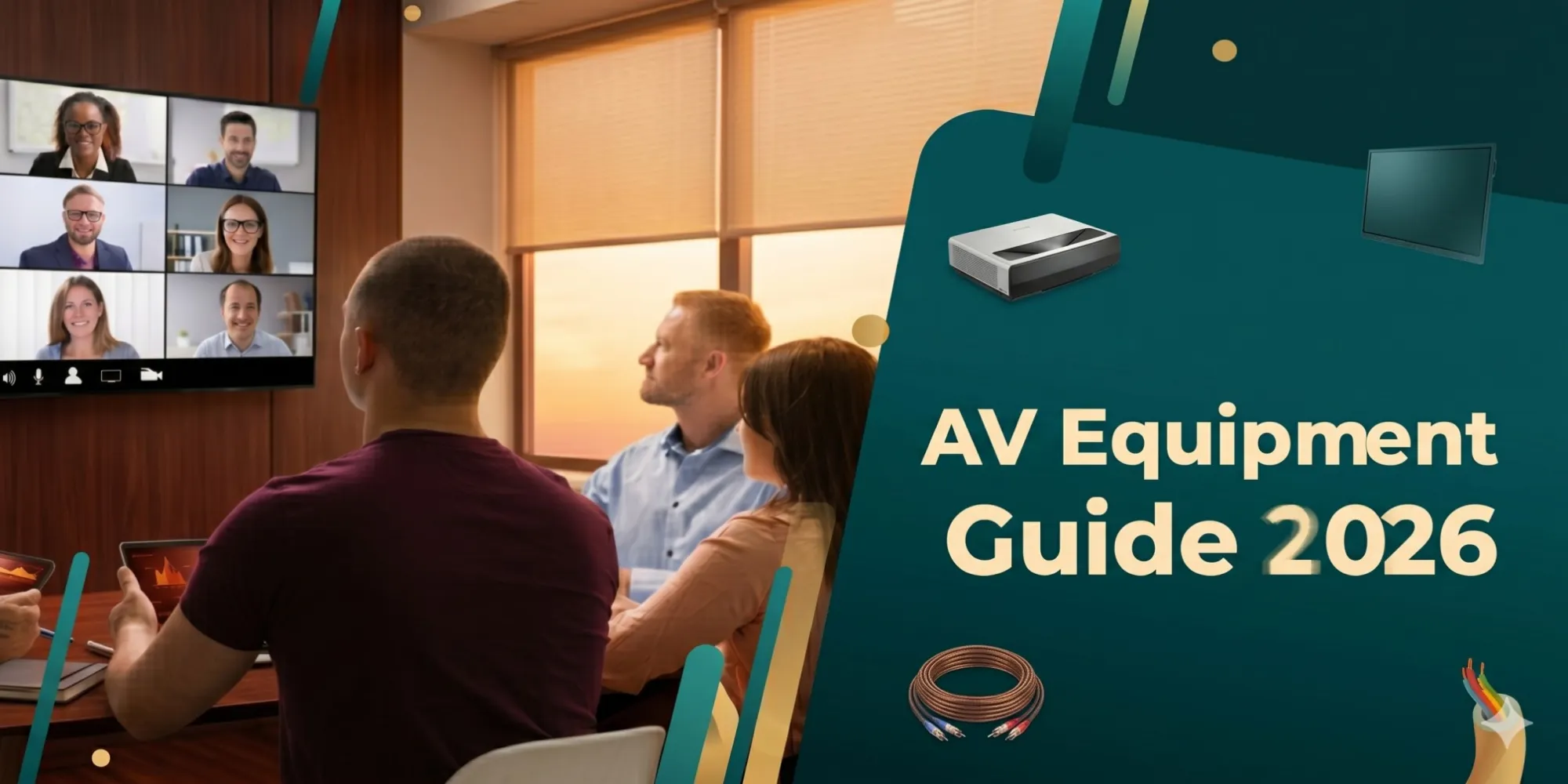

As we progress through May 2026, understanding what is audio visual equipment has become critical for organizations building effective video conferencing rooms that support today's hybrid workforce models. Audio visual equipment encompasses the integrated technology systems including cameras, microphones, speakers, displays, control interfaces, and networking infrastructure that enable seamless virtual collaboration between in-room participants and remote attendees. Knowing what is audio visual equipment and its strategic role directly impacts meeting productivity, employee satisfaction, communication quality, and ultimately, business competitiveness in an era where video conferencing has transitioned from convenience to necessity.
For AV integrators and system designers serving corporate clients in 2026, the challenge lies in selecting equipment that delivers meeting equity ensuring remote participants experience comparable quality to those physically present while integrating with rapidly evolving AI technologies, supporting multi-platform compatibility (Microsoft Teams, Zoom, Webex, Google Meet), and maintaining simplicity that non-technical users can operate confidently. This comprehensive guide examines the current state and future direction of video conferencing AV systems in 2026.
Key Takeaways
- Video conferencing rooms in 2026 require AI-powered cameras, beamforming microphones, 4K displays, and platform-certified equipment for optimal performance
- Meeting equity has become the primary design objective—remote participants must have experiences comparable to in-room attendees
- AI auto-framing and speaker tracking are now standard features, not premium options, reducing manual camera operation needs
- USB-connected devices dominate smaller rooms while networked systems (NDI, Dante) serve larger installations
- Acoustic echo cancellation (AEC) and noise suppression are non-negotiable for hybrid meeting quality
- Platform certification (Microsoft Teams Rooms Certified, Zoom Certified) ensures compatibility and optimal performance
- 4K video has become baseline; 8K systems emerging for executive spaces and specialized applications
- Cloud-based management enables remote monitoring, proactive maintenance, and usage analytics across room portfolios
- BYOD compatibility (Windows, Mac, iOS, Android, Chromebook) mandatory for flexible work environments
- Dual-display configurations showing content and participants simultaneously prevent meeting flow disruptions
- Network requirements: Minimum 25 Mbps per room, dedicated VLANs, QoS policies prioritizing real-time traffic
- Budget ranges: $6,000-$15,000 (huddle rooms), $20,000-$45,000 (standard conference), $50,000-$120,000+ (large/executive)

What Is AV Equipment for Video Conferencing Rooms?
Video conferencing AV equipment refers to the specialized technology systems designed to facilitate high-quality virtual meetings by capturing audio and video from in-room participants, displaying remote attendees and shared content, and enabling bidirectional communication that creates the experience of face-to-face interaction regardless of physical location. Unlike traditional conference room equipment focused solely on in-person presentations, video conferencing systems must simultaneously serve two audiences—those physically present and those joining remotely—with equal fidelity and engagement.
Core Components of Video Conferencing AV Systems
Video Capture:
- PTZ cameras (pan-tilt-zoom) with AI-powered auto-framing
- USB cameras for simple plug-and-play deployment
- Multi-camera systems providing multiple perspectives
- 4K/8K sensors delivering broadcast-quality imagery
- Wide field of view (90°-120°) capturing entire rooms
Audio Systems:
- Ceiling microphone arrays with beamforming technology
- Table microphones for smaller spaces
- Soundbars combining speakers and microphones
- Digital signal processors (DSP) providing AEC and noise reduction
- Echo cancellation enabling full-duplex communication
Display Technology:
- 4K displays (55"-98"+) for content and participant viewing
- Dual-screen setups separating presentation materials from video gallery
- Interactive flat panels enabling annotation and collaboration
- LED panels in premium installations
Control Systems:
- Touch panels simplifying system operation
- Mobile apps enabling BYOD control
- One-touch meeting start functionality
- Room scheduling integration with calendar systems
Connectivity:
- Wireless presentation systems (ClickShare, AirMedia, Solstice)
- USB-C docking for single-cable connection
- HDMI and DisplayPort for traditional connectivity
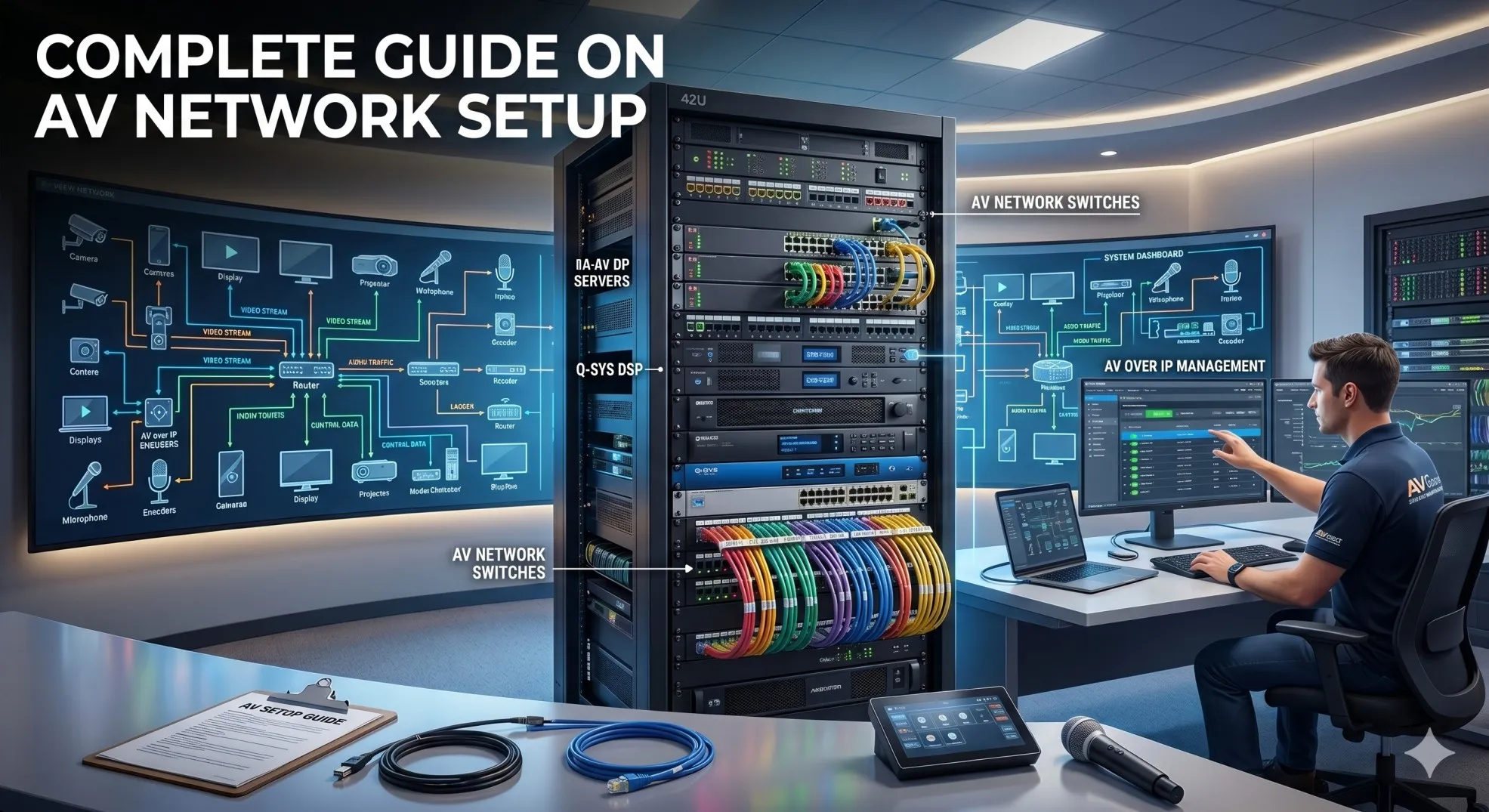
- Network infrastructure supporting IP-based systems
Computing:
- Dedicated PCs running UC platforms (Teams Rooms, Zoom Rooms)
- All-in-one devices with integrated computing
- Collaboration bars combining camera, audio, compute in single unit
Video Conferencing Room Types
Small Huddle Rooms (4-6 people):
- Single display (55"-65")
- USB soundbar with integrated camera
- Wireless presentation
- Budget: $6,000-$15,000
Medium Conference Rooms (8-12 people):
- Dual displays (75"-86") or single large display
- PTZ camera with AI tracking
- Ceiling microphone array
- Professional audio DSP
- Budget: $20,000-$45,000
Large Conference Rooms (12-20+ people):
- Multiple displays or video wall
- Multi-camera system
- Distributed microphone coverage
- Advanced control and automation
- Budget: $50,000-$120,000+
Why Modern Businesses Need Advanced Video Conferencing AV Systems
The Hybrid Work Reality in 2026
Video conferencing has evolved from occasional use to daily necessity:
Usage statistics (May 2026):
- 78% of knowledge workers participate in video meetings daily (Gartner)
- Average 4.3 video meetings per employee per day
- 63% of meetings include at least one remote participant
- 42% of workforce operates in hybrid models (2+ days remote weekly)
Business impact:
- Productivity correlation: Companies with professional VC systems report 23% higher productivity scores
- Recruitment advantage: 68% of job candidates cite meeting technology quality as hiring factor
- Client satisfaction: Professional virtual meetings increase client retention 19%
Meeting Equity Demands
Remote participant experience directly impacts business outcomes:
Common complaints (2026 surveys):
- Can't hear in-room discussions (62% of remote attendees)
- Can't see presenter clearly (54%)
- Content difficult to read from camera view (47%)
- Feel excluded from conversations (41%)
- Audio echo and feedback (38%)
Professional AV solutions:
- Individual microphone coverage capturing every voice
- AI camera framing showing all participants equally
- Dual displays presenting content and people separately
- High-resolution cameras revealing facial expressions and body language
- Quality audio enabling natural conversation flow
Cost of Inadequate Systems
Poor video conferencing creates measurable losses:
Time waste:
- $37 billion lost annually (U.S. only) to meeting technical issues (Gartner 2026)
- Average 11 minutes wasted per meeting on technical problems
- 19% of meetings delayed or cancelled due to AV failures
Opportunity cost:
- Failed sales presentations due to technical difficulties
- Project delays from miscommunication in poor-quality calls
- Employee frustration reducing engagement and retention
Essential AV Equipment for Video Conferencing Rooms in 2026
Camera Systems
Intelligent video capture has become standard:
AI-Powered PTZ Cameras
Current generation features (May 2026):
Automatic framing:
- Facial recognition identifying and tracking speakers
- Group detection adjusting composition for multiple people
- Speaker switching following conversation flow
- Preset recall for different room configurations
Technical specifications:
- 4K resolution (3840×2160) baseline
- 30x optical zoom typical for large rooms
- 60-120 fps for smooth motion
- Wide dynamic range (WDR) handling varied lighting
- Low-light sensitivity (0.5 lux or better)
Leading products (May 2026):
- Logitech Rally Bar: All-in-one, AI Director, $2,995
- Poly Studio X70: 4K, intelligent framing, $3,499
- Cisco Webex Bar Pro: Native Webex, AI Codec, $4,995
- AVer CAM570: Professional PTZ, AI tracking, $2,799
- Sony SRG-A40: Broadcast quality, $8,995
Connection types:
- USB 3.0: Direct to computer, plug-and-play
- NDI: Network video for professional installations
- HDMI: Video output for recording/streaming
- PoE++: Power and data over single Ethernet cable
All-in-One Collaboration Bars
Integrated solutions combining camera, audio, compute:
Advantages:
- Simplified installation: Single device reduces complexity
- Coordinated optimization: Components designed to work together
- Space efficiency: Minimal equipment footprint
- Cost-effective: 30-40% savings versus component systems
Popular models:
- Neat Bar Pro: Premium all-in-one, $2,995
- Logitech Rally Bar Mini: Small rooms, $1,999
- Poly Studio X30: Budget-friendly, $1,799
- DTEN D7 55": Display + collaboration bar, $3,999
Audio Systems
Clear audio determines meeting success more than video quality:
Ceiling Microphone Arrays
Professional standard for conference rooms:
Technology advances (2026):
- AI noise suppression: Removing background sounds in real-time
- Voice enhancement: Improving speech clarity automatically
- Spatial audio: Directional sound helping identify speakers
- Adaptive beamforming: Adjusting to room conditions dynamically
Coverage specifications:
- Pickup range: 15-20 feet radius typical
- Frequency response: 100 Hz - 16 kHz optimized for speech
- Signal-to-noise ratio: 70+ dB for professional quality
- Acoustic echo cancellation: 60+ dB suppression
Recommended products:
- Shure MXA920: Ceiling array, AI processing, $2,499
- Sennheiser TeamConnect Ceiling 2: Premium audio, $2,799
- Biamp Parlé TCM-XA: Dante networked, $1,999
- Audio-Technica ATND1061: Budget option, $1,599
Soundbars and Speaker Systems
Audio output solutions:
Premium soundbars:
- Bose VB-S: Professional quality, $1,499
- Poly Sync 60: Smart speakerphone, $499
- Jabra PanaCast 50: Integrated camera/audio, $1,199
Ceiling speakers:
- Distributed system: 4-6 speakers for even coverage
- Frequency range: 80 Hz - 18 kHz full-range
- Power handling: 30-60W per speaker
DSP (Digital Signal Processing)
Essential audio processing:
Key functions:
- Acoustic Echo Cancellation (AEC): Preventing feedback loops
- Automatic Gain Control (AGC): Maintaining consistent volume
- Noise Reduction: Filtering HVAC, keyboard, environmental sounds
- Equalization: Correcting room acoustic deficiencies
- Compression: Controlling dynamic range
Professional DSP platforms:
- Biamp Tesira: Scalable enterprise solution
- QSC Q-SYS: Cloud-managed ecosystem
- Shure IntelliMix P300: Integrated processing, $1,299
- Crestron AV Framework: Control system integration
Display Technology
Visual presentation requirements:
Display Size Guidelines
| Room Capacity | Viewing Distance | Minimum Display Size | Recommended |
| 4-6 people | 6-10 feet | 55" | 65" |
| 8-10 people | 10-14 feet | 65" | 75"-86" |
| 12-16 people | 14-18 feet | 75" | 86"-98" |
| 16-20+ people | 18-25 feet | 86" | 98"+ or dual displays |
Dual Display Configurations
Optimal setup for hybrid meetings:
Configuration benefits:
- Display 1 (primary): Shared content, presentations
- Display 2 (secondary): Remote participant gallery
- Prevents switching: Content remains visible during discussions
- Meeting equity: Remote attendees always visible
Implementation:
- Side-by-side: Equal-sized displays
- Primary + secondary: 86" content + 65" participants
- Content-focused: 98" main + 55" gallery
Wireless Presentation
Cable-free content sharing:
Enterprise solutions (2026):
- Barco ClickShare Conference CX-50: Premium, $2,799
- Mersive Solstyce Gen3: Cloud-managed, $1,799
- Crestron AirMedia AM-300: Control integration, $2,199
- Kramer VIA Collage: Budget-friendly, $1,399
Essential features:
- Platform support: Windows, Mac, iOS, Android, Chrome OS
- 4K content: High-resolution sharing
- Multi-user: Simultaneous sharing from multiple devices
- Moderation: Host control over displayed content
- Security: WPA3 encryption, enterprise authentication
Network Infrastructure
Backbone of modern VC systems:
Bandwidth requirements per room:
- HD video (720p): 2-4 Mbps upload/download
- Full HD (1080p): 4-6 Mbps
- 4K video: 8-15 Mbps
- Screen sharing: +2-4 Mbps
- Multi-stream: Multiply by concurrent streams
Network design essentials:
- Dedicated VLANs: Separating AV traffic from data
- QoS policies: Prioritizing real-time communications
- Gigabit Ethernet: Wired to all conference rooms
- Managed switches: Port security, monitoring, VLAN support
- Redundancy: Failover paths preventing single points of failure
AI-Powered AV Technologies Transforming Conference Rooms in 2026
Intelligent Camera Features
AI revolutionizing video conferencing:
Auto-Framing Evolution
2026 capabilities:
- Multi-person detection: Tracking 20+ individuals simultaneously
- Gesture recognition: Responding to hand-raising, standing
- Predictive switching: Anticipating speaker changes 2-3 seconds early
- Zone-based framing: Creating virtual camera zones in single physical camera
- Background optimization: Automatic blur or replacement
Real-world benefits:
- Eliminating camera operators: Saving $50-75/hour labor costs
- Consistent quality: No missed shots or poor framing
- Faster setup: No manual camera positioning required
People Counting and Analytics
Occupancy intelligence:
- Automatic attendance: Counting in-room participants
- Utilization tracking: Room usage patterns over time
- Capacity compliance: Alerting when safe occupancy exceeded
- HVAC integration: Adjusting climate based on actual occupancy
AI Audio Processing
Intelligent sound management:
Advanced Noise Suppression
Machine learning algorithms:
- Environmental noise: Removing traffic, construction, weather sounds
- Keyboard/mouse clicks: Filtering typing and clicking
- Paper rustling: Eliminating document handling noise
- HVAC optimization: Targeting specific frequency ranges
- Selective preservation: Maintaining speech while removing everything else
Commercial solutions:
- Krisp.ai: Real-time noise cancellation
- NVIDIA RTX Voice: GPU-accelerated processing
- Native platform integration: Built into Teams, Zoom by mid-2026
Speech Enhancement
Clarity improvements:
- Accent adaptation: Improving recognition of non-native speakers
- Mumble correction: Clarifying unclear speech
- Volume normalization: Balancing soft and loud speakers
- Frequency optimization: Enhancing intelligibility ranges (1-4 kHz)
Automated Meeting Features
AI assistants in conference rooms:
Real-time transcription:
- 95%+ accuracy in 2026 (up from 85% in 2023)
- Speaker identification: Labeling who said what
- Action item extraction: Highlighting tasks and decisions
- Multi-language support: 40+ languages with translation
Meeting summaries:
- Automatic minute generation: AI-written meeting notes
- Key point extraction: Identifying important discussion topics
- Sentiment analysis: Detecting agreement, disagreement, concern
- Follow-up suggestions: Recommending next steps based on discussion
Platforms offering AI features (May 2026):
- Microsoft Teams Premium: Transcription, translation, summaries
- Zoom AI Companion: Included with business accounts
- Webex Assistant: Real-time transcription and highlights
- Google Meet AI: Auto-generated meeting recaps
How to Choose the Right AV Equipment for Video Conferencing
Step 1: Assess Room Characteristics
Physical space evaluation:
Measurements:
- Room dimensions: Length, width, ceiling height
- Seating capacity: Regular vs. maximum occupancy
- Table configuration: Fixed boardroom vs. flexible furniture
- Viewing distances: Furthest seat from display
Environmental factors:
- Natural lighting: Windows requiring high-brightness displays
- Acoustic properties: Hard surfaces causing echo
- HVAC noise: Background sound levels
- Network access: Ethernet drops, Wi-Fi strength
Step 2: Define Usage Patterns
Meeting requirements:
Frequency:
- Daily use: Justifies premium equipment investment
- Weekly use: Mid-range solutions appropriate
- Occasional use: Budget-conscious options viable
Participant mix:
- All-remote: Focus on capturing in-room participants
- Hybrid standard: Equal priority for both audiences
- Primarily in-person: Basic VC capability sufficient
Content types:
- Presentations: Display quality priority
- Collaboration: Interactive features important
- Training: Recording capability essential
Step 3: Platform Selection
UC platform compatibility:
Microsoft Teams Rooms:
- Deep integration: SharePoint, OneDrive, Outlook
- Enterprise features: Compliance, security, management
- Certified devices: Extensive hardware ecosystem
- Best for: Microsoft 365 organizations
Zoom Rooms:
- Platform-agnostic: Works with any calendar system
- Simple interface: Intuitive user experience
- Reliable performance: Industry-leading stability
- Best for: Organizations prioritizing ease of use
Cisco Webex Rooms:
- Security focus: Enterprise-grade encryption
- Integration depth: Cisco networking equipment
- AI features: Cognitive collaboration
- Best for: Security-conscious enterprises
Google Meet Rooms:
- Google Workspace integration: Calendar, Drive, Docs
- Cost-effective: Competitive pricing
- Simple deployment: Cloud-based management
- Best for: Google Workspace customers
Step 4: Budget Planning
Total cost components:
Equipment (60-65% of budget):
- Camera, audio, display, control, wireless presentation
Installation (20-25%):
- Mounting, cabling, termination, configuration, testing
Infrastructure (10-15%):
- Network upgrades, electrical work, acoustic treatment
Training/Support (5%):
- User training, documentation, initial support
Sample budgets:
| Room Type | Equipment | Installation | Infrastructure | Total |
| Huddle (4-6) | $6,000 | $2,000 | $1,000 | $9,000 |
| Small (6-8) | $10,000 | $3,500 | $1,500 | $15,000 |
| Medium (8-12) | $20,000 | $8,000 | $5,000 | $33,000 |
| Large (12-20) | $45,000 | $15,000 | $10,000 | $70,000 |
Common AV Challenges in Video Conferencing Rooms
Challenge 1: Poor Audio Quality
Problem: Remote participants can't hear in-room discussions
Causes:
- Inadequate microphone coverage
- No acoustic treatment in reverberant spaces
- Missing or poorly configured AEC
- Background noise from HVAC, traffic
Solutions:
- Professional ceiling microphone arrays with proper coverage
- Acoustic panels treating 25-35% of wall surfaces
- DSP with AEC, AGC, noise reduction
- HVAC noise mitigation (duct lining, low-velocity systems)
Challenge 2: Meeting Equity Issues
Problem: Remote participants feel excluded or disadvantaged
Causes:
- Single display switching between content and participants
- Camera positioned poorly, missing in-room attendees
- No individual microphone coverage for each speaker
- Difficult to read shared content from camera view
Solutions:
- Dual displays showing content and people simultaneously
- AI cameras with individual framing capabilities
- Beamforming microphones capturing every voice clearly
- Wireless presentation from remote and in-room participants
Challenge 3: Complexity and Usability
Problem: Employees struggle to start meetings or share content
Causes:
- Over-complicated control interfaces
- Multiple remotes and input sources
- No clear instructions or labels
- Incompatibility with personal devices
Solutions:
- One-touch meeting start functionality
- Simplified touch panel with activity-based controls
- Wireless presentation for universal device compatibility
- In-room quick-start guides with visual instructions
- IT support readily available via help button
Challenge 4: Network Performance
Problem: Video freezing, audio dropouts, connection failures
Causes:
- Insufficient bandwidth (shared with data traffic)
- No QoS prioritization
- Wi-Fi instead of wired connections
- Congested network during peak hours
Solutions:
- Dedicated VLANs for video conferencing traffic
- QoS policies prioritizing real-time communications
- Gigabit wired Ethernet to all conference rooms
- 25+ Mbps guaranteed bandwidth per room
- Network monitoring identifying bottlenecks
AV Equipment Trends for Video Conferencing Rooms in 2026
Trend 1: AI Becoming Standard, Not Premium
Democratization of AI features:
2026 status:
- AI auto-framing: Included in 80% of new cameras
- Noise suppression: Built into UC platforms (Teams, Zoom)
- Real-time transcription: Standard in business subscriptions
- Meeting summaries: Available in most enterprise plans
Cost impact:
- 2023: AI features added $1,500-$3,000 to system costs
- 2026: Included at no additional charge
- Accessibility: Small businesses accessing enterprise features
Trend 2: 8K Video Emerging
Ultra-high resolution:
Current adoption (May 2026):
- Available in premium systems: $6,000-$12,000 cameras
- Limited platform support: Zoom, Teams testing in beta
- Bandwidth requirements: 25-40 Mbps per stream
- Use cases: Executive spaces, specialized applications
Practical benefits:
- Reading small text: Documents, spreadsheets, diagrams
- Facial detail: Micro-expressions visible
- Future-proofing: 5-7 year lifespan equipment
Mainstream timeline: 2027-2028 as costs decline 40-50%
Trend 3: Sustainability Focus
Green video conferencing:
Energy-efficient equipment:
- LED displays: 50-60% less power than older LCDs
- Automatic power management: Shutting down when room vacant
- PoE devices: Reducing transformer losses
- Energy Star certification: Standard for enterprise equipment
Carbon reduction:
- Travel replacement: Video meetings avoiding flights
- Carbon offset programs: Vendor initiatives
- Equipment recycling: Take-back programs from manufacturers
- Extended lifecycles: 7-10 year product support
Trend 4: Platform Consolidation
Unified communications standardization:
Market share shifts (2026):
- Microsoft Teams: 45% of enterprise market (up from 35% in 2023)
- Zoom: 32% (stable)
- Cisco Webex: 12% (down from 18%)
- Google Meet: 8% (up from 5%)
- Others: 3%
Implications:
- Reduced platform fragmentation: Most organizations standardizing
- Better hardware compatibility: Certified devices widely available
- Improved interoperability: Cross-platform meetings more common
Trend 5: Bring-Your-Own-Meeting (BYOM)
Platform flexibility:
BYOM concept:
- Room supports any UC platform via HDMI/USB connection
- Users launch meetings from personal devices
- Room AV equipment functions as peripherals
- No platform lock-in for conference rooms
Benefits:
- Guest flexibility: Visitors using preferred platforms
- Cost savings: No UC licensing per room
- Future-proof: Platform changes don't require hardware upgrades
Implementation:
- USB connectivity: Camera, audio, display as USB devices
- Wireless presentation: Content sharing from any device
- HDMI input: Traditional laptop connection
How AV Design Software Simplifies Conference Room Planning
XTEN-AV X-Draw
XTEN-AV X-Draw stands as the premier AV design software specifically optimized for video conferencing room planning in 2026, offering comprehensive tools that streamline every phase from initial consultation through installation documentation.
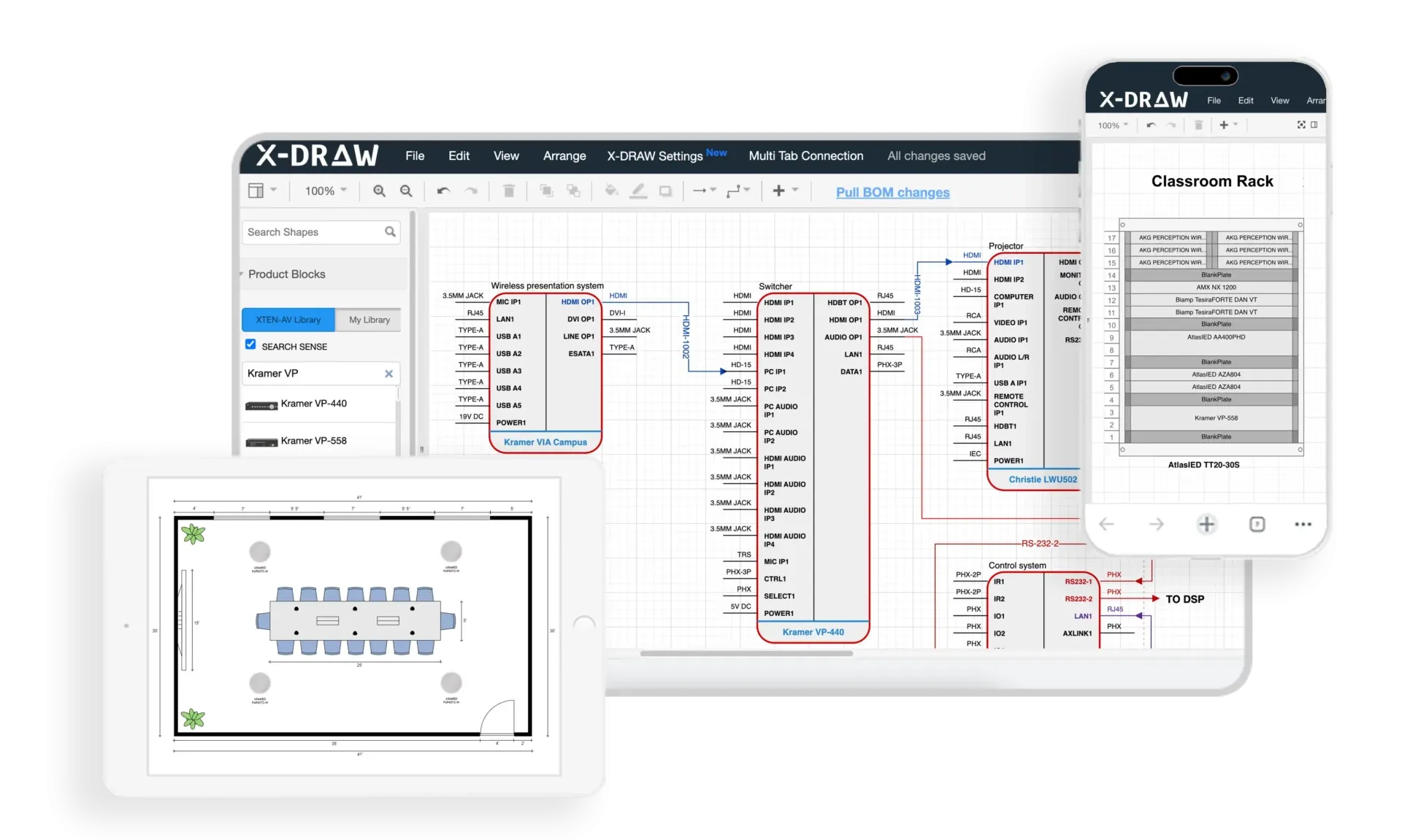
X-Draw combines intuitive CAD functionality with video conferencing-specific features, enabling AV integrators to create accurate room layouts, calculate camera field-of-view coverage, model audio pickup patterns, specify equipment with current pricing, and generate professional client proposals—all within a unified platform that significantly reduces design time while improving accuracy.
Key Features
Video Conferencing Tools:
- Camera field-of-view calculator: Visualizing coverage at different zoom levels
- Microphone coverage mapping: Ensuring complete audio pickup
- Display viewing angle analysis: Verifying visibility from all seats
- Seating arrangement templates: Pre-built layouts for various room types
- Platform-specific equipment libraries: Teams Rooms, Zoom Rooms certified devices
Design Capabilities:
- Drag-and-drop room designer with real-world measurements
- 3D visualization: Showing clients finished installation appearance
- Cable length calculations: Accurate materials ordering
- Equipment compatibility checking: Preventing integration issues
- Multiple design scenarios: Comparing good/better/best options
Documentation Generation:
- Professional proposals: Branded client presentations
- Bill of materials with real-time distributor pricing
- Installation guides: Step-by-step technician instructions
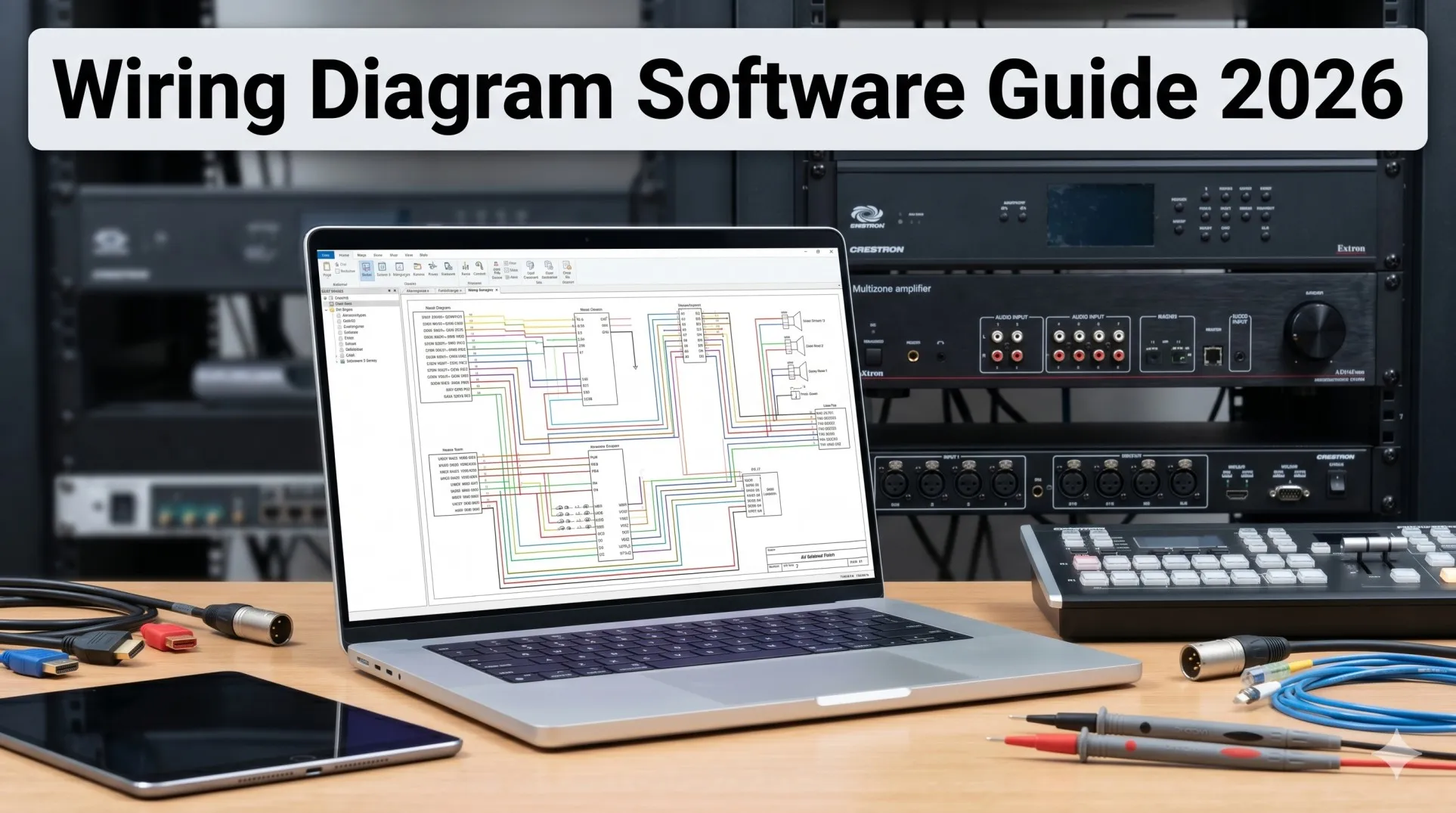
- Wiring diagrams: Point-to-point connection documentation
- As-built drawings: Recording final installation
Project Management:
- Timeline tracking: Managing multiple simultaneous projects
- Purchase order integration: Streamlining procurement
- Client approval workflows: Digital sign-offs
- Change order management: Documenting scope modifications
Pros
✅ VC-specific optimization with templates and calculators for conference rooms
✅ Platform certification database showing Teams/Zoom certified compatible equipment
✅ Real-time pricing from major distributors (ADI, Almo, Snap AV, Ingram Micro)
✅ Excellent support with live chat and video tutorials
✅ Cloud-based accessible from any device without local installation
✅ Mobile app for field measurements and on-site verification
✅ Competitive pricing at $750/year (versus $2,000-$3,500 competitors)
✅ Regular updates with new equipment quarterly
Cons
❌ Learning curve requires 3-5 hours for basic proficiency
❌ Subscription-only model (no perpetual licenses available)
❌ Limited acoustic modeling compared to specialized tools (adequate for typical spaces)
❌ Requires internet for full functionality (offline mode limited)
Best For
XTEN-AV X-Draw excels for:
- AV integrators specializing in corporate video conferencing installations
- IT consultants adding AV services to offerings
- System designers planning multi-room deployments
- Corporate facility teams standardizing across locations
- Small-medium integrators seeking affordable professional tools
EXPLORE XTEN-AV 15 DAYS FREE TRIAL
Alternative Design Tools
Microsoft Visio
General-purpose diagramming:
Strengths:
- Familiar interface for corporate users
- Integration with Microsoft Office
- Affordable at $280/year
Limitations:
- No AV-specific features (manual calculations required)
- No equipment libraries (must build custom)
- No pricing integration
Best for: Simple floor plans and diagrams
AutoCAD with AV Blocks
Professional CAD platform:
Strengths:
- Industry-standard accepted by architects and contractors
- Precise drafting tools
- Custom block libraries for AV equipment
Limitations:
- Expensive at $1,860/year
- Steep learning curve (40+ hours proficiency)
- General-purpose not optimized for AV
Best for: Large projects requiring architectural coordination
Frequently Asked Questions
Q: What is the minimum budget for a professional video conferencing room?
A: Small huddle rooms (4-6 people) start at $9,000-$15,000 for complete professional installation including camera, audio, display, wireless presentation, and control. Standard conference rooms (8-12 people) require $25,000-$45,000. Cutting corners below these thresholds typically results in poor meeting experiences and wasted investment.
Q: Should we choose Microsoft Teams Rooms or Zoom Rooms?
A: Base decision on your organization's UC platform standardization. If using Microsoft 365 (Outlook, SharePoint, OneDrive), Teams Rooms provides seamless integration. Zoom Rooms offers platform flexibility and often simpler operation. Both support hybrid meetings effectively—choose based on ecosystem alignment.
Q: Do we need professional installation or can we DIY?
A: Small huddle rooms with USB soundbars suitable for DIY if technically capable. Standard conference rooms requiring ceiling microphones, professional DSP, and multi-display setups benefit significantly from professional installation ensuring optimal performance, proper calibration, and warranty protection. Budget 25-30% of total cost for professional labor.
Q: What network bandwidth is required per video conferencing room?
A: Minimum 25 Mbps dedicated bandwidth per room for reliable HD video conferencing. Prefer 50 Mbps for 4K systems or rooms with frequent screen sharing. Implement dedicated VLANs and QoS policies prioritizing real-time traffic. Wired Gigabit Ethernet strongly preferred over Wi-Fi for stationary conference room equipment.
Q: How important is AI in video conferencing cameras?
A: AI features (auto-framing, speaker tracking, noise suppression) now standard in professional systems, not premium options. They significantly improve meeting quality by ensuring remote participants see active speakers clearly, eliminating manual camera operation, and providing consistent professional results. Essential for meeting equity in hybrid environments.
Q: Should we invest in 8K cameras or stick with 4K?
A: 4K remains optimal choice for May 2026. While 8K cameras available, limited platform support, higher bandwidth requirements (25-40 Mbps), and minimal visual improvement for standard conference room use cases don't justify 2-3x cost premium. Consider 8K only for executive spaces with 7-10 year replacement cycles.
Q: How do we achieve meeting equity for remote participants?
A: Key strategies: Dual displays showing content and participants simultaneously; AI cameras with individual framing showing all in-room attendees; ceiling microphone arrays capturing every voice clearly; wireless presentation enabling remote and in-room content sharing equally; and testing system from remote participant perspective before deployment.
Conclusion
As we progress through 2026, successfully implementing video conferencing AV systems requires comprehensive understanding of how integrated technologies work together to create seamless hybrid meeting experiences. Understanding what is audio visual equipment—the cameras, microphones, displays, and control systems enabling virtual collaboration—provides the foundation for making informed decisions. Knowing what is audio visual equipment and its strategic importance empowers AV integrators and corporate technology leaders to design installations that truly serve modern workplace requirements.
The essential components have evolved significantly: AI-powered cameras with auto-framing are now baseline expectations, ceiling microphone arrays with beamforming have replaced table microphones in professional installations, dual-display configurations have become standard for meeting equity, and cloud-based management platforms enable enterprise-scale operations. These advances, combined with platform certification programs from Microsoft, Zoom, and Cisco, have dramatically improved compatibility and reliability compared to even two years ago.
Meeting equity—ensuring remote participants experience comparable quality to in-room attendees—has emerged as the primary design objective, driven by hybrid work models that show no signs of retreating. Organizations investing in professional AV systems report measurable improvements in productivity (23% higher), employee satisfaction (19% increase), and meeting effectiveness (reduced time waste by 11 minutes per meeting). Conversely, companies maintaining inadequate video conferencing facilities face competitive disadvantages in talent recruitment, client relationships, and operational efficiency.
Emerging trends—including AI democratization making advanced features accessible to all organizations, 8K video entering premium segments, sustainability initiatives reducing environmental impact, and BYOM flexibility preventing platform lock-in—continue reshaping the landscape throughout 2026. However, fundamental principles remain constant: audio quality determines meeting success more than video, simplicity drives user adoption, network infrastructure underpins system performance, and professional design using tools like XTEN-AV X-Draw prevents costly mistakes and ensures optimal results.
Whether outfitting a single huddle room or deploying standardized systems across global campuses, success requires assessing room characteristics, defining usage patterns, selecting appropriate platforms, budgeting realistically, and partnering with experienced integrators who understand both technology capabilities and human factors. By following the principles outlined in this guide, organizations create video conferencing environments that enhance rather than hinder communication—enabling the collaboration, innovation, and connection essential for thriving in our increasingly distributed business world.
























Sign in to leave a comment.