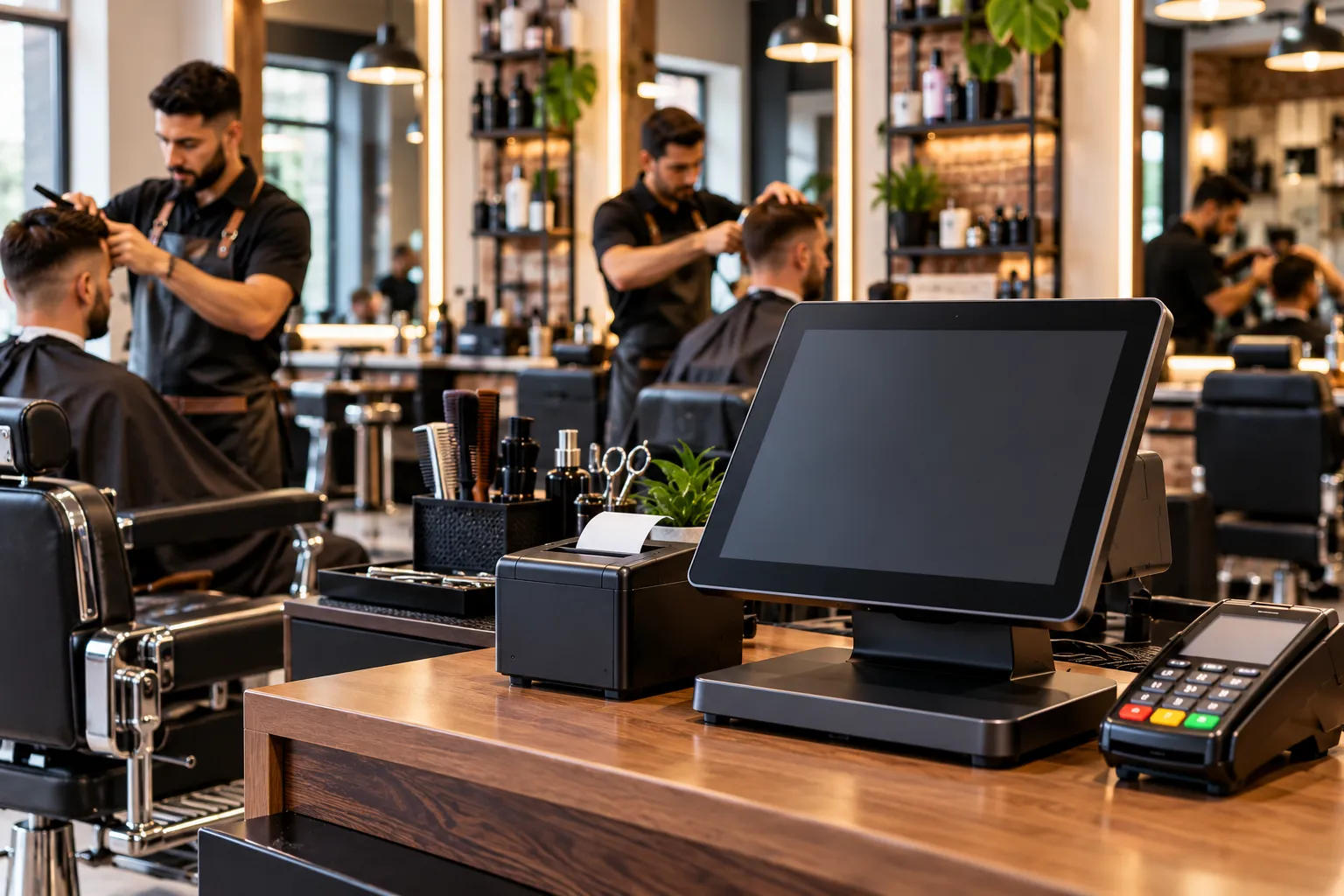

Running a barbershop means balancing walk-in customers, scheduled appointments, barber commissions, tips, and retail product sales. When the shop gets busy on a Saturday morning, manually tracking who served each customer or which products were sold can quickly become frustrating. A Barbershop POS System helps bring these everyday tasks together, giving owners better control over transactions, staff activity, and inventory without adding unnecessary administrative work.
For independent barbershops in the United States, the right point-of-sale setup should do more than accept card payments. It should support the way the shop actually operates, whether you manage two barber chairs or several locations with a full team.

Why a Barbershop Needs More Than a Card Reader
A basic payment terminal can process transactions, but it may not connect payments with appointments, individual barbers, service categories, or retail stock. That leaves owners switching between appointment books, spreadsheets, payment reports, and inventory records to understand what happened during the day.
Consider a shop with four barbers, a steady walk-in queue, and customers buying pomade or beard oil after their haircuts. The checkout process needs to record the service, assign the sale to the correct barber, capture the tip, and deduct any retail products from inventory. If these tasks require separate manual entries, mistakes and end-of-day reconciliation become more likely.
A dedicated barber POS system connects these workflows where supported. The goal is straightforward: spend less time sorting out transactions and more time serving customers.
Essential Features to Look for in a Barbershop POS System
Not every shop needs an elaborate software package. Focus on features that solve your daily operational problems.
Appointment Scheduling and Walk-In Management
A barbershop often serves both customers who book ahead and people who walk in without calling. Your system should make it easy to view barber availability, manage appointment slots, and keep walk-ins moving without double-booking staff.
Look for barber-specific schedules, appointment reminders, and a clear view of the day's bookings. If your shop operates primarily on walk-ins, ask whether the software supports a queue or turn-based assignment rather than forcing every customer into an appointment calendar.
Fast Checkout and Flexible Payments
Customers expect to pay quickly after a haircut. A suitable POS system should support the payment methods your customers use, such as cash, credit and debit cards, and contactless payments where available.
It should also let staff record tips clearly and provide an accurate transaction history. Before choosing a system, confirm how refunds, split payments, gift cards, and tip adjustments work. These details matter when you are reconciling the register or resolving a customer's question.
Review the complete processing agreement, not just the advertised transaction rate. Monthly software charges, hardware costs, payment processing, and contract terms can affect the actual cost of running the system.
Barber Commission and Employee Tracking
When several barbers work in the same shop, accurate sales attribution is essential. The register should make it clear which barber performed a service and how that transaction should be recorded.
If your business pays commissions, check whether the software calculates them automatically according to your chosen rules or simply reports each barber's sales for manual calculation. Booth renters may need a different workflow from employees paid a commission.
Also confirm how tips are recorded and reported. In the United States, the IRS has specific guidance on tip income and recordkeeping. A POS system can help maintain transaction records, but it does not replace payroll procedures, required tax reporting, or professional accounting advice.
Retail Inventory Management
Many barbershops sell shampoo, styling products, pomade, beard oil, and grooming accessories alongside haircut services. Retail inventory can become difficult to manage when purchases and sales are recorded separately.
A POS system with product-level inventory tracking deducts a sold item from its recorded stock balance. Low-stock alerts, where available, can help owners identify products that need reordering before a busy weekend.
For example, if a particular styling product sells frequently on Fridays, reviewing sales history can help you plan replenishment. The system still depends on accurate receiving records, correct product counts, and regular checks for damaged or missing stock.
Customer Records and Loyalty Programs
Remembering a regular customer's preferred service is part of providing a good barbershop experience. Customer profiles can help staff reference visit history and relevant preferences, while loyalty tools can support rewards for repeat visits.
Choose a system that lets you manage customer information responsibly. Collect only the information your business needs, limit staff access where possible, and explain how customer details are used for appointment reminders or marketing.
How to Choose the Best POS System for a Barbershop
The best POS system for a barbershop depends on your staffing model, service mix, and budget. A solo barber may need simple payments, scheduling, and customer records. A shop with multiple barbers may need stronger staff reporting, commission tracking, and inventory controls.
Before committing, work through a few practical checks:
- Test a complete transaction: Ring up a haircut, add a tip, sell a grooming product, and review the receipt.
- Check staff permissions: Confirm that barbers can perform their daily tasks without having access to sensitive owner-level settings.
- Understand the total cost: Include software subscriptions, payment processing, hardware, support, and any additional user or location fees.
- Ask about support: Find out how to get assistance when the terminal fails during business hours.
- Verify reporting: Make sure you can review sales by service, product, employee, and payment method where required.
- Plan for growth: If you expect to add chairs or locations, ask how staff, pricing, inventory, and reporting will be managed across the business.
Request a live demonstration using your own service menu and commission rules. A system that looks impressive in a feature list may still create unnecessary steps at the register.
How Gokul POS Supports Barbershop Operations
Gokul POS provides point-of-sale software, hardware, and payment solutions for businesses that need practical tools for everyday transactions. Its barber shop POS systems page describes capabilities including appointment scheduling, customer profiles, loyalty programs, sales tracking, inventory management, and multi-barber reporting.
These functions can help shop owners bring service sales and retail transactions into a more organized workflow. Owners should confirm the exact features, integrations, payment options, and pricing available for their particular setup before purchasing.
Gokul POS also offers resources covering POS features, POS hardware, and credit card processing services. Reviewing the software and hardware together can help you determine what your shop needs at the front desk or workstation.
No POS system can guarantee higher sales or eliminate every operational error. Results depend on setup, staff training, accurate records, and how consistently the system is used.
Conclusion
A Barbershop POS System should make daily shop management easier, not add another layer of work. Prioritize fast checkout, clear barber-level reporting, dependable inventory records, and scheduling that matches your mix of appointments and walk-ins. Compare the full cost and test real transactions before making a decision. With the right setup and consistent use, Gokul POS can help barbershop owners organize payments, services, staff activity, and retail sales in one more manageable workflow.



















Sign in to leave a comment.