

You open a website on your phone, and a box asks whether the site may send notifications. A little later, a banner appears saying that your account needs attention. Are those two messages connected? Not necessarily. In this Bybet PH browser notification guide, the important distinction is between permission given to a browser and a message verified inside an account. The two can look related on screen while relying on completely different systems.
For Filipino readers using Chrome on Android, Safari on a Mac, or a shared family computer, the practical goal is to identify who is requesting attention. A browser prompt is not proof that the named site has detected a problem with an account. Equally, dismissing a browser alert does not automatically cancel a legitimate email or a notice already stored in an account dashboard.

What an Allow or Block prompt actually controls
Browsers can let websites request permission to send notifications to your device. The permission prompt normally belongs to the browser interface and refers to the website origin asking for access. Selecting Allow gives that origin permission to send browser notifications under the browser’s rules; Block refuses that particular permission request. Neither choice, by itself, signs you into an account, approves a transaction or confirms the identity of a person contacting you.
Google Chrome allows users to control these permissions by website and may block intrusive or misleading notification requests. Notifications are also different from pop-up windows: blocking pop-ups does not necessarily remove permission to receive alerts. This is why a person may still see a notification even after changing a separate pop-up setting.
If you see a prompt while reading an article, there is usually no need to select Allow just to continue reading. Treat permission as an optional decision, not a security check you must pass. The most useful question is whether you recognize the exact website origin and genuinely want ongoing alerts from it.
Push alert, inbox notice, email: three different channels
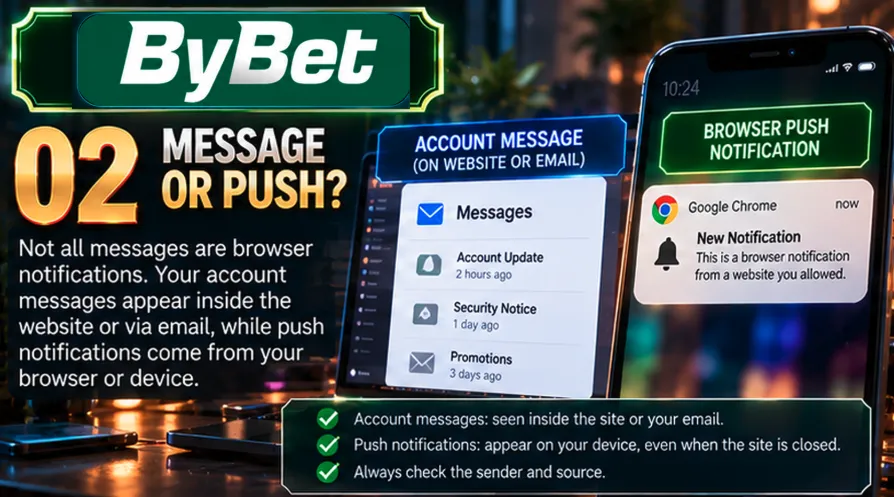
A browser push notification can appear through Chrome, Safari or another browser after a site has obtained permission. Depending on device settings and browser support, it may appear even when the original page is not open. Its visible icon or title can be confusing, especially when several sites use similar names.
An account message, by contrast, is a record you verify within the service’s own signed-in interface, if that service actually provides an inbox or notice area. Email and text messages travel through yet other channels. One system does not automatically authenticate another: a notification that says “security notice” is not automatically an official account alert, and an unexpected email should not be trusted just because it contains a familiar logo.
For this article, no specific Bybet PH in-account notification feature is assumed or claimed. The categories above describe general website and browser behavior. Readers should check the documented communication channels of whatever service they use instead of assuming every website has the same features.
Inspect the sender and the exact website address
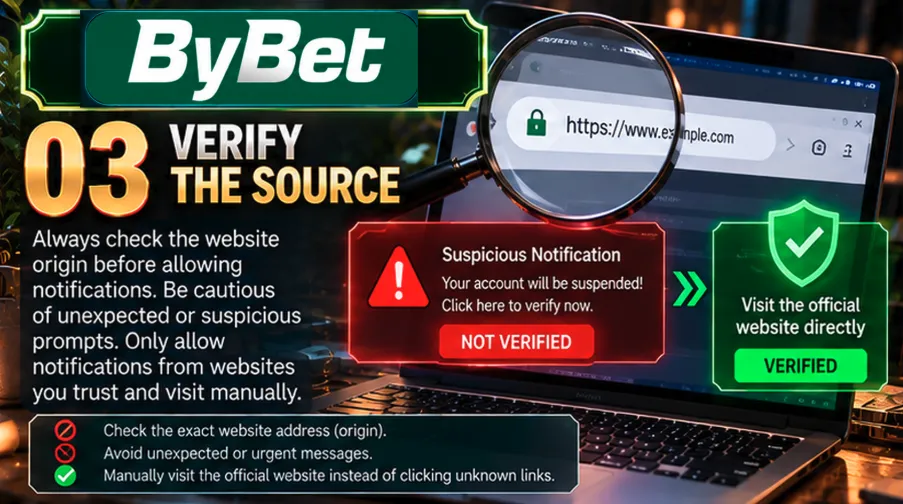
Imagine a hypothetical alert that says, “Confirm your identity immediately,” followed by a short link. Its wording may be urgent, but urgency is not evidence of authenticity. Before acting, identify where the alert came from. A notification’s sender may be the browser or operating system, while the website origin appears in its permission settings. A lookalike domain can request notification access just as a legitimate domain can.
Do not enter passwords, one-time codes or payment details into a page opened from an unexpected notification. Instead, open the service by a trusted bookmark or by typing the already-known address yourself, then inspect any relevant notice there. A padlock or HTTPS connection means a connection is encrypted; it does not, on its own, prove that a website or its claims are trustworthy.
In Philippine group chats, cropped alerts can remove the sender and address bar. Ask for the original context rather than sharing a screenshot as proof. If a message demands immediate action or claims that a balance will disappear, that pressure is a reason to verify independently, not to move faster.
Review notifications in Chrome and Safari
On desktop Chrome, open Settings, then Privacy and security, Site settings and Notifications. Review which sites are allowed to send alerts and block any unfamiliar origin. Chrome on Android provides Settings, Site settings and Notifications; individual-site permissions can also be reviewed from the site information controls. Interface labels may differ slightly across versions.
In Safari on a Mac, go to Safari, Settings, Websites and Notifications to review each website’s permission. Apple also provides notification controls in System Settings. These controls govern browser or device delivery, not whether a service stores account messages internally.
If notifications stop after you block a website, that confirms that delivery permission changed; it does not prove a previous notification was authentic or fraudulent. Keep the two questions separate: “Should this site notify me?” and “Is this particular message genuine?”
A practical Bybet PH reader example
Consider someone reading a sports article on a public Wi-Fi connection in Metro Manila. The page displays an Allow notifications request. Later, their phone shows a similarly branded warning from a different domain. A cautious reader does not assume the second notification belongs to the first website. They compare the origin, close the unexpected alert and navigate directly to the intended site if any verification is needed.
The Bybet PH articles and guides section is a place to read published information, but an article page is not evidence of a live account notification service. No actual transaction, notification delivery system or official support workflow has been independently tested for this guide. The example is a general browser-safety scenario, not a report of a real security incident or product feature.
When using multiple devices, review permissions on each browser profile rather than assuming a change on one phone automatically updates a laptop. Also check whether a relative or another person has granted notification permission on a shared device.

Five checks before acting on any alert
First, determine whether it is a browser push, an account inbox message or a separate email or SMS. Second, inspect the exact website origin and compare it with an address you already trust. Third, avoid opening an unexpected verification link or entering a one-time password from the alert. Fourth, use the browser’s notification settings to block unwanted sources. Fifth, independently verify any account-related claim through an established channel you reached yourself.
These checks apply well beyond one brand. Browser notifications are delivery permissions, not endorsements. Account notices require their own verification, and impressive graphics or urgent words cannot substitute for an authentic source. Readers who separate those functions can make better decisions without disabling every useful alert or trusting every alarming message.
Reference notes
Google Chrome Help, “Use notifications to get alerts” (computer and Android versions).
Apple Support, “Change Websites settings in Safari on Mac” and “Customize website notifications in Safari on Mac.”
WriteUpCafe, “Terms of Use” and “Writeup quality guidelines” (publisher review only; not proof of acceptance).






















Sign in to leave a comment.