

Plenty of QuickBooks training costs nothing. The challenge is not finding it, it is sorting real training from marketing pages, outdated videos and courses that turn out to be free only until the certificate.
This guide covers the free resources worth your time, what each one teaches well, where free training runs out and how to build a learning plan without spending a dollar.
What Can You Learn for Free, and Where Does Free Stop?
Free resources handle everyday skills well. Expect to learn:
• Setting up a company, chart of accounts and basic preferences
• Invoicing, receiving payments and recording expenses
• Connecting bank feeds and categorizing transactions
• Reconciling accounts each month
• Running and customizing standard reports
• Basic payroll entry and sales tax mechanics
Free training is thinner on judgment calls: how to structure a chart of accounts for your industry, how to fix a file with years of miscategorized transactions, how to set up job costing or inventory correctly the first time, and how to plan a migration. Those tasks depend on your specific data, which no general tutorial can see.
Which Free Resources Does Intuit Offer?
Start with the source. Intuit material is current, matches the real interface and costs nothing, though it naturally promotes higher-priced plans.
Self-Paced Tutorials and How-To Videos
Intuit publishes short video tutorials and step-by-step articles for core tasks, organized by topic. These are the fastest way to answer a specific question, such as how to record a customer deposit or set up recurring invoices. Intuit has said free live classes are not currently offered in the U.S., so plan around self-paced material rather than waiting for a class.
The Free Sample Company
The most underused free resource is the QuickBooks Online test drive, a demo company called Craig's Design and Landscaping Services. It opens in a browser with no sign-up, no credit card and no trial clock.
It matters because the sample file already contains customers, vendors, invoices, bills and history, so you can practice reconciling, running reports and voiding transactions on data that looks like a real business. Two things to know: changes are not saved between sessions, and you cannot connect a bank account to it for security reasons. Sign out of your Intuit account or open the link in a private browser window first.
Use it to rehearse anything you are nervous about doing in your own books, such as editing a prior-period transaction or changing an account type.
Help Articles and the QuickBooks Community
Intuit's help center covers narrow, technical questions that videos skip, including error messages, setup limits and what specific features do. The community forum adds answers from other users and ProAdvisors, which is often where you find the practical workaround.
When you search the community, check the date on each answer and whether the reply refers to your country's version. Old threads describe menus that no longer exist.
Webinars and Product Update Sessions
Intuit runs recurring webinars, including a monthly session covering new features across its products, with live question-and-answer time. These are aimed largely at accountants but are open and useful to anyone who wants to know what changed in the software this month.
Free Training Aimed at Accountants and Bookkeepers
If you work on other people's books, or you are the in-house bookkeeper, the deepest free training sits inside QuickBooks Online Accountant. Signing up is free, and it unlocks ProAdvisor training courses and certification exams at no cost.
A few details worth knowing before you start:
• Training is optional. You can go straight to the certification exam if you already know the software.
• QuickBooks Online certification comes in levels, and Intuit recommends waiting a period after passing the first before attempting the advanced one.
• Exams allow a limited number of attempts. Failing repeatedly locks you out for a waiting period, and you retake the full exam rather than one section.
• Intuit is a registered CPE sponsor, though state boards of accountancy make the final call on whether a course counts, and some states do not accept it.
Business owners can sign up too, but expect the material to assume accounting knowledge and to focus on serving clients rather than running one business.
What Free QuickBooks Training Exists Outside Intuit?
YouTube Channels
YouTube is the strongest free source for long, real-world walkthroughs, including full setup series and troubleshooting sessions that Intuit does not publish. Several well-known accountants post regularly, and Intuit itself points users to some of them.
Judge a channel by three things: how recently the video was posted, whether the creator shows the same product and country version you use, and whether they work with real client files rather than demo data only. A polished video from three years ago may walk you through a menu that no longer exists.
Free Courses on Learning Platforms
Major course platforms carry bookkeeping and QuickBooks courses that you can take at no charge in audit mode, paying only if you want a certificate. Intuit sponsors bookkeeping coursework on one of these platforms. Audit access usually includes the video lessons but may lock graded assignments, so check before you plan around it.
Read the description carefully for the software version and the country. A course built on an older interface still teaches accounting logic well, but the click paths will not match.
Your Public Library
Many U.S. public libraries provide free cardholder access to subscription learning platforms that include QuickBooks courses, along with business databases. This is the easiest way to get paid course material at no cost. Check your library's digital resources page, or ask a reference librarian which platforms your card unlocks.
Small Business Support Organizations
Free business mentoring programs, small business development centers and local chambers of commerce run workshops that sometimes cover bookkeeping software, and their mentors will review your setup at no charge. The accounting advice they provide is often more valuable than the software walkthrough, because it addresses how your specific business should record its activity.
Which Free Resource Fits Your Goal?
Different resources suit different questions. Matching the two saves hours.
| What you need | Best free resource |
| A quick answer to one task | Intuit help articles and short tutorials |
| Hands-on practice with no risk | The sample company test drive |
| A full setup walkthrough | A recent YouTube series from a practicing accountant |
| Structured lessons with accounting context | Audit-mode courses, or library-provided platforms |
| An error message or odd behavior | Intuit help center, then the community forum |
| Feedback on your own numbers | A small business mentor or your accountant |
| Credentials for client work | Free ProAdvisor training and certification |
One habit improves every option: after each lesson, repeat the task in the sample company without the video playing. Watching builds recognition, and repeating builds recall.
How Do You Build a Free Training Plan That Works?
Random tutorials produce scattered knowledge. A sequence works better. This four-week plan assumes a few hours each week.
1. Week 1: Foundations. Watch setup tutorials, then rebuild the same steps in the sample company. Learn the chart of accounts, customers, vendors and items before entering anything in your live file.
2. Week 2: Daily workflows. Practice invoicing, receiving payments, entering bills and categorizing bank feed transactions. Enter one real week of your own activity.
3. Week 3: Month-end. Learn reconciliation and run it in the sample company, deliberately creating and then fixing a discrepancy. Then reconcile one real account.
4. Week 4: Reporting and review. Learn how to customize, memorize and export reports. Run a profit and loss and a balance sheet, then ask your accountant to review them.
Train by role rather than making everyone learn everything. A field technician needs time entry only. An office manager needs invoicing, bill entry and bank feeds. Whoever closes the month needs reconciliation and reporting.
What Does Free Training Not Cover?
Recognize the limits early so you do not spend a month searching for a video that does not exist. Free material rarely covers:
• Your file's specific problems, such as an unexplained balance in undeposited funds or a reconciliation that has not matched in months.
• Industry setup decisions, including job costing for contractors, inventory methods for retailers and fund tracking for nonprofits.
• Cleanup of prior years, which requires judgment about what to restate and what to leave alone.
• Migrations and conversions, where a mistake affects your tax reporting.
• Payroll compliance questions, which depend on your state and employee classifications.
For these, a few paid hours with a ProAdvisor or your accountant usually costs less than the time spent guessing, and far less than fixing a year of misrecorded transactions.
Is There Free Training for QuickBooks Desktop?
Less than there used to be. Intuit's newer tutorials, webinars and certification paths center on QuickBooks Online, because Intuit no longer sells most Desktop editions to new U.S. customers. What remains free for Desktop users is the help article library, community threads and older YouTube walkthroughs, which stay useful since the Desktop interface changes slowly.
Check That Your Version Still Runs Before You Invest Time
Desktop training only pays off if the software still works on your computer. Intuit supports each version year for a limited period, and it stopped supporting QuickBooks Desktop on Windows 10 after Microsoft ended support for that operating system in Oct. 2025.
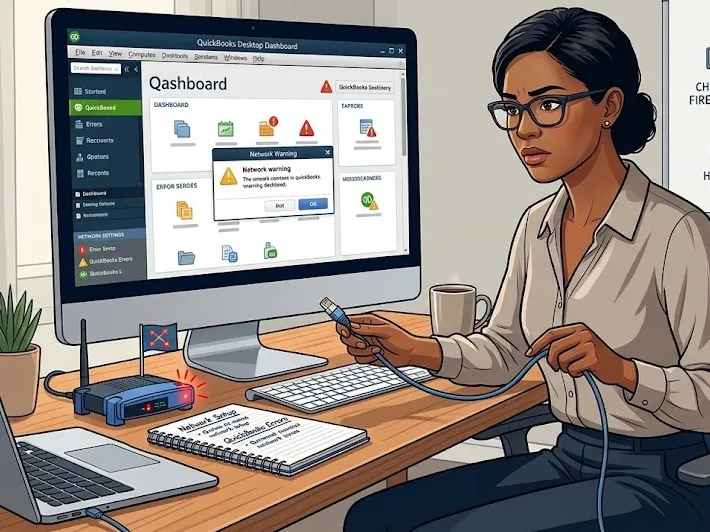
If QuickBooks blocks an install or displays a compatibility warning, that is a system requirements problem rather than a training problem. Guides on how to resolve QuickBooks unsupported operating system errors walk through checking the version year against Intuit's current system requirements, confirming whether your PC can upgrade to Windows 11 and reinstalling after the operating system changes.
Settle that first. If the answer is that your hardware or version cannot continue, spend your training hours on QuickBooks Online instead of learning a setup you will leave within the year.
How Long Does It Take to Become Proficient in QuickBooks Using Free Resources?
Most learners who dedicate three to five hours per week reach a functional level of proficiency within four to six weeks. This timeline covers core tasks such as invoicing, expense tracking, and basic reporting.
Full proficiency, including payroll management and advanced reporting, typically takes two to three months of consistent practice. The exact timeline depends on prior bookkeeping knowledge and how many free resources a learner combines.
Consistency matters more than course length. Short, regular practice sessions build retention better than occasional long study blocks.
Frequently Asked Questions
Can a business owner get QuickBooks certified for free?
You can sign up for QuickBooks Online Accountant and take the certification training and exams without paying, but the material assumes accounting knowledge and is built around serving clients. Most owners get more value from targeted tutorials and the sample company than from pursuing a certification.
How can I practice without paying for a subscription?
Use the sample company for unlimited practice, and use a free trial when you need to test something the sample file cannot do, such as connecting a bank feed. Remember that trial data does not always carry into a paid subscription the way you expect, so avoid entering months of real transactions during a trial.
How many hours does it take to get comfortable?
Most owners handling straightforward invoicing and expenses reach basic confidence in roughly eight to 12 hours of focused practice spread over a few weeks. Payroll, inventory and job costing each add several more hours, and comfort with month-end close usually comes after two or three real cycles.
Does free QuickBooks training count for continuing education credit?
Some of it can. Intuit is a registered CPE sponsor, so certain trainings carry credit, but state boards of accountancy decide what they accept and some exclude software training entirely. Confirm with your state board before counting on it.
Should I train my staff on the same material I use?
Not entirely. Give each person the tutorials for the tasks they own, then document your own procedures in a short written guide. A one-page instruction sheet for how your business records deposits will prevent more errors than a general video, because it reflects your accounts and your rules.
What should I do when free training does not answer my question?
Write down what you tried and what result you expected, then take that to a ProAdvisor, your accountant or the community forum. A specific question, including the report you ran and the amount that looks wrong, gets a usable answer far faster than asking how a feature works.























Sign in to leave a comment.