


The most carefully written sales email is useless if it reaches the wrong person, lands in spam, or sounds like every other message in a prospect’s inbox. Sales teams lose hours researching accounts, writing individual messages, cleaning contact lists, and chasing replies without knowing which part of the process is failing.
A practical Cold Email Outreach Strategy starts with accurate prospect data, relevant messaging, controlled sending volumes, and follow-ups based on prospect behavior. Sales teams can improve replies and deliverability by validating email addresses, personalizing messages around business priorities, separating interested prospects from non-responders, and monitoring inbox placement alongside engagement. The goal is not to send more emails. It is to make each message more relevant and each sending decision more informed.
What Are Cold Email Best Practices for B2B Sales Teams?
Cold email best practices are the research, writing, sending, and follow-up methods that help sales teams reach relevant decision-makers without damaging sender reputation. They connect prospect selection, message relevance, technical email setup, and response management into one repeatable workflow.
For B2B teams, the first decision happens before an email is written: does this person have a reason to care about the offer? A sales leader struggling with inconsistent pipeline coverage needs a different message from a RevOps manager dealing with incomplete CRM records. Treating both as identical prospects leads to generic copy and weak replies.
A reliable process has four parts:
- Accurate targeting: Identify accounts and contacts that match your ideal customer profile.
- Relevant messaging: Connect a prospect’s role, business priorities, or observable activity to one useful outcome.
- Responsible sending: Validate addresses, configure authentication, and control sending patterns.
- Intent-based follow-up: Use replies, clicks where appropriate, meeting requests, and explicit objections to decide what happens next.
These parts depend on one another. Personalization cannot compensate for an invalid address, and a clean list cannot rescue a message with no clear business reason. Sales teams get better results when they diagnose the entire workflow instead of treating low reply rates as a copywriting problem alone.
How Can Personalized Cold Email Outreach Improve Reply Rates?
Personalization improves replies when it explains why a prospect should care about your message today. Adding a name, company name, or job title is not enough. The message needs a connection between the recipient’s situation and the problem your product solves.
Strong personalized cold email outreach uses three layers of context:
- Role relevance: Connect the offer to the recipient’s responsibilities. A sales director may care about pipeline coverage, whereas a RevOps manager may focus on data quality and workflow consistency.
- Account relevance: Refer to a genuine business priority, such as a new market launch, a hiring initiative, or a change in the company’s sales process.
- Timing relevance: Explain why the conversation makes sense now. A recent expansion may create a reason to discuss prospecting capacity, but it does not prove the company needs your product.
Consider this weak opening:
“Hi Alex, I noticed you work in sales. We help businesses improve productivity. Would you be interested in a demo?”
A stronger version would be:
“Hi Alex, I noticed your team is hiring across several sales territories. How are you keeping prospect research and follow-ups consistent as the team grows?”
The second message introduces a relevant operational question without pretending to know the prospect’s internal challenges. That distinction matters. Research should support a useful observation, not become an excuse for making assumptions.
A practical rule is to spend research time in proportion to account value. High-value accounts may justify manual research into business priorities and buying signals. Larger prospect groups need structured filters and reliable data, with human review reserved for the most promising contacts.
SalesTarget.ai's Lead Explorer supports this workflow with more than 840 million professional profiles, 146 million business entities, and over 4,000 intent signals, according to the platform's stated product specifications. Teams can combine business and people filters, enrich contact records, and use buying signals to prioritize accounts before writing messages.
The aim is to give each rep enough context to explain the reason for reaching out without spending twenty minutes researching every contact.
How Does Email Deliverability Optimization Keep Messages Out of Spam?
Email deliverability depends on technical authentication, sender reputation, recipient behavior, list quality, and sending patterns. A message can be well written and still fail if mailbox providers distrust the sending domain or recipients repeatedly report unwanted mail.
Start with the technical foundation. Configure SPF, DKIM, and DMARC for the sending domain, check alignment between the authenticated domain and the visible sender, and confirm that your email provider supports the required setup. Google's published sender guidelines explain these authentication requirements and the additional rules that apply to bulk senders.
Validate Contacts Before Launching a Campaign
An address that looks valid is not necessarily deliverable. People change jobs, companies retire domains, and old records remain in prospecting databases long after they stop being useful.
Run contact lists through an email verification process before adding them to a sequence. Checks can include domain and mail-server validation, disposable-address detection, and risk scoring. Treat uncertain results separately rather than assuming every address is safe to send to.
SalesTarget.ai's Lead/Email Validator supports individual and bulk checks, including MX/SMTP validation and disposable-email detection. The practical benefit is that reps can review contact quality as part of prospect preparation rather than exporting a list to a separate service and manually importing the results.
A useful operational safeguard is to track bounce rates by list source. If contacts from one source repeatedly generate hard bounces, pause that source and investigate before sending more. Do not wait for the campaign's overall metrics to deteriorate.
Control Sending Volume and Monitor Reputation
New sending infrastructure should not jump straight into aggressive volume. Establish a consistent sending pattern, monitor delivery outcomes, and increase activity only when the results support doing so. Automated warm-up is not a guarantee of inbox placement, and no sending tool can override poor recipient engagement or weak domain reputation.
Review bounce rates, spam complaints, delivery failures, and replies together. Open rates can provide limited directional information, but privacy features and automated image loading can make them unreliable as a standalone measure of campaign success.
For teams using several inboxes, check that each account follows the same authentication and quality standards. Rotating between inboxes does not fix a damaged sender reputation. It can simply spread the symptoms across more accounts.
Give your team a cleaner starting point. SalesTarget.ai combines prospect enrichment and email validation in one workflow, helping reps identify contact risks before launching outreach. Use that workflow to reduce avoidable bounces and reserve sending capacity for relevant prospects.
How Can B2B Email Outreach Automation Scale Personalization?
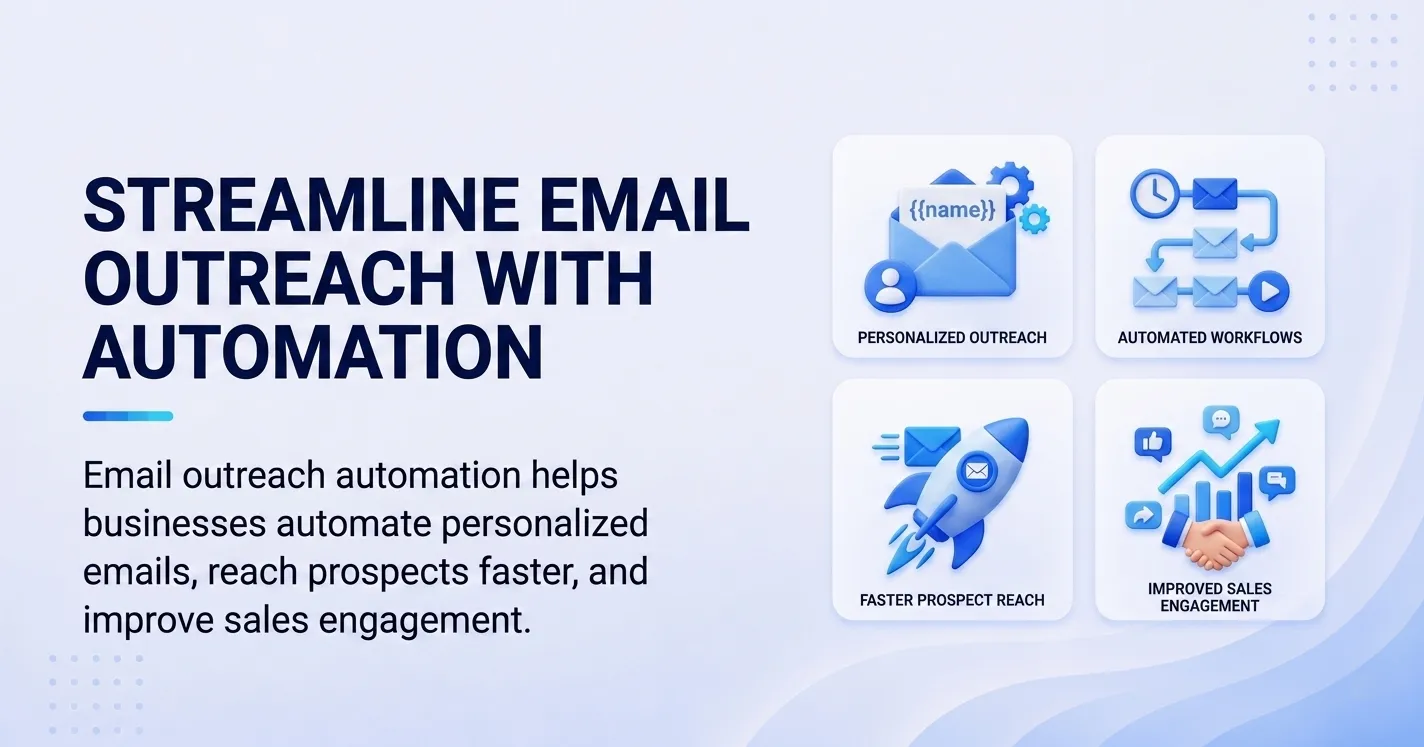
Automation works best when it handles repetitive execution without making every prospect receive the same message. It can manage sequence timing, apply approved personalization fields, pause contacts after replies, and record activity. The relevance of the message still depends on the quality of the underlying data and the decisions built into the workflow.
For a sales team, the goal is to automate the predictable parts of prospecting and leave judgment where it belongs.
Step 1: Define the Audience and Exclusions
Start with a narrow account profile based on industry, company size, geography, job function, and a genuine business need. Add exclusions for existing customers, active opportunities, competitors, unsubscribed contacts, and people who have asked not to be contacted.
This step prevents an easy-to-miss problem: a technically successful campaign that reaches people who should never have entered the sequence. Suppression rules must apply across campaigns, not just within an individual list.
Step 2: Build Messages Around One Business Problem
Create a core message for each audience segment. Give each version one problem, one relevant outcome, and one clear question. Personalization fields should add verified context, not manufacture familiarity.
AI-generated copy can speed up drafting, but every claim needs to match the recipient's actual circumstances. If the system cannot establish a reliable reason for contact, a neutral message or a skipped prospect is better than a fabricated observation.
Step 3: Create Automated Email Campaigns With Conditional Rules
Set a sequence that changes based on what the recipient does. A reply should stop the automated sales sequence and route the conversation to a rep. A meeting booking should trigger the appropriate CRM update. A bounce should suppress the invalid address from future sending.
No response can trigger a carefully spaced follow-up, but it should not trigger endless reminders. Every additional touch should have a reason, such as clarifying the business issue, asking a different question, or offering a relevant next step.
Step 4: Coordinate Channels Without Repeating the Same Pitch
Email and LinkedIn can support one another when each touchpoint adds context. An email might explain a specific operational issue, while a later professional-network message asks a short, relevant question. Repeating the exact same pitch across channels adds activity without adding value.
SalesTarget.ai supports coordinated email and LinkedIn sequences, including conditional steps and timezone-aware scheduling. Its unified inbox can organize replies, and campaign activity can feed into the built-in CRM so that reps can see the interaction history before following up.
Step 5: Review Performance Before Expanding
Begin with a limited audience and check whether contacts match the intended segment, messages are reaching recipients, and replies reflect genuine interest. Expand only after identifying what is working and what is failing.
A useful additional safeguard is to review a sample of actual conversations each week. Campaign dashboards can reveal that replies are increasing, but manual review can show that prospects misunderstand the offer or respond with the same objection. That insight tells the team whether to revise the targeting, message, or offer.
What Are the Benefits of Automated Email Follow-Up Sequences?
Automated follow-ups help sales teams maintain a consistent process without requiring reps to remember every outstanding prospect. They create a structured way to revisit relevant conversations, record activity, and assign the next action.
The benefits depend on the quality of the sequence and the rules governing it.
- Fewer missed follow-ups: Scheduled tasks keep promising prospects from disappearing when a rep gets busy.
- More consistent execution: Every eligible prospect follows the same approved process, reducing gaps between individual reps.
- Better visibility: Managers can identify where conversations stop progressing and whether follow-up activity leads to qualified meetings.
- Less administrative work: Automatic activity logging and task creation reduce the need to update records manually.
- More relevant timing: Conditional steps can stop messages after a response or change the next action based on engagement.
The less obvious benefit is better handoff quality. When a prospect replies after several touches, the next rep should know what was sent, which problem was discussed, and whether the contact raised an objection. Without that context, the rep may ask a question the prospect has already answered.
SalesTarget.ai connects campaign activity to its CRM, records interactions on lead timelines, and supports automatic follow-up tasks. Its AI Copilot can help users query CRM information, generate email sequences, and create or assign tasks through conversational instructions. These functions are most useful when the team defines clear ownership rules and checks that records remain accurate.
Automation should reduce repetitive work, not remove human responsibility from the sales process.
How Do Cold Email Best Practices Compare With Other Outreach Methods?
Email, LinkedIn, and phone outreach serve different purposes. Email gives reps room to explain a business issue, LinkedIn provides professional context, and calls can help clarify interest or qualify an active conversation. The right choice depends on the audience, the offer, and the prospect's preferred communication channel.
A dedicated email tool may suit a team that already has reliable prospect data and needs advanced email sequencing. A combined sales platform can be a better fit when teams need to discover contacts, validate addresses, coordinate channels, and track deals without moving between disconnected systems.
Before choosing software, assess these practical differences:
- Data and enrichment: Can reps identify relevant decision-makers and verify contact details in the same workflow?
- Sending controls: Does the platform support authentication checks, inbox management, and sequence safeguards?
- Multichannel coordination: Can email and LinkedIn activity work together without duplicating messages?
- CRM continuity: Are replies, tasks, and deal updates recorded where the sales team works?
- Reporting: Can managers connect campaign activity to qualified opportunities instead of counting sends alone?
SalesTarget.ai combines prospect data, email validation, email and LinkedIn outreach, a built-in CRM, and an AI Copilot. That integrated approach can reduce manual transfers between tools. Teams should still assess their existing stack, security requirements, and workflow needs before deciding whether consolidation makes sense.
Which Cold Email Best Practices Should Sales Teams Follow?
Effective outreach comes from repeatable habits that protect recipient relevance and make campaign results easier to interpret. These practices help teams improve message quality without relying on arbitrary sending targets.
Keep Every Message Focused on One Ask
A cold email should give the recipient one clear reason to respond. Asking for a meeting, a referral, a product review, and a discussion of several unrelated problems creates unnecessary friction.
Use a short subject line, a relevant opening, a clear business benefit, and one low-pressure question. A prospect should be able to understand the point of the message during a quick scan.
Test One Variable at a Time
Change one meaningful element per test, such as the opening observation, value proposition, audience segment, or follow-up interval. Keep the audience and other conditions as consistent as practical so the results offer useful direction.
Measure positive replies and qualified meetings alongside delivery and bounce metrics. A subject line that generates more opens but fewer relevant responses may not improve the campaign.
Use Timing and Buying Signals Carefully
A hiring announcement or new market launch can provide context for outreach, but it does not establish purchase intent on its own. Combine public business developments with role relevance and verified account data before deciding that a contact belongs in a priority sequence.
SalesTarget.ai's intent signals can help teams prioritize accounts for research. Reps should treat those signals as indicators for investigation, not proof that a specific person is ready to buy.
For a practical framework covering targeting, messaging, and follow-up planning, read this B2B cold email planning and outreach framework.
What Mistakes Should Teams Avoid in Cold Email Optimization?
The most damaging mistakes are those that hide the real cause of poor results. Sending more messages before diagnosing list quality or sender reputation can increase the cost of a weak campaign.
Watch for these problems:
- Using unverified contact lists: Stale addresses create avoidable bounces and waste sales capacity.
- Automating generic copy: Adding a first name does not make an irrelevant offer useful.
- Ignoring negative replies: Objections and opt-out requests must change what happens next.
- Overloading sequences: Repeated messages with no new information can frustrate recipients and increase complaints.
- Trusting open rates alone: Privacy protections and automated opens can distort engagement reporting.
- Changing too many variables: Teams cannot identify the cause of an improvement when targeting, copy, timing, and volume all change together.
- Leaving replies outside the CRM: Interested prospects can be missed when conversations and ownership are disconnected.
One mistake deserves extra attention: treating a lack of replies as permission to increase volume. Silence can indicate poor targeting, weak messaging, poor inbox placement, or a badly timed offer. Diagnose the cause before scaling.
Final Thoughts
Better outbound results come from connecting accurate prospect data, relevant messaging, sound sending practices, and disciplined follow-up. Sales teams that address only the copy will miss the problems created by stale contacts, weak targeting, disconnected tools, and incomplete CRM records.
SalesTarget.ai brings lead discovery, contact enrichment, email validation, coordinated email and LinkedIn sequences, and outbound CRM management into one workspace. Its AI Copilot can help teams prepare campaigns and manage sales tasks, leaving reps more time to research important accounts and respond to real buying interest.
If your team is losing hours to manual prospect research, invalid email addresses, and inconsistent follow-ups, start by reviewing the full workflow from contact discovery to deal tracking. Use SalesTarget.ai to bring those steps together, prioritize better-fit prospects, and build a more consistent outbound process that supports qualified conversations and pipeline growth.




















Sign in to leave a comment.