How QuickBooks Customer Service Helps Resolve Common Accounting Problems

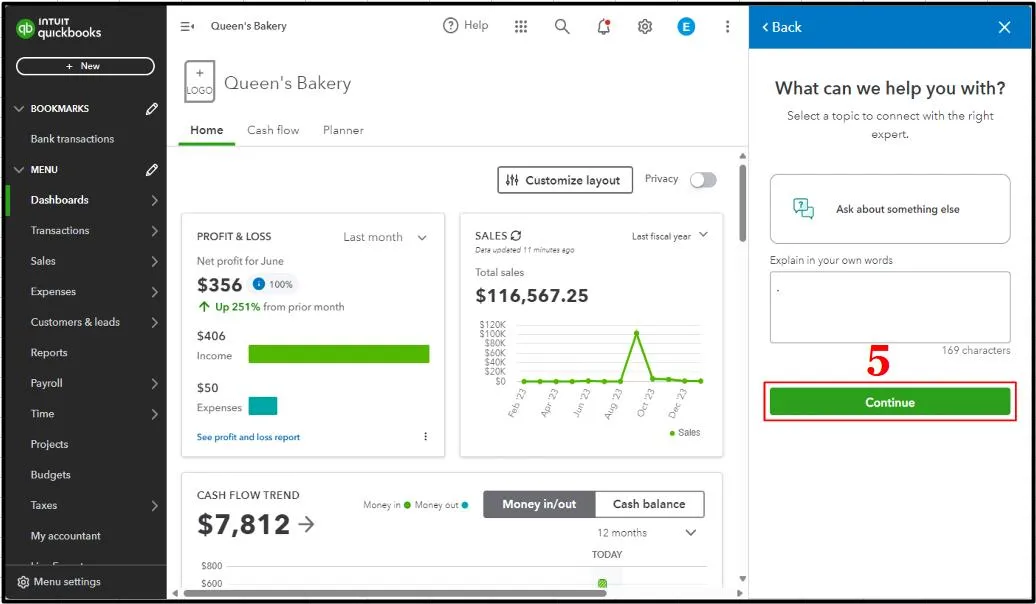
Accounting software has become an important part of modern business operations. Small businesses, accountants, bookkeepers, and financial teams use accounting applications to manage invoices, expenses, payroll, transactions, customer records, vendor information, and financial reports. When accounting software operates smoothly, it can help organizations save time, improve record management, and maintain more efficient financial workflows.
However, technical and accounting-related software problems can sometimes interrupt these activities. Users may experience installation failures, update issues, company file problems, login difficulties, network concerns, printing errors, or unexpected application behavior. A problem that initially appears minor can become much more disruptive when employees depend on the software for time-sensitive financial work.
This is why customer service and technical assistance are important parts of accounting software management. A structured support process can help users understand what is happening, identify possible causes, gather useful information, and choose an appropriate troubleshooting approach.
Rather than trying multiple unrelated solutions, users can document the problem and seek guidance based on the specific issue. This approach can reduce wasted time, improve communication, and help businesses return to normal accounting activities more efficiently.
Why Accounting Software Problems Need Attention
Accounting software is often connected to many areas of a business. An issue affecting one feature can therefore create problems for other activities.
For example, a company file problem can prevent employees from preparing reports or accessing transactions. An update problem can interrupt software maintenance. A payroll issue can create delays in employee-related processes. A network problem can prevent several team members from accessing shared accounting information.
When technical problems are not addressed effectively, businesses may experience:
- Delayed accounting tasks
- Reduced employee productivity
- Additional administrative work
- Difficulty accessing financial information
- Missed internal deadlines
- Increased troubleshooting time
A professional customer-service process gives businesses a more organized way to respond to these challenges.
Common Accounting Problems QuickBooks Users May Experience
Different software problems can have different causes. Identifying the issue accurately is therefore one of the most important steps in troubleshooting.
Installation Problems
Installation issues may occur when users install accounting software for the first time, reinstall it, or move it to another computer.
Some common symptoms include:
- Setup stopping unexpectedly
- Error messages during installation
- Incomplete installation
- Repeated installation attempts
- The application failing to start after installation
Possible factors may include damaged installation files, missing system components, permission restrictions, compatibility concerns, or conflicts with other applications.
When an installation problem occurs, users should record the exact error message and identify the software version being installed. It is also useful to note whether any changes were made to the system immediately before the issue appeared.
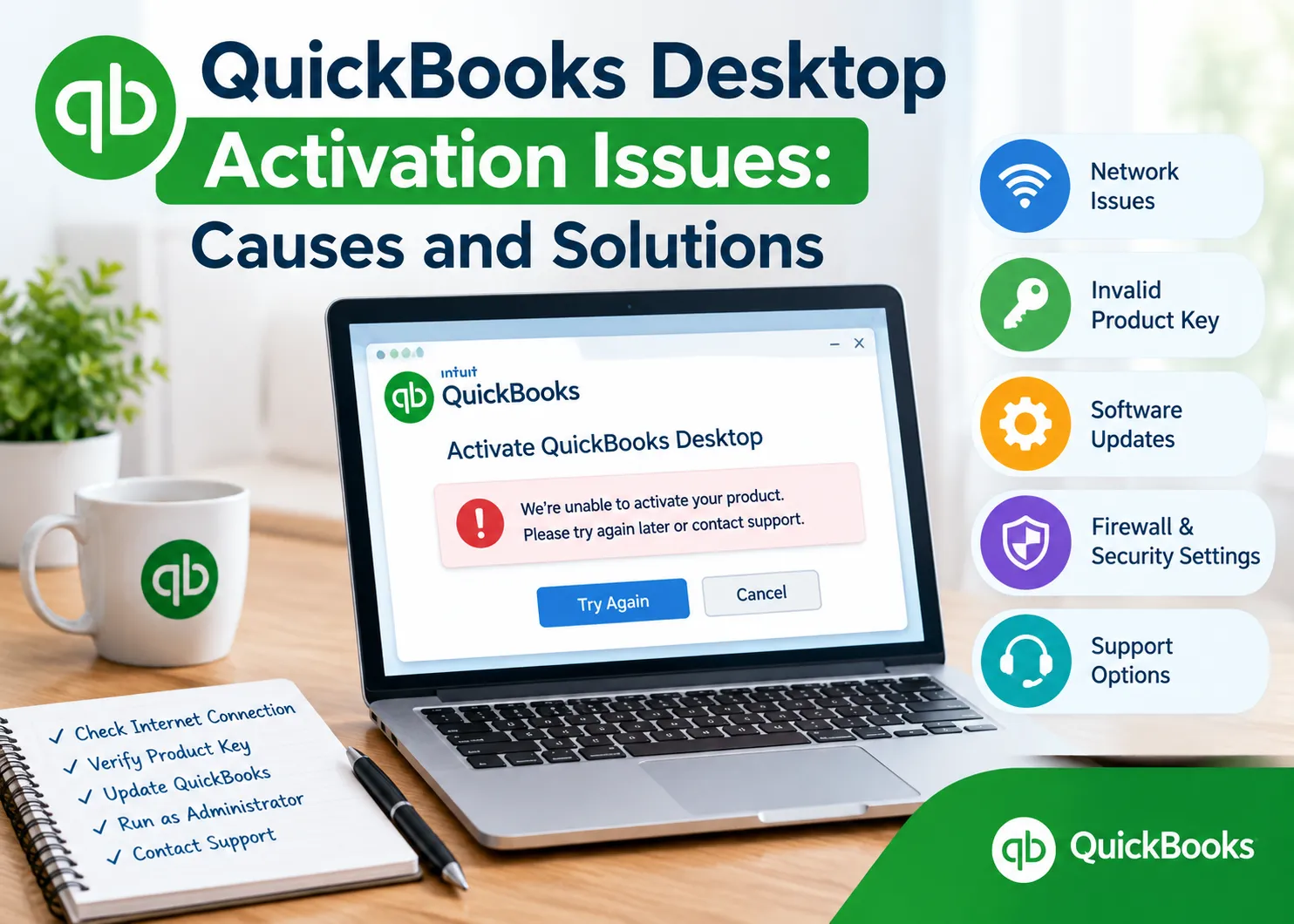
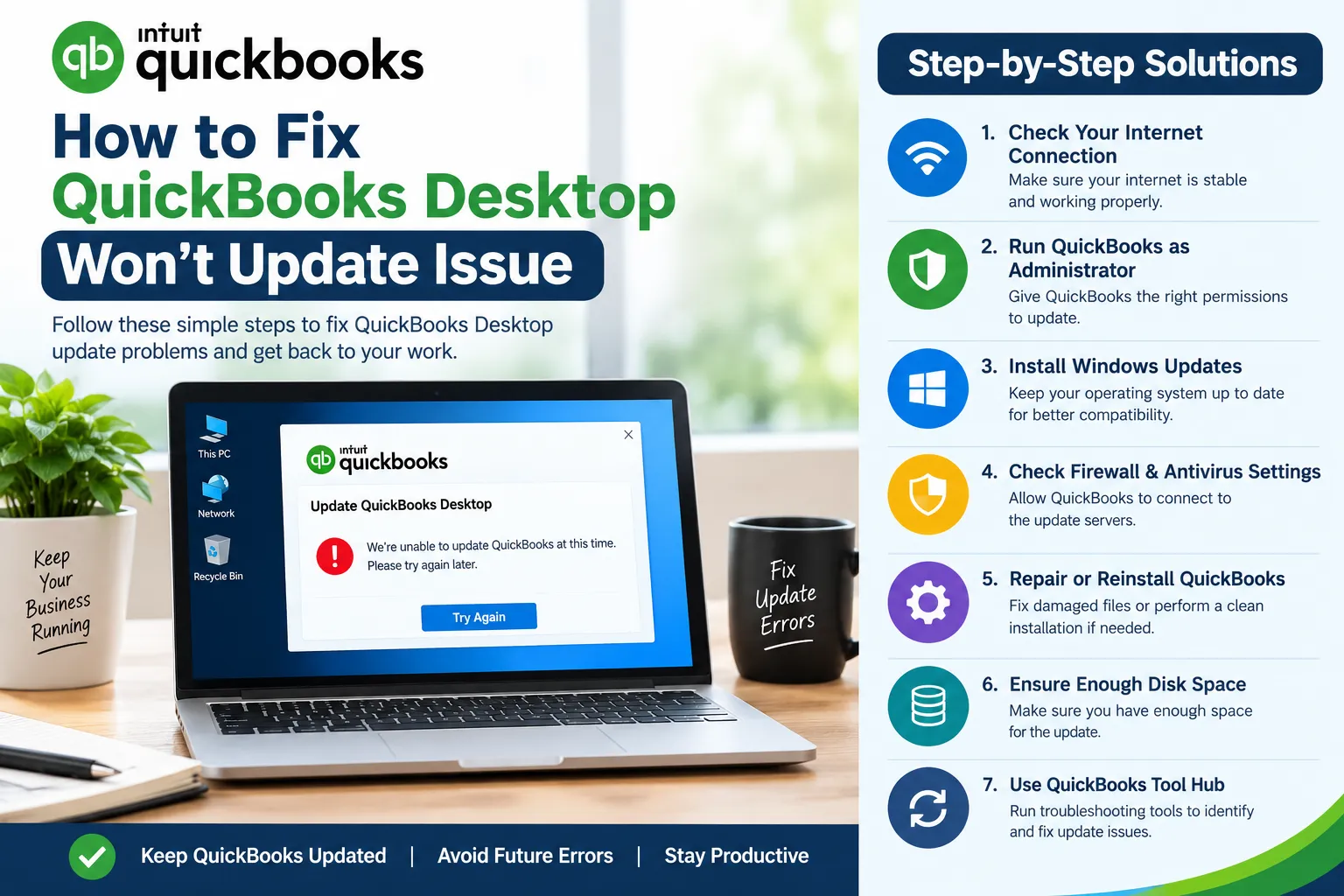
Software Update Problems
Updates are a normal part of maintaining accounting software. They may improve functionality and compatibility, but the update process can sometimes fail.
Users may encounter:
- Update downloads that stop unexpectedly
- Error messages
- Incomplete installations
- Repeated update requests
- Changes in software behavior after updating
Instead of repeatedly trying the same failed update, users should document what happened and note whether the issue occurs consistently.
Important information can include the software version, the update being installed, the error message, and whether the issue affects one or multiple computers.
Company File Problems
Company files contain valuable financial and business information. Access problems can therefore have a significant effect on normal accounting operations.
Users may notice:
- Errors when opening a file
- Slow response
- Unexpected warnings
- Difficulty opening files through a network
- Problems using a multi-user environment
Because financial data is important, businesses should maintain regular backups and avoid unnecessary modifications to company files while investigating an issue.
Network and Multi-User Problems
Businesses that use accounting software across multiple computers may encounter network-related difficulties.
For example:
- One workstation may not connect properly
- Several users may lose access
- The host computer may function while workstations do not
- Multi-user access may stop working
- Performance may become unusually slow
The first step is usually to determine the scope of the problem. If only one computer is affected, the issue may be local. If several users are affected, the problem may involve the network or shared environment.
Login and Account Problems
Users may also encounter sign-in, verification, or account-access issues.
These problems may involve:
- Login errors
- Verification messages
- Account access restrictions
- Authentication issues
- Problems with connected services
When a login issue appears, users should record the exact message and explain what action they were attempting to perform.
Sensitive information such as passwords, verification codes, or banking credentials should not be shared unnecessarily.
Printing and PDF Problems
Accounting teams often need to print invoices, reports, checks, statements, and other documents.
Printing and PDF issues may appear as:
- Documents failing to print
- Blank PDF output
- Incorrect formatting
- Missing printer options
- PDF creation errors
Users should determine whether the issue affects all documents or only one report, transaction, or document type.
The Role of QuickBooks Customer Service in Problem Resolution
Customer service can help users move from a general complaint to a clearer understanding of a technical issue.
For example, saying:
“QuickBooks is not working.”
does not provide much useful information.
A more detailed explanation might be:
“The application becomes unresponsive when I open one particular company file.”
The second description provides information about the behavior, the trigger, and the affected area.
A well-organized support interaction can help users:
- Identify the problem category
- Understand possible causes
- Review relevant troubleshooting steps
- Avoid irrelevant solutions
- Determine when additional assistance may be required
This can make technical problem-solving more efficient.
Preparing Before Seeking Customer Service
Good preparation can significantly improve the quality of a support request.
Record the Exact Error Message
If an error code or message appears, write it down exactly as shown. Avoid paraphrasing it when possible because the exact wording may be useful for identifying the problem.
Identify the Product and Version
Keep the product name, edition, and version available.
Different software versions may have different requirements, features, and troubleshooting procedures.
Document Recent Changes
Think about what happened immediately before the issue started.
Recent changes might include:
- A software update
- An operating-system update
- A new application
- A hardware change
- A network configuration change
- A security software update
These changes may provide important clues.
Describe the Problem Clearly
A specific description is more useful than a general complaint.
For example:
“The application slows down whenever I run a specific financial report.”
This provides more useful information than simply saying:
“The software is slow.”
Document Troubleshooting Attempts
Users should keep a record of the steps they have already tried.
This prevents repeated actions and helps make the support conversation more productive.
How Customer Service Helps With Installation Problems
Installation issues can prevent users from accessing their accounting software completely.
A structured troubleshooting process can help identify whether the problem is connected to:
- Damaged installation files
- Missing system components
- Permission restrictions
- Compatibility concerns
- Software conflicts
- Previous incomplete installations
Users should first document the exact error and note the stage where installation stopped.
It is generally better to identify the cause before making several major system changes. Changing multiple settings at once can make it difficult to understand which action affected the outcome.
How Customer Service Helps With Update Problems
Update failures can be frustrating because users may already have spent time downloading or installing software.
A useful support process should identify:
- Which update is failing
- Whether the download completes
- What error message appears
- Whether the problem occurs every time
- Whether multiple computers are affected
- Whether another system change occurred before the failure
These details help narrow down the possible cause.
Repeatedly attempting the same unsuccessful update without recording the problem can waste time and make troubleshooting less organized.
QuickBooks Error Support for Common Problems
When users encounter repeated error codes or unexpected software behavior, QuickBooks Error Support can be an important part of the troubleshooting process. Different errors may have different causes, so users should avoid assuming that one method will resolve every problem.
A practical approach begins by:
- Recording the exact error code
- Identifying when the error appears
- Noting the task being performed
- Checking whether other users are affected
- Documenting previous troubleshooting attempts
This information provides a clearer picture of the issue and helps users choose a troubleshooting approach that matches the problem.
How Customer Service Helps With Company File Problems
Company file issues require careful handling because financial records may be business-critical.
Before seeking assistance, users should document:
- Which company file is affected
- What happens when it is opened
- Whether other company files work
- Whether other users experience the same problem
- When the issue started
Regular backups can provide an additional layer of protection.
Businesses should also avoid deleting, moving, or modifying important accounting files without understanding the possible consequences.
How Customer Service Helps With Network Problems
Network problems can be more complicated because several systems may be involved.
Businesses should identify:
- Which computers are affected
- Whether the host system works
- Whether one or several workstations have the problem
- Whether the issue is constant or intermittent
- Whether network settings changed recently
This information can help distinguish between a local workstation issue and a broader network problem.
A structured approach also reduces the risk of making unnecessary configuration changes.
How Customer Service Helps With Performance Problems
Performance issues do not always display an obvious error message.
Users may notice that the application:
- Takes longer to open
- Becomes slow during reports
- Freezes during certain tasks
- Stops responding
- Closes unexpectedly
Users should identify when the problem occurs and what action triggers it.
For example, does the problem appear while opening a company file, running a report, processing payroll, printing documents, or using a multi-user environment?
Detailed observations can help identify patterns and make troubleshooting more efficient.
Customer Service and Payroll-Related Problems
Payroll is a time-sensitive business activity. Technical problems affecting payroll can therefore create additional pressure for business owners and employees.
Users may experience difficulties involving:
- Payroll updates
- Employee information
- Payroll processing
- Related accounting features
Before requesting help, users should identify the affected payroll task and record any error message.
Because payroll information can be sensitive, businesses should also take care when sharing screenshots or account information.
Protecting Financial Information During Technical Support
Accounting software may contain confidential financial and personal information.
Users should avoid unnecessarily sharing:
- Passwords
- Banking credentials
- Full payment-card details
- Authentication codes
- Confidential employee information
- Private customer information
Screenshots should be reviewed carefully before being shared.
Any unnecessary sensitive information should be removed.
Businesses should also maintain regular backups and limit access to accounting information to authorized users.
Avoiding Unverified Support Information
Users searching online for technical assistance may encounter websites, phone numbers, emails, and support offers that are difficult to verify.
Businesses should be cautious about:
- Unsolicited support calls
- Unexpected support emails
- Requests for remote computer access
- Requests for passwords
- Unverified contact numbers
- Unusual payment requests
A responsible support process should verify the source before sensitive information is provided.
When Standard Troubleshooting Is Not Enough
Some accounting software problems continue even after users complete basic troubleshooting.
Additional assistance may be appropriate when:
- Installation repeatedly fails
- Updates consistently fail
- The same error returns
- A company file remains inaccessible
- Multiple users are affected
- The application repeatedly crashes
- An important accounting task is blocked
When this happens, users should provide a complete history of the issue instead of repeating the same troubleshooting procedures.
Building an Internal Support Process
Businesses can improve their response to technical issues by creating a simple internal procedure.
Step 1: Identify the Problem
Write down what happened and when it occurred.
Step 2: Record the Error
Capture the exact error message or code.
Step 3: Identify the Scope
Determine which users or computers are affected.
Step 4: Document Recent Changes
Record software updates, new installations, network changes, or other relevant events.
Step 5: Review Relevant Troubleshooting
Choose guidance that matches the actual problem category.
Step 6: Seek Additional Assistance
If the issue continues, provide the information already collected.
Step 7: Document the Solution
Record what ultimately resolved the problem for future reference.
This creates consistency and can save time if similar issues occur later.
Benefits of an Organized Support Strategy
A structured support approach can provide several practical benefits.
Reduced Downtime
Problems can be identified and addressed more efficiently.
Better Productivity
Employees spend less time trying unrelated solutions.
Improved Communication
Clear technical descriptions make support discussions easier.
Better Data Protection
Careful troubleshooting reduces unnecessary risk.
Greater Employee Confidence
Employees know what information to collect and what process to follow.
Preventing Recurring Accounting Software Problems
Businesses can reduce future issues through preventive maintenance.
Maintain Regular Backups
Backups provide additional protection for valuable financial information.
Keep Software Information Organized
Record product versions and relevant system details.
Train Employees
Employees should understand how to identify and report technical problems.
Document Recurring Issues
A record of repeated problems and successful solutions can save time.
Monitor System Health
Businesses should monitor storage, memory, network connectivity, and general system performance.
Prevention can help organizations maintain a more reliable accounting environment.
Practical Checklist Before Seeking Assistance
Before contacting customer service, users can review:
- Exact error message recorded
- Product and version identified
- Problem clearly described
- Recent changes documented
- Affected users identified
- Troubleshooting attempts recorded
- Important data backed up where appropriate
- Screenshots checked for sensitive information
- Support source verified
- Important deadlines considered
Having this information ready can make troubleshooting more focused and efficient.
Conclusion
QuickBooks customer service can play an important role in helping businesses resolve common accounting software problems. Installation failures, update issues, company file difficulties, network concerns, login problems, performance challenges, and recurring error messages can all interrupt normal accounting workflows.
The most effective approach begins with understanding the exact problem and collecting useful information. Users should record error messages, identify the software version, document recent changes, and keep track of troubleshooting attempts.
Businesses should also protect sensitive financial information, maintain regular backups, and verify support sources before sharing account details. An organized internal support process can further improve consistency and reduce the time employees spend dealing with technical problems.
By approaching technical issues systematically and seeking suitable assistance, when necessary, businesses can reduce downtime, improve productivity, and maintain smoother accounting operations.







Sign in to leave a comment.