

At 8:17 on a wet Tuesday morning, many remote workers lose first battle of day before email is even open. Chair is too low, laptop is too high, charging cable is missing, child asks one question, then another, and kitchen table becomes office, canteen, and storage unit at same time. Productivity rarely collapses because of one dramatic failure. More often, it leaks away through friction, through poor lighting, weak routines, noise, clutter, and workspace decisions that seemed harmless when made quickly. A productive home office is not luxury styling project. It is system design.
That distinction matters more in 2026 than it did even two years ago. Hybrid policies have hardened, not disappeared. Large employers still ask for office presence on selected days, yet millions of people continue to do deep work from home for part or all of week. According to U.S. Bureau of Labor Statistics data released in recent years, working from home remains a meaningful feature of the labor market, especially in knowledge sectors such as professional services, finance, software, design, and media. Meanwhile, furniture makers, monitor brands, and productivity app companies are selling promise of perfect setup, often confusing aesthetics with output.
Swedish work culture offers useful correction. We tend to think in terms of lagom, not excess, and of work-life balance as infrastructure, not slogan. Fika breaks are not indulgence, they are rhythm, helping attention recover before quality drops. If you want a home office that actually improves focus, creativity, and stamina, you need to build environment around human limits. That means choosing right zone, right ergonomics, right technology, and right boundaries, then maintaining them with discipline. Readers who want a practical companion piece may also find value in What You Need to Know to Build a Productive Home Office, which covers many foundational choices from a different angle.
A productive home office does not begin with furniture. It begins with reduction of friction, because attention is fragile and expensive.
Start with location, because room function shapes behavior
The first mistake people make is treating every spare corner as equal. It is not. A productive home office begins with choosing a space that supports one primary behavior: concentrated work. That can be a dedicated room, but it can also be a section of bedroom, a converted alcove, or a screened area in living room. The key is not square meters alone. The key is whether brain can learn, repeatedly, that this exact place means focus.
Environmental psychology has long shown that context cues behavior. If same table is used for breakfast, bills, gaming, and meetings, the mind receives mixed signals. You may still work there, but transition cost rises. Scandinavian office design often solves this with visual simplicity and clear zones, even in small apartments. A desk facing neutral wall usually performs better than one facing television or heavy foot traffic. Natural light helps alertness, but window placement matters; side lighting is often better than direct glare behind screen.
Recent design roundups also reflect this shift from decorative office ideas to functional ones. The AOL feature 22 Home Office Designs That’ll Make You More Productive highlights examples where storage, lighting, and layout are doing real work rather than simply making room photogenic. That is useful, because many remote workers copy images without noticing what actually makes them effective: cable control, closed storage, separation from domestic mess, and enough desk depth for proper monitor distance.
When evaluating location, use practical criteria:
- Noise predictability: not whether room is perfectly silent, but whether interruptions are expected and manageable.
- Visual control: fewer moving distractions, cleaner background, less cognitive load.
- Boundary strength: can you leave work physically, or at least cover it, when day ends?
- Lighting quality: daylight plus adjustable task light, without screen reflections.
- Ventilation and temperature: warm, stale rooms reduce alertness faster than many people realize.
If you live with others, negotiate territory early. Ambiguity creates daily conflict. A home office works best when household understands what signals mean: headphones on, door partly closed, desk lamp on, calendar block active. These are not small social details. They protect attention, and attention is output.
Ergonomics is not wellness theater, it is productivity math
Bad ergonomics usually announces itself as pain, but before pain comes inefficiency. You shift more, pause more, lose typing speed, shorten sessions of deep concentration, and finish day with less energy for planning tomorrow. For this reason, ergonomic investment should be judged not as comfort purchase but as throughput decision. If you spend six or eight hours a day in one workstation, body becomes part of workflow.
The minimum viable setup in 2026 is clearer than it once was. Laptop-only work remains common, yet for sustained remote work it is usually compromise. A separate keyboard, mouse, and external monitor allow neutral neck position and better screen placement. Desk height should let elbows rest near 90 degrees, shoulders relaxed. Monitor top should sit roughly at or slightly below eye level, depending on bifocals and task type. Feet should be flat on floor or on footrest. None of this is glamorous. All of it matters.
Employers have become more aware of this. In Europe, many companies now offer home-office stipends or equipment programs, partly because injury risk and absenteeism are expensive. Reuters and major business coverage in recent years have repeatedly noted how hybrid work pushed firms to rethink support for home setups, though policies vary widely by country and employer size. Where company support is absent, workers should prioritize in order, not buy randomly.
- Chair: stable lumbar support, adjustable seat height, armrests that do not force shoulders upward.
- Monitor: enough size and resolution to reduce squinting and window switching; 24 to 27 inches is common sweet spot.
- Input devices: proper keyboard and mouse or trackball, chosen for task intensity.
- Lighting: task lamp with controllable brightness and warmer evening setting.
- Desk: sufficient depth, ideally 70 centimeters or more, so screen is not too close.
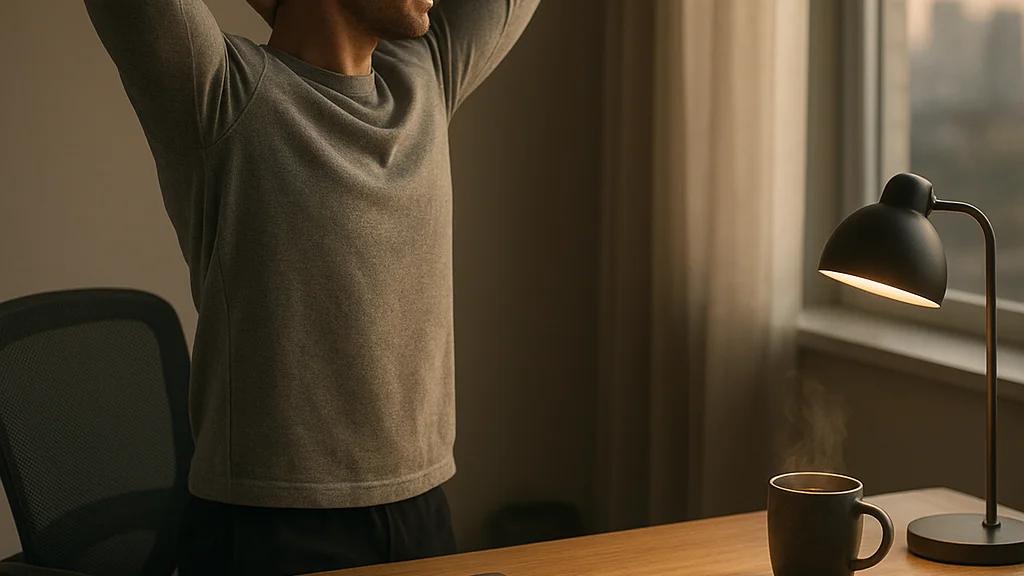
Sit-stand desks deserve balanced discussion. They can reduce static posture, but they are not miracle tools. Research generally suggests frequent posture variation is beneficial, while standing all day is not. Better rule is simple: alternate. Stand for calls, sit for writing, move every 30 to 60 minutes, take short fika-style reset before fatigue becomes ache.
Ergonomics should be measured by one question: can this setup support four hours of concentrated work without your body asking for rescue?
If you need a more durable planning framework, How to Build a Productive Home Office That Lasts is useful because it frames equipment choices over years, not impulse purchases over one weekend.
Technology should remove friction, not create a control panel
Many home offices fail from digital clutter as much as physical clutter. There is monitor, docking station, webcam, earbuds, microphone, smart light, charging pad, and three productivity apps that all claim to organize your day. Yet if each tool adds one setup step, one login, one notification stream, or one compatibility problem, your office becomes maintenance project. Productive technology is quiet technology.
Begin with reliability. Fast internet matters more than fancy accessories. If your role depends on video calls, cloud collaboration, or large file transfers, weak connectivity destroys flow and professionalism at same time. In 2026, mesh Wi-Fi systems are more common, and many apartments still benefit from them, especially where router sits far from workspace. A wired Ethernet connection remains best option for mission-critical calls or heavy data work. Backup power is also more relevant now, particularly in regions facing grid instability from weather events.
Then look at core stack. A second display can raise efficiency for analysis, writing with source material, coding, finance dashboards, and design review. But more screens are not always better. Studies and workplace observations often show that beyond two displays, gains flatten and distraction rises. Audio quality is another underrated lever. Good microphone and noise-managed headphones reduce repetition in meetings and lower mental strain. You feel less tired when you do not spend day saying, “Can you hear me now?”
Software must serve clear purposes:
- Task management: one trusted system, not five overlapping lists.
- Calendar defense: blocks for deep work, admin, meetings, and breaks.
- Focus control: notification settings, website blockers, status messages.
- File structure: naming conventions and cloud folders that can be understood under stress.
- Security: password manager, device encryption, updated operating system, and secure backup routines.
Security deserves stronger attention in 2026 because remote workers are regular targets for phishing, collaboration-tool impersonation, and credential theft. Cybersecurity firms and mainstream reporting have documented how attackers exploit home environments where IT oversight is lighter. That means productive home office is also secure home office. A stolen login can erase entire week of output, or worse.
One more warning, especially from a productivity perspective: do not automate every small action. Automation is helpful when it removes repeated low-value work. It becomes harmful when it demands constant tuning. If your digital setup needs half hour of maintenance each Friday, it is too complex.
Design for attention: light, sound, clutter, and cognitive load
Productivity advice often focuses on willpower, but attention is heavily environmental. Light affects circadian rhythm and alertness. Sound shapes stress level. Visible clutter competes for mental processing. Even color and texture can influence whether a room feels calm or agitating. This is where home office design can genuinely improve output, if choices are grounded in function.
Natural light remains strongest asset. Exposure earlier in day supports wakefulness and can improve sleep timing later, which then improves next-day concentration. If daylight is limited, use layered lighting: ambient room light, task light on desk, and perhaps softer background light to reduce eye strain in darker months. In Sweden, where winter daylight is scarce, many workers underestimate how much dim rooms flatten energy. You do not need dramatic designer lamps. You need enough illumination to keep visual effort low.
Sound control is equally important. Complete silence is not necessary and for some people is even uncomfortable. What matters is reducing unpredictable noise. Soft furnishings, rugs, curtains, bookshelves, and door seals can absorb sound surprisingly well. If home is lively, use noise-canceling headphones for focused sessions and reserve lighter tasks for noisier periods. This is not surrender. It is scheduling intelligence.
Clutter is more dangerous than it appears because it creates open loops. Every stray paper, unopened package, or unrelated object asks tiny question from brain. Over hours, those tiny questions become fatigue. The best home offices therefore use storage that makes decisions easy: trays for active work, drawer for peripherals, shelf for reference material, box for items that do not belong. AOL’s home office design examples are helpful here because many of them show hidden storage and restrained surfaces rather than maximal decoration.
Try this environmental audit once a month:
- Stand at doorway and count visible non-work objects from desk position.
- Check whether any cable, charger, or accessory lacks fixed home.
- Review lighting at 9 a.m., 2 p.m., and evening to spot glare or dim zones.
- Listen for five minutes without headphones and identify repeat noise sources.
- Remove one piece of furniture if room feels cramped; subtraction often improves flow more than addition.
There is also emotional layer. A productive office should not feel punitive. One plant, one print, one object with meaning can make space more welcoming without turning it into distraction zone. Lagom applies well here: enough personality to support mood, not so much that room becomes visual conversation.
Routines turn a room into a working system
You can buy a good chair in one day. You cannot buy a productive rhythm. Home office succeeds when physical setup and behavior reinforce each other. This is where many remote workers struggle, because home dissolves external structure that office once imposed. Commute is gone, lunch cues are weaker, and meetings can spread across whole day unless defended. So build routine deliberately.
Start with opening ritual. It should take less than five minutes and always happen in same order: water, light, ventilation, task list, first priority. Ritual reduces decision load. Close-down ritual matters just as much: review unfinished items, set tomorrow’s top three, clear desk, shut laptop, leave room if possible. These bookends tell brain when work starts and ends, protecting both focus and recovery.
Time-blocking remains one of the most effective methods for home workers because it converts vague intention into visible commitment. Reserve best cognitive hours for demanding tasks, often morning for many people, and push shallow work such as admin, email triage, and routine calls to lower-energy windows. Research on attention and performance continues to show that context switching carries measurable cost. A day with six fragmented 20-minute work intervals feels busy, but output is often poor.
Swedish work culture offers another lesson: breaks are productive when they are real. Fika is not eating pastry over keyboard while reading Slack. It is step away, breathe, reset, maybe speak with someone, maybe sit in silence. Short pauses improve later concentration more than endless low-grade work. For remote workers, this also prevents home office from becoming psychologically airless.
Useful routine principles include:
- Single-task first hour: no inbox before one meaningful task begins.
- Meeting clustering: group calls into blocks to preserve uninterrupted work time.
- Visible priorities: keep top three outcomes in sight, on paper or one screen widget.
- Break cadence: 5 to 10 minutes each hour or 15 minutes every 90 minutes, depending on task intensity.
- End-of-day reset: leave desk clear enough that tomorrow starts clean.
For a broader strategic view, How to Build a Productive Home Office That Fuels Focus and Creativity complements this by connecting workspace choices to creative performance, not only task completion.
What changed recently, and what matters in 2026
By 2026, home office conversation is less about emergency adaptation and more about durability. In 2020 and 2021, many people improvised. By 2023 and 2024, employers began formalizing hybrid expectations. Now, the question is how to sustain performance over years while balancing office days, home days, caregiving, and rising digital fatigue. That shift has changed what good setup means.
First, video is no longer novelty. Workers are judged, fairly or not, on audio clarity, camera framing, and ability to collaborate smoothly from home. As a result, webcam placement, front lighting, and acoustic control have become practical necessities for many roles. Second, AI tools have entered daily workflows, from meeting transcription to drafting and scheduling support. Used carefully, they can reduce admin burden. Used carelessly, they create more review work and privacy risk. Productive office in 2026 therefore includes policy awareness: what tools your employer permits, what data can be shared, and where human review is non-negotiable.
Third, wellness and productivity are now more tightly linked in employer policy. Burnout concerns did not vanish when remote work matured. If anything, blurred boundaries made them harder to spot. Recent reporting across business media has shown companies experimenting with meeting-free blocks, asynchronous collaboration norms, and stipend programs for ergonomic equipment. Some firms are pulling workers back to office more aggressively, but even there, home remains part of week for many teams. That means personal setup still matters.
Fourth, housing pressure in many cities has made small-space office design more urgent. People are asking how to build productive workspace in one-bedroom flats, shared homes, or multipurpose rooms. The answer is increasingly modular: fold-away desks, monitor arms, movable screens, compact storage, and lighting that can shift from work mode to evening mode. Readers interested in a more trend-aware update can also consult How to Build a Productive Home Office in 2026: Expert Strategies and Insights, which addresses current patterns from another perspective.
The mature home office of 2026 is less about proving remote work can function, and more about proving it can function well, repeatedly, without draining worker.
That is important distinction. The era of makeshift productivity is over. What remains is operational discipline.
A practical blueprint: build, test, refine
If all this feels extensive, that is because productive home office is not one purchase, it is sequence. The good news is that you do not need to solve everything at once. Best results come from iterative build: create baseline, observe friction, then refine one variable at time. Journalists, analysts, developers, consultants, teachers, and freelancers all need slightly different setups, but process is broadly same.
Week one should focus on essentials only: stable desk, supportive chair, proper screen height, good internet, basic lighting, and protected calendar blocks. Week two can address storage, cables, and audio. Week three can improve aesthetics, background, and break routine. After that, measure what still fails. Do shoulders hurt by 14:00? Is afternoon light causing glare? Are meetings swallowing best work hours? Are household interruptions still too frequent? Precision matters more than enthusiasm.
Use this simple review framework each Friday:
- Physical: where did body feel strain, and at what time?
- Technical: what device or software issue interrupted work most?
- Environmental: what noise, light, or clutter pattern reduced focus?
- Behavioral: which habit improved output, and which one failed?
- Boundary: did work end clearly, or did it bleed into evening?
Then make one change only. This is very Swedish way of improving systems, steady rather than dramatic. It also prevents expensive overcorrection. Many people buy more products when what they needed was stronger routine, or they blame themselves when room itself is badly arranged.
A final note on ambition. Productive does not mean optimized to point of sterility. Home office should support serious work and still leave space for life. Work-life balance is not softness. It protects judgment, energy, and consistency, which are the foundations of output over long period. A desk that helps you focus for four honest hours, recover well, and return next morning with clear head is better than a showroom office that looks impressive online and exhausts you by Thursday.
Build for focus, yes, but also for sustainability. Take your fika break. Open window. Close laptop at end of day. A home office earns its value not when it looks finished, but when it helps you do good work, calmly, again and again.


























Sign in to leave a comment.