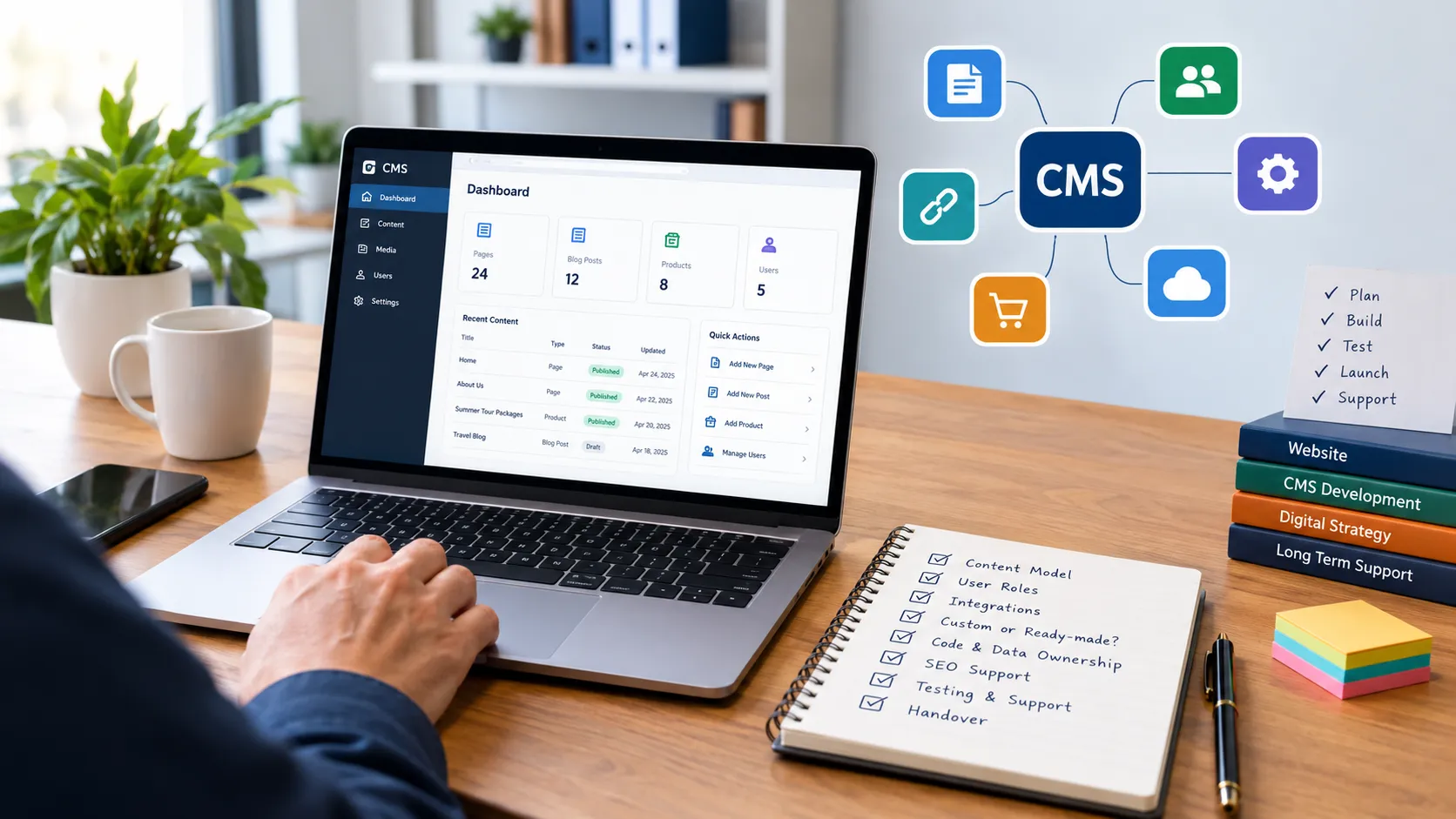

Short answer: a good CMS development company can explain your content model in plain language, show you working admin screens, put code ownership and handover in writing, and describe how it will maintain the system after launch. Ask the nine questions below before signing.
Before you contact anyone
Spend an hour writing down:
- What you need to manage (pages, products, listings, users, orders).
- Who will use the admin area and what each person should be able to do.
- What other systems the CMS must connect with.
- Whether you need a custom build or whether a ready-made platform could do the job.
Vendors respond better to specifics, and you will spot weak answers more easily.
The nine questions
1. Do you recommend a custom build, or would a ready-made CMS do?
A trustworthy company will sometimes tell you not to build. If every answer is “custom”, be cautious. Our guide on WordPress versus custom CMS covers when each fits. (Editor: link to Article 1 once published.)
2. How will you model my content?
Ask them to sketch content types and fields on paper or a diagram. For example, “tour package” may have destination, season, price tiers, inclusions and images. If they can’t describe the structure before building, expect rework.
3. Can I see an admin panel they’ve built?
Request a demo or screenshots of the editing screens. You are looking for clarity: logical labels, sensible layouts and guardrails against mistakes.
4. How do roles and permissions work?
Describe two or three real staff roles and ask how each would be configured. Good answers mention separating drafting from publishing and limiting access to sensitive data.
5. Who owns the code and the data?
Get this in writing. Typical points to settle:
- Do you receive the source code on completion?
- Is any third-party or licensed code included, and under what terms?
- Can you export your content in a standard format?
6. Where will it be hosted, and who controls the accounts?
The domain, hosting and database accounts should be in your name or accessible to you. Avoid arrangements where you cannot move without the vendor’s permission.
7. What does search engine optimisation support look like inside the CMS?
Editors should be able to set page titles, meta descriptions, canonical URLs and redirects, and the system should produce a sitemap. Google’s Search Central documentation explains why these controls matter. If you want search performance to be part of the project, an agency that also provides SEO services in Islamabad can review these items before launch rather than after.
8. How will you test, and what happens after launch?
Ask what testing is included, how bugs are reported and fixed, and whether post-launch support is a retainer, hourly or per-ticket. A “launch and disappear” model is risky for a system your team uses daily.
9. What happens if we part ways?
Ask for documentation, a handover session and clear terms. A confident company will answer without hesitation.
Red flags
- A fixed price quoted without asking about your content or users.
- No written scope or acceptance criteria.
- Reluctance to share a staging site while work is in progress.
- Claims that the system is “completely hack-proof”. No software is.
- Pressure to sign quickly.
Comparing proposals fairly
Put proposals side by side on the same criteria:
| Criterion | Vendor A | Vendor B |
|---|---|---|
| Scope defined in writing | Yes. Lists content types, admin screens, roles, integrations and what is excluded | “Full CMS with all features”, no list |
| Code ownership stated | Source code and documentation delivered on final payment; third-party components listed with licence terms | Not mentioned |
| Roles and permissions described | Three roles (contributor, editor, administrator) with what each can and cannot do | “Role management included” |
| SEO controls included | Editable titles, meta descriptions, canonicals, redirect manager and automatic XML sitemap | “SEO friendly” |
| Testing and support terms | Testing on a staging site; bug fixes for an agreed period; support priced separately and stated | “Support available”, no terms |
| Handover and documentation | Admin guide, one training session and an export of content in a standard format | Not mentioned |
Scoring on the same grid makes cheap-but-vague quotes easier to spot.
Local considerations for Pakistan
Working with a team in the same time zone simplifies workshops and urgent fixes. Confirm how invoicing, tax documentation and payment milestones will be handled, and agree a working language for documentation. Whether you hire locally or remotely, insist on the same written terms.
What a good first conversation looks like
A good discovery call asks more questions than it answers. It covers your goals, content, users, integrations and deadlines. If you want to see how one provider structures this, the page on custom CMS development outlines the kinds of features, such as admin panels and role management, that are typically scoped.
FAQs
1. What should I look for in a CMS development company?
Look for a company that can explain your content model in plain language, show you working admin screens, put code ownership and handover in writing, and describe how it will support the system after launch.
Ignore polished portfolios as your main test. Ask them to sketch your content types and roles before quoting. A team that cannot do this before building is likely to rework it afterwards. Also check whether they will tell you when a ready-made CMS would serve you better.
2. How much does CMS development cost?
There is no standard price. Cost depends on the number of content types, user roles, approval steps, integrations, design effort and the support you want after launch.
Two quotes can look similar and cover very different work, so compare scope before price. Ask each vendor to itemise:
- discovery and content modelling;
- admin panel design and development;
- roles, permissions and workflow;
- integrations;
- testing, hosting setup and handover;
- post-launch support.
Add yearly running costs (hosting, updates, support) to the build quote before you compare totals.
3. How long does CMS development take?
It depends on scope, so ask for a phased plan with milestones instead of one end date. A simple content system and a multi-role platform with integrations are very different projects.
The biggest causes of delay are usually on the client side: late content, unclear decisions and changing requirements. Agree who approves each stage, what counts as “done” and how changes will be scoped and priced. Be cautious of any date given before the vendor has asked about your content and users.
4. Who should own the code, data and hosting accounts?
You should own your content and data, hold or have full access to your domain, hosting and database accounts, and have the source code ownership terms written into the contract.
Settle these points before work starts:
- whether you receive the source code and documentation on completion;
- whether any licensed or third-party code is included, and under what terms;
- whether your content can be exported in a standard format;
- what handover support is provided if you change developers.
This is general guidance, not legal advice. Have a lawyer review the contract for any significant project.
5. Do I need a website as well as a CMS?
Usually yes. The CMS is the back-end tool where your team manages content, and the website is what visitors see, so both must be planned to fit each other.
If the content model and the page templates are designed separately, fields that editors fill in may never appear where visitors expect them. Some teams plan both together under one website development engagement, while others use separate suppliers. Either works if scope, ownership and responsibilities are written down.
6. What are the red flags when hiring a CMS developer?
The main red flags are a fixed price given without asking about your content or users, no written scope, no staging site to review, vague ownership terms and claims that the system is “hack-proof”.
No software is completely secure, and honest vendors say so. Also be wary of:
- pressure to sign quickly;
- reluctance to show examples of admin screens;
- no plan for testing, bug fixes or support after launch;
- payment demanded in full before any work is delivered. Prefer milestone payments tied to delivered work.
Conclusion
Choosing a CMS partner is less about the lowest price and more about clarity: what will be built, who owns it and who looks after it afterwards.
The safest way to decide is to compare proposals on the same terms. Send each vendor the same one-page brief. Ask the nine questions in this article. Then score the answers on scope, ownership, roles and permissions, SEO controls, testing and handover. A vendor who answers plainly and puts the answers in writing is a better bet than one with a lower number and a vague proposal.
Before you sign:
- Confirm in writing who owns the code, content and accounts.
- See a working example of an admin panel, not only screenshots of the public site.
- Agree milestone payments and what happens if you part ways.
- Check that your editors will be able to control titles, canonical tags and redirects without a developer.
If a ready-made CMS can do the job, a trustworthy company will tell you so. That advice is worth more than a larger project.






















Sign in to leave a comment.