
Many businesses jump enthusiastically into implementing AI, with little thought. Some sign up for a tool, a few people experiment, and two months later there is no certainty if anything was even worth doing. This can be avoided by focusing on the first two months, as a small-scale experiment. This article offers a guide on how to implement AI in your business in a controlled way, week by week.
Before we begin, there are three questions worth answering
A good AI implementation strategy starts with a few honest questions.
1. What is the problem?
"We want to use AI" is not a problem. "Our team spends about ten hours a week sorting customer emails" is. If you can't describe the pain in one sentence, wait.
2. Would a simpler fix work?
Sometimes a better spreadsheet, a clearer form, or a changed process solves the issue at no cost. AI should be the answer only when the work really is repetitive, high-volume, or hard for people to keep up with.
3. What happens if the tool gets it wrong?
Drafting an internal summary is low risk. Replying to customers about refunds or giving financial advice is not. The higher the cost of a mistake, the more human review you need.
Roadmap on how to implement AI in your business
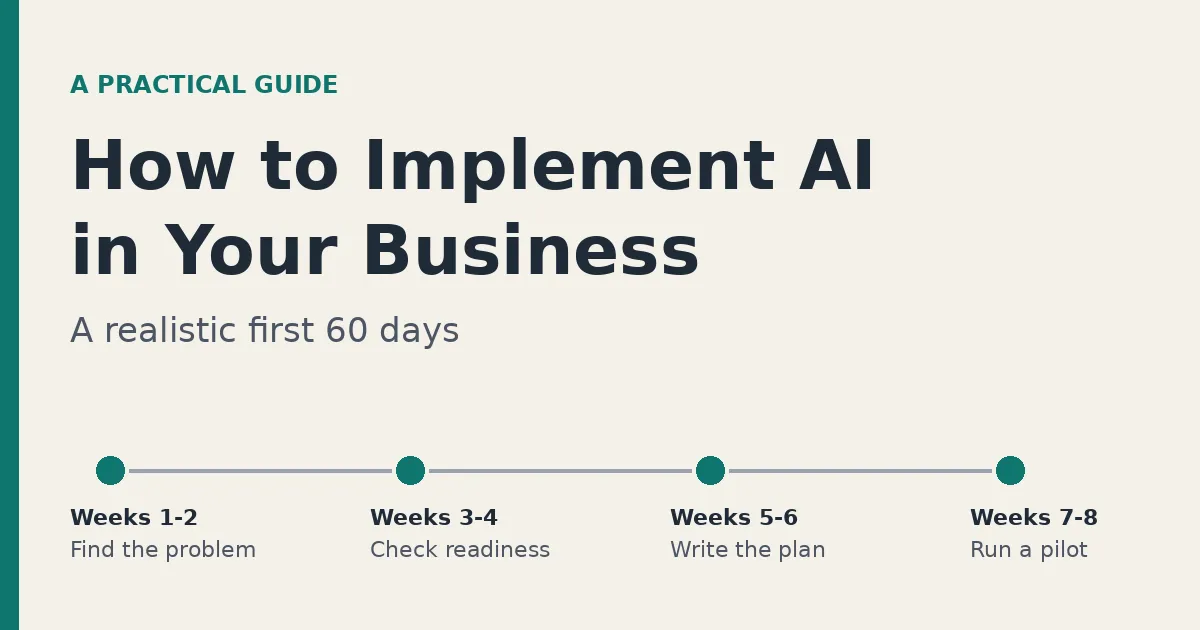
Weeks 1–2: Look at where your time goes
Ask your team to note down, for ten working days, the tasks that feel repetitive or slow. You'll usually find the same few repeating: re-typing information between systems, answering the same questions, producing routine reports.
Pick the one task that is common, clear, and low risk. Estimate how long it takes now. That number is your baseline, and you'll need it later to prove anything improved.
Weeks 3–4: Run a simple readiness check
An AI readiness assessment doesn't need to be formal. For your chosen task, check:
- The information: Is it written down somewhere reliable, or does it live in people's heads and inboxes? AI works from what it can see, so scattered or outdated records lead to poor results.
- The process: Do people handle the task the same way? If five people do it five ways, agree on one first.
- The people: Does someone have the time and authority to run this? Do the people affected understand what's changing and why?
If the information is the weak spot, use these two weeks to tidy it. That work pays off whatever you decide next.
Weeks 5–6: Write a one-page AI implementation plan
Keep it short enough that everyone reads it. Include:
- The problem, in your one sentence
- The baseline (how long it takes now)
- The target (for example, "cut this from ten hours to six")
- Who owns the project and who will use the tool
- The full cost: subscription or build cost, setup time, training time, and upkeep
- A review date
Add one more line: the stop rule. Decide in advance what result would make you pause or drop the idea. People rarely abandon a project they've already invested in unless they agreed the rule beforehand.
Weeks 7–8: Run a small pilot
Test with a few people, on real work, with a human checking the output. Keep a short log of what worked, what needed fixing, and what surprised you.
Pilots rarely go perfectly. The point is to find problems while they're cheap to fix. Early AI implementation challenges tend to be ordinary ones: unclear instructions, messy inputs, or a step in the process nobody had mentioned.
At the end of the pilot, compare the result with your baseline and target, and ask the people who used it what they thought. Their view often reveals things the numbers miss, like a tool that saves time but makes the work more annoying.
What comes after day 60
You'll have one of three results:
- It worked. Extend it to more people or the next task on your list. This is the start of a longer AI implementation roadmap, built one proven step at a time.
- It partly worked. Adjust and run another short round.
- It didn't. That's useful too. You've spent a few weeks and a small budget to learn something, instead of committing to a large rollout.
Common AI adoption challenges, and what helps
Most AI adoption challenges aren't technical. They tend to be the following.
- Vague goals. Fix with the one-sentence problem and a baseline number.
- Poor records. Fix with a cleanup before anything else.
- Overtrust. AI can sound confident and still be wrong. Keep human review where mistakes are costly.
- Team worries. Be open about what the tool is for and what it isn't. Ask for feedback early, and act on it.
- Hidden costs. Training, connecting the tool to your existing software, and ongoing maintenance often cost more than the licence. Count them from the start.
- Data privacy. Check where your information goes before entering customer or financial details into any tool.
Questions to ask before you buy anything
Whether it's a ready-made product or a custom build, ask:
- What exact task will this handle, and what will it leave to people?
- What happens to our data, and who can see it?
- How will we measure whether it's working?
- What does it cost after the first year?
- How hard is it to switch away later?
If a vendor can't answer these plainly, keep looking.
When it makes sense to get help
Many first projects can be handled in-house with off-the-shelf tools. But some situations are easier with a specialist, such as connecting a working pilot to your existing software, handling sensitive data, or building something that has to run reliably at scale. In those cases, working with a AI development services provider can save months of trial and error, as long as you hold on to your own plan, your success measure, and your stop rule.
A simple summary
Nowadays, implementing AI doesn't have to be a big leap. If you spend two months on one clear problem: find it, check your readiness, write a short plan, pilot it, and measure honestly. Whatever the outcome, you'll know more about your business and about what AI can realistically do for it.





















Sign in to leave a comment.