

My phone is 64 GB. Sounds decent, right? Except WhatsApp alone has quietly eaten something like 20 GB of it. Good morning pictures, wedding videos forwarded six times, voice notes from people I haven’t spoken to since 2021. Last week I tried to save one tutorial clip and boom, “storage almost full.” Again. I nearly gave up, then it hit me that I don’t need an app for this at all. An online downloader for videos runs inside the browser, so nothing new gets installed. Still, when your phone is that stuffed, you can’t just tap and hope for the best. A few habits make a big difference, and these are the ones I actually follow.
Skip the apps
Downloader apps are sneaky, honestly. You install one, it’s 40 MB, whatever. Two months later it’s 200 MB because of cache and updates, and it throws ads at you every time you open it. On a phone that’s already struggling, that’s just silly.
A website doesn’t pull any of that. Open Chrome, paste the link, save the video, close the tab. Finished. The only thing using space is the video itself, and that’s your call. My uncle has an old 16 GB Android that freezes if you look at it wrong, and this is the only way he manages to save anything.
Check your free space first
I know, boring. But open Settings, tap Storage, and look at what’s really free. Most people skip this and then wonder why the download failed.
If you’re under 1 GB, be careful. A download can die halfway and leave a broken file sitting there, which wastes space for nothing. I try to keep about 500 MB free; otherwise the phone gets laggy, and even the camera starts complaining.
While you’re in there, see what’s eating the room. For me, it’s WhatsApp, every single time. Then old downloads. Then a hundred screenshots I never opened again. Once you know the culprit, you know where to clean.
Pick the smaller quality
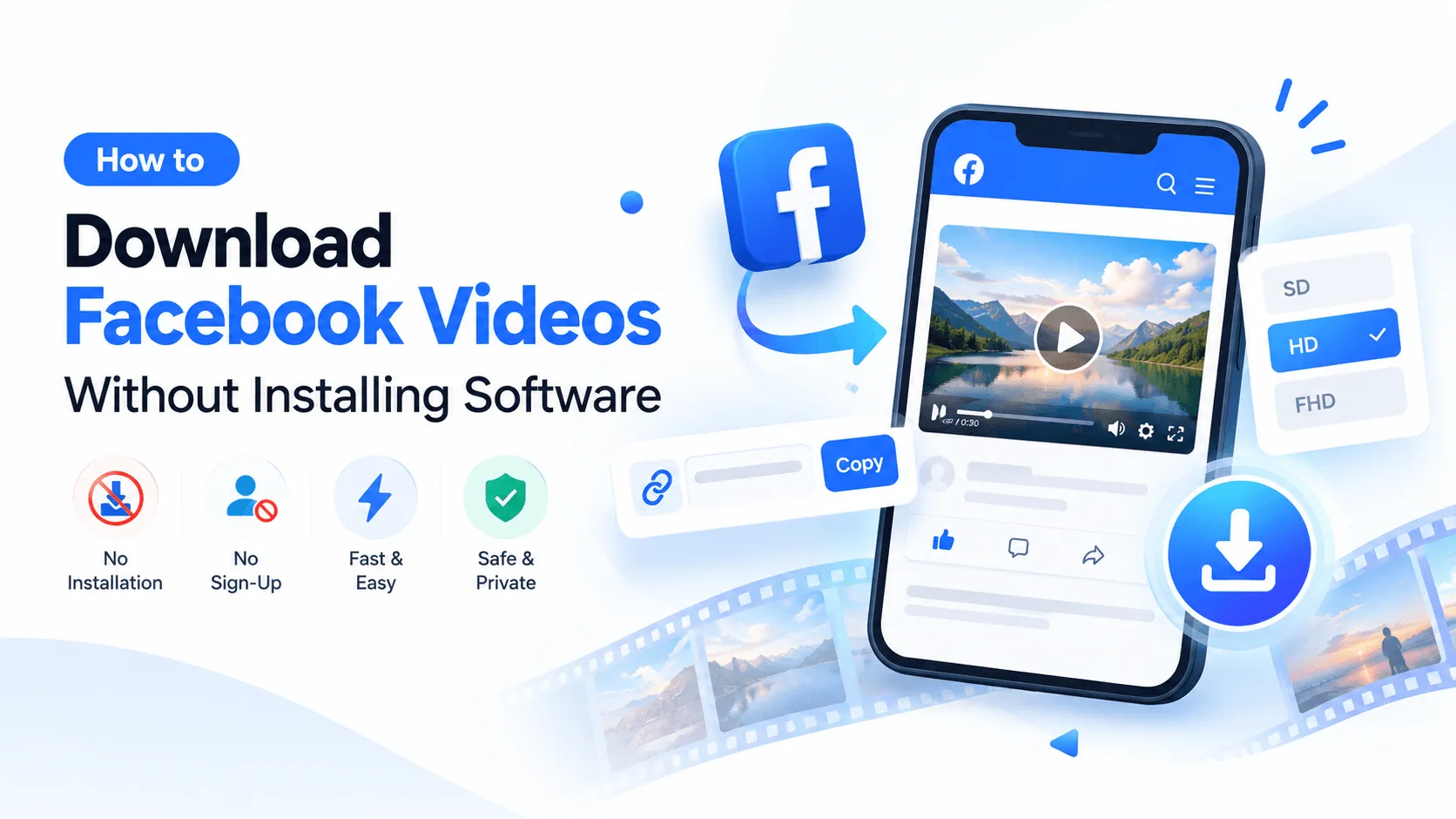
Hardly anyone does this, and it matters more than anything else on this list. After you press Fetch, you’ll see SD, HD, maybe FHD. Everyone taps the top one because bigger sounds better. But the same short clip can be 8 MB in SD and 60 MB in FHD. Now picture twenty of them. That’s over a gig for stuff you’ll watch once, maybe twice.
On a phone screen, SD or HD is fine. Lectures, recipes, interviews, you’re mostly listening anyway. Keep FHD for the rare video you actually care about, like a family function. I made HD my default about a year ago and my storage has been calmer since.
The actual steps
It’s short, really. Copy the video link from wherever you found it. Open ClipSaves in your browser, paste the link in the box, and press Fetch. Give it a few seconds. Pick a quality, press Download. That’s the whole thing.
One more thing, though. Stay on the page until it finishes. I messed this up a few times, switched over to WhatsApp halfway, came back, and the file was dead on a full phone, which is pure waste. It works for YouTube, Instagram, TikTok, Facebook, and a few others, so whatever you’re saving, the steps stay the same.
Don’t grab ten at once
I learned this before a bus trip. Queued up eight videos, the phone filled up around number five, and I was left with three half-finished files and no time to sort them out. Super annoying.
Now I take two or three, check that they play, move them somewhere else, then do the next batch. Slower? Yeah, a little. But nothing breaks, and I’m not deleting random stuff in a panic while the bus is pulling in.
Move them off the phone
Here’s what nobody tells you. A phone is a place to watch videos, not a place to keep them.
Upload them to Google Drive. Or plug into a laptop and drag them across. If your phone has an SD card slot, even better. Keep only what you’ll watch in the next few days and let the rest live somewhere else. You can always bring a file back later.
And if you want to send a clip to a friend, share the Drive link instead of making one more copy on your phone.
Clean up now and then
Once a week I open my downloads and delete whatever I’ve already watched. Yes, it’s boring. Clear the browser cache too, since it grows quietly in the background and nobody notices until it’s huge.
WhatsApp is the big one. Open its storage settings, and you’ll find old forwards, duplicate videos, media from groups you left ages ago. Ten minutes there frees up more than deleting a game. One time I got back almost 3 GB and felt like a genius for the whole afternoon.
Will you really watch it again?
Think about how many videos you’ve saved and never opened. Me? Dozens, easily. If something is going to sit on YouTube forever, just stream it. Save only things that might disappear, or that you need offline, like a tutorial for a trip where the network is terrible.
Being picky is the cheapest storage upgrade there is, and it costs nothing.
FAQs
1. Can I download a video when my phone is almost full?
Yes, if the file is smaller than your free space. Pick SD or HD, and clear a bit of room first so it doesn’t fail.
2. Does a website really use less space than an app?
It does. There’s nothing to install, so the only thing taking space is the video you save.
3. Which quality is the smallest?
SD, then HD. FHD is the biggest, so I’d keep it for special clips only.
4. Why did my download stop in the middle?
Usually the phone ran out of space, or the page was closed, or you switched apps. Free up some room and try again.
5. Where does the video end up after downloading?
Most of the time in your Downloads folder or Gallery. It depends on your phone and browser.
6. Do I need to sign up?
Nope. Paste the link, press Fetch, choose a quality, and save it.
Conclusion
A full phone doesn’t mean you have to stop saving videos. Use the browser instead of an app, check your free space, choose a smaller quality, and download in small batches. Move files off the phone when you can, and give it a quick clean once in a while. None of it is hard; it’s just a few new habits. So the next time that storage pop-up shows up, you’ll know what to do. If you want to try it right now, paste a link into any online downloader for videos like ClipSaves, and save your clip the easy way.



















Sign in to leave a comment.