

A business may need to move from one HubSpot portal to another for many reasons. A company might acquire another business, consolidate multiple HubSpot accounts, restructure its operations, or replace an older portal that has become difficult to manage.
At first, moving the data may sound simple. Export the contacts, import them into the new account, and continue working. In practice, CRM data is much more connected.
Contacts may be linked to companies, deals, tickets, owners, custom properties, activities, and pipelines. Some properties may also trigger workflows or affect reporting. If these relationships are not planned correctly, the new portal can contain incomplete records, duplicates, incorrect deal stages, or missing business context.
This guide explains how to approach a HubSpot to HubSpot migration systematically, from planning and mapping to testing and validation.
What Is HubSpot to HubSpot Migration?
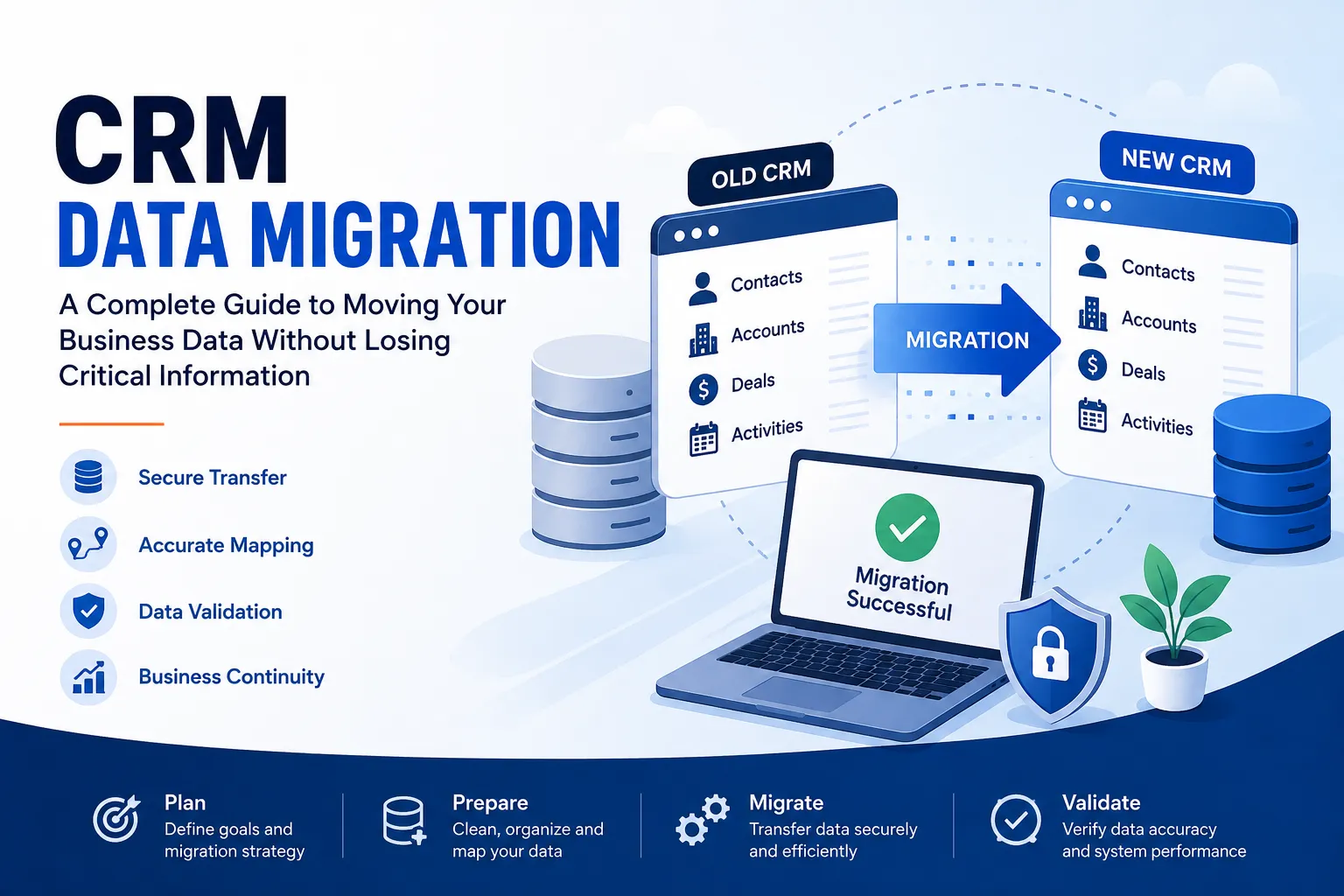
HubSpot to HubSpot migration is the process of moving CRM information from one HubSpot portal to another while accounting for the way that information is organized and connected.
It can involve much more than transferring individual contact records.
For example, a company may need to move:
- Contacts and companies
- Deals and tickets
- Custom properties
- Pipelines and stages
- Owners
- Activities and notes
- Record associations
- Products and line items
- Relevant historical information
Some CRM structures may need to be prepared or recreated in the destination portal before the data is transferred.
Consider a contact who works for a specific company and is associated with two open deals. Importing only the contact record does not preserve the full CRM context. The company relationship, deal associations, ownership, properties, and relevant activities may also need to be accounted for.
That is why HubSpot data migration should be treated as a structured CRM project rather than a basic spreadsheet transfer.
Why Would a Business Migrate From One HubSpot Portal to Another?
There should be a clear business reason behind a HubSpot portal migration. Moving data creates an opportunity to improve CRM organization, but migration is not automatically necessary in every situation.
Common reasons include the following.
Company Merger or Acquisition
When two organizations merge, they may be operating separate HubSpot portals.
Sales teams could have separate contact databases, deal pipelines, company records, and reporting structures. Consolidating the information into one portal can give the combined organization a more centralized customer view.
The migration plan should determine which records will remain, how duplicates will be handled, and how fields from both systems will fit into the destination CRM.
Multiple HubSpot Portals Have Become Difficult to Manage
Businesses sometimes create separate HubSpot accounts for different regions, brands, subsidiaries, or business units.
Over time, maintaining multiple databases can make reporting, data governance, and customer management more difficult.
A HubSpot account migration can help centralize selected information when the business decides that one portal better supports its operating model.
Moving to a New or Reorganized HubSpot Portal
An older HubSpot portal may contain years of unused properties, inconsistent naming conventions, duplicate fields, outdated pipelines, and unnecessary records.
Instead of reproducing every issue in a new environment, migration can be used as an opportunity to decide what information is still useful.
Business Restructuring
Organizational changes may require customer information to move between environments.
For example, one division may be separated into a new business, or several regional teams may be brought into a shared CRM.
In these situations, teams may need to transfer only selected records rather than the entire database.
CRM Cleanup and Standardization
Migration can also support a wider CRM cleanup project.
The objective should not simply be to move everything. Teams should determine which data supports current sales, marketing, customer service, and reporting requirements.
What Data Should You Consider During a HubSpot Migration?
Every HubSpot portal is different, so there is no universal migration scope.
Before transferring anything, create an inventory of the information currently stored in your CRM.
Depending on your HubSpot configuration, this may include:
- Contacts
- Companies
- Deals
- Tickets
- Products
- Line items
- Notes
- Tasks
- Calls
- Meetings
- Supported email and engagement information
- Owners and users
- Custom properties
- Pipelines
- Pipeline stages
- Record associations
- Attachments
- Relevant workflow or automation structures
This inventory should separate data into three groups: information that must be transferred, information that must be recreated or configured in the destination portal, and information that can be archived or left behind.
Not every HubSpot asset can necessarily be transferred in the same way. Migration requirements should therefore be reviewed object by object instead of assuming that the entire portal can be copied automatically.
Why HubSpot to HubSpot Migration Is More Complex Than Exporting and Importing Data
CSV exports are useful for moving straightforward records, but CRM data depends heavily on relationships and structure.
Several issues make HubSpot CRM migration more complicated.
Record Relationships
A single contact may be associated with a company, several deals, support tickets, tasks, meetings, and other records.
If those relationships are lost, users may still see the contact in the destination portal but lack the context needed to work with that customer.
Custom Properties
The source and destination portals may store similar information differently.
For example:
Source: Customer Type
Destination: Contact Category
Even though both fields serve a similar purpose, the migration process must determine how values should move from one property to the other.
Property types also matter. A dropdown field, text field, number field, date field, and checkbox field do not necessarily accept data in the same format.
Pipelines and Stages
Deals must be placed in the correct destination pipeline and stage.
Suppose the source portal uses a stage called "Proposal Sent," but the target portal uses "Proposal Under Review." The migration team must decide whether those stages are equivalent before records are transferred.
Duplicate Records
The destination portal may already contain customers found in the source account.
Creating another record for each existing contact or company can cause duplication and make reporting unreliable.
Record-matching rules should therefore be defined before the full migration.
Historical Context
The business value of CRM data often comes from context.
A deal record becomes more useful when teams can understand the company involved, associated contacts, prior activities, notes, and ownership.
Migration planning should consider which historical information is important for future work.
Automation Dependencies
Custom properties may be used by workflows, lists, lead routing rules, reports, or segmentation.
Changing or removing a property during migration can therefore affect processes beyond the record itself.
How to Plan a HubSpot to HubSpot Migration
A structured migration plan helps teams identify problems before they affect the full CRM database.
Step 1: Audit the Source HubSpot Portal
Start by reviewing the existing environment.
Document the CRM objects, properties, pipelines, associations, duplicates, integrations, users, workflows, and outdated information.
This audit creates a clearer picture of what you are actually moving.
Step 2: Define What Needs to Move
Do not automatically migrate every record.
Identify which information is still required for sales, marketing, customer service, operations, and reporting.
Old test records, duplicate contacts, unused properties, and outdated data may not belong in the new portal.
Step 3: Prepare the Destination HubSpot Portal
The target CRM should be ready before the transfer starts.
Create or confirm the required properties, users, pipelines, pipeline stages, and other structures needed to receive the incoming data.
Step 4: Map Source and Destination Fields
Data mapping defines where each source field will be stored.
For example:
Source: Customer Type
Destination: Contact Category
Or:
Source: Opportunity Stage
Destination: Deal Stage
Documenting these mappings reduces guesswork during the migration.
Step 5: Define Duplicate-Matching Rules
Determine how existing destination records should be identified.
Depending on the object and available data, matching could be based on a suitable unique identifier or another approved matching rule.
The goal is to decide whether a source record should create a new destination record or update an existing one.
Step 6: Run a Sample Migration
Before transferring the full database, migrate a controlled set of representative records.
Include different record types and situations so the test can reveal issues involving property formats, associations, owners, pipelines, or duplicate handling.
Step 7: Validate the Test Data
Review the sample carefully.
Check record counts, key property values, ownership, associations, pipeline placement, activities, and other important information.
If something is incorrect, adjust the migration configuration before continuing.
Step 8: Complete the Migration
Once testing has been reviewed and approved, perform the full HubSpot data transfer according to the agreed mapping and matching rules.
Step 9: Perform Post-Migration Validation
A completed transfer does not automatically mean the migration project is finished.
Teams should complete a final quality review before users fully depend on the new portal.
Common HubSpot Migration Mistakes to Avoid
Several preventable mistakes can make a migration harder than necessary.
Migrating everything without cleaning the data: Moving outdated and unnecessary information simply recreates existing CRM problems.
Ignoring duplicate contacts and companies: Duplicate records can affect reporting, segmentation, ownership, and sales activity.
Using incorrect destination property types: Data can be rejected, formatted incorrectly, or stored in unsuitable fields.
Failing to preserve important associations: Records without their related companies, deals, or activities may lose important context.
Migrating before pipelines are configured: Deals can be assigned incorrectly if the required destination stages are not ready.
Forgetting owner mappings: Records may end up assigned to the wrong person or without appropriate ownership.
Ignoring automation dependencies: Migrated properties may affect workflows, lists, routing rules, and reports.
Skipping the sample migration: Problems that could have been identified using a small dataset may instead affect thousands of records.
Failing to validate the results: Record counts alone do not prove that the CRM structure and relationships are correct.
Closing the source portal too early: Keep access to the original environment until required validation and business checks have been completed.
Manual vs. Automated HubSpot to HubSpot Migration
Manual exports and imports can work for straightforward migrations.
If you are transferring a limited number of contacts with simple properties and few relationships, native export and import processes may be sufficient.
Complexity increases when the CRM contains multiple objects, custom fields, associations, large datasets, existing destination records, several pipelines, historical activities, and detailed mapping requirements.
Manual processes can require teams to prepare multiple files, match IDs, coordinate import order, review duplicates, and validate relationships carefully.
A structured HubSpot migration tool can make it easier to manage field mapping, record matching, testing, and migration settings in a more organized process.
The best method depends on your CRM structure, data volume, migration requirements, and acceptable level of manual work.
Planning a HubSpot Portal Migration?
Moving connected CRM data requires more than importing spreadsheets. InboundSync helps businesses map, test, and transfer HubSpot data through a structured migration process.
CTA: Start Your Migration
How to Validate Your HubSpot Data After Migration
Post-migration validation should confirm both data accuracy and business usability.
Review:
- Total record counts
- Contact and company information
- Deal amounts and values
- Deal pipelines and stages
- Custom properties
- Contact, company, deal, and ticket associations
- Record owners
- Activities and supported engagement history
- Duplicate records
- Important reports
- Lists and segmentation dependencies
- Automation that uses migrated properties
Do not stop at random spot checks.
Test several critical business processes as well. For example, open an active deal and confirm that the appropriate company, contacts, owner, stage, and key properties are available.
Sales, marketing, service, and operations teams should also review workflows that depend on migrated information before the new portal becomes the primary working environment.
How InboundSync Helps Simplify HubSpot to HubSpot Migration
For organizations with connected CRM data, a structured migration platform can reduce the amount of manual coordination required.
InboundSync supports HubSpot to HubSpot migration by helping businesses connect source and destination environments, select migration objects, map data, define record matching, and test migration settings before running a larger transfer.
A sample migration can help teams evaluate how records and relationships appear in the destination environment before committing to the full migration.
Once the configuration has been reviewed, the migration can proceed using the approved mappings.
This approach can be particularly useful when the project involves multiple CRM objects, existing destination records, custom properties, and important associations that would be difficult to manage through disconnected spreadsheets alone.
HubSpot to HubSpot Migration Checklist
Before starting your migration, confirm that you have:
- Defined why the migration is required
- Audited the source HubSpot portal
- Identified the CRM objects that need to move
- Removed or archived unnecessary data
- Reviewed duplicate contacts and companies
- Prepared the destination HubSpot portal
- Mapped source and destination properties
- Mapped record owners
- Reviewed pipelines and stages
- Identified important record associations
- Reviewed workflow and reporting dependencies
- Defined record-matching rules
- Run a sample migration
- Validated sample records
- Completed the approved full migration
- Performed post-migration quality checks
Frequently Asked Questions About HubSpot to HubSpot Migration
Can you migrate data from one HubSpot account to another?
Yes. Businesses can migrate selected CRM information from one HubSpot account to another. The exact process depends on the objects, properties, relationships, and historical information involved. Simple records may be handled through exports and imports, while more connected CRM environments may require detailed mapping, record matching, testing, and validation.
What data can be transferred between HubSpot portals?
Depending on the migration method and portal configuration, businesses may need to transfer contacts, companies, deals, tickets, custom properties, products, line items, notes, tasks, activities, owners, pipelines, and record associations. Teams should review each data type individually because not every HubSpot asset or configuration is transferred in the same way.
Can custom properties be migrated between HubSpot accounts?
Custom property values can be included in a migration when the destination portal has an appropriate field to receive the data. Before migrating, confirm the property name, purpose, field type, accepted values, and destination mapping. Creating the correct destination properties first helps reduce formatting and mapping problems.
How do you prevent duplicate records during HubSpot migration?
Start by identifying which records already exist in the destination portal. Then define record-matching rules so the migration process can determine when a source record should match an existing record instead of creating another one. CRM cleanup before migration and duplicate checks afterward should also be part of the process.
Can HubSpot deals and their contact or company associations be migrated?
Deals can be included in a HubSpot migration, but teams should also account for the relationships connecting those deals with contacts and companies. Pipelines and stages must also be prepared correctly in the destination account so migrated deals retain meaningful CRM context.
Should I clean my CRM before migrating to another HubSpot portal?
Yes, if your current portal contains duplicates, outdated information, unused properties, test records, or other unnecessary data. Migration is a good opportunity to decide what information should remain part of the active CRM. Cleaning the data first prevents avoidable issues from being copied into the new portal.
How do I check whether my HubSpot migration was successful?
Compare source and destination record counts, then review important property values, owners, pipelines, stages, associations, activities, and duplicate records. Test key reports, lists, workflows, and everyday business processes that rely on the migrated data. Migration should be considered complete only after the destination CRM has been validated for practical use.
Plan Your HubSpot Migration Before You Move Your Data
A successful HubSpot to HubSpot migration depends on much more than transferring records.
Teams need to understand what information should move, prepare the destination portal, map fields carefully, account for record relationships, define duplicate handling rules, test the migration, and validate the results afterward.
A well-planned process can also prevent old CRM problems from simply being reproduced in a new environment.
Ready to Move to Your New HubSpot Portal?
InboundSync helps you organize, map, test, and transfer your CRM data through a controlled HubSpot-to-HubSpot migration process.
Begin Your Migration






















Sign in to leave a comment.