

Choosing between Microsoft 365 and Google Workspace is one of the most common decisions businesses face when moving to the cloud — and it's not a decision to make lightly. Both platforms give your team the tools to collaborate, communicate, and work from anywhere, but they get there in different ways. As a Microsoft Certified Partner that also holds Google certifications, SuperCloud works with businesses across Vancouver, Surrey, and Langley on both platforms, and here's how the two compare based on what each one offers.
Microsoft 365: The Familiar Powerhouse
Microsoft Office 365 is a software suite that includes Word, SharePoint, Microsoft Teams, Excel, and more — the applications most businesses already know. What makes it a cloud platform rather than just desktop software is that it's cloud-based, so users can access the full suite of features anywhere, anytime, on any device, with an active internet connection.
A few things stand out about Microsoft 365:
- All the core apps you rely on. Word, PowerPoint, Excel, and Outlook are among the most prominent tools in the package, and they can be installed on a PC, laptop, or iPad — giving you both local and cloud-based productivity.
- A full subscription package. Microsoft 365 includes Exchange Online for email hosting, Teams, OneDrive with 1 TB of storage, and SharePoint, along with business-class support, IT admin assistance, and a 99.9% uptime guarantee.
- Single Sign-On (SSO). One set of login details gets you into email, SharePoint, OneDrive, and other Office apps — no need to remember multiple passwords.
- Always current. With a Microsoft 365 subscription, you always have access to the latest versions of Word, Excel, Outlook, and other apps, without paying extra for new releases or reinstalling software.
- Built-in security. Microsoft 365 provides privacy protection, layered security controls, diligent monitoring, and regular security updates.
- Real-time collaboration. Teams can communicate and see real-time edits to shared documents in Word, Excel, and PowerPoint.
Google Workspace: Built for Speed and Simplicity
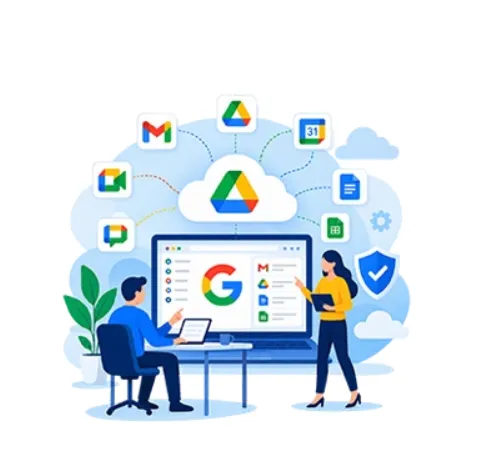
Google Workspace is a cloud-based suite of productivity and collaboration tools including Gmail, Drive, Docs, Sheets, Meet, Calendar, and more — designed to help your team work smarter and more efficiently. Its whole app suite lives in the browser by design, described as one of the world's most advanced and complete suites of professional, intelligent apps.
Key strengths of Google Workspace include:
- Everything in one place. Gmail, Calendar, Drive, Docs, Sheets, Slides, and Meet are all part of the platform, letting you navigate documents, email, and video calls from one location.
- Unlimited storage and scalability. Scaling is easy, quick, and practical — Google Workspace is designed to grow with your company's needs.
- Simple, predictable pricing. A single monthly subscription fee covers the features you use.
- Manage everything from one console. Users, apps, devices, and security settings can all be managed through interactive dashboards in one place.
- AI built in. Google Workspace uses machine learning, language recognition, and other forms of AI to make the experience more convenient and less complex.
- True real-time collaboration. Your whole team can work on the same document at the same time, with a built-in chat platform for coordination.
- Data retention and search. Google Vault lets you keep critical data for as long as you need it, even if an account has been suspended, with universal search making it easy to find what you're looking for.
Where the Two Platforms Are Similar
Despite their different app ecosystems, Microsoft 365 and Google Workspace share a lot of common ground:
- Cloud-based accessibility — both work from any device, anywhere, at any time with an internet connection.
- Real-time collaboration — both let teams edit and communicate on shared documents simultaneously.
- Enterprise-grade security — both include encryption, access controls, and ongoing monitoring to protect business data.
- Scalable design — both are built to grow alongside a business, whether it's a small team or an expanding enterprise.
How SuperCloud Supports Each Platform
Whichever platform fits your business, SuperCloud brings hands-on expertise to the transition and beyond.
For Microsoft 365, SuperCloud's certified professionals have completed numerous successful transitions, including migrations of Exchange Online, Teams, OneDrive, and SharePoint. The team has successfully audited 500+ Microsoft 365 tenants and migrated 10,000+ mailboxes, and can even set up a trial account in minutes so you can evaluate the platform before committing. Ongoing support includes proactive tracking, timely troubleshooting, security vulnerability protection, and monthly resource utilization reporting.
For Google Workspace, Google Workspace consultancy is SuperCloud's core competence, with support spanning licensing, conversion, training, and development — from onboarding all the way through to long-term stability. SuperCloud also addresses one of Google Workspace's known gaps: backup and storage. The team provides complete Workspace backup services, protecting company data through a supervised cloud-to-cloud backup system.
Making the Right Choice for Your Business
Neither platform is universally "better" — the right choice comes down to what your team already uses, how they like to work, and where your business is headed. If your team is deeply invested in the Microsoft ecosystem — Word, Excel, Outlook, Teams — Microsoft 365 offers a smooth, familiar path to the cloud with strong enterprise controls. If your team values speed, simplicity, and browser-first collaboration with built-in AI, Google Workspace may be the better fit.
The good news: you don't have to make this decision alone. SuperCloud's IT specialists have a wealth of experience with successful implementations and migrations on both platforms for small to medium-sized businesses, and can help you weigh the trade-offs against your specific IT infrastructure and business goals.
Get a free consultation to talk through which platform — and which migration path — makes the most sense for your business.




























Sign in to leave a comment.