

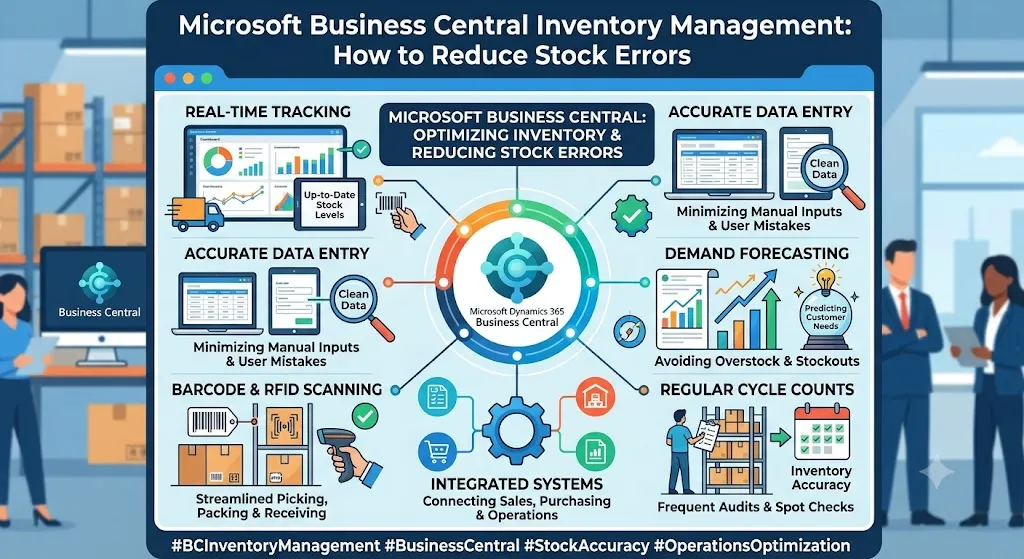
Managing inventory accurately is essential for businesses that buy, store, manufacture, or sell products. When stock records do not match actual quantities, businesses may face delayed orders, unnecessary purchases, excess inventory, and unhappy customers.
Many companies still rely on spreadsheets or disconnected systems to track stock. As operations grow, these methods can make it difficult to maintain accurate records across warehouses, monitor product movements, and identify shortages.
Microsoft Business Central inventory management helps businesses organise inventory information, track stock transactions, and view item availability across locations. With better inventory visibility, businesses can reduce manual errors and make more informed purchasing and fulfilment decisions.
In this guide, we explain common inventory errors and how Microsoft Business Central can help businesses manage stock more effectively.
What Is Microsoft Business Central Inventory Management?
Microsoft Dynamics 365 Business Central is a business management platform that connects inventory with purchasing, sales, finance, and other business processes.
Its inventory capabilities allow businesses to maintain item records, record stock movements, manage multiple locations, and review inventory availability. Businesses can also use inventory reports to understand stock levels and identify potential shortages or excess quantities. Microsoft Learn
These capabilities help businesses maintain more consistent inventory records and improve coordination between warehouse, purchasing, sales, and finance teams.
Common Inventory Errors Businesses Face
Before reducing stock errors, it is important to understand what causes them.
1. Incorrect Stock Counts
Manual data entry mistakes, unrecorded transactions, and inaccurate physical counts can cause differences between recorded inventory and actual stock.
2. Overstocking and Stockouts
Buying too much inventory increases storage costs and ties up working capital. On the other hand, insufficient stock can delay customer orders and disrupt operations.
3. Poor Warehouse Coordination
Businesses operating across multiple warehouses may struggle to track where products are stored and whether stock is available at the required location.
4. Delayed Inventory Updates
When purchases, sales, returns, or transfers are not recorded promptly, employees may make decisions using outdated information.
5. Limited Inventory Reporting
Without clear reports, managers may find it difficult to identify slow-moving items, understand stock movements, or plan replenishment effectively.
How Microsoft Business Central Inventory Management Helps Reduce Stock Errors
1. Maintain Accurate Item Records
Accurate item information is the foundation of effective inventory control. Businesses should maintain consistent product numbers, descriptions, units of measure, and relevant item attributes.
Microsoft Business Central allows users to create item cards and organise products into categories. These records help employees identify items consistently across purchasing, sales, and inventory transactions.
Standardising item information can reduce duplicate records, incorrect product selection, and avoidable data-entry errors.
2. Track Stock Movements More Effectively
Inventory changes whenever products are purchased, sold, transferred, or adjusted. If these transactions are not recorded correctly, inventory figures may become unreliable.
Business Central records inventory movements through relevant business documents and item ledger entries. This helps businesses review the transactions behind recorded quantities and investigate differences when they occur.
Consistent transaction recording is important for maintaining dependable inventory information.
3. Improve Inventory Visibility Across Locations
Businesses with multiple warehouses need to know where stock is available before confirming orders or arranging transfers.
Microsoft Business Central supports location-based inventory management. Users can view item availability by location and manage transfers between locations according to their configured processes. Microsoft's inventory availability guide explains how businesses can review item availability across different locations.
This visibility helps teams avoid assuming that stock available in one warehouse is automatically available in another.
4. Identify Potential Stock Shortages
A product may appear available today but be required for upcoming sales orders or production activities. Looking only at current stock can therefore lead to poor purchasing decisions.
Business Central provides availability views that consider inventory, expected receipts, and demand. Its inventory availability reporting can help businesses identify potential shortages and surpluses.
By reviewing upcoming requirements, purchasing teams can make better replenishment decisions and reduce the risk of running out of essential products.
5. Improve Inventory Reporting and Analysis
Inventory reports help managers understand what has happened to stock and where attention is needed.
Business Central includes reports for inventory availability, transaction details, stock movements, inventory costs, and other inventory-related activities. Depending on the report, businesses can review current availability, historical transactions, or potential excess stock. Microsoft inventory reporting documentation
Regular reporting helps teams investigate unusual stock changes and make decisions based on recorded information rather than assumptions.
6. Support More Reliable Purchasing Decisions
Purchasing too early or too late can affect cash flow, storage requirements, and customer service.
When purchasing teams can review current inventory, expected receipts, and upcoming demand, they can make more informed decisions about order quantities and timing.
Business Central's inventory availability features help users understand how scheduled purchases and demand affect projected stock. Businesses should also maintain accurate supplier lead times and purchasing data for more reliable planning.
Best Practices to Reduce Inventory Errors
Technology works best when supported by clear inventory procedures. Businesses can follow these practices to improve accuracy:
- Conduct regular stock counts: Compare physical quantities with system records and investigate differences.
- Record transactions promptly: Enter receipts, shipments, returns, and transfers without unnecessary delays.
- Standardise item records: Use consistent item numbers, descriptions, and units of measure.
- Set clear warehouse procedures: Define how employees receive, store, pick, and transfer products.
- Review inventory reports: Monitor shortages, excess stock, and unusual transaction patterns.
- Train employees: Make sure warehouse and purchasing teams understand the correct inventory processes.
- Review access and approvals: Establish suitable controls for stock adjustments and sensitive transactions.
These steps help businesses maintain better data quality and reduce avoidable mistakes.
Why Choose Microsoft Business Central for Inventory Management?
Businesses need inventory processes that connect with purchasing, sales, finance, and daily operations. Managing each function separately can create information gaps and make it harder to understand stock requirements.
Microsoft Business Central brings these business processes into a connected environment. Its inventory features help businesses maintain item records, track transactions, review stock availability, and analyse inventory activity.
CorporateServe helps businesses explore Microsoft Dynamics 365 solutions based on their operational requirements. To learn more, visit the CorporateServe Microsoft Dynamics 365 page.
Conclusion
Inventory errors can lead to unnecessary costs, delayed orders, excess stock, and poor purchasing decisions. Businesses can reduce these problems by maintaining accurate item records, recording stock movements promptly, and reviewing inventory regularly.
Microsoft Business Central inventory management helps businesses improve stock visibility through item tracking, location-based availability, inventory transactions, and reporting capabilities. Combined with consistent warehouse procedures and reliable data, these tools can support more accurate inventory control and better business decisions.
Frequently Asked Questions (FAQs)
1. What is Microsoft Business Central inventory management?
It refers to the inventory capabilities in Microsoft Dynamics 365 Business Central that help businesses manage item records, stock transactions, locations, and inventory availability.
2. Can Business Central help reduce stock errors?
Yes. Accurate item records, consistent transaction posting, inventory reports, and regular stock reconciliation can help businesses identify and reduce inventory errors.
3. Can Microsoft Business Central manage inventory across multiple warehouses?
Yes. Business Central supports multiple inventory locations and provides availability views to help businesses understand where items are stored.
4. How does Business Central help prevent stockouts?
Its inventory availability features help businesses review current stock alongside expected receipts and demand, supporting better replenishment decisions.
5. Is Microsoft Business Central suitable for growing businesses?
It can be suitable for businesses that need connected inventory, purchasing, sales, and financial processes. Suitability depends on the company's operational needs and implementation requirements.
6. Where can I learn more about Microsoft Business Central?
Visit CorporateServe's Microsoft Dynamics 365 page to explore the solution and discuss your business requirements.

















Sign in to leave a comment.