

Buying an office chair has become much easier with the rise of office chair online shopping. You can compare options quickly, read reviews, and get deals delivered to your door. But the convenience can also make it tempting to purchase based only on price, appearance, or a few headline features. The truth is, the “right” chair depends on how you sit, how long you sit, and what your body needs to stay comfortable and supported throughout the day.
Before you click “Add to Cart,” use this checklist to evaluate the most important factors—so you choose a chair that supports productivity, protects posture, and feels good for months, not days.

1) Start With Your Usage: How Many Hours Per Day?
Your chair should match your schedule. A chair that works for a short study session may feel uncomfortable during long workdays, while an all-day ergonomic chair may be overkill for occasional use.
- 1–3 hours/day: prioritize basic comfort, supportive seat cushioning, and proper height.
- 3–6 hours/day: ensure adjustable features like seat height, tilt, and arm support.
- 6–10+ hours/day: focus heavily on lumbar support, backrest adjustability, breathable materials, and reliable mechanisms.
If possible, measure how your body behaves while working: do you slouch after a couple hours? do you lean forward when using a laptop? do you experience neck stiffness? These patterns help you select the right support type.
2) Check Ergonomics: Lumbar and Backrest Support
The backrest is where comfort is either “built in” or missing entirely. Look for:
- Lumbar support: adjustable lumbar support is ideal because it can be matched to your lower back curve.
- Backrest shape: a properly contoured backrest can help you maintain a natural seated posture.
- Backrest recline and tilt: a chair that tilts allows you to change positions during the day rather than staying locked in one posture.
A good chair doesn’t just feel supportive at first—it maintains support as you move. If the lumbar area feels like it’s pressing too hard or not contacting your lower back at all, comfort will decline fast.
3) Seat Height and Depth: Non-Negotiable Fit
Even a chair with great ratings can fail if it doesn’t fit your body.
Seat height
- When seated, your feet should rest flat on the floor.
- Your knees should ideally be at roughly a 90-degree angle (or slightly open).
Seat depth
- You should have a small gap (about 2–3 finger widths) between the front edge of the seat and the back of your knees.
- If there’s no gap, you may feel pressure in the back of the legs.
- If there’s too much gap, your lower back can lose support and you may slide forward.
If you can’t adjust seat depth and the chair sits too deep or shallow, it may be harder to maintain comfort over time.
4) Armrests: Support for Elbows and Shoulders
Armrests affect more than comfort—they influence your neck and shoulder tension.
When checking armrests, consider:
- Height adjustability: allows elbows to align comfortably with desk height.
- Width/position flexibility: helps you avoid shoulder strain.
- Pad comfort: arm pads shouldn’t dig into your skin during typing or mouse use.
If armrests are too high or too low, you may shrug your shoulders unconsciously. That often becomes neck discomfort later in the day.
5) Tilt Mechanism and Recline: Movement Prevents Fatigue
Sitting still for hours increases muscle strain. A chair with an effective tilt and recline mechanism helps you vary your posture.
Look for:
- Smooth tilt function that lets you lean back easily.
- Locking options in different positions (if available).
- Adjustable tension so the recline feels controlled—not too loose.
Even if you don’t recline often, tilt support helps you “reset” your posture during stressful long sessions.
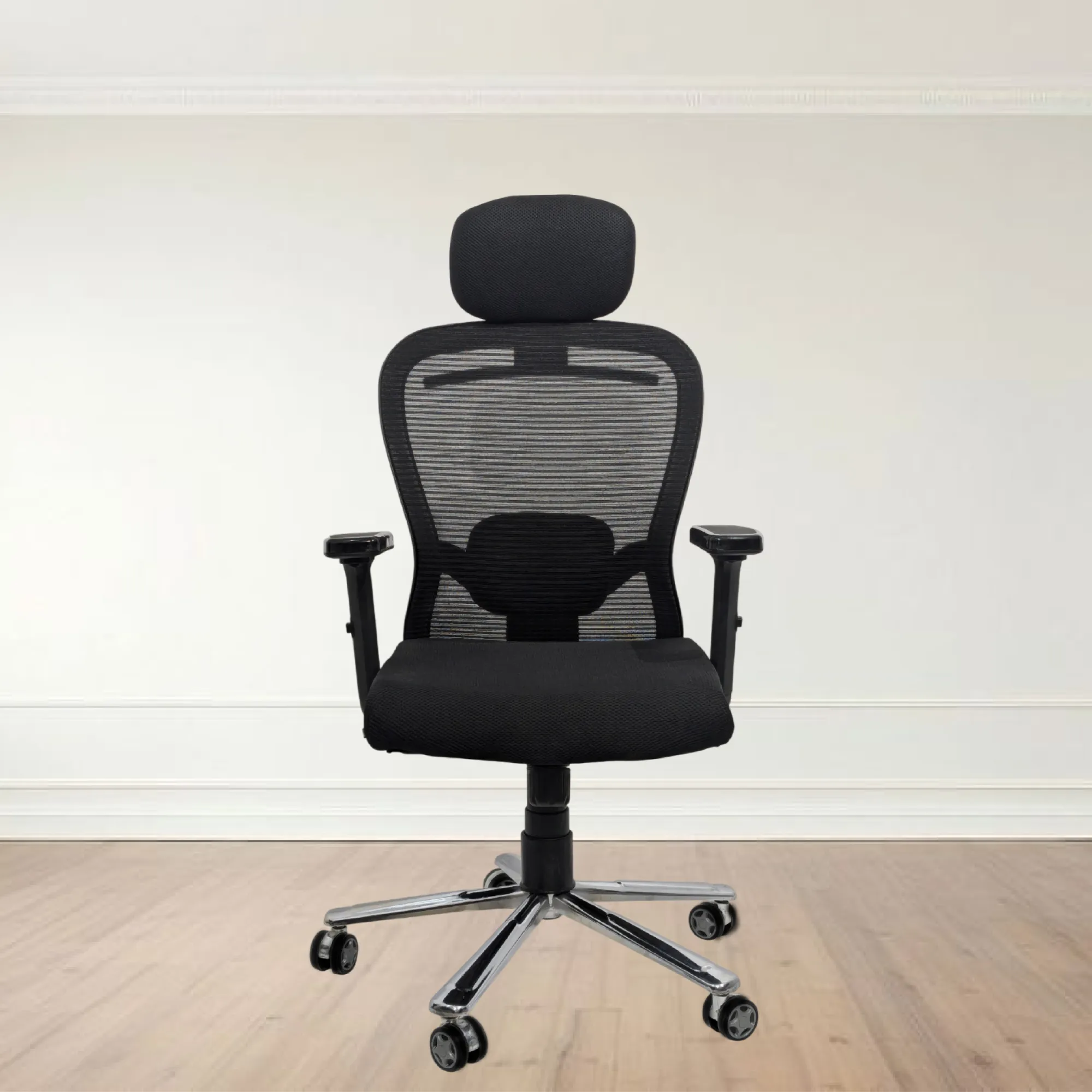
6) Headrest or No Headrest: Choose Based on Your Posture
Headrests can be helpful, but only if they match your height and posture.
Consider a headrest if:
- You often lean back while working.
- You sit with a fairly upright posture and your neck feels strained.
- You use video calls frequently and like rest support.
Consider no headrest if:
- You prefer leaning forward.
- You often work in a forward-leaning desk setup (like certain keyboard/screen arrangements).
- You want maximum freedom of movement.
The key is alignment—if the headrest sits too high or too low, it may create awkward pressure rather than relief.
7) Material Matters: Mesh, Foam, Fabric, and Breathability
Comfort is not only about shape—it’s also about how the chair handles heat and daily wear.
Common materials:
- Mesh backs: typically breathable and cooler for warm environments.
- Foam seats: can feel soft initially; quality matters for long-term support.
- Leatherette or synthetic surfaces: wipe clean easily but may feel warmer without ventilation.
What to check:
- The seat foam should feel supportive, not overly squishy.
- The back material should provide stable support without excessive wobble.
- If you tend to get hot while working, prioritize breathable designs.
8) Build Quality and Stability: Don’t Ignore the Base
A chair should feel solid when you sit, adjust, and move around. Before purchase, evaluate:
- Base type and stability: a secure base reduces wobbling and noise.
- Casters quality: smoother wheels improve mobility and reduce resistance.
- Frame strength: consider weight capacity to match your body and daily use.
If a chair feels loose during minor movements, it may become more annoying over time.
9) Warranty and Returns: Protect Your Purchase
Online shopping often means you can’t test the chair in a store. That’s why warranty terms matter.
Check:
- Warranty length and what it covers (parts, mechanisms, upholstery).
- Return and exchange policies if the chair doesn’t fit your needs.
- Delivery timelines and whether installation support is included.
A solid warranty reduces the risk of expensive repairs later.
10) Reviews and Ratings: Read for Patterns, Not Just Star Count
Ratings can be misleading if they only reflect initial comfort. Instead, scan reviews for repeated themes:
Look for consistent comments about:
- comfort after extended hours
- lumbar support effectiveness
- armrest stability
- tilt mechanism durability
- assembly experience
- long-term wear and tear
If multiple buyers mention the same issue (like poor lumbar support or weak armrest components), treat it as a red flag.
11) Assembly Requirements: Easy Setup vs. Frustration
Many customers don’t realize that assembly can affect the final feel of the chair. If parts aren’t assembled correctly, mechanisms may not function smoothly.
Before buying, check:
- whether the chair requires tools only or includes them
- whether step-by-step instructions or guidance are provided
- whether the process is manageable for one person
If DIY assembly sounds inconvenient, choose options known for simple setup and clear instructions.
12) Fit for Your Workspace: Desk Height and Chair Position
Even the best chair can feel wrong if the desk setup doesn’t match.
Quick checks:
- When seated, your elbows should align comfortably with the desk.
- Your screen should be positioned so you’re not constantly looking down or straining upward.
- If your desk is high, armrests and seat height become even more important.
Sometimes discomfort comes from the desk setup—not the chair. Adjusting your chair height, armrest position, and screen height can make a huge difference.
13) Budget Planning: Don’t Pay Only for Discounts
Discounts are common with office chair online stores, but the lowest price is not always the best value.
Use a simple value rule:
- If adjustable lumbar + reliable mechanism + supportive seat are present, the chair may be worth the price.
- If major ergonomic features are missing, you might spend more later on replacements or additional cushions.
A budget chair can work, but only if it fits your body and supports posture appropriately for your hours of use.
14) Practical Safety Checks: What You’ll Notice Immediately
After receiving the chair (or during assembly), confirm:
- The chair adjusts smoothly in height.
- The tilt/recline works without sticking.
- The backrest feels supportive without shifting too much.
- Armrests stay firm and don’t wobble.
- Seat cushion doesn’t collapse quickly under your weight.
If any of these feel off right away, contact the seller promptly—don’t wait until comfort problems become daily issues.
Conclusion
Choosing the right office chair online is about more than aesthetics and discounts. Start with your daily usage, match ergonomic support to your body, ensure correct seat height and depth, and verify features like lumbar support, armrests, tilt mechanisms, and breathability. Also consider build quality, warranty protection, and return policies so you’re covered if the chair isn’t a perfect fit.
Make your purchase like a careful buyer—not a quick one—and you’ll be far more likely to enjoy long-term comfort, healthier posture, and better focus at your desk.



















Sign in to leave a comment.