How to safely put decades-old 16mm film on a flash drive or phone

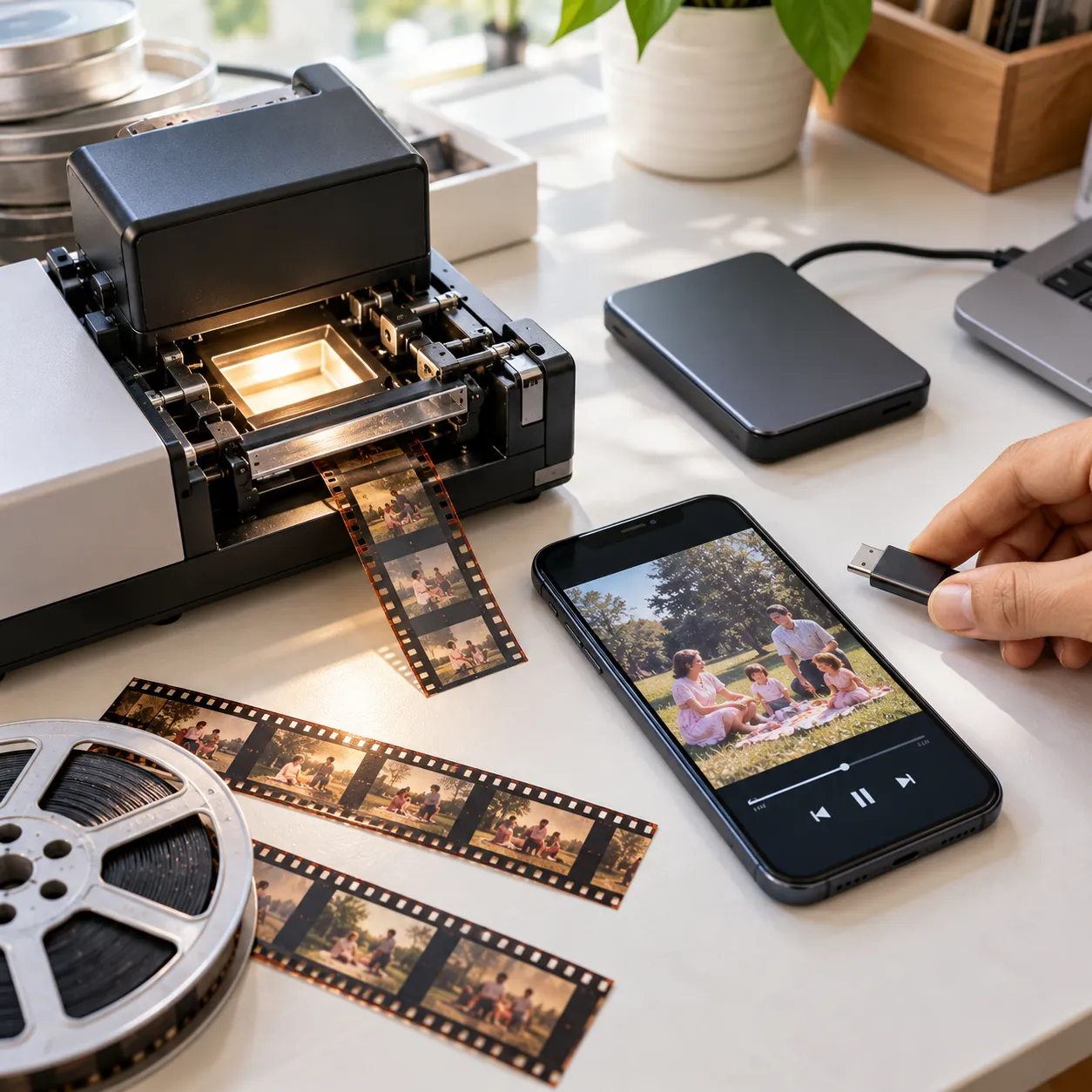
When families bring heavy canisters of vintage movie reels into the LIFETIME HERITAGE FILMS INC studio, their immediate goal is accessibility: "Can I just put these old reels onto an iPhone, an iPad, or a standard USB thumb drive?"
It is an entirely practical question. Nobody wants to hunt down a heavy, unreliable projector just to watch a five-minute family gathering from fifty years ago. Today, we expect our memories to be instantly playable on smart televisions, easily shareable in group texts, and backed up in cloud storage.
If you want to transfer 16mm film to modern digital devices, the short answer is yes. Decades-old celluloid can easily be converted into files that work across modern screens. However, bridging the gap between vintage physical reels and your smartphone requires a specific studio conversion workflow.
Why You Can't Just "Scan" Film Like a Document
A common assumption is that film reels can simply be scanned like regular photo prints on a flatbed scanner.
In reality, a reel of 16mm film is composed of thousands of tiny individual photographs, called frames, printed in sequence along a strip of acetate. A single minute of footage at standard sound speed contains 1,440 individual frames. If you hold the film to a lamp and take a photo with your phone, you only capture a single, distorted frame.
To turn a reel into a video file that your smartphone can swipe through, every single one of those microscopic frames must be captured individually and assembled into a continuous digital sequence.
How Film Reels Become Digital Files
At LIFETIME HERITAGE FILMS INC, we avoid old projector setups that rely on mechanical teeth to drag the film forward, as brittle vintage reels can easily tear.
Instead, our studio utilizes sprocketless, frame-by-frame scanning systems. The scanner advances the film gently using precision rollers, capturing a high-resolution, evenly illuminated digital snapshot of each distinct frame.
Once the full reel has been photographed, our post-capture software sequences those thousands of individual images into a single video file—typically an MP4. Because the MP4 container uses universal H.264 compression, it behaves exactly like any video recorded on a modern smartphone today.

Watching and Sharing Your Footage on Modern Screens
Once the raw film is assembled into an MP4 file, transferring it across your personal devices is seamless:
- USB Flash Drives: This is the most common option. A standard USB drive can plug directly into the port on a Smart TV, PC, or Mac for instant playback with a remote or mouse.
- Phones and Tablets: Files saved on a computer can quickly be transferred to an iPhone via AirDrop, loaded onto an iPad, or uploaded directly to Google Photos and Apple Photos for easy viewing on mobile screens.
- Cloud Drives: Because MP4 files balance high clarity with efficient file sizes, you can drop them into services like Google Drive, Dropbox, or OneDrive. This makes it effortless to text or email a private viewing link to family members across the country.
Keeping Your Family Archive Accessible
The real danger for vintage media is not just chemical aging—it is staying tucked away where no one can view it. When reels sit unseen inside cardboard boxes, their stories fade from family memory.
Taking the step to Transfer to digital brings those hidden moments out of storage and into daily life. At LIFETIME HERITAGE FILMS INC, our preservation technicians handle every fragile reel with professional care, ensuring your family's oldest milestones are ready to watch on the screens you use every day.








Sign in to leave a comment.