

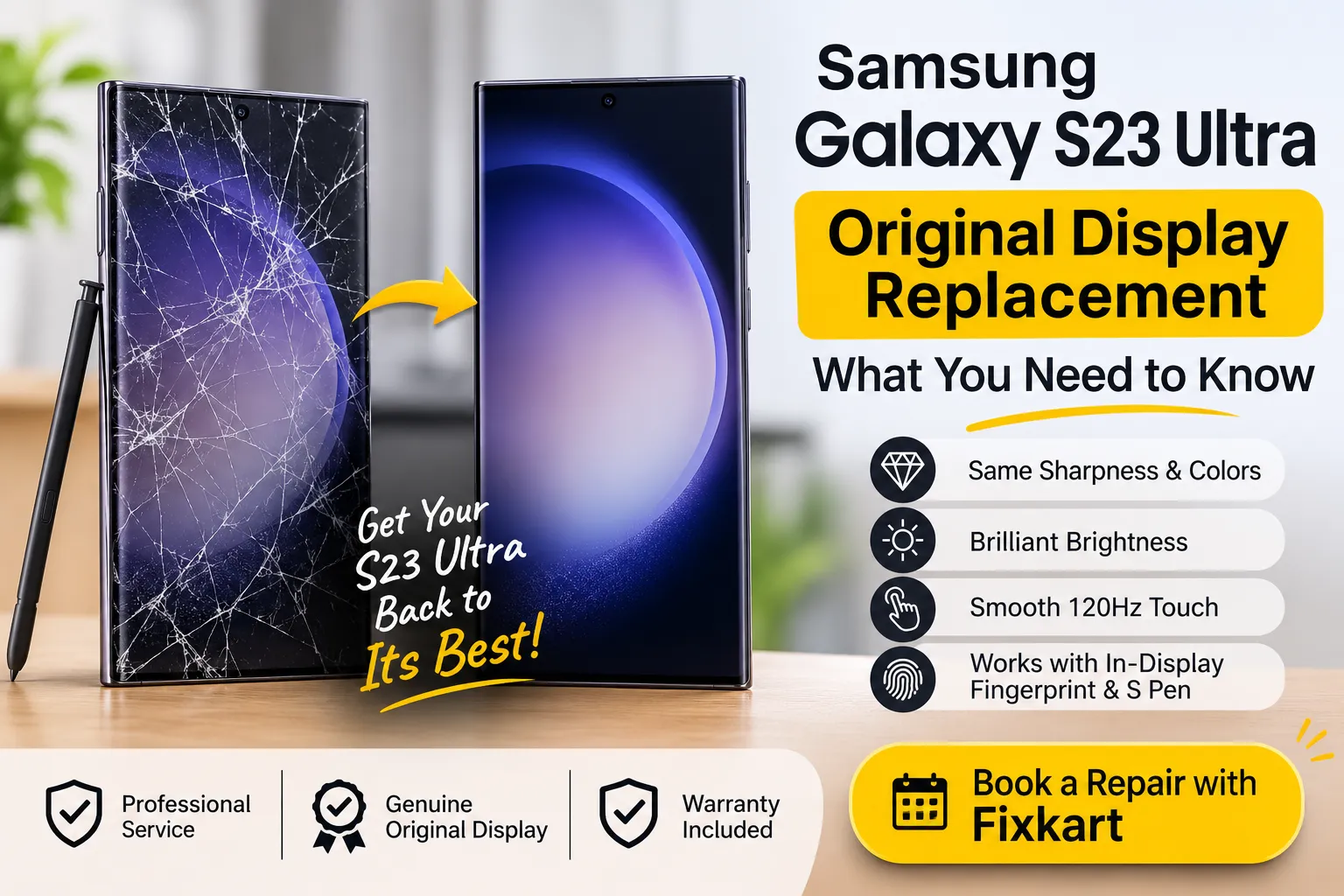
You drop your phone once, and there it is: a spiderweb crack running across the most beautiful screen you’ve ever owned. If you carry a Galaxy S23 Ultra, that moment hurts a little more than usual. This is a phone people buy for its display, and a damaged screen takes away much of what makes it special to revive Samsung Galaxy S23 Ultra original display replacement.
The good news is that a broken screen doesn’t mean the end of your phone. The better news is that you don’t have to settle for a cheap, dull replacement. A Samsung Galaxy S23 Ultra original display can bring your phone back to the way it felt on day one. Here’s what that means and how to choose the right repair.
Why the S23 Ultra Screen Is Worth Protecting
Samsung built the S23 Ultra around a 6.8-inch Dynamic AMOLED 2X panel with a 120Hz adaptive refresh rate and QHD+ resolution. Colors are rich, blacks are truly black, and the screen gets bright enough to stay readable in harsh sunlight. It also houses the in-display fingerprint sensor and works with the S Pen, so the screen does far more than show pictures.
That’s exactly why replacement quality matters. The display is the part you touch, look at, and unlock your phone with hundreds of times a day.
What Does “Original Display” Actually Mean?
An original display is a panel made to Samsung’s own standards for this exact model. It uses the same OLED technology, the same touch response, and the same fit as the screen that came in the box.
Many repair shops also sell “compatible” or “copy” screens. These look fine in the shop, but problems tend to appear within days or weeks:
- Colors look washed out or slightly yellow
- Brightness is lower, especially outdoors
- Touch feels laggy or misses taps
- The fingerprint sensor becomes slow or stops working
- The battery drains faster because the panel is less efficient
- The 120Hz smoothness feels less fluid
With an original display, these problems are far less likely, because the panel is built to work with the phone’s hardware and software.
Signs You Need a Display Replacement
Not every screen problem requires a full replacement, but these usually do:
- Visible cracks on the glass or the panel underneath
- Green, pink, or purple lines running across the screen
- Black spots or ink-like patches that grow over time
- Flickering or a dim display
- Ghost touches or areas that don’t respond
- A black screen even though the phone vibrates or rings
If the glass is cracked but the picture is still fine, don’t wait. Cracks let in dust and moisture, and the damage often spreads to the OLED layer.
Why Choose a Professional Repair
The S23 Ultra uses a curved-edge display, which is more delicate than a flat panel. Removing it with the wrong tools can damage the frame, the battery, or the sensors. A professional service has the heat tools, adhesive, and experience to do the job without causing new problems.
At Fixkart, the process typically looks like this:
- Diagnosis: A technician checks whether the display is truly the issue or whether another part is involved.
- Quote: You know the cost before any work begins. [Insert pricing or “starting at” price if applicable]
- Replacement: The damaged panel is carefully removed and the new original display is fitted and sealed.
- Testing: Touch, brightness, color, fingerprint sensor, and S Pen response are all checked before the phone is returned.
- Warranty: [Insert warranty details, e.g., duration and what it covers]
How to Tell If You’re Getting a Genuine Display
Before you hand over your phone, ask a few simple questions:
- Is the display original, and can they explain where it comes from?
- Is there a written warranty on the part and the labor?
- Will they test the fingerprint sensor and touch before returning the device?
- Is the price realistic? A deal that seems far too cheap usually means a copy panel.
A reliable service will answer these openly. If a shop dodges them, take your phone elsewhere.
Tips to Keep Your New Screen Safe
A fresh display deserves some protection:
- Use a good case with raised edges
- Apply a quality screen protector (choose one designed for curved screens)
- Avoid keeping the phone in a pocket with keys or coins
- Don’t leave it in a hot car, since heat is hard on OLED panels
- Keep it away from water and dust as much as possible
Frequently Asked Questions
Is an original display better than a compatible one?
Yes. An original panel matches the color accuracy, brightness, and touch response Samsung designed for the phone, while copy screens often fall short in at least one of these.
Will my fingerprint sensor still work after replacement?
It should. The S23 Ultra uses an in-display ultrasonic fingerprint sensor, and a correctly installed original display supports it. Ask your repair provider to test it before you leave.
Can I use the S Pen after the screen is replaced?
Yes, with an original display the S Pen should respond as it did before.
How long does a replacement take?
It depends on the service and parts availability. [Insert Fixkart’s typical turnaround time]
Will the repair affect water resistance?
Opening the phone can weaken its factory seal. A professional repair re-seals the device as well as possible, but you should still avoid unnecessary water exposure afterward.
Should I back up my data first?
It’s always a good idea. A screen replacement shouldn’t erase your data, but a backup protects you against surprises.
Final Thoughts
Your S23 Ultra is a premium phone, and its screen is the heart of that experience. When it breaks, a Samsung Galaxy S23 Ultra original display is the closest you can get to making it feel new again, with the same sharpness, brightness, and smooth touch you paid for. Choose a trusted repair service, ask the right questions, and your phone will look as good as it did the day you unboxed it.
Need your screen fixed?Book a repair with Fixkart























Sign in to leave a comment.