Stop Running Your Field Team on WhatsApp and Phone Calls

Picture a normal day for a field sales representative. He leaves home with a few customer names in a notebook, calls the office to check if a product is in stock, takes an order on WhatsApp, forgets to mention a promised discount and spends his evening typing everything into the CRM. Meanwhile the back office waits for confirmations, finance has no idea about the payment he collected, and his manager only learns about the day when the week is over.
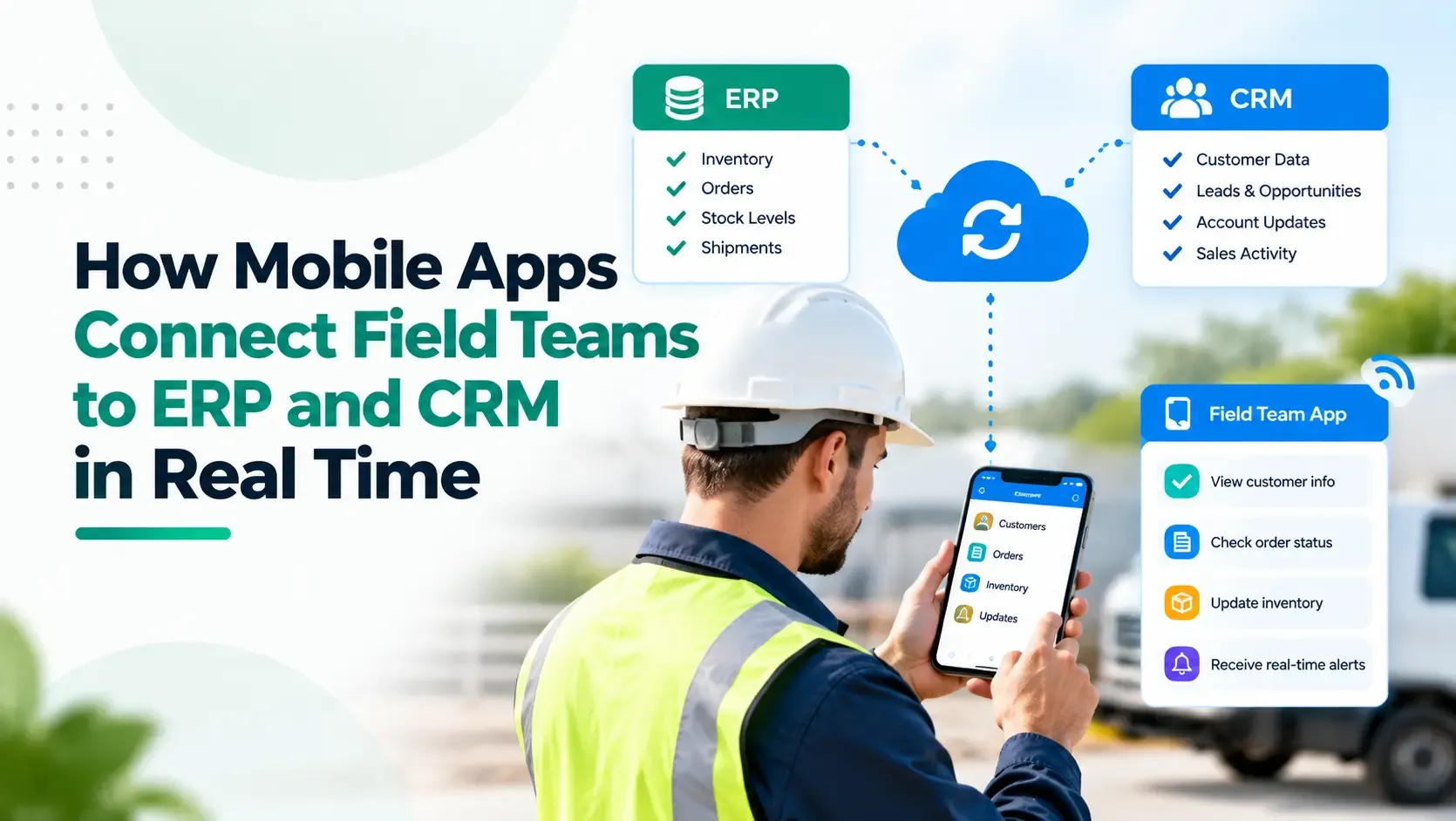
Nobody here is lazy or careless. The tools around them simply do not fit the way field work happens. A connected mobile app changes this, and this article on how mobile apps link field teams with CRM and ERP in real time shows how the approach works in practice.
The Same Day With a Connected App
Now imagine the same representative with an app linked to the company’s CRM and ERP. Before the first visit, he opens the customer profile and sees the last meeting, the open deal and what was promised last time. At the customer’s office, he checks live stock and the approved price, creates the order right there and sends it for approval if the discount is high. He records a payment, takes a photo of the delivered goods and logs the visit with one tap.
By the time he leaves, the CRM, the ERP and the finance team already know what happened. His evening belongs to him again.
Why WhatsApp and Calls Fall Short
Chat apps and calls feel quick, but they create problems over time. Information is buried inside long conversations and cannot be searched or reported. Orders are written in different formats, so mistakes are common. Photos and documents sit on personal phones. When an employee leaves, the history leaves with them. And management cannot see anything until someone remembers to share it.
A connected app turns all of this scattered activity into structured records that live inside your systems.
What a Good Field App Should Do
Show the right context. Customer history, pricing, stock, open invoices and credit limits should appear without calling anyone.
Write back instantly. Orders, notes, follow ups, service updates and collections should go straight into the CRM and ERP instead of waiting for an evening update.
Work without internet. Field staff often have poor coverage. The app should store the needed data on the phone and sync later, so work never stops.
Capture proof on the spot. GPS check ins, photos, signatures, barcode scans and inspection forms make records reliable and reduce disputes.
Start the next step. A submitted order can trigger stock validation and approvals. A closed service job can update records and begin invoicing. The app should move work forward, not just store data.
Respect roles. A technician, a salesperson and a manager should each see a screen built for their own job.
It Also Helps CRM Adoption
Many companies buy a CRM and then struggle to get people to use it. The reason is usually simple. Updating it feels like extra work. When the field app makes updating faster than writing a message, people start using the system naturally. If this sounds familiar, this piece on building CRM systems that teams actually use explores why ease of use matters so much.
What Changes for the Business
The most important shift is speed. The delay between what happens in the field and what the business knows becomes very small. Managers see visits, orders, collections and service completion while there is still time to act. Operations can plan dispatch with accurate demand. Finance sees payments sooner. Customers get faster answers because the person in front of them has the right information.
Is a Custom App Needed?
Not always. A standard CRM mobile app may be enough when the sales process is simple. A custom app becomes valuable when your workflow is unique, when data from several systems must appear on one screen, when offline work is essential, or when teams still depend on spreadsheets, paper forms and chat groups. Begin with the real field process, then pick the technology that supports it.
If your teams are ready to move beyond calls and messages, explore Absoft’s custom mobile app development to see how a field app can be built around your own CRM, ERP and way of working.




Sign in to leave a comment.