
Why Every Business PDF Needs a Distribution Strategy, Not Just a Download Link
Businesses spend a surprising amount of time creating PDFs.
Sales teams prepare proposals.
Startups design pitch decks.
Marketing teams publish white papers.
Companies distribute catalogs, brochures, reports, portfolios, and training materials.
A lot of attention goes into creating the document.
Much less attention often goes into what happens after the document is finished.
The usual workflow is simple:
Create PDF
→ Upload or attach
→ Send
→ Done
But for many business documents, the file itself is only half of the job.
The other half is distribution.
Who should be able to access it?
How should it appear when opened?
Should people be able to download it?
Can the document be shared through a QR code?
Can you tell whether readers make it beyond the first few pages?
Does the document lead somewhere after the reader finishes?
These are distribution questions, not PDF design questions.
And they matter more than they first appear.
A PDF Can Be Perfect and Still Be Distributed Poorly
Imagine a company spends two weeks designing a product catalog.
The layout is polished.
The photography looks good.
The product information is correct.
Then the catalog is uploaded to a generic cloud folder and shared through a long storage URL.
The document itself may be excellent.
The distribution experience is not.
The same thing happens with sales proposals.
A carefully written proposal is exported as a PDF and sent as an email attachment.
After that, the sender has almost no idea what happened.
Did the client open it?
Did they read the pricing section?
Did they come back the next day?
Did they stop after three pages?
The document may have been created professionally, but its distribution workflow remained an afterthought.
What Is a PDF Distribution Strategy?
A PDF distribution strategy is simply a plan for how a document will be delivered, accessed, presented, and measured after it is published.
It can include decisions such as:
- where the PDF is hosted,
- whether the file is public or restricted,
- whether readers get a direct file URL or a reading page,
- whether downloads are allowed,
- whether the page includes branding,
- whether the document has a QR code,
- whether reader engagement is measured,
- what action the reader should take next.
Not every PDF needs all of these.
The point is to choose deliberately rather than defaulting to “just send the file.”
The First Decision: File Delivery or Document Experience?
The biggest decision is whether your audience simply needs the file or whether the reading experience matters.
If someone only needs the PDF itself, a direct file is often enough.
Examples include:
- invoices,
- forms,
- receipts,
- downloadable manuals,
- archival records.
But customer-facing documents are different.
Examples include:
- proposals,
- pitch decks,
- product catalogs,
- portfolios,
- white papers,
- company presentations.
For these documents, the way people access and experience the PDF can matter almost as much as the file itself.
Direct PDF URL vs Reading Page
A direct PDF URL looks like this:
https://example.com/files/catalog.pdf
The URL points straight to the file.
This is ideal when:
- another system needs the PDF,
- downloading is the main action,
- an API needs direct access,
- a .pdf endpoint is required.
A reading-page URL looks more like:
https://example.com/page/abc123
The URL points to a web page that displays the PDF.
That second approach makes it easier to add:
- branding,
- passwords,
- calls to action,
- QR codes,
- analytics.
The distinction is explained clearly in this PDF to URL workflow.
A raw file URL is usually better for machines.
A reading-page URL is often better for people.
Why Browser-Based PDF Publishing Changes the Workflow
A browser-based PDF reader creates a layer around the document.
The PDF itself stays the same.
The surrounding page becomes the distribution environment.
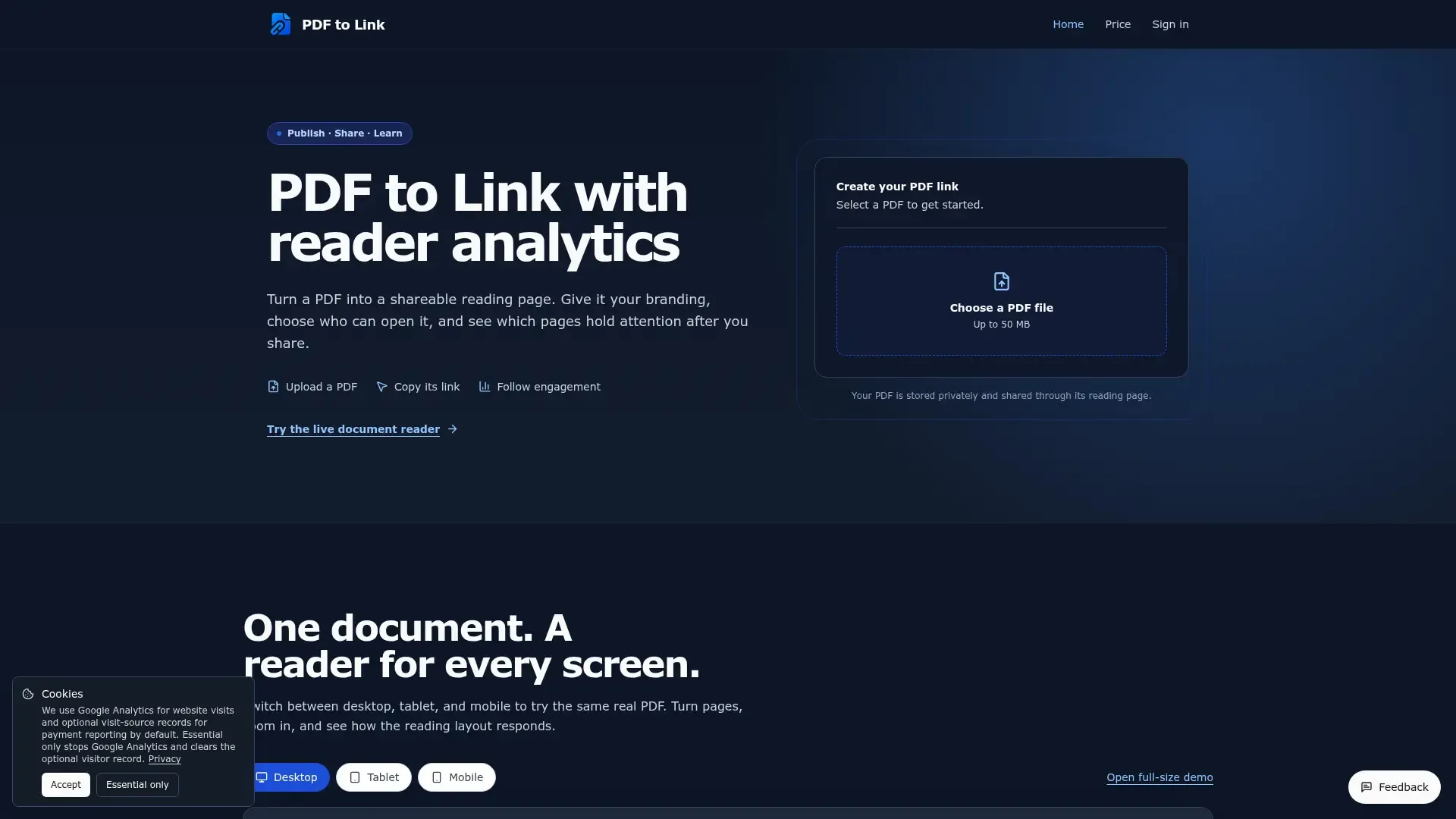
For example, PDF to Link is built around this model: upload a PDF, publish it as a browser-based reading page, then share the resulting URL.
That changes the workflow from:
PDF → File
into:
PDF → Published document experience
That may sound like a small difference.
In practice, it enables several useful things.
1. You Can Separate the File From the Presentation
A PDF contains the document.
A reading page contains the presentation around the document.
That separation is useful.
The PDF can remain untouched while the web page adds:
- a logo,
- favicon,
- page background,
- social links,
- CTA buttons.
This is especially useful for documents that represent a business.
A portfolio should feel like it belongs to the creator.
A sales proposal should feel like it belongs to the company.
A product catalog should not necessarily look like a random file inside a cloud drive.
The document remains the same.
The experience becomes more intentional.
2. You Can Choose How Public the Document Should Be
Not every business PDF should be completely open.
A public brochure may be fine with unrestricted access.
A private proposal may not be.
A distribution strategy should therefore ask:
Who is this for?
Possible levels include:
Public
Anyone with the URL can open the document.
Best for:
- brochures,
- reports,
- public catalogs,
- marketing materials.
Restricted by link
The document is not promoted publicly, but anyone with the URL can open it.
Best for:
- informal sharing,
- small groups,
- limited campaigns.
Password protected
The reader needs both the URL and a password.
Best for:
- proposals,
- private decks,
- partner material,
- internal training.
Password protection does not replace enterprise security or DRM.
But it creates a practical access layer for many everyday business situations.
3. You Can Decide Whether Downloading Should Be the Main Action
Downloads are useful.
They are also final.
Once a reader downloads the original PDF, later offline reading behavior is invisible to a web analytics system.
That is not always a problem.
Sometimes downloading is exactly what the user wants.
For example:
- technical manuals,
- educational handouts,
- printable reports.
But for other documents, keeping the reading experience inside the browser may be more useful.
Examples include:
- sales proposals,
- pitch decks,
- temporary campaign material.
The important point is not whether downloads are good or bad.
It is whether downloading supports the purpose of the document.
4. QR Codes Expand Distribution Beyond Email
A PDF distribution strategy should also consider where readers will encounter the document.
Not every PDF link is shared digitally.
A URL can also become a QR code.
That creates useful offline-to-online workflows.
A PDF can be connected to:
- brochures,
- posters,
- packaging,
- event signage,
- business cards,
- classroom material,
- menus,
- conference booths.
The same document can therefore be distributed through:
Email
Messaging apps
Website
Social media
Printed QR code
without creating separate files.
5. Analytics Can Show Whether the Document Is Actually Being Consumed
One of the biggest weaknesses of traditional PDF distribution is the lack of feedback.
A download count tells you how many times a file was acquired.
It does not tell you how much of the document was read.
A browser reading page can generate richer signals.
Examples include:
- reading sessions,
- visitors,
- active time,
- reading depth,
- page engagement,
- exit pages,
- downloads,
- CTA clicks.
These metrics help answer a better question:
Not:
Did the file get delivered?
But:
What happened after it was delivered?
Views Are Only the Beginning
Suppose a white paper gets 500 views.
That sounds successful.
But there are several possible realities.
Scenario A
Most readers stop after page 2.
Scenario B
Most readers reach page 12.
Scenario C
Readers repeatedly return to one specific section.
Scenario D
Readers reach the final page but never click the next action.
A single view count cannot distinguish between these outcomes.
That is why distribution analytics are more useful when they include the structure of the document.
Reading Depth Helps Measure Progress Through the Document
Reading Depth shows how far sessions progress.
For example:
Page 1 — 100%
Page 5 — 82%
Page 10 — 61%
Page 15 — 38%
Page 20 — 22%
This is useful for long documents.
It may reveal that:
- the introduction is too long,
- important information appears too late,
- the document loses attention in the middle,
- readers find what they need early.
But Reading Depth must be interpreted carefully.
A user can skip from page 1 directly to page 20.
So:
Reached the final page
does not necessarily mean:
Read the entire document
Analytics show behavior.
They do not prove comprehension.
Active Time Is More Useful Than Raw Session Duration
Time is another metric that can easily become misleading.
Imagine a user opens a PDF, reads for one minute, then switches tabs for 20 minutes.
A simple timer could report:
21 minutes
That is not meaningful.
A stronger metric measures time while the document is visible and the browser is active.
This is often called Active Time.
Even then, it should not be described as guaranteed reading time.
The browser can measure activity.
It cannot measure attention perfectly.
Page Engagement Can Improve Future Versions
Page-level engagement is particularly useful for documents that are updated over time.
Imagine a product catalog showing:
Page 1 — 20 sec
Page 2 — 19 sec
Page 3 — 21 sec
Page 4 — 74 sec
Page 5 — 18 sec
Page 4 stands out.
Why?
Perhaps it contains:
- pricing,
- a popular product,
- specifications,
- a confusing chart.
Analytics cannot tell you the reason.
But they tell you where to investigate.
That makes document distribution data useful for improving the next version.
Exit Pages Can Reveal Friction
Another useful signal is where reading sessions tend to end.
If many readers repeatedly leave around the same section, that part of the document may deserve attention.
However, exit tracking is not perfect.
Browsers can close unexpectedly.
Networks can disappear.
Mobile devices can terminate sessions.
A realistic analytics system should therefore allow for unknown exits rather than pretending every session ends cleanly.
That may make the dashboard less tidy.
It makes the data more trustworthy.
Distribution Should Include a Next Step
Many business PDFs are not the end of a journey.
A proposal may want the reader to:
Book a meeting
A portfolio may want:
Contact the creator
A product catalog may want:
View the product
A white paper may want:
Learn more
This means the distribution page should not only answer:
How do I show the PDF?
It should also answer:
What should the reader do next?
A CTA can make that next step visible.
This is particularly useful when the PDF itself is already finished and you do not want to redesign it.
Different Documents Need Different Distribution Strategies
There is no single correct approach.
Sales Proposal
Priorities may include:
- controlled access,
- professional presentation,
- engagement data,
- CTA.
Pitch Deck
Priorities may include:
- easy browser access,
- clean presentation,
- reading depth,
- repeat sessions.
Product Catalog
Priorities may include:
- mobile viewing,
- QR sharing,
- page engagement,
- CTA to products.
White Paper
Priorities may include:
- public access,
- reading depth,
- downloads,
- next-step CTA.
Portfolio
Priorities may include:
- branding,
- presentation,
- simple sharing,
- contact action.
Training Material
Priorities may include:
- controlled access,
- easy link distribution,
- reading progress signals.
This is why “just upload the PDF somewhere” is not always enough.
The right distribution model depends on the job.
Google Drive Is Still the Right Tool for Many PDFs
None of this means cloud storage is obsolete.
Google Drive, Dropbox, and OneDrive are excellent tools.
They are usually better when the main need is:
- storing files,
- managing folders,
- team collaboration,
- internal permissions,
- document organization.
A dedicated PDF reading page solves a different problem.
A useful distinction is:
Cloud storage manages files.
PDF publishing manages the document experience.
Businesses may use both.
When a Direct PDF URL Is Still Better
A browser reading page is not always the right answer.
Use a direct PDF URL when:
- software needs the file directly,
- downloading is the main goal,
- another application needs a .pdf endpoint,
- no branding or analytics are needed.
For many technical workflows, the simplest option is still the best option.
The goal should not be to add features for their own sake.
The goal is to match the distribution method to the job.
A Simple PDF Distribution Checklist
Before publishing an important PDF, ask:
Access
Who should be able to open it?
Device
Will readers use desktop, tablet, or mobile?
Download
Should the original PDF be downloadable?
Branding
Should the page reflect the company or creator?
Analytics
Do you need to know how far readers progress?
Next Action
What should the reader do after reading?
Offline Sharing
Will the document need a QR code?
These questions are simple.
They prevent a lot of poor distribution decisions.
How to Turn the PDF Into a Shareable Link
For users who only need the practical workflow, a guide on how to make a PDF a link follows a straightforward process:
- Choose the PDF.
- Upload the document.
- Publish the reading page.
- Copy the URL or QR code.
- Configure access and branding if needed.
- Share it.
- Review engagement later.
The important part is not the upload itself.
It is deciding what kind of experience should exist around the document.
Frequently Asked Questions
What is a PDF distribution strategy?
A PDF distribution strategy is a plan for how a document will be hosted, accessed, presented, shared, and measured after publication.
Is a PDF link better than an email attachment?
Not always.
Attachments are better for simple one-time delivery. A reading-page link is more useful when access control, branding, analytics, or QR sharing matter.
Should I use Google Drive or a PDF sharing tool?
Use Google Drive when file storage and team collaboration are the main goals.
Use a PDF publishing tool when external presentation and reader behavior matter.
Can I track how far readers get in a PDF?
A browser-based document analytics system can measure page reach and Reading Depth.
This shows progress through the document but does not prove that every page was read carefully.
Can a PDF be shared with a QR code?
Yes.
A QR code can point to the same browser-based reading page.
Do I need to convert a PDF into HTML?
No.
A PDF can remain unchanged while being displayed inside a web reading page.
Can I password-protect a PDF link?
Yes, if the publishing platform supports password-controlled access.
Final Thoughts
Businesses often treat PDF creation as the hard part.
In reality, creating the file is only one step.
Distribution determines:
- how the PDF is accessed,
- how it is presented,
- who can see it,
- what happens after someone opens it,
- whether the document leads to another action.
For low-value internal documents, none of this may matter.
For a proposal, pitch deck, catalog, portfolio, white paper, or customer-facing report, it can matter a lot.
A good PDF does not only need a download link.
It needs a distribution strategy.

















Sign in to leave a comment.