

Wireless connectivity is now essential for everyday business operations. Employees use cloud applications, video conferencing, wireless devices, and business software throughout the working day. As the number of connected devices increases, organizations need access points that can handle growing demands without unnecessary infrastructure upgrades.
When evaluating Wi-Fi 6 vs Wi-Fi 7, businesses should consider more than the latest technology. Wi-Fi 6 offers a mature option for many existing networks, while Wi-Fi 7 introduces newer capabilities designed to support higher potential throughput and demanding wireless environments.
For businesses planning a new deployment, the decision depends on current network performance, the number of connected devices, application requirements, and long-term expansion plans.
What Is the Difference Between Wi-Fi 6 and Wi-Fi 7?
Wi-Fi 6, based on IEEE 802.11ax, improves wireless network efficiency, particularly in environments with many connected devices. Wi-Fi 7, based on IEEE 802.11be, introduces additional capabilities designed to increase throughput and improve wireless performance under supported conditions.
Both generations can support business applications such as cloud software, video meetings, file sharing, and wireless access for employees and visitors. However, actual performance depends on the access point, connected devices, interference, network configuration, and available wired backhaul.
A Wi-Fi 6 access point can be suitable for offices and commercial environments that need efficient connectivity for multiple users. A Wi-Fi 7 access point may be more appropriate when a business is planning for higher bandwidth demands or investing in newer wireless infrastructure.
Wi-Fi 6 vs Wi-Fi 7: Key Differences
The following comparison highlights the main differences businesses should consider.
| Feature | Wi-Fi 6 | Wi-Fi 7 |
| Wi-Fi standard | IEEE 802.11ax | IEEE 802.11be |
| Maximum theoretical channel bandwidth | Up to 160 MHz | Up to 320 MHz |
| Multi-Link Operation | Not a standard Wi-Fi 6 feature | Supported by Wi-Fi 7 |
| Network efficiency | Designed for busy wireless environments | Adds capabilities for higher performance |
| Device compatibility | Suitable for Wi-Fi 6 and compatible earlier-generation devices | Supports Wi-Fi 7 capabilities with compatible devices |
| Best fit | Many everyday business networks | Higher-performance and future-focused deployments |
These are standard-level capabilities, not guaranteed speeds for every access point. The actual capabilities of a product depend on its hardware, supported bands, antenna configuration, firmware, and regulatory restrictions.
Understanding Wi-Fi 6 Access Points
Wi-Fi 6 is designed to improve efficiency in wireless environments where many devices compete for network resources. Technologies such as OFDMA and MU-MIMO help manage wireless communication more effectively under supported conditions.
For businesses, this can be valuable in offices, classrooms, hotels, and other spaces where employees and visitors connect multiple devices.
A Wi-Fi 6 access point is worth considering when your existing network needs better wireless capacity but does not necessarily require the newest generation of Wi-Fi technology.
Dasscom offers Wi-Fi 6 models including the DAP-1100C and DAP-2200C. The DAP-1100C is listed with a stated wireless speed of up to 1.5 Gbps, Gigabit WAN/LAN connectivity, support for up to 128 users, WPA3, and Mesh support. The DAP-2200C is listed with wireless throughput of up to 3 Gbps, support for up to 128 users, and Mesh capability.
These specifications make them options to evaluate for business environments with different wireless capacity requirements. Actual results will depend on deployment conditions and connected devices.
Explore Dasscom Wi-Fi 6 Access Points
Understanding Wi-Fi 7 Access Points
Wi-Fi 7 builds on previous Wi-Fi generations with additional features designed to increase potential throughput and improve performance. Its wider 320 MHz channels, where supported, can provide more wireless capacity, while Multi-Link Operation can allow compatible devices to use multiple links.
These capabilities can be useful in environments with demanding applications, high data-transfer requirements, or plans for newer client devices.
A Wi-Fi 7 access point is worth evaluating when you are building a new network, upgrading a high-demand environment, or planning for compatible devices that can take advantage of Wi-Fi 7 features.
Dasscom’s DAP-3300C is listed as a Wi-Fi 7 access point with wireless throughput of up to 5 Gbps, a 2.5G WAN connection, PoE++ support, capacity for up to 256 users, and cloud-based centralized management.
The advertised throughput is a product specification, not a promise that each device will achieve that speed. Real-world results depend on client capabilities, network conditions, and configuration.
Explore Dasscom Wi-Fi 7 Access Points
Which Is Better for Your Business?
There is no universal winner. The right choice depends on how your organization uses wireless connectivity and what it expects from the network over the next several years.
1. Small And Medium - sized Offices
For everyday office tasks such as email, cloud applications, browsing, and video meetings, Wi-Fi 6 may provide sufficient capability when properly planned and deployed.
If your current network is performing well and your devices do not need newer Wi-Fi features, upgrading solely to adopt the latest standard may not be necessary.
2. High-Density Workplaces
Training centers, educational institutions, hotels, and busy offices may have many connected devices sharing wireless resources.
Both generations can support these environments, but the correct choice depends on user density, application traffic, access point placement, and wired network capacity. Do not choose based on the Wi-Fi generation alone.
3. Businesses Planning Long-Term Upgrades
If you are investing in a new network expected to serve newer laptops, mobile devices, and bandwidth-intensive applications, Wi-Fi 7 may offer greater headroom for compatible equipment.
However, an upgrade should also consider switching infrastructure, cabling, internet bandwidth, and client-device support.
What Should You Check Before Buying?
1. Number of Connected Devices
Estimate how many users and devices will connect simultaneously. Consider laptops, smartphones, tablets, wireless peripherals, and other network-connected equipment.
Manufacturer-listed user capacity should not be interpreted as a guarantee that every user will receive the same speed or application experience.
2. Internet and Wired Network Capacity
A high-performance access point cannot overcome a slow internet connection or an undersized wired uplink.
Check the access point’s Ethernet port speed and ensure that the connected network switch can support the expected traffic. For Wi-Fi 7 deployments, a 2.5G uplink can help provide additional wired capacity where the rest of the network supports it.
3. Security Requirements
Business networks should use appropriate wireless security and access controls. Review the security standards supported by the access point and ensure that they meet your organization’s requirements.
Dasscom lists WPA3 support for its DAP-1100C. Verify the specifications of any model you are considering rather than assuming that every access point offers identical security features.
4. Management and Deployment
Consider whether the business needs centralized management, Mesh functionality, PoE, or other deployment features.
A well-selected business access point should match the site’s layout and network architecture. The number of access points, their placement, and the quality of the wired connection can be just as important as the Wi-Fi generation.
Can Wi-Fi 7 Work With Older Devices?
Wi-Fi 7 access points are designed to support compatible earlier-generation Wi-Fi devices, subject to the product’s supported bands and configuration. However, older devices do not gain Wi-Fi 7 capabilities simply by connecting to a newer access point.
To benefit from features such as 320 MHz channels or Multi-Link Operation, the connected device must support the relevant capabilities, and the deployment must meet the necessary conditions.
This means businesses with mostly older laptops and phones may not see the full benefit of upgrading immediately. A gradual transition can be practical: deploy newer access points where they provide a clear benefit while continuing to support existing devices.
WiFi 6 & WiFi 7 Offerings
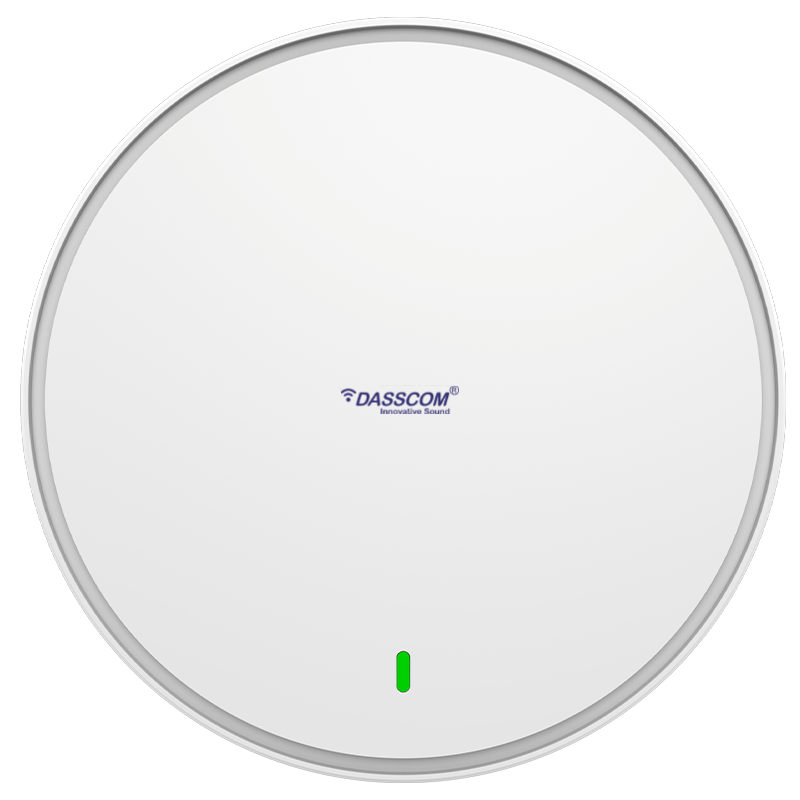
DAP-1100C
Next-Generation WiFi 6 Performance | High-Density Device Support
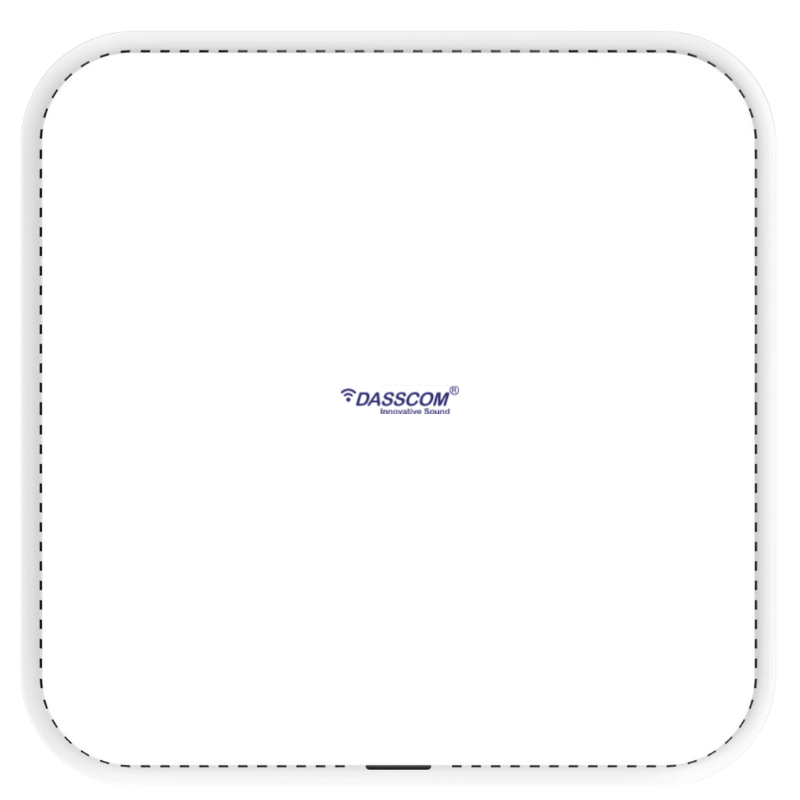
DAP-2200C
PoE Support with Wi Fi 6 | Cloud-Based Centralized Management
DAP-3300C
Next-Generation WiFi 7 Technology | Up to 5 Gbps Wireless Throughput
Is Wi-Fi 7 Worth the Investment in 2026?
For some organizations, yes. Wi-Fi 7 is worth considering when higher wireless throughput, newer client-device support, or future network expansion is a priority.
For other businesses, Wi-Fi 6 remains a practical investment. A properly designed Wi-Fi 6 network can meet many everyday requirements without the need to replace equipment that is still performing adequately.
The best approach is to identify actual network bottlenecks before buying. If the main issue is poor access point placement, insufficient wired capacity, interference, or a slow internet connection, changing the Wi-Fi generation alone may not solve it
For larger organizations, an enterprise access point should be evaluated as part of the complete network design, including management, security, user density, coverage, and backhaul capacity.
Final Recommendation
Choose Wi-Fi 6 if you need capable wireless connectivity for standard business applications and want to make effective use of your current infrastructure. Consider Wi-Fi 7 if you are building a new network, have compatible devices, or expect higher performance requirements.
When comparing Wi-Fi 6 vs Wi-Fi 7, prioritize real business needs over specifications alone. Dasscom’s DAP-1100C, DAP-2200C, and DAP-3300C provide published options across these generations, allowing businesses to evaluate connectivity, capacity, and deployment requirements against their plans.

















Sign in to leave a comment.