

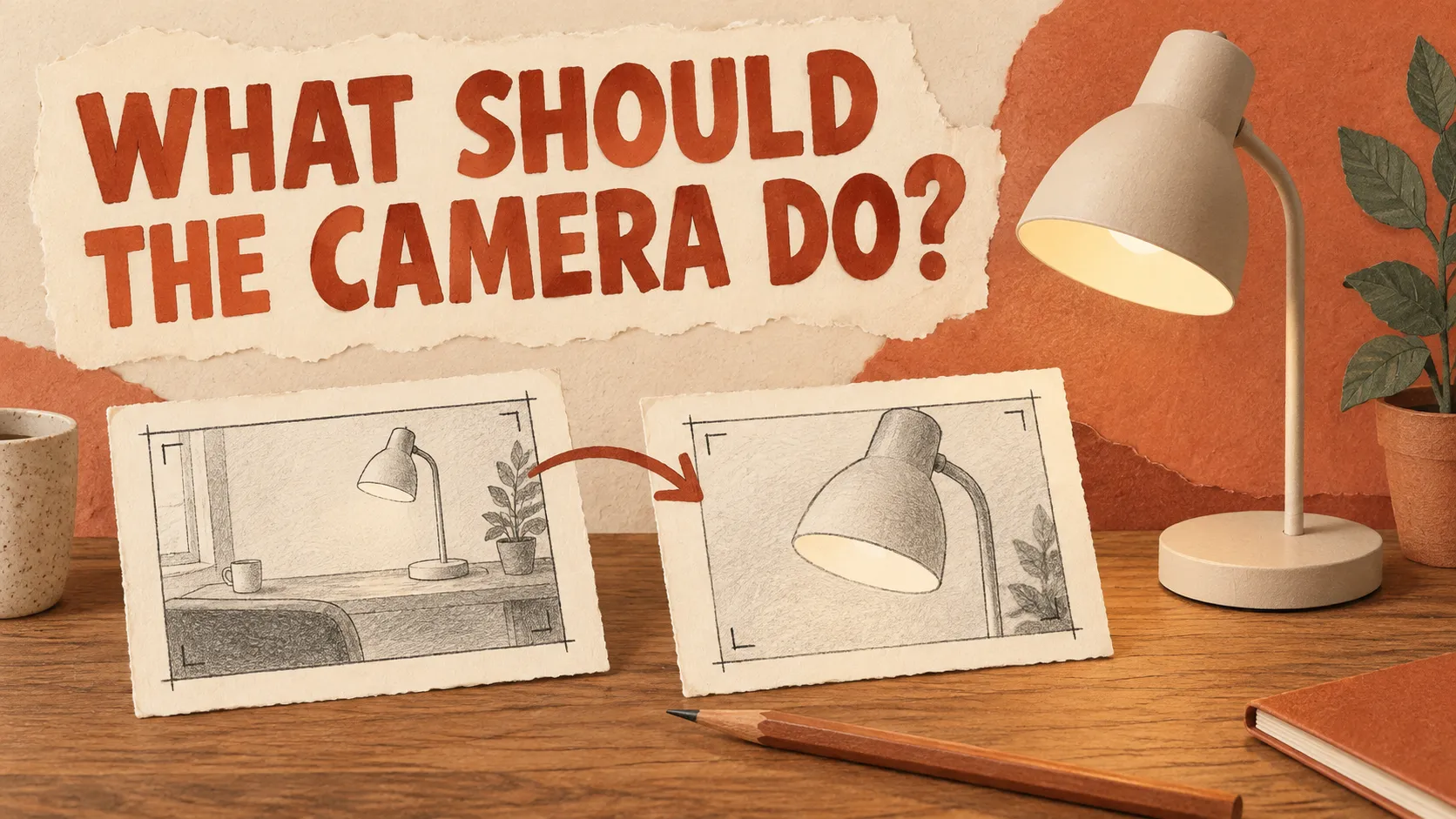
Imagine a short desk-lamp tutorial. The presenter says, “Press the small switch here,” while a caption sits directly over the finger and the switch. Every word is correct. The viewer still cannot see the step.
This is a hypothetical example, not a failure I recorded in a captioning app. It is the reason I would review an AI-captioned tutorial as a video, rather than approving the text on its own.
YouTube's automatic-caption guidance asks creators to review and correct generated captions. It notes that speech recognition can misrepresent words when pronunciation, accents, dialects, or background noise interfere. That is a useful starting point, but a spelling check would not catch the hidden lamp switch.
Watch the moment the viewer needs to copy
For this example, I would play the finished clip with captions enabled and stop where the instruction refers to the switch. Can a viewer see both the instruction and the action? Then I would watch the same passage at normal speed. A paused frame can make a crowded layout seem more readable than it is during playback.
The Section508.gov captioning guide recommends planning for captions during production. It notes that many players display them in the lower third and may not let the creator move them, and advises keeping on-screen text higher in the frame. I am using that as a practical planning reference here, not claiming that this short check establishes legal compliance or complete accessibility.
If the switch sits beneath the captions, I would try reframing the demonstration so the important action appears above them. Where the delivery format allows caption placement changes, that may be another option, but I would check the actual player rather than assume an editor preview guarantees the final position.
Making the caption text tiny would not be my first fix. It trades a visible obstruction for text that may be difficult to read. Cutting out a necessary instruction would lose information too. Sometimes the better edit is to hold the demonstration a little longer or record a closer view with space left for captions.
Keep one small review note
My proposed check would use three fields: the time of the problem, the visual detail being covered, and the change to try. For the fictional lamp clip, the note might read: “At the switch instruction, caption overlaps the finger; reframe the close-up and check again in the destination player.”
That note is more useful than “captions look bad.” It tells the next editor what must remain visible without prescribing a styling trick that might not survive export.
After the edit, I would replay the whole clip with captions on. The switch is only one moment; a later instruction might point to another part of the lamp. I would also check the caption wording against the audio, including names and meaningful sounds. Placement review does not replace transcription review.
This is a proposed workflow, not a comparison of caption tools, and I have not tested a generated caption track for this article. My preference is simply to approve the words and their presentation together. For anyone making short tutorials: which part takes more correction in your workflow, the transcription or the space the captions occupy?
Sources checked October 24, 2026: YouTube's automatic-caption guidance and Section508.gov's captions and transcripts guide. The lamp scenario and suggested review note are illustrative, not source-reported test results.




















Sign in to leave a comment.