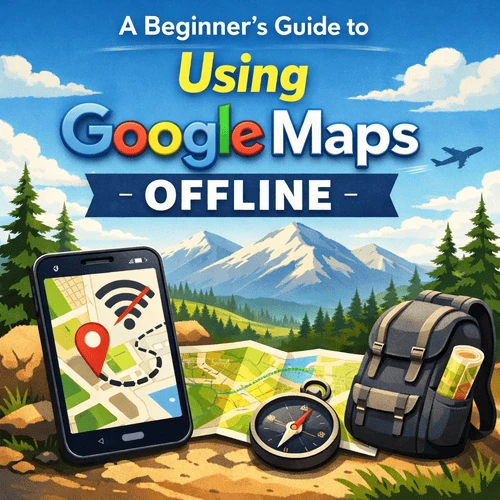

A Beginner’s Guide to Using Google Maps Offline: A Complete Guide
The first time I realised I didn’t actually have internet, I was standing in a narrow street with laundry hanging overhead and my phone stubbornly refusing to load anything. No signal. No Wi-Fi. Just that sinking feeling that comes when the little blue dot stops cooperating.
I’d assumed Google Maps would simply… work. It usually does. Until it doesn’t.
Offline maps aren’t glamorous. No one talks about them over coffee. But they’re the difference between feeling mildly lost and properly stranded, especially when you’re travelling somewhere unfamiliar, and your brain is already juggling jet lag, heat, and the quiet pressure of not wanting to look like a tourist. I learned this the slow way.
Why offline maps matter more than you think
When you’re at home, losing signal is a nuisance. Abroad, it’s a different animal. Roaming charges kick in. SIM cards don’t behave. Airports lull you into a false sense of security with free Wi-Fi that vanishes the moment you step outside.
I’ve lost connection in taxi queues, train stations, rural bus stops, and even once while being waved through a back entrance at a wedding venue. The places where you most need directions are often the places where the signal is weakest. Offline maps don’t solve everything, but they solve enough. They give you roads, neighbourhoods, landmarks. They let you orient yourself, even if you can’t search that café your hotel receptionist mentioned in passing.
That’s the real value. Orientation.
Downloading maps (before you need them)
This is the part everyone forgets to do until it’s too late.
While you still have Wi-Fi — at home, in your hotel, or lingering too long in an airport lounge — open Google Maps and search for the city or area you’ll be in. Tap the place name. You’ll see an option to download. Choose a slightly bigger area than you think you need. Day trips have a habit of appearing out of nowhere. Trains overshoot. Drivers take shortcuts.
Your phone will tell you how much storage it needs. Most city maps are surprisingly small. There’s no real excuse not to download them unless your phone is already gasping for space.
Once downloaded, they quietly sit there, waiting.
What offline maps can — and can’t — do
Offline Google Maps are good, but they’re not magic.
You’ll still see roads, walking routes, and your location via GPS. You can navigate, follow directions, and get from A to B without burning through data. This alone has saved me more times than I can count.
Also Read: Dirt Under Your Nails, Heaven On Your Plate.
What you won’t get is live traffic, updated opening hours, or last-minute changes. That restaurant marked “open” might very well be closed. That shortcut might be blocked.
You learn to read the map more carefully. To look up occasionally. To ask someone when things don’t quite line up. Honestly, that’s not a bad thing.
Airports, arrivals, and the first hour panic
Arrivals are where offline maps earn their keep.
You land tired. You’ve just followed signs through passport control. You’re blinking under fluorescent lights, trying to remember where you’re meant to be staying. This is not the moment you want to be fiddling with data settings.
I always download the area around the airport and my accommodation before flying. It’s the same instinct that makes me book airport parking deals in advance rather than wing it on the day. Remove stress where you can.
Even when I’ve used services like meet and greet at Gatwick, where the start of the journey is smooth and well-organised, that calm doesn’t automatically carry over on arrival abroad. Offline maps help bridge that gap.
They give you something solid to hold onto in that first hour.
Using offline maps day to day
Once you’re settled, offline maps become a quiet background tool.
They help you wander without committing. You can follow your instincts down side streets, knowing you can always find your way back. You can get off the bus a stop early just to see what’s there.
I’ve used them to navigate markets, old towns, residential areas where street names are more suggestion than rule. Sometimes the dot drifts. Sometimes the map lags. You learn to allow for that.
Must Read: The Best Coastal Bike Trails in the World.
The trick is not to rely on them completely. Glance, walk, glance again. Match the map to the world, not the other way round.
A few things worth doing (that no one tells you)
Offline maps expire. Usually, after about a year. Google will prompt you to update them, but only if you have a connection. Worth checking before longer trips.
Battery drain is real. GPS works hard. A small power bank goes a long way.
And labels matter. Downloaded maps show major landmarks clearly, but smaller places might be harder to spot. I often screenshot addresses or pin locations before going offline. It’s old-fashioned, but it works.
The quiet freedom of not being constantly connected
There’s something oddly comforting about using maps offline.
You’re less tempted to check reviews mid-walk. Less likely to reroute endlessly in search of perfection. You commit to a direction and see what happens.
Some of my best travel moments — a bakery found by accident, a long walk that ended in the wrong square but the right bar — happened because the map couldn’t tell me everything.
It just showed me where I was. And sometimes, that’s enough.



Sign in to leave a comment.