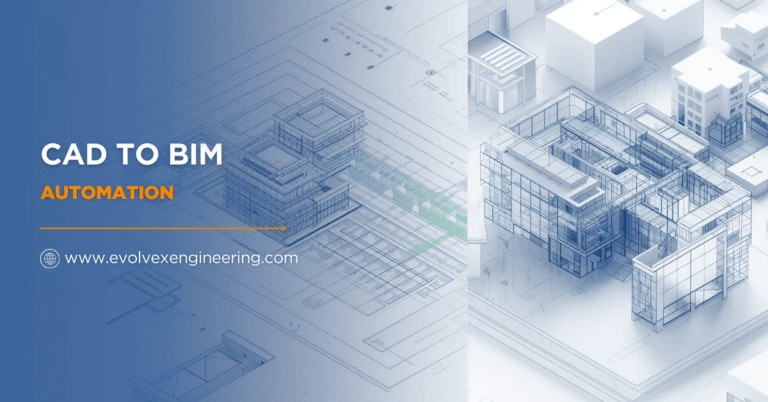

In today’s fast-evolving architecture, engineering, and construction (AEC) industry, digital transformation is no longer optional—it is essential. One of the most impactful advancements driving this transformation is CAD to BIM Automation. As project complexity increases and timelines shrink, firms are shifting from traditional CAD-based workflows to automated Building Information Modeling (BIM) processes to gain efficiency, accuracy, and scalability.
This blog explores what CAD to BIM Automation is, why it matters, how it works, and the benefits it brings to modern construction projects.
What Is CAD to BIM Automation?
CAD to BIM Automation is the process of converting 2D CAD drawings—such as plans, sections, and elevations—into intelligent 3D BIM models using automated tools, scripts, and workflows. Unlike manual CAD to BIM conversion, automation leverages algorithms, AI, and rule-based systems to speed up model creation while maintaining high accuracy and consistency.
These BIM models are data-rich, containing information about geometry, materials, quantities, and relationships between building elements. This makes them far more powerful than traditional CAD drawings, which are primarily graphical.
Why CAD to BIM Automation Is Important
Traditional CAD workflows are time-consuming and prone to human error. As projects scale, managing revisions, coordination, and data consistency becomes increasingly challenging. CAD to BIM Automation addresses these issues by:
- Reducing repetitive manual tasks
- Improving data accuracy and standardization
- Accelerating project delivery timelines
- Enabling better collaboration across disciplines
With automation, firms can focus more on design quality and decision-making rather than drafting and rework.
How CAD to BIM Automation Works
The CAD to BIM Automation process typically involves the following steps:
- Input CAD Drawings
2D CAD files (DWG, DXF) are used as the base input. These may include architectural, structural, and MEP drawings. - Rule-Based Interpretation
Automated systems recognize layers, line types, and symbols based on predefined rules. For example, specific layers may be identified as walls, doors, or windows. - Automated Model Creation
Using BIM software like Revit combined with scripts or APIs, the system generates 3D elements with correct dimensions, levels, and alignments. - Data Enrichment
Parameters such as materials, classifications, and object properties are added automatically to create an intelligent BIM model. - Quality Checks and Validation
Automated validation ensures compliance with BIM standards, project requirements, and industry guidelines.
Key Benefits of CAD to BIM Automation
1. Faster Project Turnaround
Automation significantly reduces the time required to convert CAD drawings into BIM models. What once took weeks can now be completed in days.
2. Improved Accuracy
By minimizing manual input, CAD to BIM Automation reduces errors caused by inconsistent drafting or oversight, resulting in more reliable models.
3. Cost Efficiency
Less manual labor means lower operational costs. Automation also reduces rework, which can be a major source of budget overruns.
4. Scalability for Large Projects
For large portfolios or multi-building projects, automated workflows ensure consistency and speed across all models.
5. Enhanced Collaboration
BIM models created through automation are standardized and data-rich, making it easier for architects, engineers, contractors, and facility managers to collaborate.
Applications of CAD to BIM Automation
CAD to BIM Automation is widely used across various project types, including:
- Residential and commercial buildings
- Infrastructure and transportation projects
- Renovation and retrofit projects
- Facility management and asset documentation
It is especially valuable for legacy projects where only 2D CAD documentation exists but BIM models are required for analysis, clash detection, or digital twins.
CAD to BIM Automation vs Manual Conversion
| Aspect | Manual CAD to BIM | CAD to BIM Automation |
|---|---|---|
| Speed | Slow | Fast |
| Accuracy | Depends on user | Consistent and rule-based |
| Cost | Higher labor cost | Cost-effective |
| Scalability | Limited | Highly scalable |
| Standardization | Inconsistent | Highly standardized |
This comparison clearly shows why automation is becoming the preferred approach.
Challenges and Best Practices
While CAD to BIM Automation offers numerous advantages, it requires careful planning. Poorly organized CAD files or lack of standards can limit automation efficiency. To achieve the best results:
- Use well-layered and standardized CAD drawings
- Define clear BIM standards and naming conventions
- Combine automation with expert review for quality assurance
- Continuously refine rules and scripts based on project feedback
A hybrid approach—automation supported by skilled BIM professionals—delivers optimal outcomes.
The Future of CAD to BIM Automation
The future of CAD to BIM Automation lies in AI-driven model intelligence, machine learning, and deeper integration with digital twins and construction automation. As technology advances, automation will not only convert drawings but also predict design issues, optimize performance, and support lifecycle management.
Firms that adopt automated BIM workflows today will be better positioned to compete in an increasingly digital construction landscape.
Conclusion
CAD to BIM Automation is transforming how the AEC industry approaches design, documentation, and collaboration. By automating the conversion of CAD drawings into intelligent BIM models, organizations can save time, reduce costs, and improve project quality. As demand for speed, accuracy, and digital integration grows, CAD to BIM Automation is no longer a luxury—it is a strategic necessity.
Also read: Revit Automation Services



























Sign in to leave a comment.