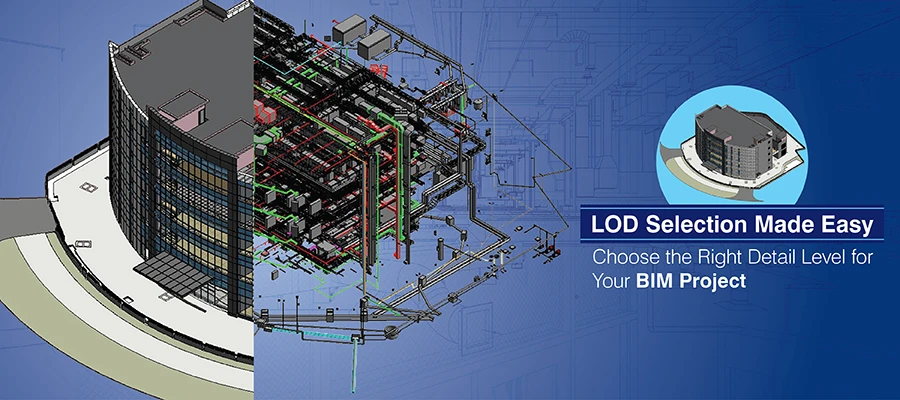

The Level of Development shows both graphical and non-graphical data in a model and helps project stakeholders understand geometry and data reliability in design and fabrication. Working against a specific LOD standardizes expectations and thus ensures precision and coordination. When the data in the model is accurate, estimators can confidently extract costs and other information from the model.
The LOD makes clear the intent and data depth of model geometry. During construction and throughout the design phase, models at different LODs are used to extract quantities and fabrication data. In the Scan to BIM workflow, the LOD helps to define the level of documentation of as-built conditions for renovations and maintenance.
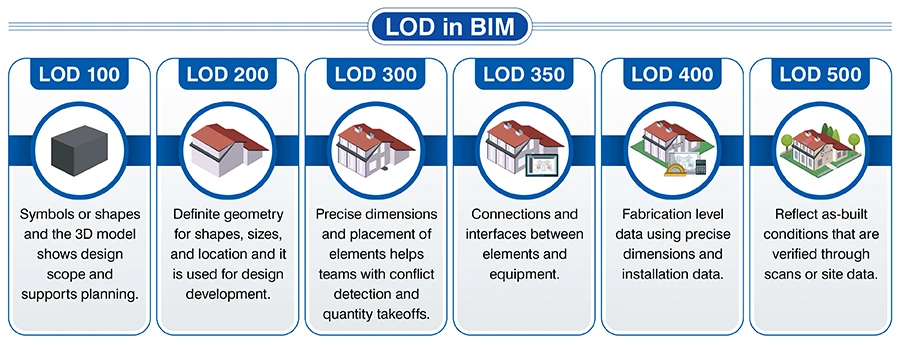
LOD in BIM
Levels of Development in BIM show the accuracy and reliability of model elements at various stages.
LOD affects geometry and data attributes
The Level of Development (LOD) provides designers with an efficient direction to follow regarding data attributes and geometry in a 3D model. In the beginning, we do not have much data and only basic geometry. As the design takes shape, the model also requires attributes like specifications, performance, and materials to be associated with its structural geometry and components, and the LOD starts changing. Each LOD provides a specific data depth required for coordination and quantity extraction.
BIM detail levels and how they are different from LOD
BIM detail levels tell us what is viewable in a 3D model. That includes size, textures, and shapes. However, LOD defines the level of trust we can repose in that information.
How the right detail level avoids over or under-modeling
Selecting an appropriate level of detail connects project needs to the 3D model's data depth. When the detail is low, it causes gaps and confusion if expectations are for a higher LOD. On the other hand, over-modeling adds noise and reduces model performance if working with a higher LOD than required. Unnecessary elements reduce the project value and increase project costs. When the right LOD is followed, it improves cost, coordination, and construction.
Application understanding of LOD
LOD adds value for various applications in construction, renovation, and Scan to BIM. Here’s a brief breakdown of each.
Renovation
At LOD 300, the 3D model will carry precise geometry and show the placement of all existing components.
Interference detection
LOD 350 enriches the model with the data of how components connect and improve conflict detection between pipes, ducts, and structures.
Manufacturing
LOD 400 is required for accurate fabrication with accurate data about materials, dimensions, and assembly.
Asset management
As-built conditions are represented at LOD 500 and are verified on the site.
Point Cloud to BIM accuracy with LOD
Efforts are much reduced if LOD choice is correct for any Point Cloud to BIM conversion. Higher LODs are appropriate for industrial or heritage projects. Lower LODs are used for general renovation projects. LOD selection for developing a BIM model depends on the geometry, surface data, and alignment requirements.
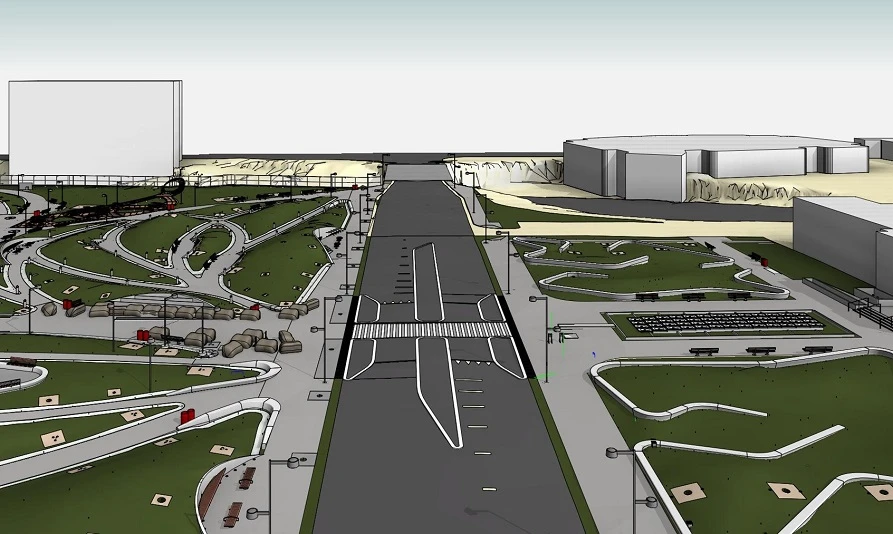
Success Story: BIM LOD 300 Modeling of a Public Park in the US enhanced project ROI
The team of BIM experts at Hitech CADD Services created a 3D Revit model at LOD 300 for a public park in the US. The creative architectural detailing at the required LOD and accurate clash-free coordination resulted in reduced rework, minimal material waste, improved scheduling accuracy, and enhanced overall project ROI.
4 pro tips to balance model detail
You need to carefully approach the balancing of model details against the specified LOD. Here are 4 ways you can get it done.
- Have your goals and the LOD clearly set when you begin.
- Decide to include model elements that add value.
- Use a trade-led bearing.
- Align timelines and costs with regular reviews till handover.
Different LODs for renovation projects
Models at different LOD are used to address accuracy and data needs in renovation projects. Lower LODs help surveyors do spatial validation and schematic assessment. Higher LODs ensure constructible geometry, help verify as-built precision, and connect with facilities. This framework ensures coordination, prevents data duplication, and ensures reliability.
Top 5 factors for setting the right LOD
There are 5 key factors that impact the performance of the 3D model, and it is necessary to account for these at each LOD. Creating a balance ensures the model has information reliability and avoids complexities.
- Define the purpose of the model for each stage.
- Assess the type and complexities in a project.
- Include cost and time constraints.
- Coordinate with other trades like architectural, structural, and MEP.
- Don’t under or over-model.
Conclusion
BIM and Level of Development go hand in hand in the AEC sector. While BIM provides the centralized base to adopt, create, and manage digital representations of building components, models with specified Levels of Development help reduce risks, standardize projects, and improve resource use. When construction documents need to reflect design intent, the LOD will ensure that the model has the required level of information or not.



























Sign in to leave a comment.