

Companies waste millions on end user computing solutions that fail within the first year. The technology itself usually works fine. The problem is almost always in how it gets implemented.
IT departments rush through planning, skip critical steps, or ignore warning signs until it’s too late to fix things without starting over.
These failures follow predictable patterns. The same mistakes appear repeatedly across different organizations and industries. Understanding what typically goes wrong helps avoid repeating those same errors.
Mistake 1: Not Actually Talking to End Users
IT teams often design solutions based on what they think users need. They look at support tickets, talk to department heads, and make assumptions about workflows. Then they’re surprised when users struggle with or reject the new system.
Support tickets only show problems, not complete workflows. A department head might not know how their team actually completes daily tasks versus how the process is officially documented. These knowledge gaps create solutions that look good on paper but fail in practice.
Real research means watching people work. Someone might request faster file access, but observation might reveal they’re actually struggling with version control when multiple people edit documents. The stated problem isn’t the real problem.
Different groups work differently. Sales teams have different needs than engineering departments. Remote workers face different challenges than office staff. A solution designed for one group often fails completely for another, yet many implementations treat all users as if they have identical needs.
What Good User Research Looks Like
Proper research combines multiple approaches:
- Direct observation of actual work being performed, not demonstrations
- Interviews that ask open questions about current processes and pain points
- Surveys that reach larger groups while allowing detailed written responses
- Testing with representative users from each major group before full rollout
- Follow-up sessions after initial use to identify unexpected issues
This research phase takes weeks or months depending on organization size. That timeline makes executives uncomfortable. They want to see progress, not more meetings and observation sessions. Rushing this phase almost guarantees expensive problems later.
Mistake 2: Treating Integration as an Afterthought
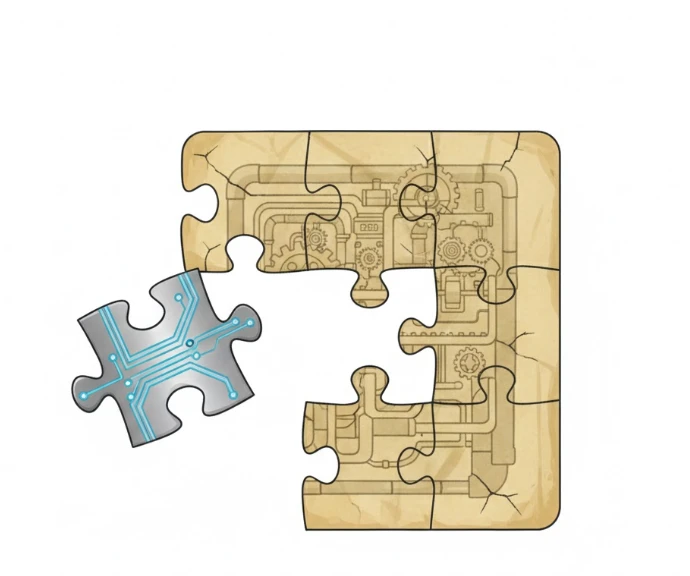
New systems never exist in isolation. They need to work with existing databases, applications, and workflows. Ignoring these connections until after implementation begins causes serious headaches.
A company might implement virtual desktops without fully mapping how they connect to specialized departmental software. The VDI works perfectly in testing with standard applications. Then accounting discovers their industry-specific tool doesn’t function in the new environment. Work stops until someone fixes the integration.
Legacy systems create particularly thorny problems. These older applications might not have modern APIs or documentation. They might run on outdated platforms that don’t play nicely with new infrastructure. Yet departments depend on them for critical work.
Unofficial tools cause problems too. IT might document major corporate applications but miss the spreadsheet macros, small databases, or specialized utilities that individual departments rely on daily.
These get discovered only after implementation, when suddenly someone can’t complete essential tasks.
Mistake 3: Assuming Training is Optional
Even excellent end user computing solutions fail if people don’t know how to use them properly or refuse to adopt them. Organizations budget for technology and implementation but treat training as an optional expense they can minimize.
A single overview session before launch doesn’t prepare anyone for real work scenarios. People might understand basic features but struggle when facing their specific use cases. They fall back on old methods or create workarounds that completely defeat the new system’s purpose.
Resistance matters more than most IT teams expect. Employees comfortable with existing tools see new systems as unnecessary disruptions. They comply minimally during rollout but never truly adopt the changes. The organization pays for technology that never delivers expected benefits because users avoid it whenever possible.
Training That Actually Works
Effective training happens over time, not in one session. Initial training covers basics. Ongoing support helps people apply those basics to actual work. This might include weekly drop-in sessions, searchable video libraries, or designated super-users within each department.
Different people learn differently. Written guides help some users. Others need video demonstrations or hands-on practice with sample scenarios. Providing multiple formats increases the odds that everyone gets what they need.
Change management extends beyond training. People need to understand why the change matters and how it benefits them specifically. Vague statements about “improving efficiency” don’t motivate anyone. Concrete examples of time saved or frustrations eliminated resonate much better.
Mistake 4: Rolling Out Everything Everywhere Immediately
Companies eager to modernize sometimes implement new solutions across the entire organization simultaneously. This creates chaos when problems emerge, as they always do with major technology changes.
Phased rollouts provide chances to identify and fix issues before they affect everyone. A pilot group encounters problems in a controlled environment where the IT team can respond quickly without hundreds of users waiting for fixes.
Pilot groups need careful selection. Including only tech-savvy early adopters might miss problems that typical users will encounter. The pilot needs to represent actual user diversity across departments, skill levels, and work styles. Honest feedback requires creating an environment where people feel comfortable reporting issues.
Some organizations run pilots but don’t give them enough time. A two-week pilot might cover basic tasks but miss edge cases and complex workflows. Real-world scenarios take time to emerge, sometimes weeks or months depending on the work involved.
Mistake 5: Declaring Victory After Launch
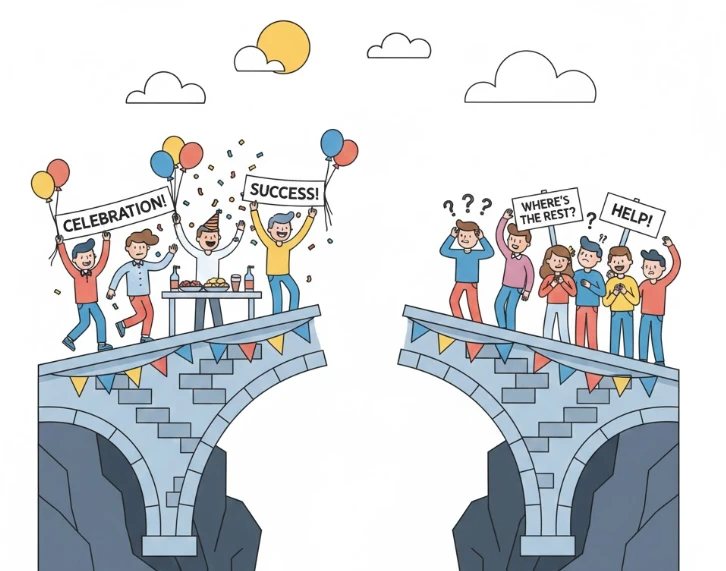
Some organizations treat implementation as having a clear end date. Once the solution goes live everywhere, the project team disbands. Resources shift to other priorities. Users are left dealing with issues that emerge during normal use.
End user computing solutions need ongoing attention. Users discover new scenarios that weren’t anticipated. Software updates create compatibility problems. Business processes evolve, requiring adjustments to how the solution supports work.
Without proper ongoing support, users develop workarounds that undermine effectiveness. They revert to old methods for certain tasks or find inefficient ways to accomplish goals that should be straightforward. The organization invested in technology but never realizes full benefits.
Planning Beyond Implementation
Successful long-term use requires several elements:
- Clear support channels so users know where to get help when issues arise
- Regular usage reviews to identify adoption problems or optimization opportunities
- Feedback mechanisms like quarterly surveys or departmental check-ins
- Dedicated staff or resources for maintaining and improving the solution
- Scheduled reviews of whether the solution still meets evolving business needs
Companies that treat implementation as an ongoing process rather than a one-time project see much better results. The solution continues serving its purpose as circumstances change because someone is actively managing that alignment.
Getting Implementation Right
Avoiding these five mistakes requires more time and resources upfront. Organizations need to invest in proper user research, integration planning, comprehensive training, sensible rollout strategies, and ongoing support.
These investments feel expensive when compared to just buying technology and pushing it out.
However, the alternative costs far more. Failed implementations waste the entire technology investment plus the staff time spent on rollout and the productivity lost during disruption.
Getting it right the first time through proper planning actually costs less than fixing a botched implementation later.
Success with end user computing solutions comes from treating implementation as a process focused on actual users doing real work, not just a technical deployment project with a fixed endpoint


























Sign in to leave a comment.