
Managing accounts payable (AP) is a critical aspect of running a successful business. From tracking vendor invoices to ensuring timely payments, the AP process can be time-consuming and prone to errors if done manually. Fortunately, accounts payable automation software has revolutionized how businesses handle their payables, offering efficiency, accuracy, and cost savings.
In this article, we’ll explore the 10 best accounts payable software options in 2023, their features, benefits, and how they can transform your AP process. Whether you’re a small business or a large enterprise, this guide will help you choose the right AP automation solution for your needs.
What is Accounts Payable Software?
Accounts payable (AP) software is a tool designed to automate and streamline the process of managing vendor invoices, payments, and expenses. It eliminates manual data entry, reduces errors, and provides real-time visibility into your company’s financial obligations. By centralizing all AP-related tasks, businesses can improve efficiency, ensure compliance, and enhance cash flow management.
Who Needs Accounts Payable Software?
Any business that deals with a high volume of invoices and vendor payments can benefit from AP automation software. This includes:
- Small and medium-sized businesses (SMBs) looking to scale their operations.
- Large enterprises with complex AP processes.
- Companies aiming to reduce manual errors and late payment penalties.
- Organizations seeking better visibility into their spending and cash flow.
Types of Accounts Payable Software
There are four main types of accounts payable software, each catering to different business needs:
- On-Premise Software: Installed directly on your company’s servers, offering high control and security but requiring significant upfront investment.
- Cloud-Based Software: Hosted on the vendor’s servers, providing flexibility, scalability, and lower upfront costs.
- SaaS (Software as a Service): Subscription-based software that is cost-effective and easy to implement.
- PaaS (Platform as a Service): Designed for developers to create custom AP solutions.
Key Features to Look for in AP Software
When choosing the best accounts payable software for your business, consider the following features:
- Ease of Use: Intuitive interface and minimal learning curve.
- Affordability: Pricing that fits your budget.
- Integration: Seamless integration with your existing accounting or ERP systems.
- Automation: Automated invoice processing, approvals, and payments.
- Reporting and Analytics: Real-time insights into spending and cash flow.
- Customer Support: Reliable and responsive support for troubleshooting.
Top 10 Accounts Payable Software in 2023
Here’s a list of the 10 best accounts payable software solutions to consider in 2023:
1. QuickBooks Online
- Best for: Small businesses.
- Features: Invoice management, expense tracking, and seamless integration with other QuickBooks tools.
- Why Choose?: Easy to use, affordable, and cloud-based.
- Pros: User-friendly, offers a free trial, excellent value for money.
- Cons: Limited customer support options.
2. Oracle NetSuite
- Best for: Mid-sized to large enterprises.
- Features: Global mass vendor payments, real-time financial reporting, and compliance management.
- Why Choose?: Ideal for businesses with multinational operations.
- Pros: Comprehensive features, scalable, integrated suite of applications.
- Cons: Expensive.
3. Tipalti
- Best for: Global businesses.
- Features: Supplier onboarding, compliance management, and multi-currency support.
- Why Choose?: Streamlines global payments and reduces administrative costs.
- Pros: Great user interface, responsive customer support.
- Cons: Lesser-known compared to competitors.
4. Sage Intacct
- Best for: Growing businesses.
- Features: Automatic invoice recognition, smart routing, and approval workflows.
- Why Choose?: Cloud-based and scalable with robust reporting features.
- Pros: Lower total cost of ownership, faster implementation.
- Cons: Can be complex to use.
5. Quadient AP by Beanworks
- Best for: Mid-sized businesses.
- Features: Invoice approval workflows, automatic data entry, and supplier management.
- Why Choose?: Automates AP workflows and integrates with major accounting systems.
- Pros: Reduces manual data entry, increases efficiency.
- Cons: Steeper learning curve for some users.
6. DocuWare
- Best for: Document-heavy businesses.
- Features: Document management, workflow automation, and secure cloud storage.
- Why Choose?: Comprehensive AP solutions with regular updates.
- Pros: Manages multiple payment methods, integrates with other business applications.
- Cons: May be expensive for small businesses.
7. Microsoft Dynamics
- Best for: Enterprises.
- Features: End-to-end AP automation, integration with Microsoft Office 365.
- Why Choose?: Trusted global provider with a proven track record.
- Pros: Affordable, easy to use, integrates with other Microsoft products.
- Cons: None noted.
8. Epicor
- Best for: Businesses of all sizes.
- Features: Easy-to-use controls, customizable features, and integration with other accounting software.
- Why Choose?: Streamlines accounting processes and consolidates payment options.
- Pros: User-friendly, efficient, secure.
- Cons: Some features require additional purchases.
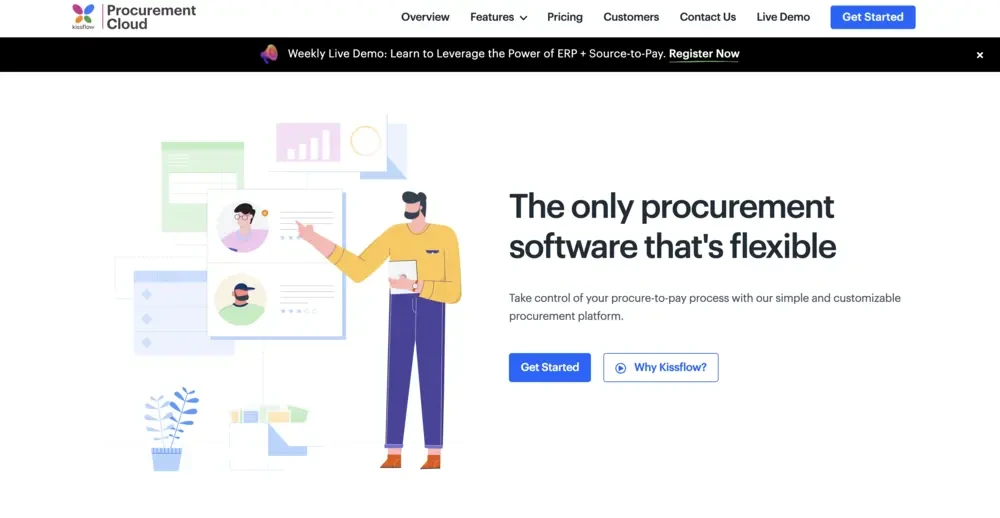
9. Kissflow
- Best for: User-friendly AP automation.
- Features: Automated invoice approvals, fraud detection, and integration with QuickBooks.
- Why Choose?: Fast to deploy and easy to use.
- Pros: Cloud-based, intuitive interface.
- Cons: Interface may be too simple for some users.
10. Open
- Best for: Startups and SMBs.
- Features: Invoice scanning, automatic data recognition, and built-in workflow rules.
- Why Choose?: Affordable and feature-rich.
- Pros: No contracts, can be used on any device.
- Cons: Occasional software crashing or freezing issues.
Benefits of Accounts Payable Automation Software
Implementing AP automation software offers numerous benefits, including:
- Time Savings: Eliminate manual data entry and repetitive tasks.
- Improved Accuracy: Reduce errors and duplicate payments.
- Enhanced Efficiency: Streamline invoice processing and approvals.
- Better Cash Flow Management: Gain real-time insights into payables and expenses.
- Cost Savings: Lower operational costs and avoid late payment penalties.
Challenges of Accounts Payable Software
While AP automation software offers significant advantages, there are some challenges to consider:
- High Initial Costs: On-premise solutions can be expensive to implement.
- Complex Setup: Some software may require technical expertise to configure.
- Integration Issues: Not all AP tools integrate seamlessly with existing systems.
- Limited Customer Support: Some vendors may not offer adequate support.
Conclusion
Choosing the right accounts payable software is essential for optimizing your financial operations and staying competitive in 2023. The tools listed above offer a range of features to suit businesses of all sizes and industries. By automating your AP processes, you can save time, reduce errors, and gain better control over your finances.
Evaluate your business needs, budget, and desired features to select the best AP software for your organization. With the right solution, you can transform your accounts payable process and focus on growing your business.










Sign in to leave a comment.