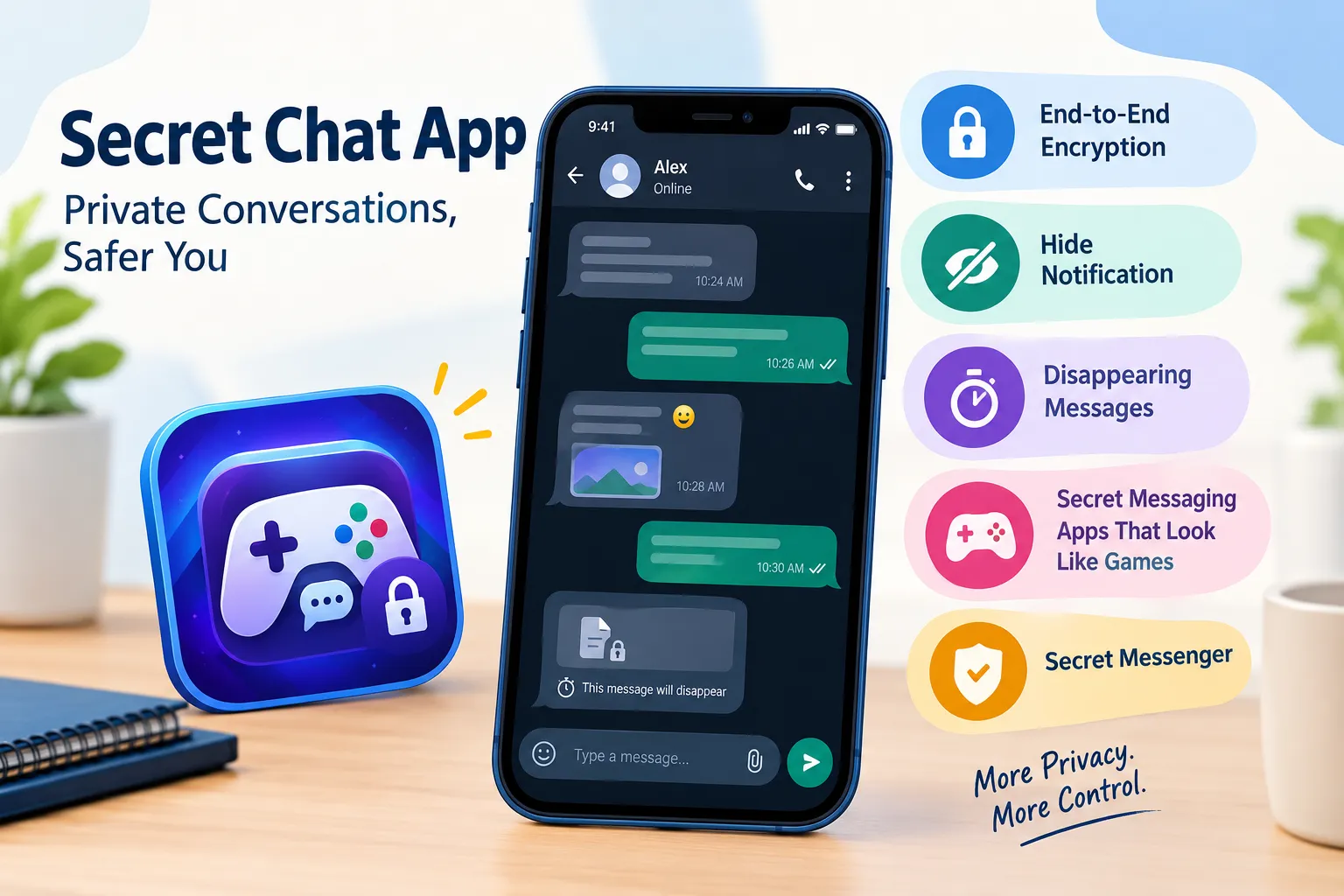

Messaging has become a normal part of everyday life. People use chat apps to talk with friends, family members, coworkers, and online communities. At the same time, many people are becoming more careful about what information appears on their phones and who can see it.
This has increased interest in the idea of a Secret Chat App. The term can mean different things depending on the app. In general, it refers to a messaging application that provides additional privacy or discreet features compared with ordinary messaging tools.
Some apps focus on encrypted conversations, while others provide options to hide message previews, lock conversations, or reduce the amount of information displayed on the screen.
However, privacy does not automatically mean complete security. Before choosing any messaging app, it is important to understand how its privacy features work and what information the app can access.
What Is a Secret Chat App?
A Secret Chat App is generally a messaging service designed to give users more control over private conversations.
The word "secret" can sometimes make these apps sound mysterious, but the underlying features are often quite practical. For example, an app may allow users to:
- Protect conversations with a password or PIN
- Hide message previews from the lock screen
- Delete messages automatically after a selected period
- Use end-to-end encryption
- Keep private conversations separate from other chats
- Control who can contact them
- Reduce the amount of personal information shown in notifications
Not every app offers all of these features. Therefore, users should check the app's privacy policy and security documentation instead of assuming that an app is completely private simply because it uses the word "secret."
Why Do People Use Private Messaging Apps?
There are many ordinary reasons someone might want more privacy when communicating.
For example, a person may discuss personal matters with a family member, share confidential work information, or simply prefer that messages do not appear on their phone's lock screen.
Privacy can also be useful when a phone is shared with family members or when someone frequently uses their phone in public places.
The goal does not always have to be hiding something. Sometimes it is simply about having more control over personal information.
The Federal Trade Commission recommends paying attention to the information apps request and checking privacy settings before using them.
Hide Notification Features
One of the most useful privacy features found in some messaging apps is the ability to hide notification content.
Normally, when a message arrives, a phone may display information such as:
"Alex: Are you coming tomorrow?"
Anyone looking at the screen could potentially read that message.
With notification privacy settings, a phone may instead display something like:
"New message"
The exact options depend on the operating system and application.
Why Hide Notifications?
Hiding notification previews can be useful when:
- You frequently leave your phone on a desk.
- You use your phone around other people.
- Your device displays notifications on a lock screen.
- You receive personal or work-related messages.
- You want more control over information visible without unlocking your phone.
This is a relatively simple privacy measure, but it can prevent private information from being displayed accidentally.
It is also worth checking the notification settings of the phone itself. Installing a private messaging application does not necessarily prevent the operating system from displaying message information.
Secret Messaging Apps That Look Like Games
Another topic that sometimes appears in discussions about private communication is Secret Messaging Apps That Look Like Games.
These applications may use a game-like interface or another ordinary-looking design rather than presenting themselves as traditional messaging services.
The concept can sound interesting, but users should look beyond appearance.
An app that looks like a game is not automatically more secure than a conventional messaging application. The important questions are about how the app handles messages, encryption, account information, permissions, and stored data.
Before installing such an application, consider:
- Who developed the app?
- Is the developer clearly identified?
- What permissions does the app request?
- Does it explain how messages are protected?
- Is there a privacy policy?
- What data does it collect?
- Can users delete their account and data?
- Is the application regularly updated?
The FTC also advises users to check what information an app wants to access. For example, an app may request access to contacts, photos, the microphone, camera, or location, even though some of those permissions may not be necessary for its main purpose.
What Is a Secret Messenger?
A Secret Messenger is another general term used for a messaging service with additional privacy features.
There is no universal technical definition of "secret messenger." One application might use the term to describe encrypted chats, while another might use it for disappearing messages or locked conversations.
Because of this, users should focus on specific features rather than the name.
Common Features to Look For
A privacy-focused messenger may offer some of the following:
End-to-end encryption:
This is designed to prevent people other than the communicating parties from reading message content while it is being transmitted. However, the exact implementation and limitations depend on the service.
Disappearing messages:
Some applications allow messages to automatically disappear after a particular period.
App lock:
An additional PIN, password, or biometric check can prevent someone who has access to the unlocked phone from opening the messaging application.
Private notifications:
Message previews can sometimes be hidden from the lock screen.
Account privacy controls:
Some apps provide controls for profile visibility, contact requests, read receipts, or online status.
These features can improve privacy, but none should be treated as a guarantee that information can never be accessed or recovered.
Privacy and Security Are Not Exactly the Same
The terms privacy and security are often used together, but they are not identical.
Privacy generally concerns who can access or learn information about you.
Security concerns protecting systems and information from unauthorized access, attacks, or misuse.
For example, an app could offer private-looking notifications but still collect a significant amount of user information.
Similarly, an application might encrypt message content but still collect metadata about an account or device.
This is why looking at the complete privacy policy and security information is more useful than relying only on an app's marketing description.
Things to Check Before Installing a Secret Chat App
Before downloading any messaging application, take a few minutes to investigate it.
1. Check the Developer
Look at the developer's name and reputation. Be cautious if an application provides little information about who operates it.
2. Review Permissions
Check whether the requested permissions make sense.
For example, a messaging application may reasonably need access to certain contacts or the microphone for calling. But users should understand why each permission is being requested.
3. Read the Privacy Policy
A privacy policy can explain what information is collected, how it is used, and whether information is shared with other companies.
Privacy policies can be lengthy, but checking the sections about collected data and third-party sharing can provide useful information.
4. Look for Security Information
If an application claims to provide secure messaging, look for clear explanations of how its security works.
Avoid assuming that terms such as "private," "secret," or "secure" automatically mean the same thing.
5. Keep the App Updated
Security problems can sometimes be addressed through software updates. Keeping the operating system and applications updated is therefore an important basic security habit.
6. Use a Strong Device Lock
A private messaging application cannot protect conversations very well if anyone can simply unlock the phone.
A strong passcode, biometric protection, and good physical security are still important.
Can a Secret Chat App Make Messages Completely Private?
No messaging application should be treated as a magic privacy solution.
There can be several points where information may be exposed. These can include the user's device, screenshots, notifications, backups, account information, or the device belonging to the other person.
For example, disappearing messages may remove a conversation from an app after a certain period, but another person could potentially take a screenshot or photograph the screen before the message disappears.
Likewise, encryption protects information in particular ways, but it does not necessarily protect a phone that has already been compromised.
The FTC advises users to protect their accounts and devices, use strong passwords, enable multi-factor authentication where available, and keep software updated.
Be Careful With Apps That Promise Total Secrecy
A major warning sign is an application that makes unrealistic security promises.
No ordinary app should be assumed to provide absolute protection against every possible threat.
Users should be particularly careful with applications that:
- Promise complete anonymity without explaining how
- Request unusually broad permissions
- Have unclear ownership
- Have little or no privacy documentation
- Encourage users to bypass normal security controls
- Ask for unnecessary personal information
- Have suspicious download or payment practices
A professional privacy service should explain its limitations rather than suggesting that technology can eliminate every privacy risk.
Private Messaging Is Also About Responsible Communication
Privacy tools are useful, but responsible communication still matters.
Users should think carefully before sharing sensitive photographs, financial information, passwords, identification documents, or other personal information through any messaging platform.
The FTC recommends thinking before sharing information online and being careful about who receives personal data.
If a message contains particularly sensitive information, consider whether sending it through a chat application is necessary in the first place.
Final Thoughts
A Secret Chat App can refer to many different types of messaging services. Some focus on encryption, others on disappearing messages, notification privacy, app locks, or less visible interfaces.
Features such as hide notification options and private conversation controls can help users reduce accidental exposure. Meanwhile, Secret Messaging Apps That Look Like Games may provide a discreet interface, but their appearance should not be confused with stronger security.
The same applies to a Secret Messenger. The name alone does not tell you how well an application protects your information.
The better approach is to look at the actual technology, privacy policy, permissions, security practices, and reputation of the service. Users should also protect the device itself with a strong passcode, updated software, and appropriate account security.
In short, privacy is not just about choosing a particular app. It is a combination of the technology you use, the information you share, the settings you choose, and the security habits you follow.
Useful Resources
- Google Search Central – Spam Policies — Information about practices such as keyword stuffing and content created primarily to manipulate search rankings.
- FTC – Heads Up: Stop. Think. Connect. — Practical advice about app permissions, privacy, account security, and sharing information online.
- FTC – Stalkerware: What To Know — Information about unauthorized monitoring software and device privacy.
















Sign in to leave a comment.