
Let me ask you something. Have you ever opened your website analytics, seen all that traffic, and thought, "Okay, people are clearly interested. So why is nobody getting in touch?"
Yeah. We have all been there, right?
One of our clients was stuck in exactly that spot. They sell scheduling software to construction and engineering companies. Traffic was growing, the pricing page was busy, and still, the contact form just sat there. Quiet. Almost untouched.
Let me walk you through what happened.
The problem: people were interested, but nobody was talking to them
Oh yes, they had done the hard work. The marketing team had spent a full year on SEO, and it paid off. Organic traffic went up by about 35%. But leads? Almost the same as before.
So they dug into the data, and you can probably guess what they found:
- Most visitors left without clicking on anything.
- The pricing and integrations pages had the highest exit rates. You must know what that usually means, right? People showed up with a question and couldn't find the answer.
- A lot of form submissions were support requests from existing customers, not new buyers.
- Real sales inquiries waited around 11 hours for a reply.
Eleven hours. Think about it for a second. If you are comparing software, would you wait that long? Of course not. You would open another tab and talk to someone else.
The head of marketing said it so simply: "We thought people weren't ready to talk. But they were. We just asked them to wait."
Ouch. But honestly, that's a very real lesson.

The idea: answer the question while the person is still on the page
The thinking was pretty simple. If someone has a question while reading your pricing page, the best time to answer is right then. Not tomorrow. Not after lunch.
Live chat was the first idea, but the sales team could not cover every hour of the day, and many visitors were in different time zones. They had also tried a basic scripted bot a few years earlier. You know the kind, right? Rigid menus and a lot of "Sorry, I did not get that." Visitors found it annoying, and the team did too.
So this time, they wanted something different. A tool that could understand normal questions, pass the chat to a real person smoothly, and start conversations based on what a visitor was actually looking. After testing a few options, they ran a pilot with Corvexa's AI Chatbot for lead generation. The reason was practical: they could train it on their own help documents and set up page-based triggers without waiting for a developer.
But here's the thing. The tool was only part of the story. The way they set it up made the real difference.

What they changed
- They fixed the timing.
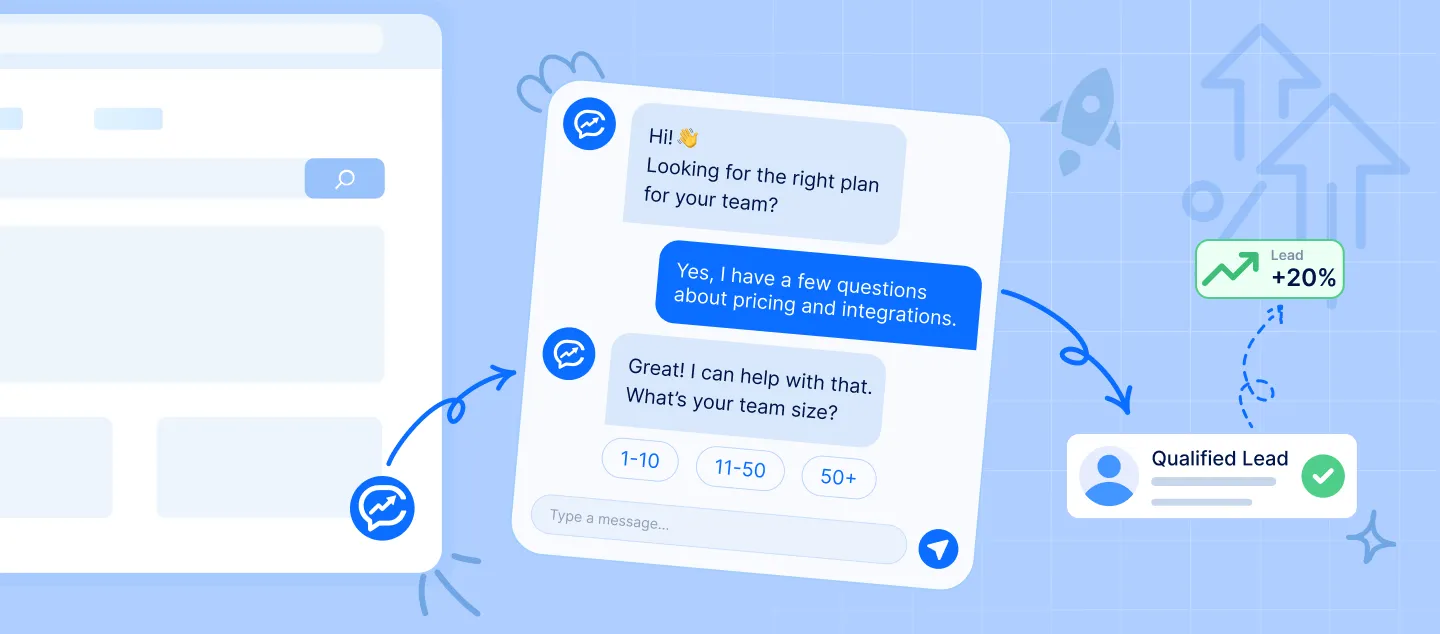
Before, the chat popped up after a few seconds on every page. Nobody likes that, right? Now it only appeared when someone showed real interest. For example, after 40 seconds on the pricing page, on a return visit within a week, after scrolling deep on the integrations page, or after viewing three product pages in one session. The first message matched the page too. On pricing, it offered to help the visitor pick a plan for their team size. That feels so much more helpful than a generic "Hi, need help?" - They answered first and asked for details later.
Their old tools asked for an email address before anything else. Honestly, that's like asking someone for their phone number before saying hello. The new setup did the opposite. The chatbot answered questions about features, integrations, and setup time first, and only asked for contact details when the visitor was ready for a demo or a quote. - They qualified leads through normal conversation.
Instead of a long form, the AI lead qualification asked a few easy questions along the way: team size, current tools, and when they wanted to start. The sales rep got those answers along with the full chat, so calls never started from zero. - They always kept a path to a real person.
If the chatbot didn't know an answer, or the visitor seemed frustrated, it offered to connect them with a team member or book a call. After hours, it set up a follow-up with all the details attached. Because let's be honest, sometimes people just want to talk to a human.
The results after 90 days
So, did it work? Take a look.
| What they measured | Before | After |
| Qualified leads per month | 118 | 142 (+20%) |
| Visitors who engaged with the site | 6% | 18% |
| First response time | 11 hours | Under 30 seconds |
| Demo requests that started in chat | None | 31% |
Two things really stood out. Visitors who chatted on the pricing page were more than twice as likely to ask for a demo. And about a third of all chats happened outside office hours. That means the team was finally reaching people they used to miss completely.
What did not go well?
Now, it was not perfect from day one. Let's be real, nothing ever is.
In the first week, the chat opened way too often. A pop-up on the homepage after just 10 seconds led to lots of conversations but very few real buyers. Once they limited it to high-interest pages, chat volume dropped by about 40%, but lead quality got better. Fewer chats, better chats.
The chatbot also struggled with questions about custom CRM integrations. So a team member had to review unanswered questions every week and add the missing information to the help documents. It took a few weeks to get it right.
And some visitors simply preferred a form, so the team kept it on the site. Not everyone wants to chat, and that's perfectly okay.

What can we learn from this?
- Speed matters more than most people think. Going from hours to seconds probably did more than any fancy feature.
- Timing beats volume. Talking to fewer people at the right moment worked better than talking to everyone, all the time.
- Be helpful before you ask for anything. People share their details much more willingly once they've got a useful answer.
- Keep humans in the loop. Automation works best when a real person can step in easily.
- Keep improving it. Reading chat transcripts every week turned out to be the most valuable habit the team built.
Final thoughts
Nothing dramatic happened here. The client didn't redesign their website or spend more on ads. They just noticed that visitors had questions, and they found a way to answer them at the moment it mattered.
So if you want to try something similar, start small. Find the pages where visitors hesitate. Think about what you'd want to ask if you were standing in their shoes. Then build the conversation around that.
The software is the easy part. Understanding your visitors? That's what makes it work. Right?




















Sign in to leave a comment.