
With the rapid growth of food delivery apps like UberEats, DoorDash and GrubHub, having an intuitive user interface has become critical for customer acquisition and retention. A seamless, frustration-free experience can be the difference between a loyal customer and a deleted app.
In this article, we’ll explore UX best practices to help you build an easy-to-use interface for both on demand food delivery system and restaurants management software. Optimizing these interfaces can drive greater user engagement, conversion rates and revenues for your on-demand delivery business.
Creating an Intuitive Experience for Food Delivery Customers
The customer-facing interface is arguably the most important element of your food delivery app. This is the digital storefront users will interact with to browse menus, place orders and track deliveries.
To attract and delight customers, focus on simplicity, intuitive navigation, smart menus, robust search and tracking, flexible payments and social features.
Keep the Interface Clean and Minimalist
Customers should be able to easily find what they want without having to navigate through busy screens cluttered with excessive text, graphics and buttons. Stick to a simple, minimalist interface with only the most essential elements on each screen.
Avoid overloading menu pages and item descriptions. Use icons and visuals wisely to enhance aesthetics without causing distractions.
Make Key Actions Accessible with Fewer Taps
Every extra tap or swipe required to place an order can lose you customers. Ensure important actions like searching for a restaurant, adding items to cart, applying coupons or proceeding to checkout take as few taps as possible.
Follow conventions users are already familiar with from apps like online retail, social media or content streaming. Consistent flows reduce the learning curve.
Categorize Restaurants and Dishes for Easy Browsing
Well-organized menus enhance scannability and decision making. Logically categorize restaurants by cuisine type, location, dietary preferences or price range. For dishes, use sections like starters, mains, desserts. Allow sorting and filtering within each category to narrow options. Alphabetical indexes further ease navigation.
Enable Intelligent Search and Autocomplete
Searching is one of the top ways customers find restaurants or dishes in the app. Allow searches by restaurant name, cuisine, dish name, ingredients etc. Provide autocomplete suggestions as they type to guide them. Fuzzy matching helps retrieve results even for misspelled terms. This speeds up the ordering process.
Allow Real-Time Order Tracking
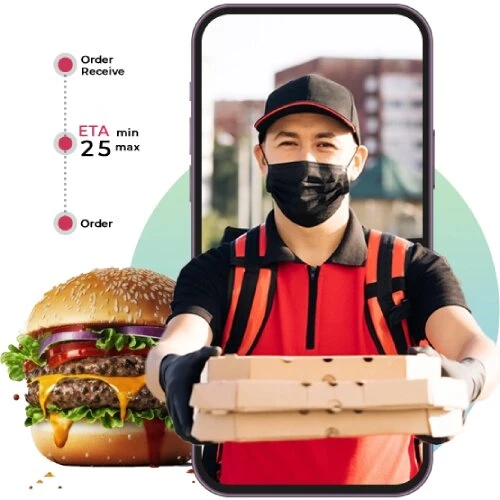
Once an order is placed, customers want visibility into its status. And tracking is considers as one of the key features of food delivery app that helps in estimating delivery time. It also helps in tracking if order being prepared, out for delivery, delivered etc. Send SMS or push notifications at each stage for a reassuring experience even when they aren’t in the app.
Offer Multiple Payment Methods with Saved Options
Provide expected payment options like credit cards, mobile wallets, gift cards, promo codes and cash on delivery. Allow saving payment details and addresses to checkout faster for repeat purchases. Make the payment flow seamless by integrating top payment gateways.
Let Customers Rate Dishes and Restaurants
User-generated ratings and reviews heavily influence purchasing decisions. Allow rating dishes and writing reviews about the overall delivery experience. Moderation helps tackle fake/abusive content. Aggregate ratings on restaurant profiles to indicate popular picks.
Crafting an Efficient Experience for Restaurants
For restaurants, the delivery app serves as an online storefront and order management system. The restaurant-facing interface must enable effortless handling of orders to ensure timely service.
Key UX considerations for restaurants include easy order management, customization, real-time alerts, status updates, menu management, reporting and profile management.
Provide a Dashboard to Manage Orders with Minimal Clicks
The order management dashboard is the command center for restaurants. New orders should automatically pop up and be clearly visible. Key data like order ID, items, customer name, payment status, timing and instructions must be accessible at a glance. Minimal clicks should be required to view order details or mark orders as cooking/ready for delivery.
Allow Customizations like Special Instructions
Customers often have special requests like avoiding certain ingredients. Allow adding these in a prominent field either during checkout or on the restaurant’s order screen. Other customizations can include markings items as unavailable, replacing with alternatives, changing quantities or utensils needed.
Send Real-Time New Order Alerts
For busy restaurants, real-time alerts ensure orders are processed swiftly. Provide multiple alerting channels like SMS, push notifications, email or in-app sounds when a new order comes in. Alerts should have order ID and basic details to enable quick prioritization.
Let Restaurants Indicate Order Readiness to Customers
Accurate delivery times create better experiences. Allow restaurants to tap a button when an order is cooking, ready for pickup and picked up by the delivery partner. This updates the customer’s order tracking with reduced delays.
Make Adding New Dishes and Updating Menus Easy
Menu changes are common based on ingredient availability and popularity. The interface must facilitate quickly adding new dishes or making changes in description, name, price or photos of existing items. Moderation flows help maintain quality.
Offer Insights into Top Dishes, Busy Times and Revenues
Data-driven insights help optimize operations and menu planning. Provide easy-to-interpret reports on top selling items, peak ordering times, revenue and order volumes, cost breakdowns and other metrics. Make these visual and exportable.
Let Restaurants Manage Listings and Contact Details
Restaurants would need to update their name, description, photos, location, contact number, opening hours etc. occasionally. Provide an easy profile management screen to edit all listing details that customers see for discovering the restaurant.
Key Design Principles for Seamless Food Delivery App Interfaces
Certain design principles help elevate UI/UX across both customer and restaurant interfaces for your delivery app.
Maintain Visual Continuity Across Platforms
Consistent design with colors, fonts, interface patterns and elements fosters familiarity. Users can leverage prior experience. Maintain style guides and libraries to ensure consistency even as new features are added.
Optimize Responsiveness for All Device Sizes
Increasingly, orders are being placed on the go through smartphones and tablets. Avoid horizontal scrolling and overflowing content across all screen sizes. Use stacked, responsive layouts that adapt seamlessly.
Focus on Speed Through Lightweight Interactions
Laggy interfaces are a big turn-off. Optimize page loading times, transitions, animations and input responses. Simplify graphics. Use efficient code and Content Delivery Networks to deliver a smooth experience even on slow networks.
Follow Accessibility Standards for Inclusive Design
Ensure your interface works well with screen readers, magnifiers and other assistive devices used by disabled customers. Implement WCAG guidelines like text equivalents for visuals, color contrast, ARIA labels and keyboard navigation.
Allow Personalization to User Preferences
Let customers personalize units (metric vs imperial), language, notification settings, allergy information etc. as per their individual preferences for a more tailored experience. Maintain these settings across devices.
Conclusion
User experience makes or breaks your food delivery app’s success. While simplicity and convenience are expected, going the extra mile through personalization and real-time engagement can help your business stand apart.
Focus on minimizing taps and cognitive load. Guide users with smart recommendations. Continuously gather feedback through surveys and ratings to refine the interface. Test with both customers and restaurants before launch.
With AR and voice technologies advancing, explore new paradigms like conversational interfaces. But balance innovation with consistent core flows. Delivering a superfast, satisfying user experience is the recipe for long-term customer loyalty.







Sign in to leave a comment.