




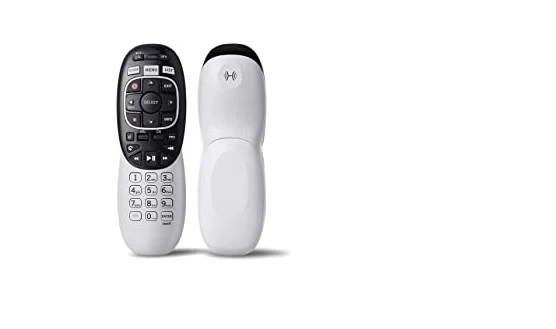
Many of you are using the DirecTV subscription if you are residing in the united states of America. Obviously, you should have a DirecTV receiver, in other words, a satellite receiver, and universal remote control to control the receiver. Someone asked me Can I use the DirecTV remote to TV? The answer to the question is here. In this post, you'll learn how can you make use of your DirecTV remote control for your smart or non-smart TV. It is noted that the remote from RCA can also use to control and it can use as a third-party remote.
Can I Use DirecTV Remote To A TV?
The answer is YES! You can use a DirecTV remote control with your smart TV. No matter whether smart or non-smart TV you are using with the remote. One condition should be met. Since the DirecTV remote control is an IR remote control (Infrared), your TV must have an IR sensor. We know that so many smart and non-smart TVs now come with Infrared connectivity.
What to do to use a DirecTV remote with a Television?
In order to use a DirecTV remote on your TV, you should program the DirecTV remote control to your TV. Using a specific device code (Eg. universal codes) available from the official website of DirecTV, pair/Program DirecTV remote to TV with the simple step-by-step procedures.
The device codes are numeric numbers, preferably in 4 or 5 digits. During a specific procedure, you should enter the code to proceed to the program.
You can use the DirecTV remote on any branded TV like Vizio TV, Samsung TV, LG TV, Philips TV, Panasonic TV, TCL TV, Westinghouse TV, etc. The DirecTV remote can work with almost all the popular smart and non-smart TV brands in the world. All that you need to do is get the right code for your DirecTV remote for the specific branded television.
How to program the DirecTV remote control?
There should be nice steps to follow to program the remote.
Let's take an example: suppose you want your DirecTV remote to program for a Vizio TV. Then, there will be a specific code for the DirecTV Genie remote to program for Vizio TVs.
To program a DirecTV remote control, you have to find the right code from the DirecTV official website. After getting ready with the code, turn on your TV. Then press and hold the setup button on the DirecTV until the LED light on the DirecTV remote turns ON.
After that, you have to press the "TV" device button on the DirecTV remote control. At this time, the LED light will blink twice. After blinking enter one device code using the number keys on the remote control. When you have entered the right code, the LED will get turned OFF.
Now enjoy using the DirecTV remote on your TV.
Conclusion
Hope you have successfully programmed or paired the DirecTV remote to your TV. This is the same method when you want to reprogram your DirecTV remote to TV. Just need to remove the batteries from the remote for 2 minutes before re-programming the remote.
Related Posts:-
Vivitar universal remote programming instructions