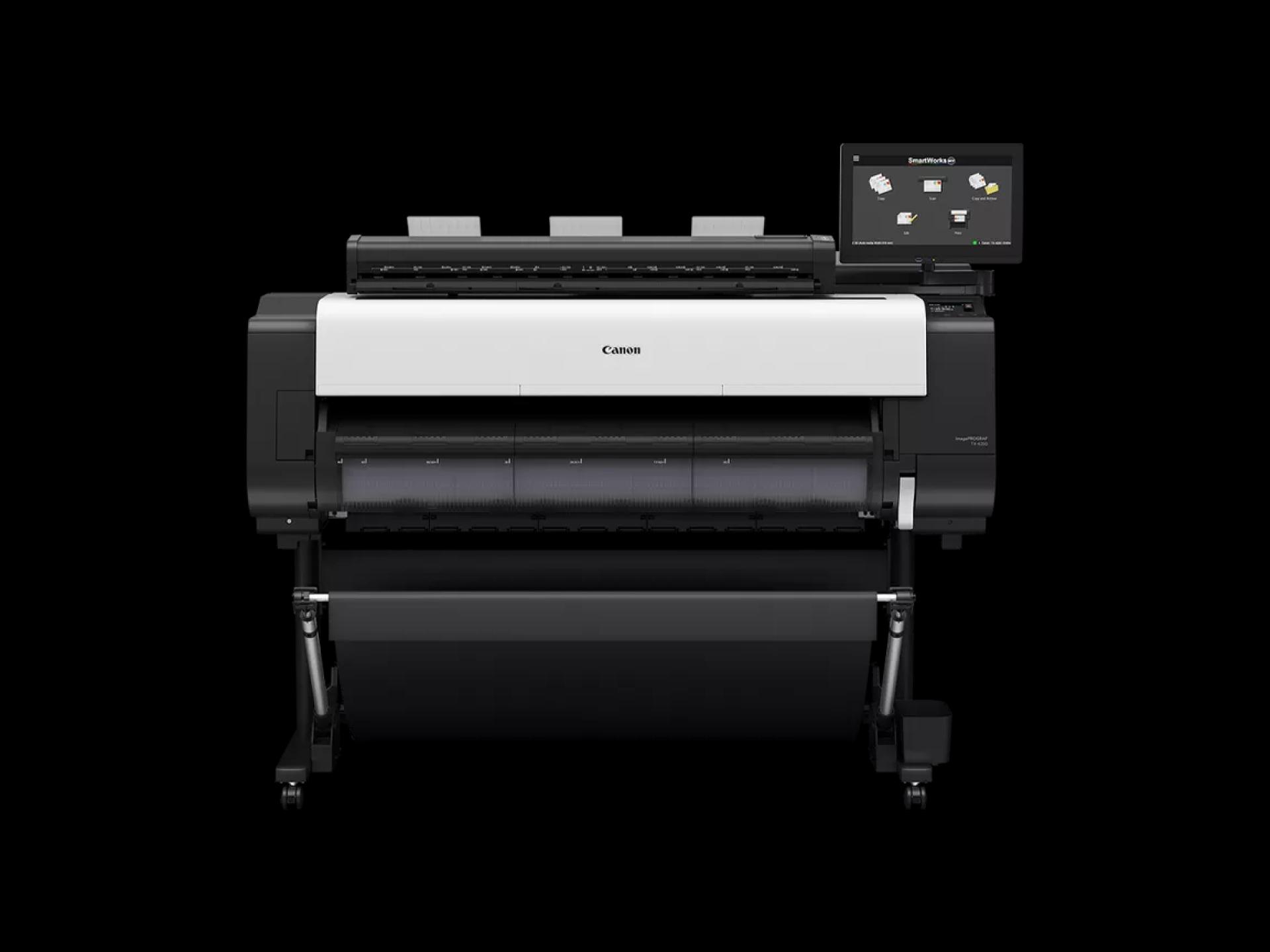
Large-format printing is an essential requirement for industries such as architecture, engineering, marketing, and education. Professionals need devices that provide high-quality output, fast performance, and easy document management. Choosing the right multifunction printer can greatly impact workflow efficiency and productivity. The Canon imagePROGRAF TX-4200 MFP Z36 combines printing, scanning, and software solutions to address these needs. Understanding its advantages and limitations helps organizations make informed decisions about incorporating it into their work environment.
Pros of Canon imagePROGRAF TX-4200 MFP Z36
1. High-Resolution Printing
The Canon imagePROGRAF TX-4200 MFP Z36 delivers outstanding print quality with sharp lines and vibrant colors using a five-color pigment ink system. Supporting media up to 44 inches wide, it is ideal for oversized documents such as architectural plans, engineering schematics, posters, and banners. High-resolution printing ensures precise output, reducing errors and enhancing professional presentation.
2. Integrated Z36 Scanning
The Z36 scanner provides fast, high-quality scanning of large-format documents. It supports PDF, TIFF, and JPEG formats and can scan oversized files up to 50 feet in a single pass. With speeds up to 13 inches per second for monochrome and 6 inches per second for color, professionals save valuable time while digitizing physical documents for archiving or collaboration.
3. SmartWorks MFP Software
SmartWorks MFP software streamlines workflow by allowing batch scanning, multipage PDF creation, and automatic image optimization. Integrating printing and scanning into one device reduces repetitive tasks and ensures consistent output. Teams can focus on project execution rather than manually managing documents, increasing overall productivity.
4. Versatile Media Handling
The Canon imagePROGRAF TX-4200 MFP Z36 supports various media types, from standard bond paper to heavyweight sheets and specialty materials. Its flexibility enables printing and scanning of technical drawings, posters, and promotional materials without compromising quality. High-capacity ink tanks allow for continuous operation, supporting high-volume projects efficiently.
5. Connectivity and Security
Modern offices require seamless connectivity and document security. This multifunction printer offers USB, Ethernet, and Wi-Fi connectivity and supports secure printing features such as PIN protection and encrypted communication. These features ensure sensitive documents remain confidential while allowing remote printing and multi-device access.
Cons of Canon imagePROGRAF TX-4200 MFP Z36
1. Initial Investment
The Canon imagePROGRAF TX-4200 MFP Z36 is a high-performance multifunction printer, which means the initial cost may be higher than standard large-format printers. Organizations with budget constraints may need to consider long-term ROI before purchase.
2. Space Requirement
Due to its large-format capabilities and integrated scanner, the printer requires adequate space in the office. Smaller workspaces may need to plan carefully to accommodate its size without compromising accessibility or workflow efficiency.
3. Learning Curve
While SmartWorks MFP software simplifies workflow, users may require initial training to fully utilize all features. Teams need to become familiar with batch scanning, multipage PDF creation, and document optimization functions for maximum efficiency.
Practical Tips for Maximizing Efficiency
1. Optimize Workflow
Group similar print or scan jobs together to reduce setup time and improve efficiency. Utilize batch scanning and multipage PDF functions to handle multiple documents at once.
2. Regular Maintenance
Follow the recommended maintenance schedule, including replacing ink tanks and cleaning the scanner bed. Regular maintenance ensures consistent output quality and prolongs the printer’s lifespan.
3. Choose the Right Media
Select media appropriate for each project. Standard bond paper works for technical prints, while heavyweight or specialty sheets enhance the quality of posters or marketing materials. Proper media selection prevents jams and ensures optimal results.
4. Secure Sensitive Documents
Use PIN-protected printing and encrypted communication for confidential client files, proprietary designs, or critical technical data. This prevents unauthorized access while maintaining workflow flexibility.
5. Training and Support
Provide basic training for team members on SmartWorks MFP software. Familiarity with batch scanning, multipage PDFs, and automated optimization can significantly reduce errors and improve productivity.
Applications Across Industries
- Architecture: Print accurate floor plans, elevations, and construction drawings; scan revisions into digital files.
- Engineering: Produce precise CAD schematics and technical documents; digitize large-format blueprints.
- Marketing: Create vibrant posters, banners, and promotional materials; scan mockups for collaboration.
- Education: Print research posters, teaching aids, and large-format study materials; scan assignments and visual content efficiently.
Conclusion
The Canon imagePROGRAF TX-4200 MFP Z36 is a versatile and high-performance multifunction printer designed to handle large-format printing and scanning with precision and efficiency. Its pros include high-resolution printing, fast Z36 scanning, versatile media handling, SmartWorks MFP software integration, and secure connectivity, making it suitable for professionals in architecture, engineering, marketing, and education. While initial investment, space requirements, and software learning curve may be considerations, practical tips such as workflow optimization, regular maintenance, and proper training help maximize productivity and achieve consistent, professional-quality results.
























Sign in to leave a comment.