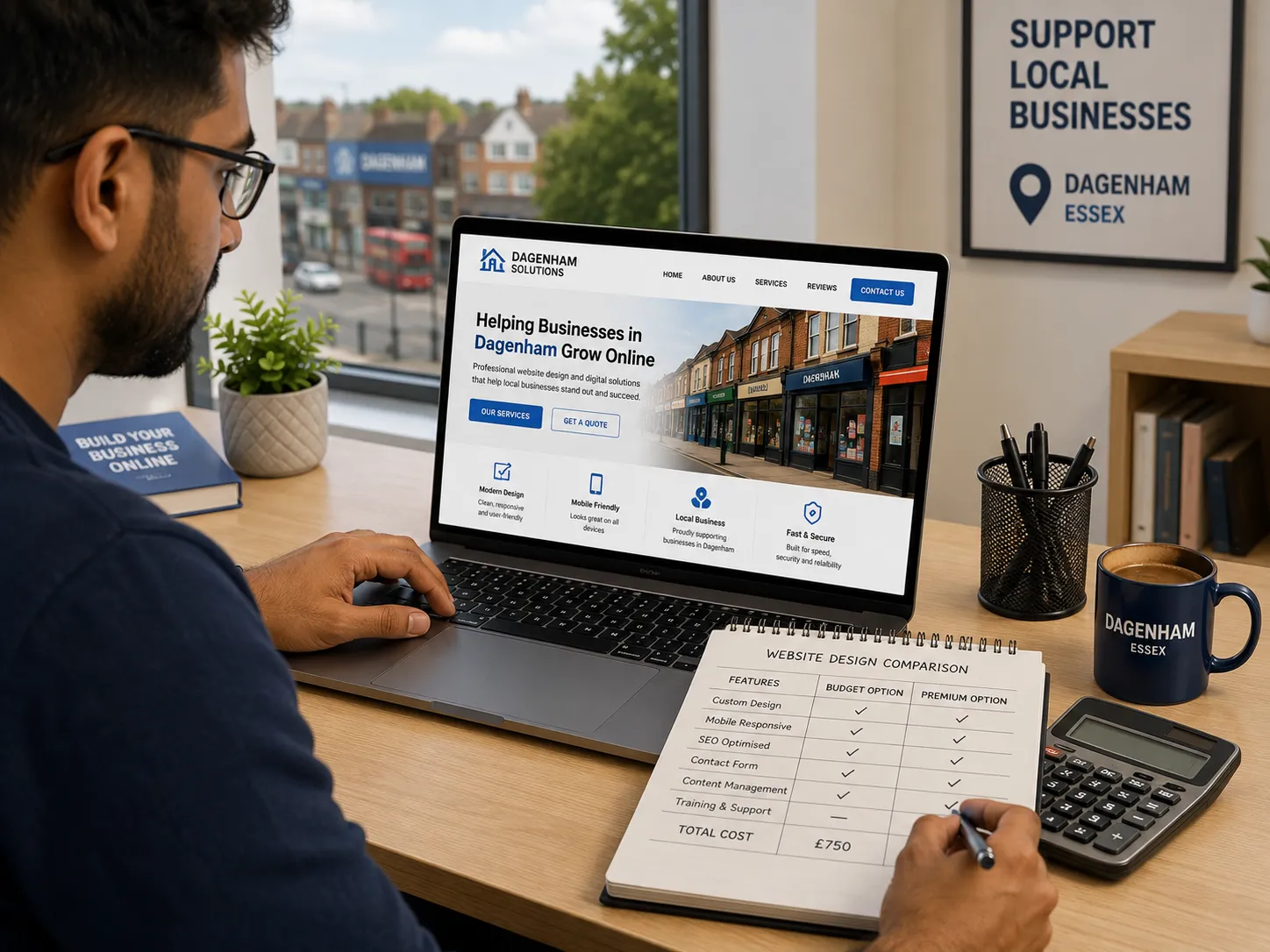

A low-cost website should still look credible, load quickly, and help people contact you, buy from you, or understand what you do. That is the real goal. A “cheap” website is only a good deal when it saves money without costing you trust, leads, or future flexibility.
For businesses in Dagenham, that matters even more. Local customers often compare several providers before they make a call, send an enquiry, or visit in person. If your website looks outdated, loads badly on mobile, or makes it hard to find basic information, many people will move on before they ever speak to you.
This guide explains how to approach cheap website design in a sensible way. You will see what a budget site should include, where costs can be reduced safely, what to avoid, and how to choose a web designer who delivers genuine value rather than a bargain that creates problems later.
What “Cheap” Should Mean in Web Design
In practice, cheap should mean cost-efficient, not stripped down to the point of being ineffective.
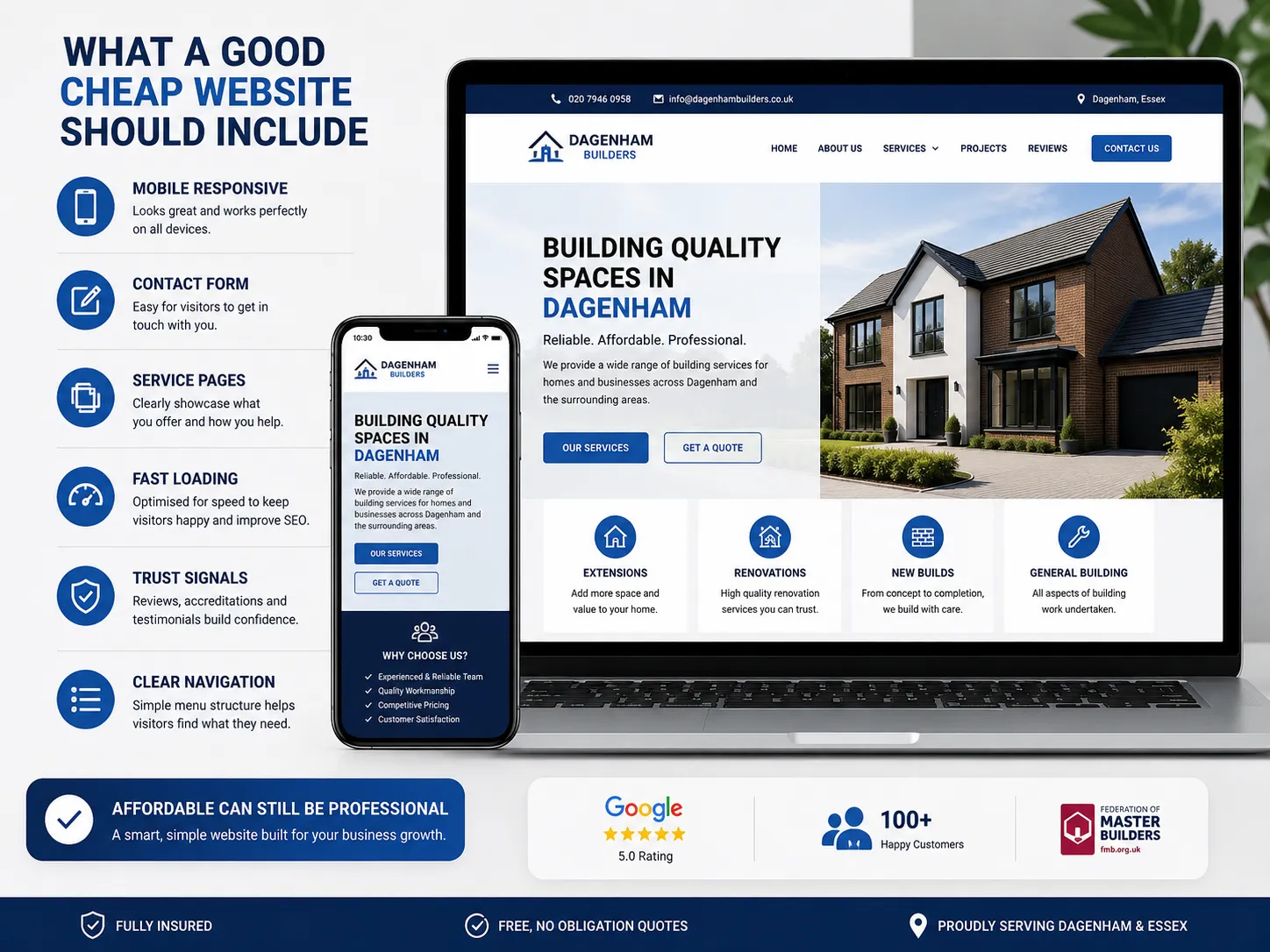
A good budget website usually has:
- a clean, professional design
- clear pages for your main services
- mobile responsiveness
- basic search engine optimisation
- contact forms or call buttons
- fast loading times
- secure hosting and SSL
- a simple content management system so you can update it
For many small businesses in Dagenham, that is enough to start with. You do not need ten pages of filler, complex animations, or custom features you will never use.
What to Prioritise First
If your budget is tight, spend on these areas first:
- Homepage clarity – visitors should understand who you are and what you do within seconds.
- Service pages – each important service should have its own page if possible.
- Mobile usability – many local visitors will view your site on a phone.
- Contact and trust signals – phone number, location, reviews, and service area.
- Basic SEO setup – page titles, headings, internal links, and metadata.
Why Budget Website Design Matters for Dagenham Businesses
Dagenham is a practical, competitive local market. Whether you run a trades business, salon, consultancy, clinic, takeaway, fitness service, or local shop, your website often acts as the first impression.
A strong low-cost website can help you:
- appear more trustworthy than competitors with no website
- answer common questions before people call
- generate more enquiries from local search
- support word-of-mouth recommendations
- give your business a more established feel
Many small businesses do not need a large, expensive digital presence. They need a site that helps customers make a decision quickly.
The Best Way to Keep Website Costs Down
There are several sensible ways to reduce cost without lowering quality.
Use a Simple Structure
A lean structure is often better than a complicated one. For many local businesses, the site can work well with:
- Home
- About
- Services
- Service Area
- Reviews or Testimonials
- Contact
That is often enough to create a useful, trustworthy website.
Start with the Most Important Pages
You do not need every page at once. Launch with the pages that matter most, then build the site over time as the business grows.
Use a Customised Template Wisely
A well-chosen template can save money, but it still needs proper tailoring. The design should reflect your brand, not look like a generic copy-and-paste site.
Provide Your Own Basic Content Where Possible
If you can supply:
- service details
- opening hours
- contact information
- business history
- testimonials
- a few high-quality photos
…you may reduce copywriting and production costs.
What a Good Cheap Website Should Include
A low-cost site should still cover the essentials properly.
Clear Messaging
Visitors should immediately understand:
- what you do
- where you work
- who you help
- how to contact you
Strong Local Signals
For Dagenham businesses, local relevance matters. Include:
- your business name
- Dagenham and nearby areas where relevant
- a local phone number if you have one
- service-area information
- location references only where accurate
Mobile-Friendly Design
A large share of users will browse on phones. Buttons should be easy to tap, text should be readable, and forms should be simple.
Fast Load Speed
A fast site improves user experience and reduces friction. Budget websites often become slow when they are overloaded with large images, sliders, and unnecessary plugins.
Trust Elements
Add the details that help visitors feel safe:
- reviews
- accreditations
- years of experience
- service guarantees only if they are real
- photographs of your actual work or premises
What to Avoid When Buying Cheap Website Design
A low price is only useful when the work is genuinely useful. Watch out for shortcuts that create long-term issues.
Overly Generic Designs
If the site looks like fifty others, it will not help you stand out. A budget-friendly website still needs some personality.
Weak Copy
Vague phrases like “quality service” and “best solutions” do not tell visitors anything useful. Clear, practical copy performs better.
Hidden Costs
Some cheap offers turn expensive once you add:
- hosting
- revisions
- contact forms
- SEO basics
- mobile fixes
- image edits
- future support
Always check what is included.
No Ownership Clarity
You should know who owns the domain, website files, hosting account, and content after the build is finished. That matters more than many people realise.
No Plan for Updates
A site that cannot be updated easily becomes a problem later. Even a small business needs the freedom to change prices, services, and contact details.
How to Judge Whether a Cheap Website Is Worth It
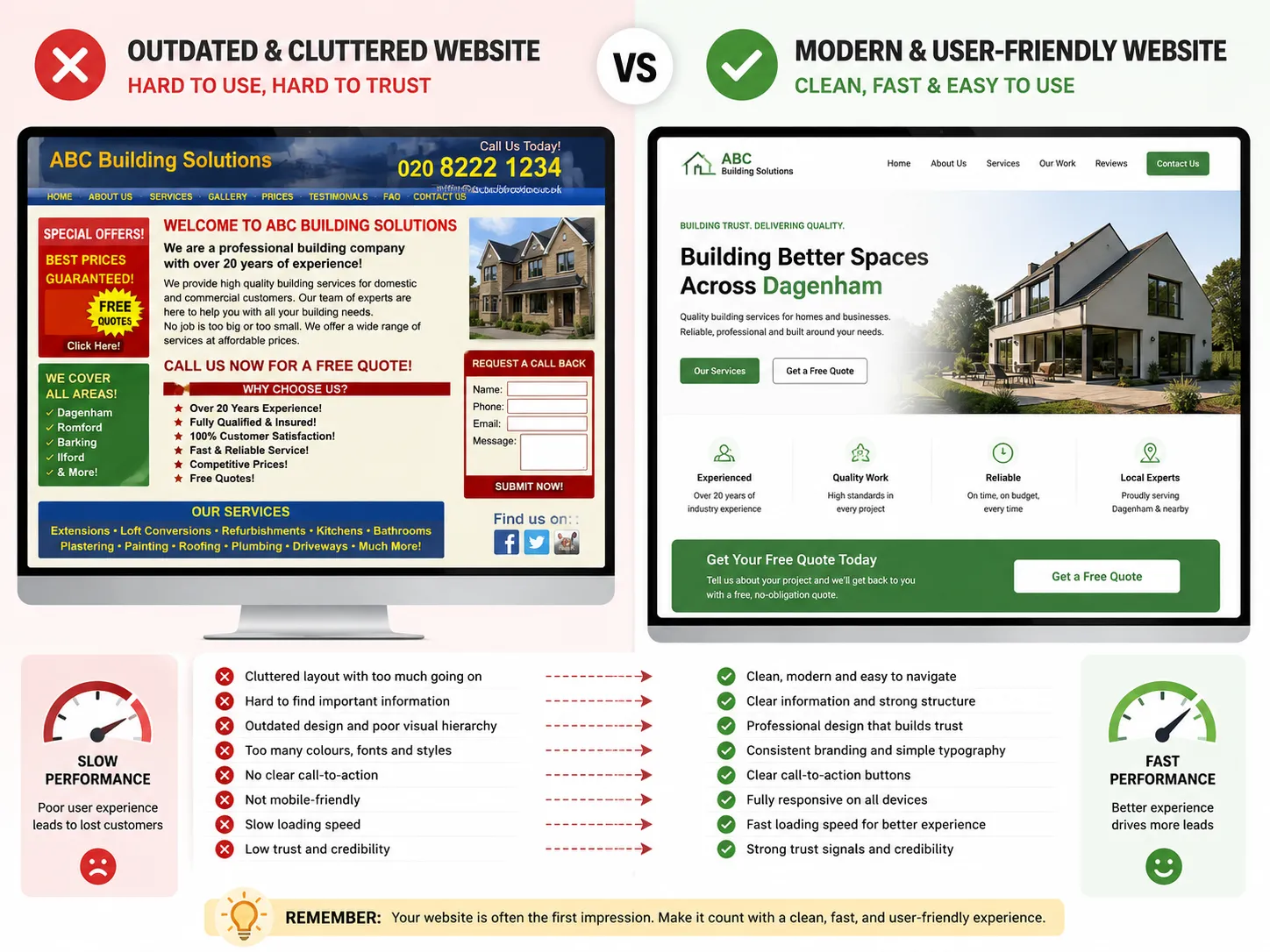
A practical way to assess value is to ask:
- Does the website look credible on a phone?
- Can a visitor understand the offer quickly?
- Are the main services easy to find?
- Does it feel local and relevant?
- Is the contact path obvious?
- Does it explain why the business is trustworthy?
- Can I update it without needing a developer for every small change?
If the answer is yes to most of these, the site is probably doing its job.
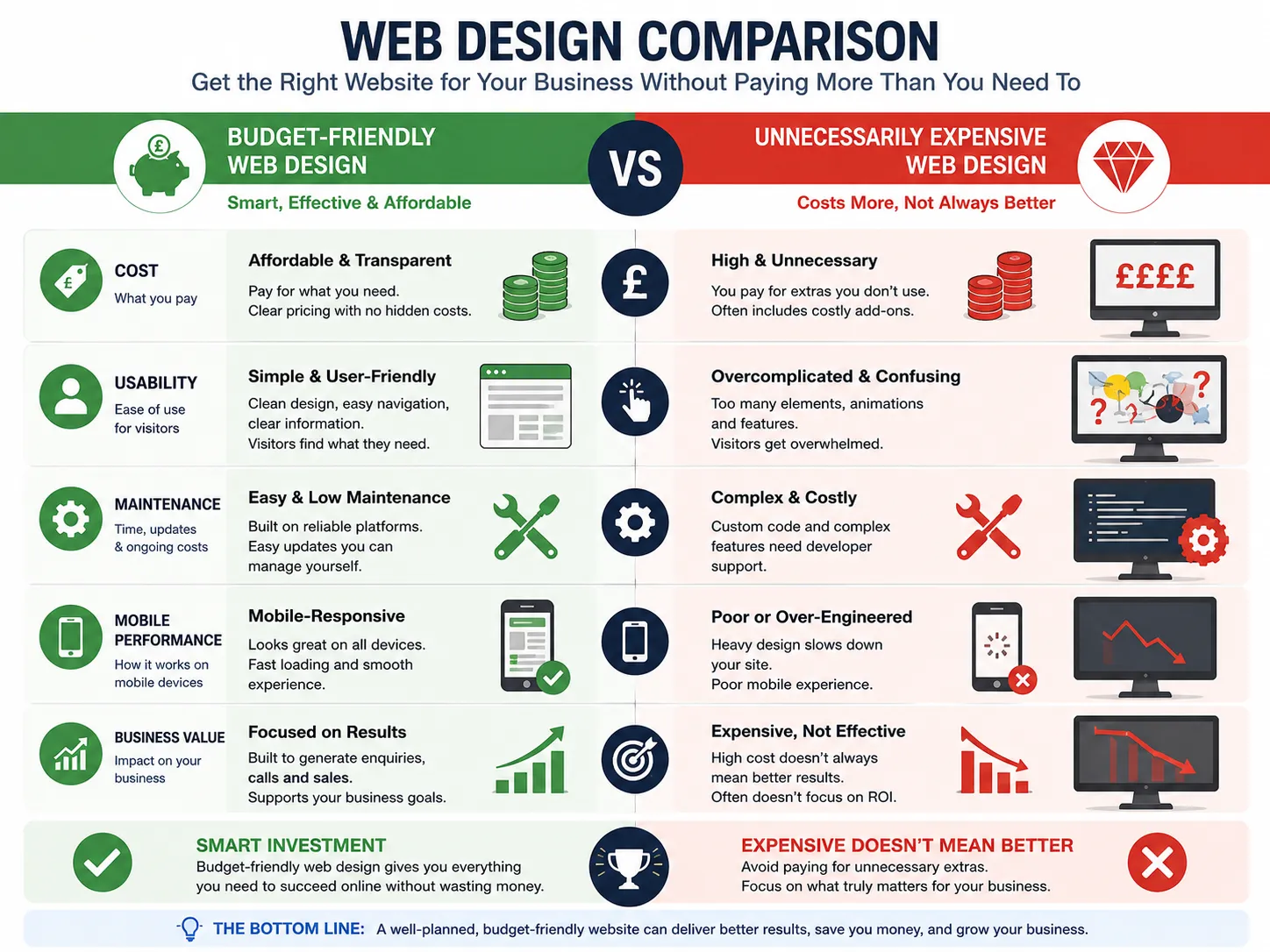
Cheap Website Design Versus Expensive Website Design
Here is a simple comparison.
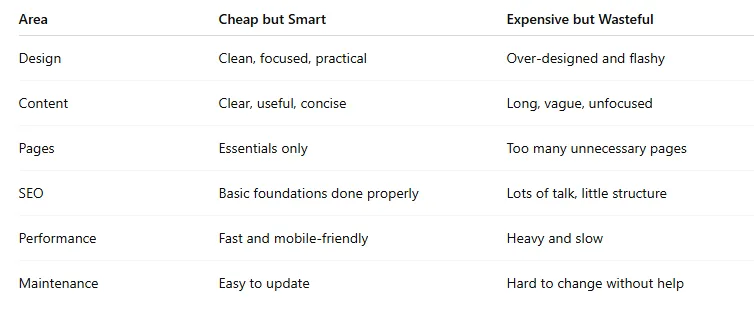
The point is not to spend as little as possible. The point is to spend in the right places.
A Simple Website Plan for a Dagenham Small Business
A sensible starter site could include:
Homepage
A clear summary of who you are, what you offer, and why people should choose you.
About Page
A short story about the business, your values, and your experience.
Services Page
A concise overview of each service, written in plain English.
Dagenham Service Area Page
A locally focused page explaining where you work and what kinds of customers you help.
Contact Page
Phone, email, enquiry form, opening hours, and any relevant location details.
Testimonials or Reviews
Proof that real customers have had a good experience.
That structure is often enough for a small business site to start delivering results.
SEO Basics That Still Matter on a Budget
Even a cheap website can be search-friendly if the basics are handled properly.
Use Clear Page Titles
Each page should describe the actual topic of the page, not just the business name.
Write for Humans First
The content should answer real questions, not repeat the same phrase over and over.
Use Logical Headings
Headings help readers scan and help search engines understand structure.
Link Related Pages
Internal links make the site easier to navigate and help users move naturally through the content.
Add Useful Local Context
Mention Dagenham naturally where it makes sense. Do not force it into every paragraph.
Questions to Ask Before Hiring a Website Designer
Before you choose someone, ask:
- What exactly is included in the price?
- Will the site work well on mobile?
- Who writes the content?
- Will I be able to edit the website later?
- Is hosting included?
- What happens after launch?
- Can you show examples of similar work?
A good designer should answer these clearly.
Key Takeaways
- Cheap website design should mean cost-effective, not low quality.
- A simple, well-structured site often works better than a complicated one.
- For Dagenham businesses, clarity, trust, and local relevance matter more than flashy design.
- The best budget websites focus on essentials: mobile usability, fast loading, useful content, and easy contact options.
- The cheapest option is not always the best value if it creates extra work later.
Final Thoughts
A cheap website can be a smart investment when it is built with purpose. For businesses in Dagenham, the best approach is usually a simple, trustworthy, mobile-friendly site that clearly explains what you do and makes it easy for customers to get in touch. Focus on usefulness first, and you can keep costs sensible without sacrificing quality.
Frequently Asked Questions (FAQs)
Q: Can a cheap website still look professional?
A: Yes. Professional does not have to mean expensive. Good structure, strong copy, simple design, and mobile usability matter more than flashy extras.
Q: How many pages does a small business website need?
A: Often, five to seven pages is enough to start with, depending on the business and services offered.
Q: Is WordPress a good option for budget websites?
A: It can be, especially when the site is built properly and kept simple. The real value depends on the setup, not just the platform.
Q: Should I choose the cheapest quote?
A: Not automatically. The lowest quote often leaves out important details that you may end up paying for later.
Q: Can a low-cost website still help with local SEO?
A: Yes, as long as the foundations are sound: useful content, good structure, mobile performance, and relevant local information.
























Sign in to leave a comment.