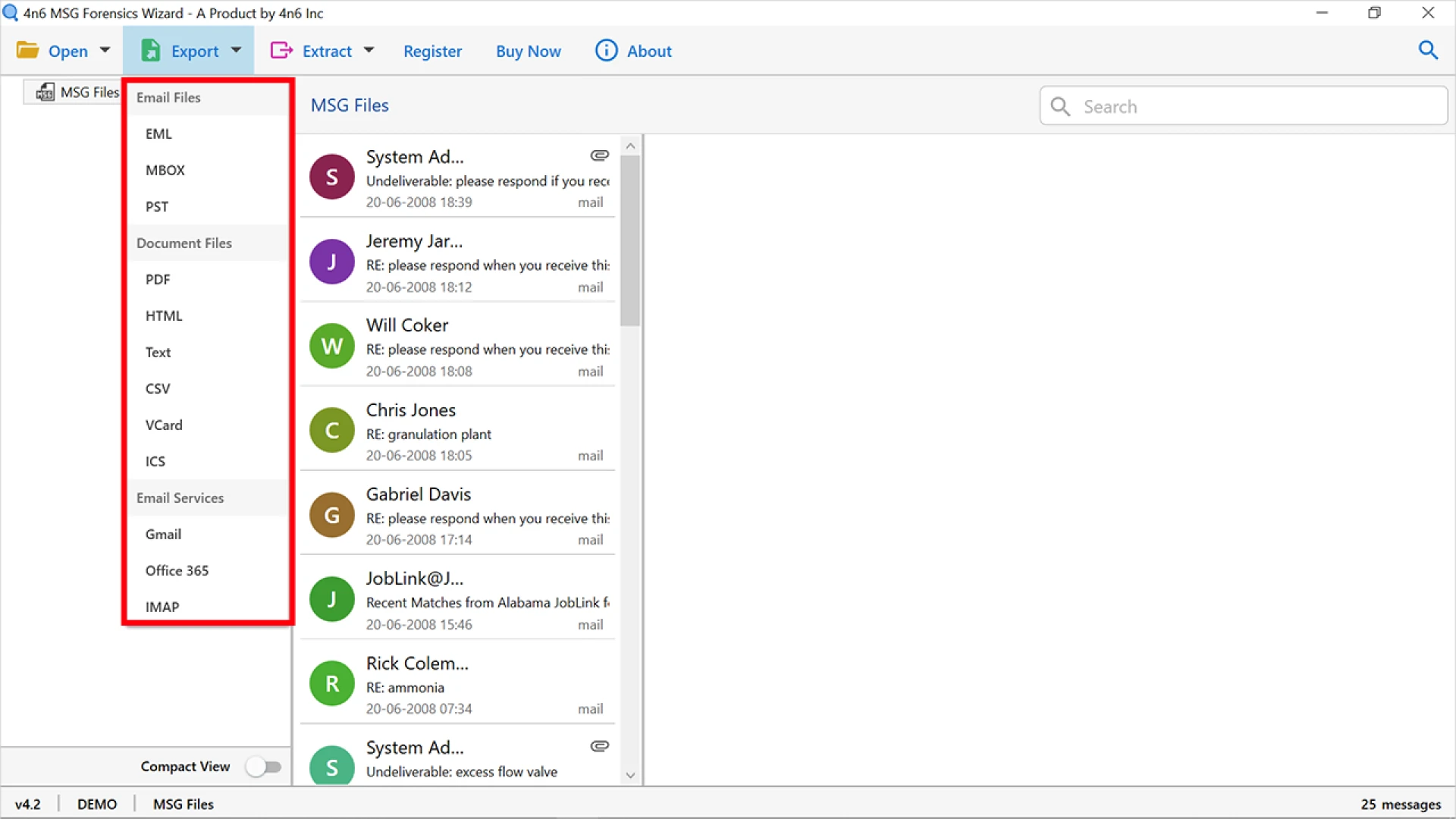

In this guide, you will learn the ways to convert Outlook message format to PDF documents. The procedures we are going to discuss are safe, simple, and trustworthy in their execution.
An Outlook message file is a file type that was created specifically for Microsoft Outlook and is used to save a single email. A message file in Outlook can include basic ASCII text, the primary message content, header information and many other things. It is possible that it is encoded in Binary, and it is considered a document file. An Outlook message file is a type of email message file that is linked with the Microsoft Outlook email application. If an attachment is attached to an email, it will be kept in the consolidated Outlook message file as well as the email.
A PDF file is an abbreviation for Portable Document Format, and as its name implies, it is a file containing a document. The PDF file has preserved all of the characteristics of a printed document, and it may be printed, viewed, or forwarded to another individual. A detailed explanation of every concept, including graphics and exact resolution, may be found in this document, which was originally created by Adobe Corporation.
Both the Outlook message file and the PDF file were discussed above. Now, let's take a look at why users require this form of conversion.
The following is a list of the various reasons why users need to convert Outlook Message format to PDF
By deleting the Outlook Message files that have been kept on their PCs, users can reduce the size of their email service significantly.Additionally, the user has the option of saving critical Outlook Message files in a designated folder for future reference.Users are unable to stop others from moving Outlook Message files from MS Outlook to the Windows Explorer desktop icon.The most important point to consider is that PDF files are mostly employed in forensic and legal investigations.Depending on the circumstances, the PDF file format may be used as a legally binding document in some scenarios.Provides options for securing the content and the entire document, such as watermarks, passwords, or digital signatures.Know how to convert Outlook message file to PDF document format
This process can be accomplished manually, online, or by an expert. We'll go through each one in depth below.
Manually convert your Outlook Message as PDF
Open an MSG file in Microsoft Outlook or any Outlook email.Then navigate to the File menu in Outlook.Select the Save As option from the File menu.Now save the file in the .html format in the location of your choice.Using your browser, navigate to that site and right-click on the.html formatted file and select "Open with MS Word."Then, in Microsoft Word, go to the File menu and pick the Save As option.Then choose the .pdf format to save the file in the PDF format, if necessary.Limitations
The procedure shown above is excellent for those who only need to convert a single Outlook message. However, if you have hundreds of thousands of Outlook message files, this operation will fail. In addition, as you can see, it is a highly time-consuming operation that does not permit mass conversion.
Online solutions to accomplish this task
If you perform a search on the internet, you will discover that there are several online options accessible to complete this work. The process is simple: you simply submit your Outlook message file and you will receive your converted files in a matter of minutes or seconds.
Limitations
They save your files on their server in real time as you upload them to their site.
They do not support the conversion of a large number of files at once.
After converting one or two files, they will request payment for their services to perform unlimited conversion.
What is the best way to get around all of the constraints of manual and online methods?
It can only be accomplished with the assistance of a third-party service. The MSG Converter Tool for Windows is the one that comes highly recommended. This application is capable of overcoming any limits. It is possible to convert thousands of Outlook message files to PDF, preserving all of the attributes, with this application. Additionally, it retains all of the attributes at all times. The software offers a complete list of advance features which make it best and unique.
The Conclusion
The information in the preceding article is beneficial to users who need to convert the Outlook message format to PDF. In this section, we discussed many approaches to doing this work. We recommend that you select the option that best meets your requirements. So, if you have the similar needs, please go with the solutions described above.










Sign in to leave a comment.