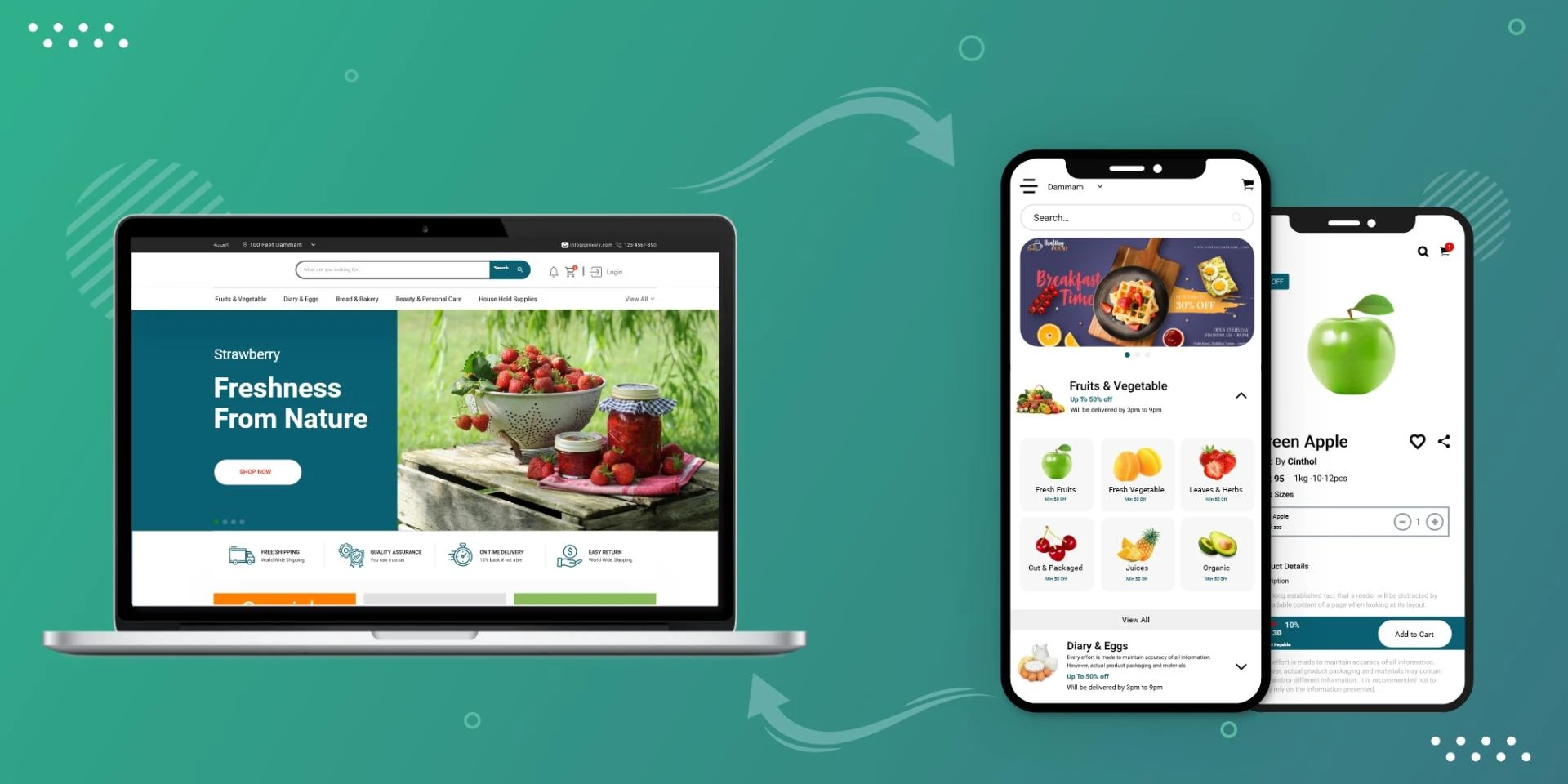

In the digital age, the seamless transition between web and mobile experiences is paramount to capturing user engagement. Convert Web App To Mobile App has become a strategic imperative for businesses aiming to provide a consistent and optimized experience across platforms. This comprehensive guide explores the process, benefits, challenges, and best practices of converting a web app into a mobile app.
Table of Contents:
IntroductionBenefits of Converting a Web App to a Mobile AppUnderstanding the Conversion ProcessNative Mobile Apps vs. Web AppsKey Considerations Before ConversionUser Experience AnalysisFeature PrioritizationPlatform SelectionSteps to Convert a Web App to a Mobile AppChoose the Conversion ApproachAdapt User Interface (UI) and User Experience (UX)Implement Mobile-specific FeaturesOptimize PerformanceTest RigorouslyBest Practices for Successful ConversionMobile-First DesignSimplified NavigationPerformance OptimizationUser Feedback IntegrationChallenges and MitigationsCross-Platform CompatibilityPerformance DiscrepanciesOffline FunctionalityTools and Frameworks for ConversionFuture Trends in Web-to-Mobile ConversionConclusion1. Introduction: With the proliferation of mobile devices, users expect consistent experiences across different platforms. Converting a web app into a mobile app is a strategic move that can enhance user engagement and accessibility.
2. Benefits of Converting a Web App to a Mobile App:
Enhanced User Engagement: Mobile apps offer more interactive and immersive experiences.Improved Accessibility: Mobile apps can be accessed with a tap, eliminating the need to open a browser.Device Features Integration: Leverage device capabilities like camera, GPS, and push notifications.Offline Functionality: Mobile apps can function offline, providing value even without an internet connection.Brand Recognition: An app icon on users' devices serves as a constant brand reminder.3. Understanding the Conversion Process:
Native Mobile Apps vs. Web Apps: Native mobile apps are developed for specific platforms (iOS, Android) using platform-specific languages (Swift, Java), while web apps run in browsers across platforms.
4. Key Considerations Before Conversion:
User Experience Analysis: Understand how users interact with your web app and adapt the experience for mobile devices.
Feature Prioritization: Identify essential features for mobile users and prioritize them for the conversion process.
Platform Selection: Decide whether to develop for iOS, Android, or both, based on user demographics and business goals.
5. Steps to Convert a Web App to a Mobile App:
Choose the Conversion Approach: Decide whether to create a native app or utilize frameworks like React Native or Flutter.
Adapt User Interface (UI) and User Experience (UX): Modify the app's UI/UX to fit mobile screens and ensure intuitive touch interactions.
Implement Mobile-specific Features: Leverage mobile-specific features like gestures, push notifications, and device APIs.
Optimize Performance: Streamline code, compress images, and minimize resources for quick loading times.
Test Rigorously: Thoroughly test the app across different devices and scenarios to ensure a seamless experience.
6. Best Practices for Successful Conversion:
Mobile-First Design: Prioritize mobile users by designing for mobile screens and functionalities.
Simplified Navigation: Create user-friendly navigation to ensure easy exploration of the app.
Performance Optimization: Optimize app speed and responsiveness to match user expectations.
User Feedback Integration: Incorporate user feedback to continually improve the app's usability and features.
7. Challenges and Mitigations:
Cross-Platform Compatibility: Address compatibility issues between different devices and operating systems.
Performance Discrepancies: Optimize performance to avoid discrepancies in speed and responsiveness.
Offline Functionality: Implement caching and local storage for a seamless offline experience.
8. Tools and Frameworks for Conversion:
React Native: Build native-like apps using JavaScript and React.Flutter: Develop apps with a single codebase using Google's UI toolkit.Xamarin: Create cross-platform apps using C# and .NET framework.9. Future Trends in Web-to-Mobile Conversion: Integration of AI and machine learning for personalized user experiences and automated conversion processes.
10. Conclusion: Converting a web app to a mobile app demands careful consideration of user experience, feature adaptation, and platform-specific functionality. Successful conversion can lead to increased user engagement, enhanced accessibility, and strengthened brand loyalty in an increasingly mobile-centric world. By adhering to best practices and staying attuned to emerging trends, businesses can navigate the conversion journey with confidence and reap the rewards of a seamless multi-platform user experience.












Sign in to leave a comment.