Microsoft offers a variety of business tools and services through its cloud-based platform, known as Office 365, which is accessed through the website portal.office.com. One of the most powerful tools available in the Office 365 suite is Power BI, a business analytics tool that enables users to visualize data, share insights, and make informed decisions. However, many users wonder whether portal.office.com provides direct access to Power BI. This article will explore how portal.office.com functions, the integration of Power BI within the Microsoft ecosystem, and how users can access and utilize Power BI through this platform.
Understanding portal.office.com
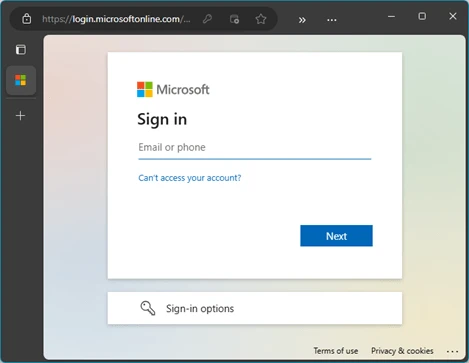
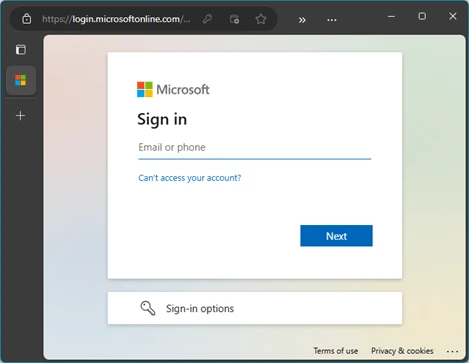
Portal.office.com is a central hub for Microsoft 365 users, providing a user-friendly interface for accessing various Microsoft tools and services. It is the gateway through which individuals, teams, and businesses can access cloud-based versions of Microsoft products like Word, Excel, PowerPoint, Outlook, and OneDrive, along with additional services like SharePoint and Teams. The platform is designed for easy access and management of these tools, and users can sign in to portal.office.com using their Microsoft account credentials.
Once logged in, users are presented with a personalized dashboard that offers quick access to recent documents, apps, and services. The portal is cloud-based, meaning that all the tools and documents are stored online, allowing for seamless collaboration and remote work. It also integrates with other Microsoft services, such as Azure Active Directory for identity management and security, as well as Dynamics 365 for customer relationship management (CRM) and enterprise resource planning (ERP).
Power BI: A Key Business Analytics Tool
Power BI is a suite of business analytics tools designed to help organizations analyze data, share insights, and make data-driven decisions. It enables users to create interactive reports, dashboards, and data visualizations, making it easier to understand trends and patterns within large datasets. Power BI connects to a wide range of data sources, including cloud-based services, on-premises databases, and spreadsheets, allowing users to centralize and integrate their data for better decision-making.
Power BI is offered in different tiers: Power BI Desktop, Power BI Pro, and Power BI Premium. Power BI Desktop is a free desktop application that allows users to create reports and dashboards locally. Power BI Pro, on the other hand, is a subscription-based service that enables sharing, collaboration, and access to more advanced features, while Power BI Premium provides additional scalability, security, and large dataset capabilities suited for enterprise-level organizations.
Given Power BI’s advanced features and its ability to handle complex data analytics, it has become a go-to solution for businesses looking to transform raw data into actionable insights. With the rise of cloud-based tools, Power BI is a critical part of the Microsoft 365 suite and integrates seamlessly with other Microsoft products like Excel, Teams, and SharePoint.
Accessing Power BI via portal.office.com
Now that we understand both portal.office.com and Power BI, the next question is: does portal.office.com provide direct access to Power BI?
The answer is yes, portal.office.com does provide access to Power BI. However, the access provided depends on the subscription level and the individual or organization's licensing plan for Microsoft 365. Power BI is integrated into the Microsoft ecosystem, and users can access it directly from the portal, but there are certain conditions and requirements to keep in mind.
1. Power BI for Microsoft 365 Subscribers
For users with a Microsoft 365 subscription, portal.office.com provides a central location where they can access Power BI as part of their license. Those who subscribe to Microsoft 365 Enterprise plans (such as E3 or E5) typically have access to Power BI Pro as part of their package, which allows them to create, share, and collaborate on reports and dashboards with others. If you are using an Enterprise plan, Power BI should be available as an app within the portal.office.com dashboard.
For users on business or educational plans, such as Microsoft 365 Business Standard or Business Premium, Power BI access may be more limited, with some plans only offering access to Power BI Desktop. However, organizations that require more extensive analytics features can purchase Power BI Pro or Power BI Premium licenses separately to enable full access to Power BI's capabilities.
2. Launching Power BI from the Portal
Once logged into portal.office.com, users can access Power BI in several ways, depending on their subscription and the layout of their dashboard. Here's how you can access Power BI:
Search Bar: On the portal's homepage, there is a search bar where you can type in "Power BI" to quickly find and open the application.
App Launcher (the 9-dot icon): This is the main navigation area in the upper-left corner of the portal, where you can find a list of commonly used Microsoft apps. If you have Power BI integrated into your Microsoft 365 plan, you can locate it here.
Direct URL: Alternatively, users can visit the Power BI service directly by going to the URL https://app.powerbi.com after logging into portal.office.com. This will take you to the Power BI interface, where you can access your reports, datasets, and dashboards.
3. Licensing Requirements
While portal.office.com does provide access to Power BI, users must have the appropriate licenses to unlock its full capabilities. Microsoft offers several licensing options for Power BI:
Power BI Free: This version is available to individuals who want to explore Power BI’s capabilities. It is mainly intended for personal use and offers limited sharing and collaboration options.
Power BI Pro: This is the most commonly used license for organizations. Power BI Pro allows users to create, share, and collaborate on reports and dashboards. It is available through Microsoft 365 Enterprise and Business subscriptions.
Power BI Premium: This is designed for large organizations that require more advanced features, such as higher data capacity, dedicated cloud resources, and large-scale deployment capabilities.
Without the necessary license, users may not be able to access certain features of Power BI, such as sharing reports with others or collaborating on dashboards. As such, ensuring that the appropriate licenses are in place is crucial for full functionality.
4. Power BI Integration with Other Microsoft Tools
One of the key advantages of using Power BI through portal.office.com is the tight integration with other Microsoft tools. For example, users can import data directly from Excel, connect to databases
stored in SharePoint, or collaborate on reports within Microsoft Teams. This integration allows organizations to streamline their workflow and make the most of their data across various departments.
Excel Integration: Power BI integrates seamlessly with Excel, allowing users to import Excel files directly into the Power BI service. This makes it easy to transition from simple data analysis in Excel to creating sophisticated visualizations in Power BI.
SharePoint Integration: Power BI can connect to data stored in SharePoint lists, making it a useful tool for teams that rely on SharePoint for document management and collaboration.
Teams Integration: Users can share and collaborate on Power BI reports directly within Microsoft Teams, enabling teams to stay informed and make data-driven decisions in real time.
How Portal.office.com Enhances the Power BI Experience
Accessing Power BI through portal.office.com offers several advantages to users, especially those working within the Microsoft ecosystem. By consolidating all Microsoft services into one interface, portal.office.com enables users to:
Centralized Access: Portal.office.com serves as a one-stop shop for all Microsoft tools, including Power BI, making it easy to manage all aspects of a project or workflow from a single platform.
Security and Compliance: Because Power BI is integrated into the Microsoft 365 ecosystem, users benefit from the advanced security and compliance features offered by Microsoft. This includes features like multi-factor authentication, identity management through Azure Active Directory, and data encryption.
Collaboration and Sharing: The integration of Power BI with other Microsoft tools, such as Teams, SharePoint, and OneDrive, makes it easy to collaborate on reports, share insights, and ensure that the right people have access to critical data.
Conclusion
In conclusion, portal.office.com does indeed provide access to Power BI, but the level of access depends on the user’s Microsoft 365 subscription and the specific licensing plan. Users can access Power BI through the app launcher, search bar, or by visiting the Power BI service directly. However, to unlock the full capabilities of Power BI, users may need to upgrade to a Power BI Pro or Premium license. Power BI's integration with other Microsoft tools, such as Excel, SharePoint, and Teams, further enhances its value and usability within the Microsoft 365 ecosystem, making it a powerful tool for organizations looking to harness their data for better decision-making.









Sign in to leave a comment.