


Choosing the best WordPress website design tool can be challenging. Comparing popular tools like Elementor and Advanced Custom Fields (ACF) can be confusing as both offer amazing features.
When considering customization features or flexibility in structuring your content, you can expect some differences between Elementor and Advanced Custom Fields. So, our professionally skilled WordPress website design team has curated this blog to help you choose the right tool for your website.
We will examine their features, strengths, and ideal use cases to help you decide which suits your requirements.
Therefore, scroll further to start learning.
Elementor: The Best Page Builder Tool
Elementor is a rich drag-and-drop page builder that helps users design responsive and creative websites without writing code. The web design tool delivers a user-friendly interface and an extensive library of pre-defined themes, templates, and widgets.
Features of Elementor
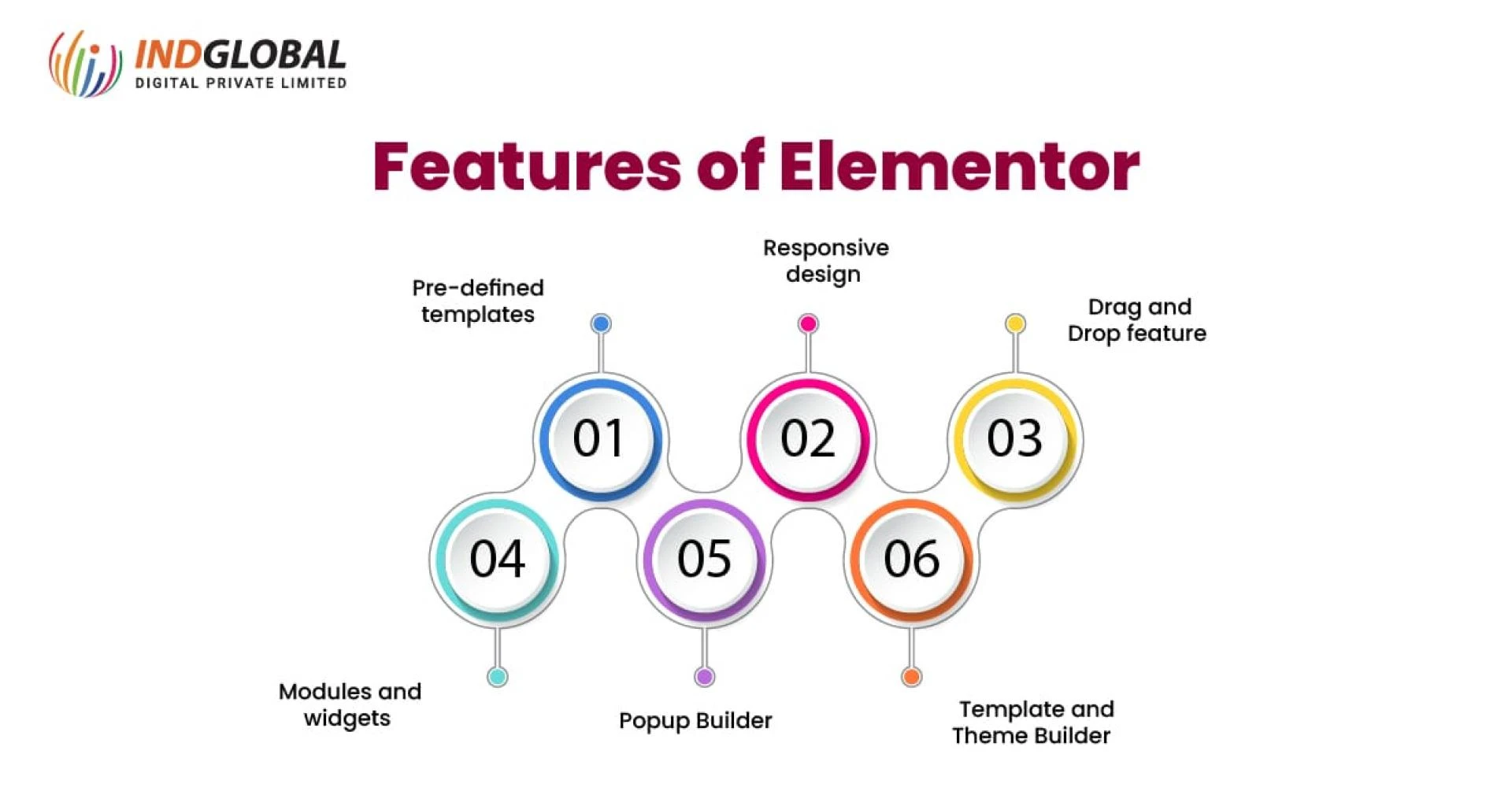
Pre-defined templates
Clients get access to a range of pre-designed blocks and templates.
Responsive design
Customers can ensure your online web store looks fantastic on all devices with personalized settings for several screen sizes.
Drag-and-Drop feature
The drag-and-drop features let the users create pages with a visual editor that lets them see real-time changes.
Modules and widgets
Elementor is the best web design tool. It offers multiple widgets for different content types, including text, images, and buttons.
Popup Builder
Consumers can develop appealing popups to advertise promotions or capture leads.
Template and Theme Builder
Elementor tool lets you design and customize headers, footers, and dynamic content across your website.
Use Cases of Elementor
Elementor is perfect for customers searching for an all-in-one and intuitive solution to create their websites. The website design tool is good for beginners and expert designers who need a fast, visual practice to design and customize their WordPress websites.
Advanced Custom Fields (ACF): The Personalization Expert Tool
Advanced Custom Fields (ACF) is a plugin that improves WordPress’s content management abilities to let users create custom fields and meta boxes. It is useful for developers to add technological features and content to their websites.
Features of Advanced Custom Fields (ACF)
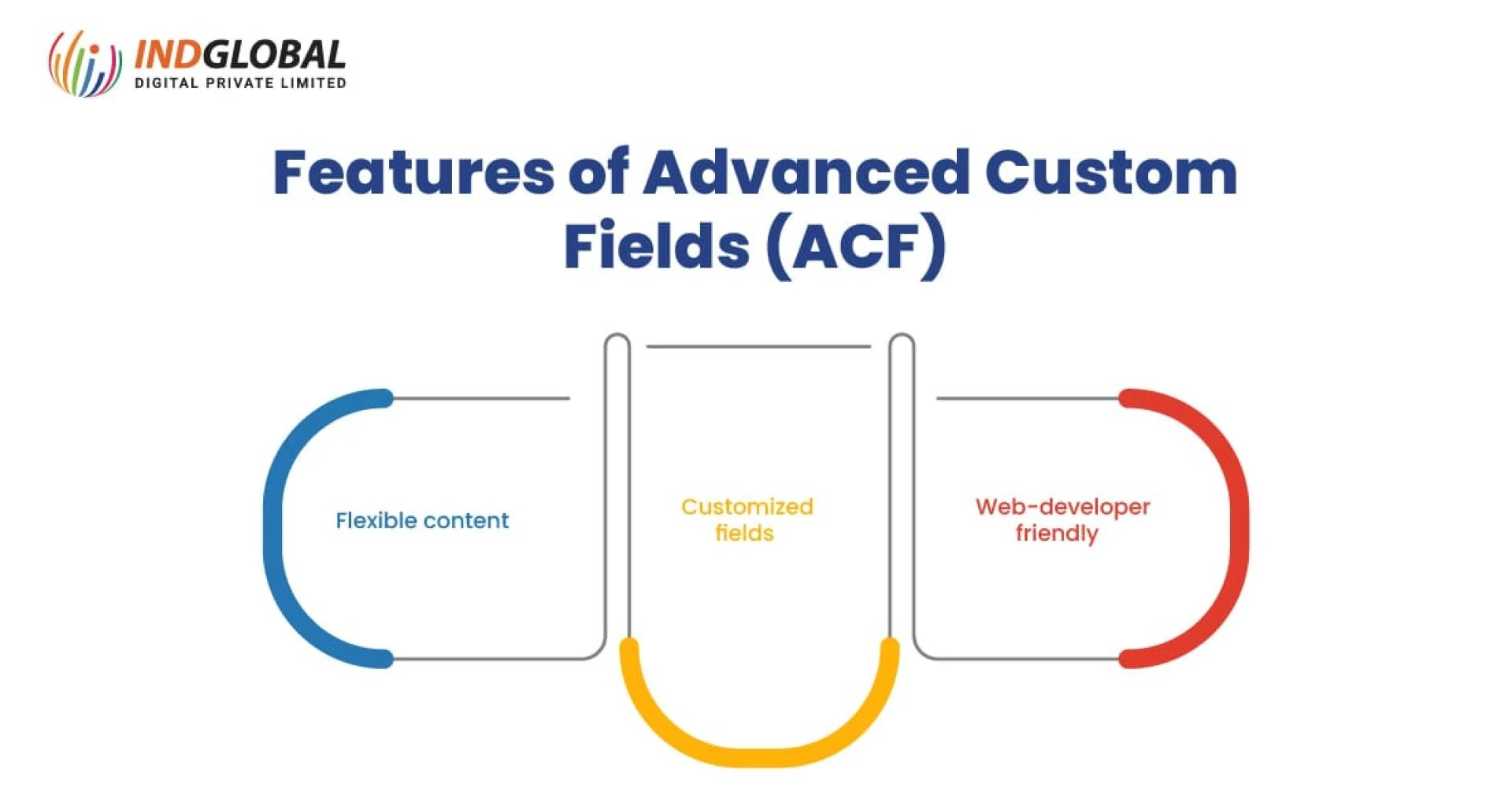
1.Flexible content
Users can design complex content with flexible and repeater fields.
2.Customized fields
Customers add personalized fields for images, text, dates, and more tailored to their needs.
3.Web-developer friendly
Integrate custom themes and plugins in your web store to control its features and functionalities.
Use Cases of Advanced Custom Fields (ACF)
Advanced Custom Fields or ACF is perfect for developers and users to develop highly customized content structures. The web design tool is best for projects with detailed content types and data. Also, ACF is used where more control over the backend is required.
Elementor vs ACF: A Comparative Analysis
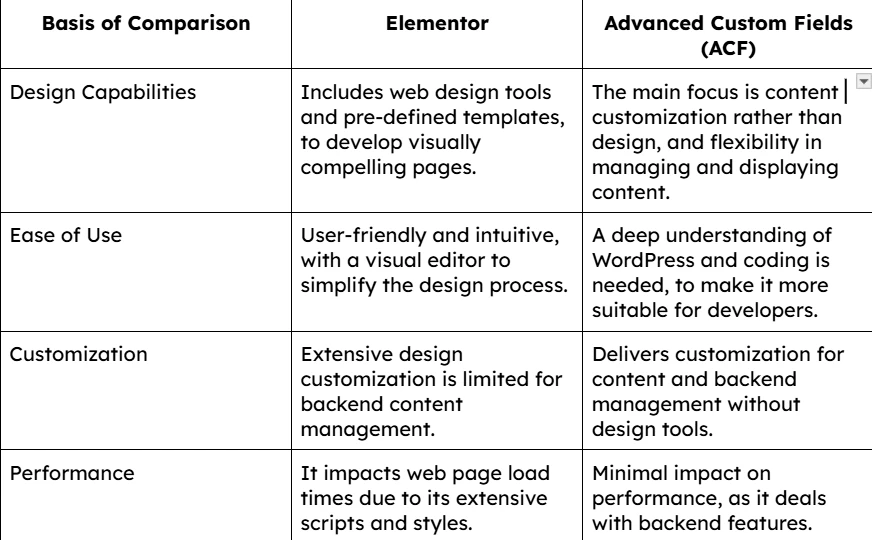
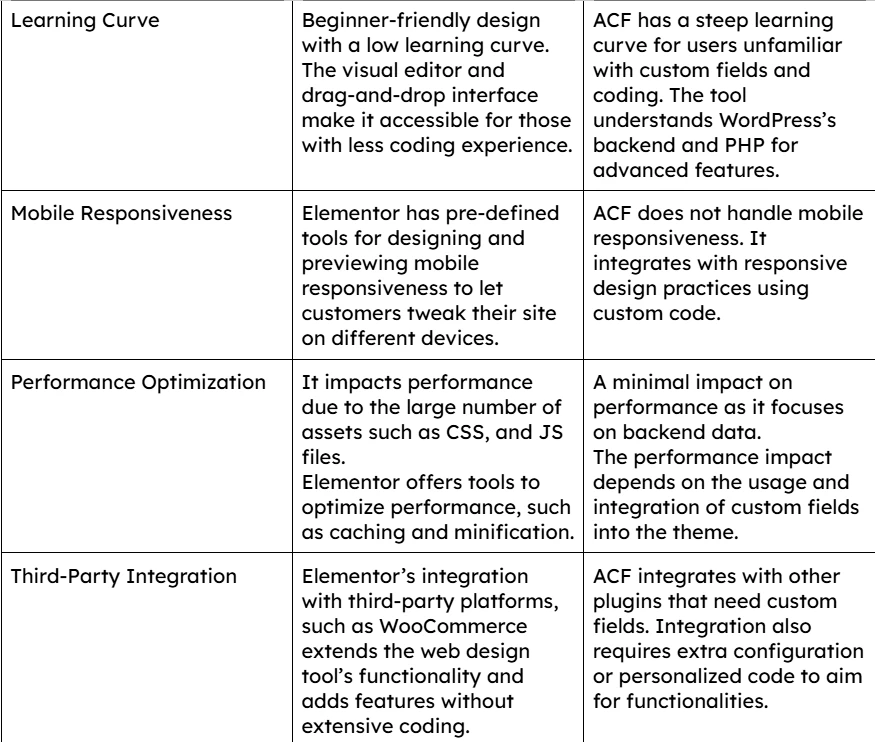
After reading this, you will get an idea of the platform to choose for your website developer.
Conclusion
Elementor and Advanced Custom Fields (ACF) are excellent web design tools. The Elementor tool offers user-friendly, visually designed expertise to users who want to create and customize their websites. In contrast, ACF includes advanced abilities for developers to create highly customizable and flexible content types.
Choosing between Elementor and ACF depends on your business requirements. If you focus on ease of design and visual control, Elementor is the better option. ACF is perfect for advanced content management and backend personalization.
Being the best WordPress website development company in Bangalore, our top WordPress developers are here for expert support. They will provide you with the desired guidance.
Request a quote today to connect with our team.























Sign in to leave a comment.