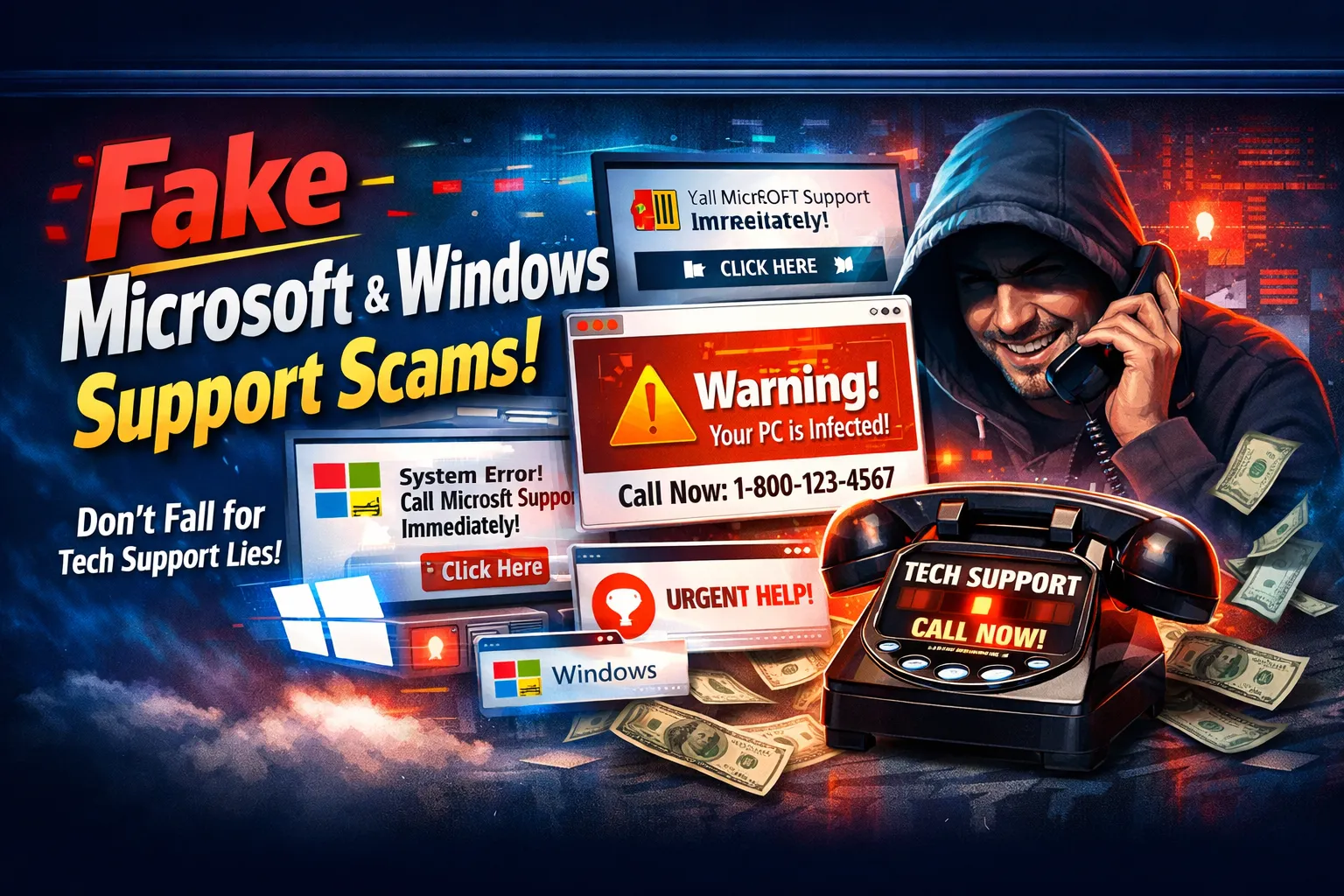

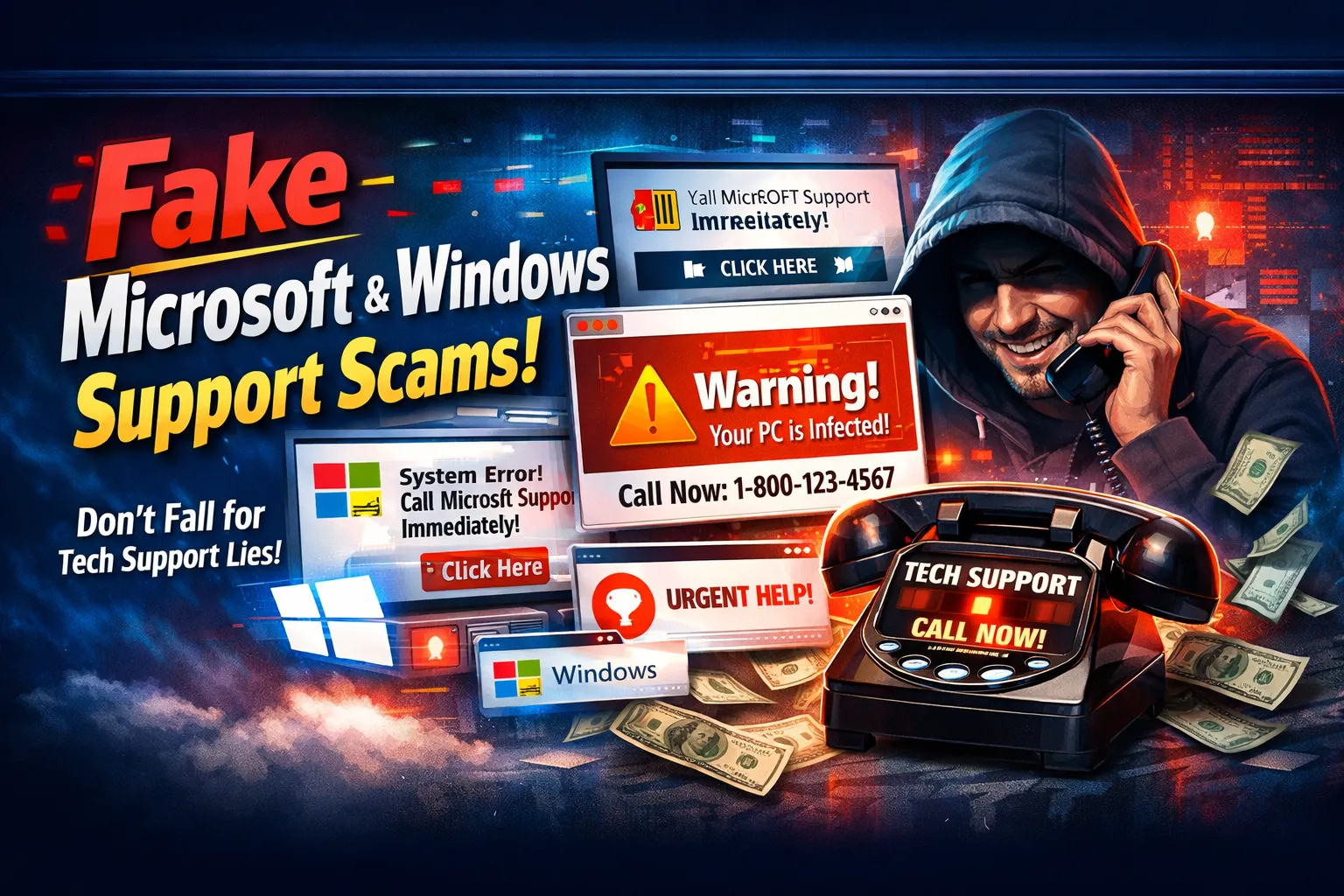
Imagine you're using your computer when suddenly a pop-up appears saying "Microsoft Support: Your Windows Has Critical Errors! Call 1-800-SUPPORT Immediately!" You panic, call the number, and a "technician" takes control of your computer. Before you know it, you've paid $300 for "repairs" you never needed, and your computer has real malware installed. This is one of the most common scams in 2026. This guide will show you exactly how these fake Microsoft scams work and how to stay safe.
What is a Fake Microsoft Support Scam?
A fake Microsoft support scam is when criminals pretend to be Microsoft or Windows support technicians. They trick you into calling a fake number or clicking a fake link, then convince you that your computer has problems that need fixing. Once they have your trust and access to your computer, they steal money, passwords, or install malware.
The scam feels real because:
- The pop-up looks official - It has Microsoft colors, logos, and professional design
- The message sounds urgent - "CRITICAL ERROR!" "IMMEDIATE ACTION REQUIRED!"
- The person on the phone sounds helpful - They act professional and know computer words
- They show fake problems - They make your screen show "viruses" that don't really exist
- They pressure you to pay - They create fake urgency to rush your decision
4.8 Million
People fall for this scam annually
$300-$1,500
Average amount stolen per victim
72%
Don't realize it was a scam for weeks
How These Scams Actually Work (Step-by-Step)
Step 1: The Fake Pop-Up Appears
You're browsing normally when a big pop-up suddenly fills your screen. It looks official - it has the Windows logo, the color blue (Microsoft's color), and scary messages. It says something like: "WARNING! Windows Defender has detected 37 dangerous viruses! Your computer will be locked in 60 seconds unless you call Microsoft support immediately: 1-800-WINDOWS."
Step 2: Fear Takes Over
Your heart races. "VIRUSES?!" "60 SECONDS?!" You panic and don't think clearly. The pop-up won't close. It keeps showing a countdown timer. It feels like an emergency, so you do what the pop-up asks - you call the phone number.
Step 3: The "Technician" Takes Over
A person answers the phone. They sound professional. They say their name is "John from Microsoft Support." They know your name, your location (from your IP address), and basic info about Windows. This makes them seem real. They ask you to tell them what the error message says.
Step 4: They Get Remote Access
The "technician" says, "I need to look at your computer to fix it. I'll send you a link. Click it so I can see your screen." You click, and suddenly they can control your computer. They can see everything you see - passwords, banking info, photos, everything.
Step 5: They Show You Fake Problems
Now that they control your screen, they type commands that show scary-looking messages. They say "Look! 37 viruses found!" They show you fake files labeled "malware" and "ransomware." None of this is real, but it looks real to someone who doesn't know computers.
Step 6: They Ask for Money
The "technician" says, "The good news is we can fix this. The bad news is it will cost $299 for a year of protection." They ask you to give them your credit card number. They process the payment. You're now scammed and they have your payment info.
Step 7: They Install Real Malware
Before disconnecting, the "technician" installs actual malware on your computer. Now your computer really is infected with real problems. They can spy on you, steal passwords, steal your identity. The fake virus is gone, but the real virus is there.
How to Spot a Fake Microsoft Support Scam
- Is the message using URGENT ALL-CAPS language? Real Microsoft doesn't panic. Real alerts are calm and informative.
- Does the pop-up have a phone number to call? Real Microsoft never gives phone numbers in pop-ups. They never ask you to call.
- Can't you close the pop-up? Real alerts close when you click X. Fake ones won't close no matter what you do.
- Does it ask for credit card information online? Real Microsoft support never asks for payment through pop-ups.
- Are you being asked to download something? Real Microsoft updates happen automatically. They don't ask you to download “fixes.”
- Is the message from a website, not Windows itself? Fake scams come from websites. Real ones come from your actual Windows system.
What If You Already Fell For It?
If you already gave them access or paid money, don't panic. Here's what to do:
- Disconnect immediately: Unplug your internet or turn off Wi-Fi right now. Stop them from accessing your computer.
- Change your passwords: From a different device (phone, tablet, different computer), change your email password, bank password, social media passwords - everything.
- Call your bank: Tell them you were scammed. Ask them to watch for unauthorized charges.
- Contact Microsoft: They have fraud reporting. Tell them what happened.
- Run antivirus scans: Download Malwarebytes (a removal tool) from a different device, transfer it to your computer, and run it.
- Get professional help: Take your computer to Viginet Software or a trusted technician.
How Viginet Protects You From These Scams
Pop-Up Blocker
Viginet software blocks 99% of fake Microsoft pop-ups before they even appear on your screen.
Real-Time Monitoring
We monitor suspicious websites that host these scams. If you accidentally visit one, we warn you.
Phone Number Verification
Viginet can check if a phone number is really from Microsoft or if it's a fake scammer number.
Malware Removal
If you've already been infected, Viginet's tools can detect and remove the malware criminals installed.
Scam Education
Viginet teaches you to recognize scams so you never fall for them in the first place.
24/7 Support
If you're unsure about something, Viginet experts are available 24/7 to help you verify it's real.
What You Should Actually Do If Something Seems Wrong
DON'T click links in pop-ups. DON'T call phone numbers from pop-ups. DON'T give remote access to strangers. Instead, go to Microsoft's OFFICIAL website (type it yourself in the address bar), find their support number (not from the pop-up), and call them. Ask if the warning you got was real. They'll tell you the truth immediately.
Common Questions About These Scams
Q: Can these scams happen on Mac computers?
A: Yes. Scammers also fake Apple support and send pop-ups claiming to be Apple Security. The same rules apply - don't call, don't click, go to the official Apple website.
Q: If I never call the number, am I safe?
A: Probably, but not 100%. Just seeing the pop-up might mean your computer is already exposed to other malware. Run an antivirus scan to be sure.
Q: How do real Microsoft support people contact you?
A: Through Windows Update (official updates from Windows itself), or through your Microsoft account if you reported a problem. They never contact you randomly through pop-ups.
Q: Is it safe to click "Don't Show Again" on a fake pop-up?
A: No. Don't click anything on a fake pop-up. Try closing it with the X button. If that doesn't work, force close your browser.
Remember These Golden Rules
- Microsoft NEVER calls you first. They wait for you to contact them.
- Real support NEVER asks for remote access through pop-ups. Only through official software you download from Microsoft's website.
- Real support NEVER asks for payment through pop-ups. Payment happens through your official Microsoft account.
- If it scares you, it's probably fake. Real security alerts are informative, not scary.
- When in doubt, call the official Microsoft support number (from their website), not the number in the pop-up.
Get Protected Today
Don't let fake Microsoft scams trick you. Viginet Software protects you with advanced pop-up blocking, scam detection, and 24/7 expert support.
We Protect You From: Fake pop-ups, Fake support numbers, Remote access traps, Malware installation, Payment scams
The Bottom Line
Fake Microsoft support scams are one of the easiest ways for hackers to steal money and install malware. But they only work if you panic and act without thinking. Now that you know how these scams work, you can stay safe. Remember: Microsoft never calls you first, real alerts don't panic you, and if something seems wrong, verify it through the OFFICIAL Microsoft website - not through the pop-up.
Stay alert. Stay skeptical. Stay safe. 🔒
Read More Blogs on Cybersecurity : Viginet Software Blogs


















Sign in to leave a comment.