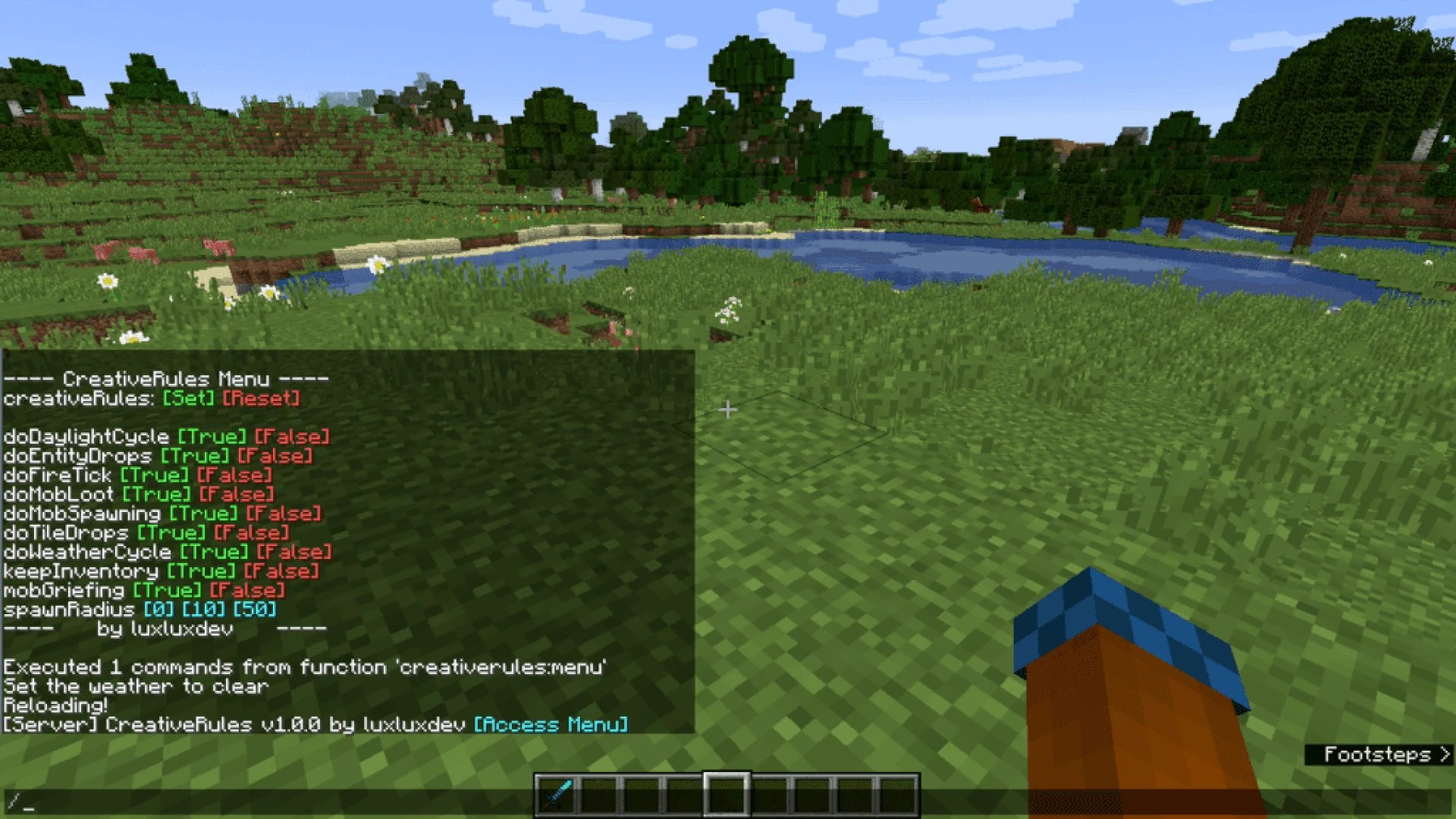

Minecraft is one of those games which is deeply rooted to the gathering of resources. Atleast, for those players who are playing hardcore or survival instead of creative mode, which features an unlimited range of resources from the inventory (creative). For those who have cheats enabled in the world, there are actually uncountable possibilities for customising the rules and different options that are applied to the game. One of these many options that are available to the players who want a more laid-black experience in Minecraft is to Keep Inventory activated or true. Now, the problem that players usually face regarding this is in activating this inventory. So if you are also facing issues or want to know how to turn on keep inventory in minecraft, then we got you covered through this article.
As you scroll down, you will find out complete details on how you can activate the keep inventory in Minecraft along with a few other things like what exactly does keep inventory do in Minecraft, why players want to have this inventory and much more. So continue to read to check out all the info.
What exactly does ‘Keep Inventory’ do in Minecraft?
Before we proceed further and find out how to turn on keep inventory in minecraft, it is important to know what exactly this inventory does. So keep Inventory is an in-game command which allows the players to keep their inventory even after dying. Usually when a player dies in Minecraft, their items are scattered on the floor in a form of circle from the location of death. After some time passes, 6000 in-game ticks or to be precise 5 minutes, the items on the floor simply despawn.
It is undoubtedly worth nothing that this is the 5 minutes of loading time. This means that to load all the chunks, the player needs to get close enough to their death location to start the timer. And once the chunks are being loaded, the despawn timer of the items begins.
You must know that Keep Inventory is that game setting which is not always available in the menu of the game. And to change or edit the settings, players need to play in a world with the cheats enabled. So Keep Inventory is easily changeable or toggleable through console commands, and thus is considered to be a ‘cheat’ according to the game rules.
How to turn on keep inventory in minecraft?
The command that is used to turn on or activate Keep Inventory is very simple. Players just need to as follows-
Firstly, they either need to open the chat and then enter a forward slash, or they need to hit the forward slash button, which actually opens up the chat with the slash input.
From here, players need to type ‘gamerule’ without any quotes. This function command helps to tell the game that the player is in search or looking to edit any one rule for the world.
Then after this, add a space to it and type ‘keep inventory’ without any quotes. Follow this by a space and then write ‘true’ without quotes.
Now this will tell the game that you want to retain the ‘keep inventory’. However, the world should also allow for this feature to be used by the players.
There are some other game rules as well such as doFireTick, which actually controls the fire and mob griefing.
Why do players want to ‘Keep Inventory’ in Minecraft?
There are very few things in the Minecraft game which are as frustrating as mining near a lava pool, dying near a fire source and losing all the items. And so one of the game rules- ‘keep inventory’ can alter this frustration of players, as they will not drop their items on dying. And believe me, this is a major timesaver.
This is definitely one of the best options for players who are new to the game, and who do not want to be googled down by the veteran players who are chasing other goals or by item collection.
Now, as we know how to turn on keep inventory in minecraft, we have provided below some more info about this game and on inventory related things such as how a player can keep the inventory after dying on different operating systems such as XBOX, PS4, Android etc. So just read further and find it all.
How to turn on keep inventory in minecraft or keep inventory after dying on XBOX?
Steps to keep inventory in Minecraft are almost similar for both XBOX and PS4. So to perform this action, players need to enable the cheats in the game and then execute them. And once the chats are on, just follow these steps-
Firstly, press on the D-Pad (right) on your controller.
Then, type ‘/gamerule keepInventory true’.
Then, press ‘enter’ to change this rule of the game in your world.
And once the command is activated, your items will not disappear from the inventory rows and Hotbar. You will also be able to respawn your game with a complete inventory.
So is it wrong to keep your inventory in Minecraft?
After knowing how to turn on keep inventory in minecraft and other things related to it, you might wonder whether it’s right to keep the inventory after dying or not. So, each player has a different opinion on this matter. While some say that in order to play this game properly, nobody should use the cheat codes as it distorts the basic rules of the game, others think that it is necessary to use cheat codes to relax while playing, especially when you are not using the multiplayer mode.
So when you are playing Minecraft with other players, keeping your inventory even after dying gives you some unfair advantages, and so it is considered cheating. But you can definitely do whatever you want if you mess around alone on your own. And if that means using cheat codes, most players aren’t against it.
























Sign in to leave a comment.