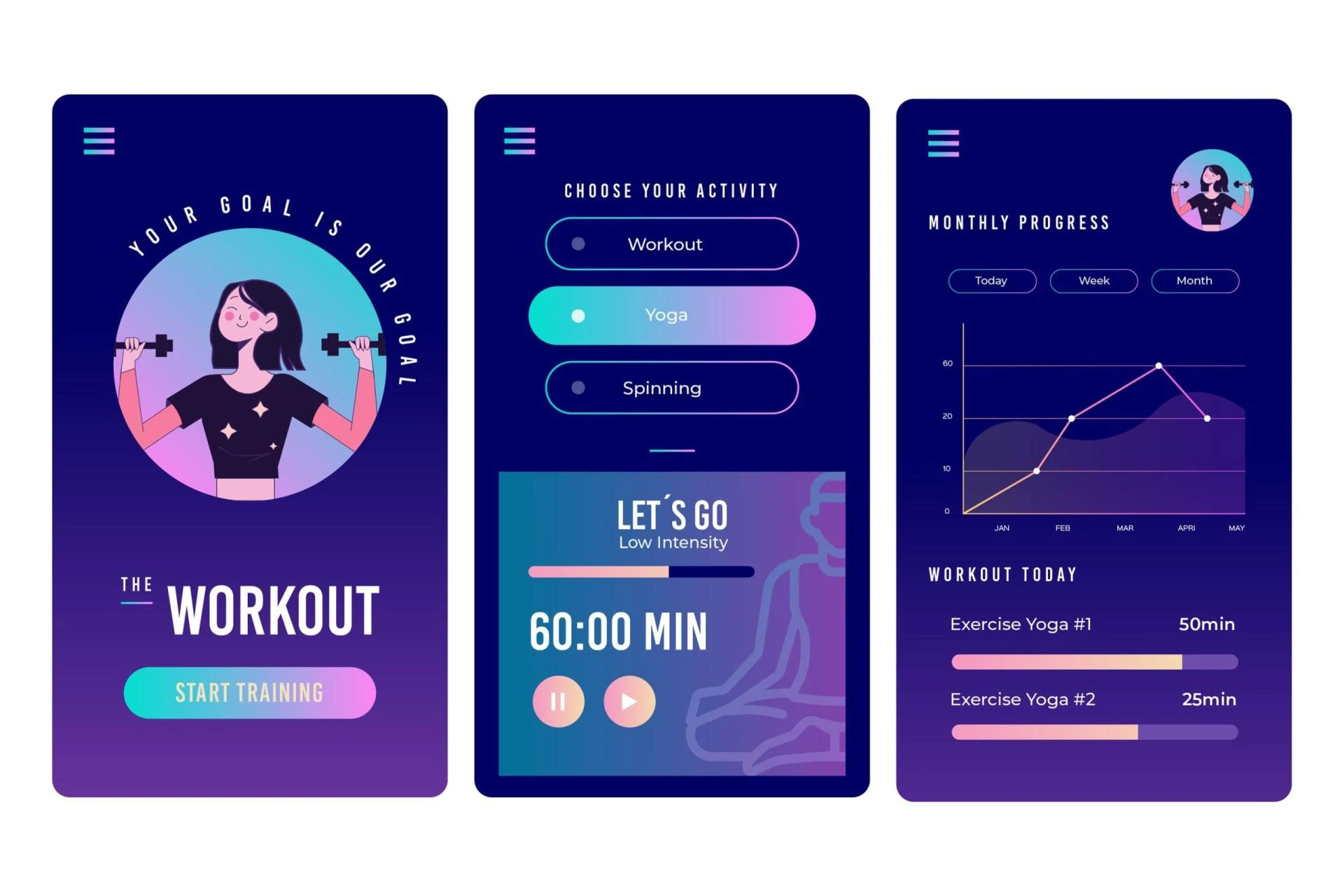

Fitness applications for at-home workouts are in high demand in a world where health and fitness are top priorities. The ease of doing out at home and the widespread use of smartphones make creating a fitness app a lucrative endeavor. However, how can you turn your concept into an app that is not only fully functioning but also stands out in the congested app market? This in-depth article will walk you through the process of creating a fitness app for at-home workouts, outlining the necessary processes, features, and potential costs.
Step 1: Idea and Market Research
A fantastic idea is the foundation of every successful app. Finding out who your target audience is and what they need specifically is the first step. Think about issues like:
Who would be your ideal client?What are their aims in terms of fitness?What difficulties do people have when exercising at home?Which features are missing from the current fitness apps?Understanding your competitors, seeing market gaps, and perfecting your app concept all depend on market research. To find out about the merits and weaknesses of popular fitness apps, look at MyFitnessPal, Fitbod, and Nike Training Club.Step 2: Define Your Unique Value Proposition
You need a unique selling proposition (USP) if you want to stand out in the crowded fitness app industry. This may be a unique feature, a specific training approach, or even a potent brand identity. The key to the success of your app will be its USP.
Step 3: Choose the Right Platform
Make the decision between building your fitness app for iOS, Android, or both. Budget, target market, and the fitness app developer's experience will all have an impact on your choice. By creating a single app for both platforms, cross-platform development tools like React Native and Flutter can help you save time and costs.
Step 4: Design Your App
User Interface (UI) and User Experience (UX) Design
For your app to draw in and keep users, its design is essential. Think about the following elements:
Intuitive Navigation: Users should easily find workouts, track progress, and access settings.Attractive Visuals: Use high-quality images and videos to demonstrate exercises.Customization: Allow users to personalize their workout plans and settings.Feedback: Provide real-time feedback during workouts to keep users engaged.Prototype and WireframingCreate wireframes and prototypes to visualize your app's layout and functionality. Tools like Figma, Sketch, or Adobe XD can help you with this.Step 5: Development
Backend Development
Your fitness app's backend manages user data, exercises, and communications. If you lack the technical know-how, take into account employing skilled developers or contracting out this work to a development company.
Frontend Development
Users interact with the front end. It ought to be user-friendly, responsive, and consistent with your design. Make sure your app functions correctly across a range of screen sizes and resolutions.
Database and Server Setup
Create a safe database to keep user profiles, exercise schedules, and progress information. To manage the traffic for the app, pick a trustworthy server infrastructure.
Features Development
Let's go into the key components your workout fitness app should have now:
User Registration and Profile
Registration:
Allow consumers to register accounts through phone, social media, or email.
User Profile:
Allow users to enter their body measurements, create personal objectives, and follow their fitness journey.
Workout Plans
Custom Workouts:
Offer a range of exercise programs with beginning, moderate, and expert levels.
Exercise Database:
Provide a collection of exercises with thorough directions and instructional videos.
Progress Tracking:
Allow users to create reminders, track their progress, and report their workouts.
Nutrition and Diet Integration
Calorie Tracking:
Help users monitor their calorie intake and expenditure.
Meal Planning:
Offer tools for meal planning and make wholesome dish recommendations.
Social and Community Features
Social Sharing:
Let users share their achievements and progress on social media.
Community Forums:
Create a space for users to connect, share tips, and motivate each other.
Wearable and IoT Integration
Wearable Compatibility:
Sync with fitness trackers and smartwatches for accurate data tracking.
IoT Integration:
For seamless exercise, connect to home gym equipment.Subscriptions and In-App PurchasesOffer both no-cost and enhanced free and premium subscription programs.For in-app purchases, implement secure payment channels.Push Notifications:
To keep people interested, send reminders, exercise recommendations, and inspirational messages.
Step 6: Testing and Quality Assurance
Make sure your app is fully tested to ensure faultless operation. Testing must consist of:
Functional Testing:
Check if all features work as expected.
Usability Testing:
To enhance the app's user experience, solicit input from actual users.
Security Testing:
Ensure user data is protected from breaches.
Performance Testing:
Check the responsiveness and speed of the app.
During testing, fix any defects and problems that appear.
Step 7: Launch and Marketing
Launch Strategy
Plan your app launch carefully. Consider factors like timing, target audience, and app store optimization (ASO). Create engaging app store listings with eye-catching visuals and compelling descriptions.
Marketing and Promotion
Promote your app through various channels:
Social Media:
Use platforms like Instagram, Facebook, and Twitter to create a buzz.
Content Marketing:
Start a fitness blog or YouTube channel to provide valuable content.
Influencer Marketing:
Partner with fitness influencers to reach a broader audience.
Email Marketing:
Build an email list and send regular updates to your subscribers.
App Store Ads:
Invest in paid ads within app stores to increase visibility.
Step 8: Maintenance and Updates
The effort you perform doesn't cease with the app's release. In today's rapidly evolving fitness landscape, maintaining users and remaining competitive requires constant upkeep, innovation, and improvements. Consider integrating a custom fitness app that not only tracks users' progress and goals but also adapts to their evolving needs. To improve, take into account user comments and new trends.
Cost Considerations:
The cost of developing a home workout fitness app can vary widely depending on several factors:
Development Team:
The cost of hiring developers, designers, and QA testers.
Features: The complexity and number of features you want to include.Platform: Developing for both iOS and Android will cost more than one platform.Third-party Services: Expenses for integrating third-party services like payment gateways, fitness data, and analytics.Marketing: Budget for promoting your app.Maintenance: Ongoing costs for server hosting, bug fixes, and updates.As a rough estimate, developing a basic fitness app for a single platform can start at $10,000 to $50,000. More advanced apps with extensive features can cost over $100,000.
In a nutshell, creating fitness software for at-home workouts involves meticulous preparation, technological know-how, and a thorough comprehension of your target market. Although it can be a large investment, there is a lot of room for success in the market for health and fitness apps. By following these guidelines and providing useful features, your app can assist users in reaching their fitness objectives and leading healthier lives. Keep in mind that developing a great app requires time and effort; as a result, hold fast to your idea and continue to evolve your app to satisfy user needs in the ever-evolving world of fitness technology.









Sign in to leave a comment.