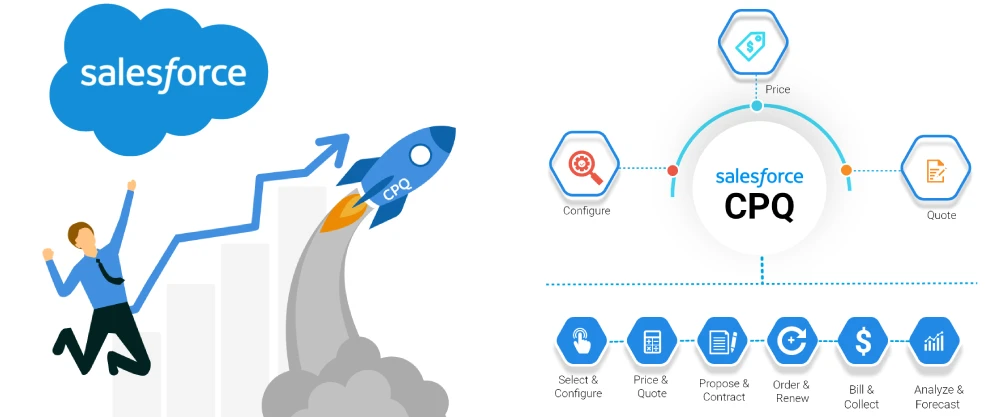

Speed and accuracy are essential in sales. Imagine closing deals in record time without the headaches of manual pricing and quoting errors. CPQ (Configure, Price, Quote) software promises precisely that. By streamlining quoting and automating pricing, Salesforce CPQ—part of Salesforce Revenue Cloud—empowers your team to eliminate delays and errors, allowing them to focus on building relationships and closing deals.
Salesforce CPQ accelerates quote generation by 36% and reduces invoicing errors by 27%, while also increasing upselling by 22%, according to a Salesforce study. As a core component of Salesforce Revenue Cloud, Salesforce CPQ integrates seamlessly with your existing CRM, ensuring pricing accuracy and end-to-end automation.
But what exactly is Salesforce CPQ, and how can it benefit your business? This guide will help Salesforce CPQ admins navigate implementation to maximize adoption and ROI.
Salesforce CPQ Implementation in 9 Steps
- Plan and Set Goals: Define goals, set a budget, create a timeline, and assess risks. Keep stakeholders informed with a communication plan.
- Document Requirements: Assess workflows and identify bottlenecks. Define project scope and user roles.
- Configure Products, Pricing, and Rules: Set up product catalogs, pricing rules, discounts, and templates. Ensure configuration aligns with your sales strategies.
- Thorough Testing: Conduct unit, integration, user acceptance, performance, and security tests to ensure Salesforce CPQ meets your needs.
- Role-Based Training: Tailor training for each user role to promote adoption. Ensure team members understand how CPQ fits into daily workflows.
- Integrate with Other Systems: Connect Salesforce CPQ to CRM, ERP, and accounting software to synchronize data across departments.
- Migrate Pricing and Quote Data: Assess, map, extract, load, and validate data to ensure accurate and complete transfer into Salesforce CPQ.
- Launch the Solution: Communicate launch details, offer training, and provide support materials. Monitor initial usage and be patient with productivity dips.
- Ongoing Maintenance and Support: Regularly maintain the system, support end users, and gather feedback to ensure the tool’s success.
Why Brysa for Salesforce CPQ Adoption?
Salesforce CPQ can transform sales processes, but new software adoption often comes with a learning curve. Brysa, a digital adoption platform (DAP), can streamline your team’s CPQ learning experience. With Brysa’s real-time, in-app support, employees can confidently navigate Salesforce CPQ from day one. Brysa provides interactive walkthroughs, step-by-step guides, and context-specific assistance to ensure a smooth transition, helping users adopt Salesforce CPQ into their daily workflows effectively.
Brysa offers personalized training on demand, so users can access help precisely when they need it, reducing friction and enabling teams to focus on closing deals rather than managing quotes. Whether configuring quotes or handling the full revenue cycle, Brysa empowers your team to get the most out of Salesforce CPQ.
Explore how Brysa can simplify Salesforce CPQ implementation, boost adoption, and empower your sales team from day one.


























Sign in to leave a comment.