
Accurate attendance records are important for every organization. Whether it is a small office, school, retail store, warehouse, or large company, attendance data affects payroll, working hours, leave records, and workforce planning. Manual registers and traditional attendance methods can create mistakes because employees may forget to mark attendance, enter incorrect timings, or record information inaccurately.
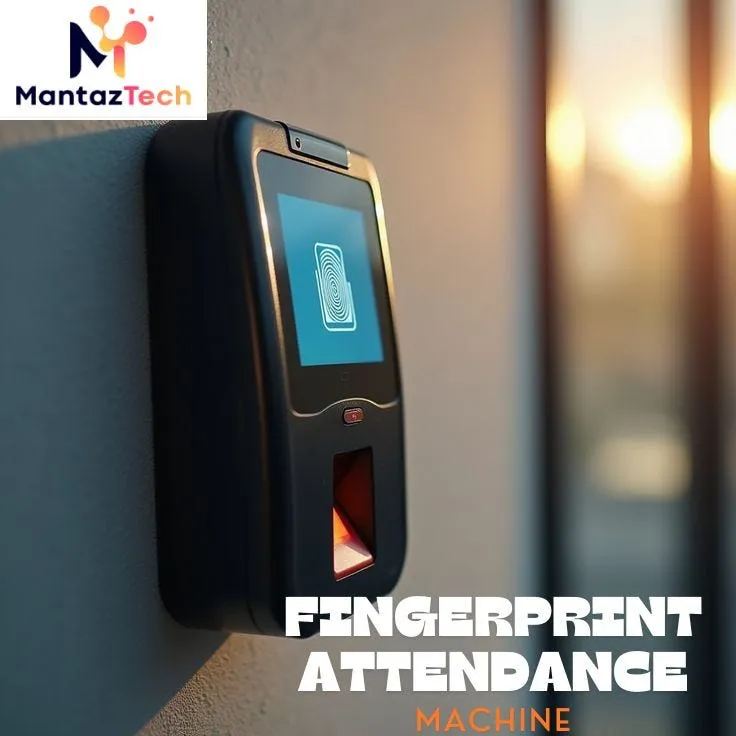
A fingerprint attendance machine offers a more reliable way to record employee attendance. Instead of depending on paper records, signatures, or manual data entry, it uses an employee’s unique fingerprint to identify them. This makes attendance recording faster, more consistent, and easier to manage.
Common Causes of Attendance Errors
Before understanding how biometric attendance technology helps, it is useful to know why attendance errors happen. Manual attendance systems often depend on employees or supervisors entering information correctly. Even a small mistake can affect the final attendance report.
Some common causes include:
- Employees forgetting to mark their attendance
- Incorrect entry or exit times
- Mistakes while writing names or employee IDs
- Duplicate attendance records
- Lost or damaged attendance registers
- Incorrect calculation of working hours
- Difficulty tracking late arrivals and early departures
- Unauthorized attendance marking
- Errors during payroll preparation
When an organization has many employees, checking these records manually can take considerable time. A digital system can reduce many of these problems by automatically recording attendance information.
How Fingerprint Identification Improves Accuracy?
A fingerprint attendance machine identifies employees through their unique biometric characteristics. During enrollment, an employee’s fingerprint is registered in the system. When the employee arrives or leaves, they place their finger on the scanner, and the system compares the fingerprint with the stored record.
Because fingerprints are unique, employees cannot normally mark attendance using another person’s card or password. The system also records the exact time associated with each successful verification.
Reduces Proxy Attendance
Proxy attendance is one of the major challenges with traditional systems. For example, when employees use cards, passwords, or attendance sheets, one person may sometimes mark attendance for another employee.
Biometric identification makes this much more difficult. A fingerprint attendance machine connects the attendance record to the employee’s registered biometric identity. A colleague cannot simply use another employee’s attendance card.
Prevents Manual Data Entry Mistakes
Manual data entry is another common source of errors. A supervisor may accidentally enter the wrong employee number, time, date, or status. Correcting these mistakes can become difficult when there are hundreds of records.
With an automated attendance system, the employee’s identification and timestamp are captured electronically. This reduces the amount of information that staff members need to enter manually.
Provides Accurate In-Time and Out-Time Records
Attendance accuracy is not limited to knowing whether an employee was present. Organizations may also need to know when employees arrived and when they left.
A fingerprint attendance machine records attendance events with their associated timestamps. This helps organizations monitor working schedules, late arrivals, early departures, and overtime more effectively.
Makes Attendance Data Easier to Review
Digital attendance records are generally easier to organize and review than paper registers. Managers can use stored attendance information to understand employee attendance patterns and identify unusual records.
For example, if an employee frequently arrives late, the attendance data can make the pattern visible. Similarly, missing attendance entries or unusual working hours can be identified more quickly.
Helps Reduce Payroll-Related Errors?
Attendance information is often connected to payroll. Incorrect attendance records can therefore lead to incorrect salary calculations, overtime payments, deductions, or leave adjustments.
A fingerprint attendance machine can provide structured attendance information that HR and payroll teams can use when preparing salary records. Automated reports reduce the need to manually calculate every employee’s working time.
Saves Time for HR and Managers
Checking attendance manually can consume valuable working hours. HR employees may need to collect registers, verify entries, calculate working hours, and investigate missing information.
Mantaz Technologies provides technology solutions that can support organizations seeking more organized approaches to attendance and workforce management. The right system can help businesses reduce repetitive administrative tasks while maintaining better attendance visibility.
Improves Accountability
Accurate attendance records also create greater accountability. Employees know that their arrival and departure information is recorded electronically. Managers can use attendance reports to understand workforce availability without relying entirely on handwritten records.
A fingerprint attendance machine can therefore support a more transparent attendance process. Employees have a clear method for recording attendance, while HR teams have digital information that can be reviewed when necessary.
What Happens When a Fingerprint Is Not Recognized?
No biometric system is perfect. Fingerprints may sometimes fail to scan because of dirt, moisture, dry skin, minor injuries, sensor issues, or incorrect finger placement.
Mantaz Technologies can help organizations understand the practical requirements involved in implementing biometric attendance solutions. Proper setup, employee enrollment, system configuration, and maintenance all contribute to reliable results.
How to Get Better Results from a Biometric Attendance System?
Simply installing a device is not enough to guarantee accurate attendance. Organizations should follow a few basic practices:
- Enroll employees correctly: Make sure fingerprints are captured properly during registration.
- Keep employee information updated: Remove inactive employees and update records when required.
- Maintain the scanner: Keep the biometric sensor clean and in good working condition.
- Create clear attendance policies: Employees should know how and when to mark attendance.
- Review reports regularly: Check unusual records before using attendance data for payroll.
- Keep backup procedures: Have a process for handling device failures or temporary technical problems.
- Train employees: Simple instructions can prevent many scanning and usage problems.
These steps help organizations get more value from their attendance technology.
Is a Fingerprint System Suitable for Every Workplace?
A fingerprint attendance machine can be useful for many workplaces, including offices, factories, warehouses, educational institutions, retail businesses, and service organizations. However, the best solution depends on workforce size, working environment, shift patterns, integration requirements, and organizational policies.
Mantaz Technologies offers solutions for businesses that want to improve the way they manage identification and attendance processes. A properly selected system can help create a more organized and dependable attendance environment.
Frequently Asked Questions
1. How does a fingerprint attendance system reduce errors?
It records attendance through biometric identification instead of relying on handwritten entries or shared cards. This reduces manual entry mistakes, duplicate records, and proxy attendance.
2. Can employees mark attendance for someone else?
Biometric identification makes proxy attendance much harder because the system verifies the registered fingerprint rather than simply accepting a card or password.
3. Does the system record arrival and departure times?
Yes. Most attendance systems can record different attendance events with timestamps, allowing organizations to monitor in-time, out-time, late arrivals, and other attendance details.
4. Can fingerprint attendance data help with payroll?
Yes. Accurate attendance information can support working-hour calculations, overtime tracking, leave management, and other payroll-related processes. The exact features depend on the software and system configuration.
5. What should employees do if their fingerprint is not recognized?
They should try again with the correct finger placement and ensure the finger and scanner are clean. If the problem continues, HR or the system administrator should check the employee’s biometric registration and device condition.
Conclusion
Attendance errors may appear small, but repeated mistakes can create larger problems in payroll, workforce planning, employee records, and daily management. Manual registers and shared identification methods can make it difficult to maintain consistently accurate records.
A fingerprint attendance machine provides a practical way to automate employee identification and attendance recording. By reducing manual entry, limiting proxy attendance, capturing timestamps, and making records easier to review, biometric technology can significantly improve attendance accuracy.
contact now!!!
visit here — https://mantaztech.com/fingerprint-attendance-machine/

























Sign in to leave a comment.