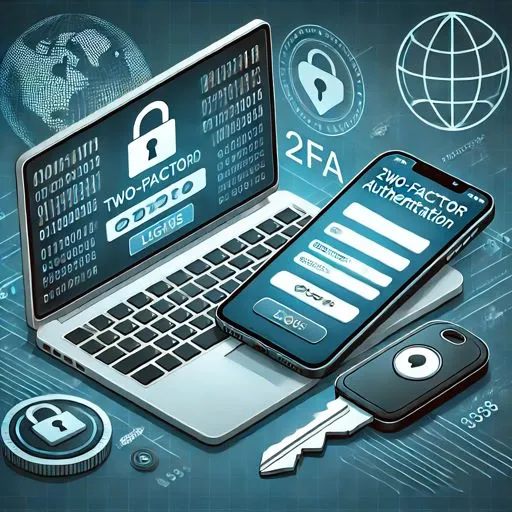
A User Authentication Solution improves user experience without compromising security by allowing people to access applications and data quickly while making sure only the right users can sign in. Instead of creating long passwords, remembering many login details, or facing repeated login requests, users can enjoy a smooth and secure sign-in process. At the same time, businesses can protect sensitive information, reduce the risk of unauthorized access, and build trust with customers, employees, and partners. When security works in the background without slowing users down, everyone benefits.
As businesses continue to move more work, services, and customer interactions online, secure access has become one of the most important parts of digital operations. Every login is a chance to protect valuable information, but it is also a chance to provide a better experience. If users find the login process confusing or time-consuming, they may leave the application, contact support, or even stop using the service. A modern User Authentication Solution helps businesses avoid these problems by making access both safe and simple.
The Growing Need for Better User Authentication
Every business depends on digital access. Employees work from different locations, customers use online services, and partners connect through shared systems. Each person needs secure access without unnecessary delays.
Older login methods often depend only on passwords. While passwords are still common, they are also one of the biggest security risks. Weak passwords, reused passwords, and stolen passwords can all lead to data breaches.
A modern User Authentication Solution solves these problems by using different ways to confirm a user's identity while keeping the login process smooth.
Some common business challenges include:
- Password fatigue caused by managing multiple accounts
- Frequent password reset requests
- Unauthorized login attempts
- Security risks from weak passwords
- Delays caused by complex login steps
- Poor user satisfaction due to difficult access processes
A better authentication process addresses both security and usability at the same time.
Understanding What a User Authentication Solution Does
A User Authentication Solution verifies that the person trying to access an application or system is the correct user. Instead of trusting only a password, it can combine different methods to confirm identity before allowing access.
These methods may include:
Password-Based Authentication
The user enters a username and password.
Multi-Step Verification
Additional verification is requested when needed.
Biometric Authentication
Identity is confirmed through fingerprint or facial recognition.
Device Recognition
Trusted devices are recognized during login.
Risk-Based Authentication
The system checks login behavior before deciding whether additional verification is required.
Each method adds another layer of protection while reducing unnecessary effort for genuine users.
How Better Authentication Improves User Experience
Many people think stronger security automatically means a more difficult login process. Modern authentication proves that this does not have to be true.
Faster Access
Users spend less time signing in.
Instead of typing passwords repeatedly, they can access applications through faster verification methods.
Benefits include:
- Less waiting time
- Fewer login failures
- Better productivity
- Faster access to business applications
Fewer Password Problems
Password resets are one of the biggest reasons users contact IT support.
A User Authentication Solution reduces this problem by offering different verification methods that lower the need to remember many passwords.
This means:
- Fewer forgotten passwords
- Less frustration
- Lower support costs
- Better user satisfaction
Consistent Login Experience
Employees often use multiple business applications every day.
When authentication follows the same process across applications, users enjoy a smoother experience.
Consistency helps users:
- Understand the login process
- Complete tasks faster
- Reduce confusion
- Work without interruptions
Strong Security Without Making Login Difficult
Security should protect users without becoming an obstacle.
Modern authentication focuses on balancing both goals.
Identity Verification
Every login request is checked before access is granted.
This helps prevent:
- Unauthorized access
- Account takeover
- Identity misuse
- Suspicious login attempts
Adaptive Authentication
Not every login needs the same level of verification.
If a user signs in from a trusted device and location, access may remain simple.
If something unusual happens, additional verification can be requested.
Examples include:
- Login from a new country
- Unknown device
- Unusual login time
- Multiple failed attempts
This keeps everyday access easy while responding quickly to possible threats.
Making Remote Work More Secure
Remote work has changed how businesses manage access.
Employees now connect from:
- Home offices
- Customer locations
- Branch offices
- Mobile devices
A User Authentication Solution helps businesses maintain security regardless of where users are working.
Key advantages include:
- Secure remote login
- Better identity verification
- Protection for business applications
- Reduced risk of unauthorized access
Better Protection for Customer Accounts
Customers expect secure online services.
If logging in becomes difficult, many users leave before completing their tasks.
Good authentication improves customer satisfaction by offering:
- Quick login
- Secure account protection
- Simple verification
- Safe online transactions
Customers gain confidence knowing their personal information is protected.
Reducing Business Risk
Cyber attacks often begin with stolen login credentials.
Businesses that depend only on passwords face higher risks.
A strong User Authentication Solution helps reduce:
- Account compromise
- Data breaches
- Financial loss
- Operational disruption
- Unauthorized system access
Reducing these risks protects both business operations and customer trust.
Helping IT Teams Work More Efficiently
Authentication does more than protect users.
It also helps IT teams manage access more efficiently.
Daily improvements include:
Easier User Management
IT teams can:
- Add users
- Remove users
- Update permissions
- Monitor login activity
from one central process.
Lower Support Requests
Fewer password issues mean fewer support tickets.
This allows IT teams to spend more time on important business projects.
Better Visibility
Authentication systems provide useful information about login activity.
This helps security teams identify unusual behavior early.
Supporting Business Growth
As organizations grow, more employees, customers, and partners need secure access.
Authentication should grow with the business.
A scalable User Authentication Solution supports:
- New employees
- New business locations
- More applications
- Larger customer bases
- Changing security needs
Growth becomes easier because authentication remains consistent across expanding environments.
Building Trust Through Secure Access
Trust is important in every business relationship.
Users expect businesses to protect their information.
Secure authentication shows that protecting customer and employee data is a priority.
Benefits include:
- Better customer confidence
- Improved employee trust
- Stronger business reputation
- Long-term customer relationships
Trust grows when users know their information is handled safely.
Important Features to Look for in a User Authentication Solution
Every business has different security needs, but several features are valuable for most organizations.
Flexible Authentication Methods
Users should have multiple secure ways to verify their identity.
Easy User Experience
The login process should remain simple and quick.
Strong Security Controls
Authentication should protect accounts against common cyber threats.
Centralized Management
Administrators should manage users from one location.
Activity Monitoring
Login activity should be monitored to identify unusual behavior.
Scalability
The solution should support future business growth without major changes.
Common Mistakes Businesses Should Avoid
Even strong authentication can become less effective if businesses make avoidable mistakes.
Common mistakes include:
- Depending only on passwords
- Ignoring suspicious login activity
- Delaying access reviews
- Giving users unnecessary permissions
- Not updating authentication policies
- Providing little user awareness about secure login practices
Avoiding these issues helps maintain both security and user satisfaction.
Best Practices for Successful Authentication
Businesses can improve both security and user experience by following several practical steps.
Keep Login Steps Simple
Users should complete authentication without unnecessary delays.
Verify High-Risk Activity
Additional verification should appear only when login behavior changes.
Review User Access Regularly
Access permissions should match each user's role.
Monitor Authentication Activity
Regular monitoring helps identify unusual patterns before problems grow.
Support Secure Remote Access
Authentication should protect users working from different locations.
Continue Improving Authentication Policies
Business needs change over time. Authentication processes should change as well to address new security challenges.
The Future of User Authentication
Authentication continues to improve as business needs change.
Future authentication methods will focus on:
- Smarter identity verification
- Better login experiences
- Stronger protection against cyber threats
- Faster authentication processes
- Greater support for remote and hybrid work
Businesses that improve authentication today will be better prepared for future security requirements while providing a better experience for every user.
Conclusion
A User Authentication Solution is no longer just a security tool. It plays an important role in creating a smooth, secure, and trusted digital experience for employees, customers, and business partners. By reducing password problems, improving login speed, protecting sensitive information, and adapting to changing security risks, businesses can improve both user satisfaction and data protection at the same time. A thoughtful authentication strategy helps people access what they need quickly while keeping unauthorized users out, creating a safer and more efficient digital environment.





























Sign in to leave a comment.