
A sales team can spend hours building a prospect list, only to discover that a large share of the addresses are outdated, misspelled, disposable, or unable to receive mail. The result is wasted sends, bounced messages, weaker sender reputation, and reps chasing contacts who were never reachable.
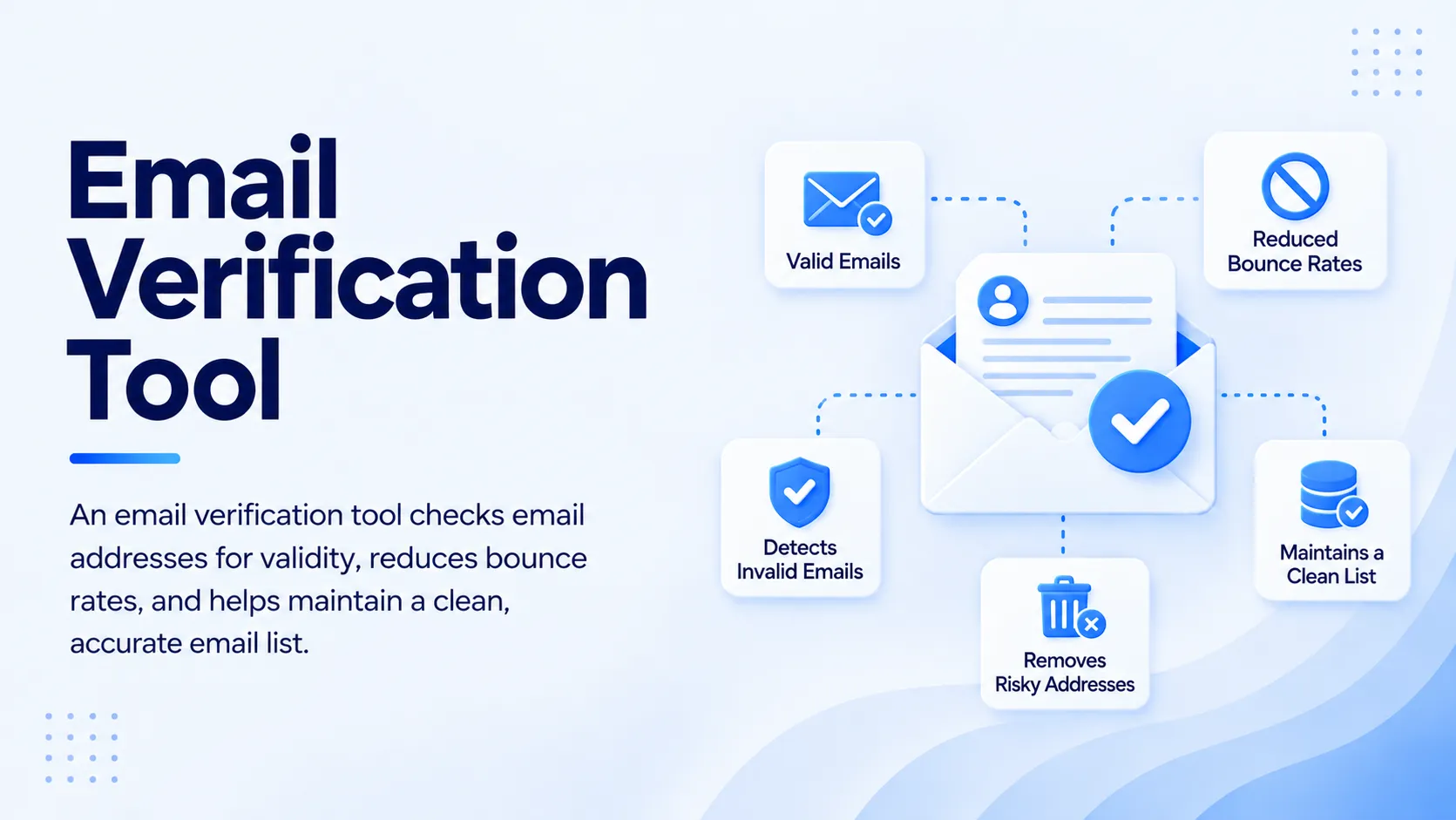
An email verification tool checks whether a business email address is likely to receive email before your team sends a campaign. It checks the address format, domain, mail exchange records, and mailbox response, then adds risk signals such as disposable or catch-all status. For B2B teams, the goal is simple: remove bad addresses before they become bad sends.
What Is B2B Email Verification and How Does It Work?
B2B email verification is a pre-send quality check for professional email addresses. A good verification workflow goes beyond asking whether an address looks valid. It checks whether the domain can receive email, whether its mail server responds, and whether the address presents delivery risk.
The process normally starts with syntax validation. The tool checks for malformed addresses, missing domains, invalid characters, and common typing errors. It then checks DNS and MX records to confirm that the domain has an active mail server. The final technical layer can use an SMTP handshake to determine how the receiving server responds without delivering an actual email.
The important distinction is that verification does not guarantee a reply. It tells your sales team whether an address is suitable for sending based on available technical and risk signals. A valid address can still belong to an uninterested buyer, a poorly targeted account, or a mailbox with strict filtering.
That distinction matters for outbound teams. Clean data gives your messaging a better starting point, but targeting, relevance, authentication, sending behavior, and recipient engagement still affect delivery.
How Does an Email Verification Tool Check a Business Email?
An email verification tool typically evaluates several signals before returning a result. The exact checks vary by provider, but the workflow follows a practical sequence.
Step 1: Check the email format
The first check looks for obvious formatting problems. An address with missing characters, an invalid domain structure, or an incorrect separator can be rejected before any server-level test takes place.
This simple layer matters for sales teams working with manually entered data. One character can turn a valid prospect into a bounce.
Step 2: Check the domain and MX records
The tool checks whether the business domain exists and whether it publishes MX records. MX records tell sending systems which mail servers handle email for that domain.
If the domain has no usable mail route, the address should not move into an outbound sequence. This prevents your team from spending sending capacity on contacts that have no functional destination.
Step 3: Perform an SMTP-level check
The verification service can communicate with the recipient's mail server and inspect its response without sending the actual message. This gives the system a stronger signal about whether the mailbox can accept email.
SMTP behavior is not always definitive. Some organizations hide mailbox information or accept every address at the domain level. That is where risk classification becomes more important than a simple valid or invalid label.
Step 4: Identify risky addresses
A modern verifier can flag disposable domains, role-based addresses, catch-all domains, and other signals that deserve caution.
Catch-all domains are particularly important in B2B prospecting. A receiving server may accept mail for almost any address, making it impossible to confirm the individual mailbox with certainty. A useful verification workflow should mark this condition rather than treating every address as equally safe.
Step 5: Return a usable status
The final result should help a sales rep decide what to do next. Depending on the platform, statuses may include valid, invalid, risky, catch-all, disposable, or unknown.
The value is not the label itself. The value comes from turning that label into an action, such as removing the contact, holding it for review, or moving it into an outreach sequence.
What Is the Difference Between Email Verification and Email Validation?
Email validation is often used as a broad term for checking whether an email address follows technical rules. Verification goes further by checking domain and mailbox-level signals.
| Check | Email validation | Email verification |
|---|---|---|
| Syntax | Yes | Yes |
| Domain check | Sometimes | Yes |
| MX record check | Sometimes | Yes |
| SMTP mailbox check | Not always | Common |
| Disposable detection | Limited | Common |
| Catch-all detection | Limited | Common |
| Risk classification | Limited | Common |
| Sales workflow decision | Limited | Stronger |
For B2B sales, the distinction matters. A syntactically correct address can still bounce. A domain can exist without the specific mailbox being usable. A catch-all server can accept an address without confirming that the intended recipient exists.
That is why a serious verification process should combine multiple signals instead of relying on format checking alone.
Why Does B2B Email Verification Matter for Sales Outreach?
Poor contact data creates a chain reaction. Bad addresses generate bounces, bounces waste campaign capacity, and repeated delivery problems can contribute to poor sender performance.
Gmail's sender guidance requires authentication and recommends keeping reported spam rates below 0.1%, with 0.3% treated as a level that can create serious delivery problems. Gmail also monitors authentication, reputation, and delivery errors through Postmaster Tools.
Verification cannot solve sender reputation by itself. It can remove one major source of avoidable problems: sending messages to addresses that should have been filtered before launch.
For a sales leader, the benefit is operational. Reps spend less time cleaning spreadsheets, campaign managers have cleaner audiences, and outbound sequences start with a stronger data foundation.
SalesTarget.ai puts this check inside the outbound workflow. Its Lead/Email Validator uses MX and SMTP checks, disposable-email detection, and risk scoring, with real-time API verification and bulk list cleaning. That means verification can happen before contacts enter an active sales sequence rather than becoming a separate manual task.
If your outbound team is still checking prospect emails in a separate tool, bring verification closer to the point where leads enter your workflow. SalesTarget.ai can verify and route B2B contacts before reps spend time writing to them.
When Should Sales Teams Verify B2B Emails?
The best time to verify a prospect email is immediately before it becomes part of an active outreach workflow. Verification at the point of data entry catches problems before they spread into CRM records, lists, and sequences.
Teams should verify newly enriched contacts before sending. A fresh prospect record can contain stale or uncertain information, even if the source appears reputable.
Bulk lists deserve another pass before a campaign launches. Old lists change as people change jobs, companies reorganize, domains expire, and inboxes are deactivated. A list that was clean months ago should not automatically be treated as clean today.
SalesTarget.ai can place verification directly alongside prospect enrichment. Its platform states that 90% of emails are validated before sending, helping teams reduce the distance between finding a contact and deciding whether that contact belongs in an outbound campaign.
What Should You Look for in Email Verification Software?
A useful verification platform should give sales teams more than a green checkmark. It should produce actionable data that fits the way prospecting actually works.
Look for multi-layer checks rather than syntax-only validation. MX and SMTP checks provide stronger signals than formatting alone.
Risk classification matters too. A system that separates invalid, risky, disposable, and catch-all addresses gives reps more control than a binary valid or invalid result.
Real-time verification is useful when new prospects enter your CRM or outreach workflow every day. Bulk verification matters when operations teams clean an existing database or prepare a large campaign.
Integration should be another consideration. If a rep must export contacts, upload a spreadsheet, download results, and import the cleaned file again, verification becomes another operational bottleneck.
The strongest setup makes verification part of prospecting rather than a disconnected cleanup project.
For teams evaluating tools, a practical B2B email verification tool guide can help clarify which checks matter before selecting a workflow.
How Does SalesTarget.ai Compare With a Standalone Email Verifier?
A standalone verifier focuses on one job: assessing email addresses. That can work well when your team already has a mature prospecting stack and only needs a dedicated verification layer.
SalesTarget.ai takes a different approach by placing verification inside a broader outbound system. Its Lead Explorer combines prospect discovery and enrichment, then the Lead/Email Validator can assess professional email addresses before outreach.
That creates a shorter workflow:
Find the prospect → enrich the record → verify the email → launch outreach → track replies → manage the opportunity.
The same platform supports email outreach, LinkedIn outreach, phone activity, CRM workflows, and AI assistance. The practical advantage is less movement between point tools.
Its email validator uses MX/SMTP checks, disposable-email detection, and risk scoring. Its outreach system can then use verified contacts inside email sequences, LinkedIn workflows, and CRM activity.
For an outbound team, this changes the role of verification. It becomes a gate inside the revenue process rather than a cleanup task owned by someone else.
If your reps lose time moving prospect data between an enrichment platform, verifier, sequencing tool, and CRM, consolidate the workflow. SalesTarget.ai gives outbound teams one workspace for finding, verifying, contacting, and tracking prospects.
What Are the Best Practices for B2B Email Verification?
Start verification before outreach, not after the first bounce. A bad address is cheapest to remove before it reaches a live campaign.
Treat catch-all results with caution. A catch-all domain does not necessarily mean the address is bad. It means the verification system cannot confidently confirm the individual mailbox through normal server behavior. Your team can apply additional qualification signals before deciding whether to send.
Do not confuse verification with deliverability. Your sending domain still needs proper authentication and good sending practices. Gmail requires authentication for senders and has additional requirements for high-volume senders, including SPF, DKIM, and DMARC.
Keep verification close to enrichment. If a prospect's email is found today, verify it before it enters a sequence. This reduces the chance that questionable data sits untouched in the CRM and later gets reused.
Finally, monitor campaign outcomes instead of treating verification as a one-time database cleanup. If a source consistently produces risky or invalid addresses, fix the source rather than repeatedly cleaning the same problem downstream.
What Mistakes Should Teams Avoid With Email Verification?
The first mistake is trusting a list simply because it came from a paid data provider. Data providers can supply useful records, but no database stays perfectly current.
The second mistake is treating every "valid" result as guaranteed deliverability. Verification is based on technical signals. Mailbox policies, recipient behavior, authentication, sender reputation, and filtering can still affect delivery.
The third mistake is ignoring risky results. Catch-all and unknown addresses should not automatically enter the same sequence as confidently verified contacts.
Another common mistake is verifying only once. B2B contact data changes. A clean database needs ongoing maintenance, particularly for teams that add large numbers of prospects every week.
The final mistake is separating verification from sales operations. If the cleaned list never reaches the CRM correctly, or reps can still add unverified contacts to campaigns, the verification process has not solved the underlying workflow problem.
How Can an Email Verification Tool Improve B2B Outreach?
A verification workflow improves B2B outreach by filtering questionable addresses before they consume campaign capacity. It can reduce avoidable bounces, improve list quality, save rep time, and give sales teams more confidence in the contacts entering sequences.
The bigger gain comes from connecting verification with prospecting. A verified address sitting in a spreadsheet does little for revenue. A verified prospect that moves directly into a coordinated email, LinkedIn, and CRM workflow is far more useful.
That is where an integrated platform has an operational advantage. SalesTarget.ai combines B2B prospect data, enrichment, email verification, multichannel outreach, CRM activity, and AI assistance in one workspace. Its platform reports 840M+ professional profiles, 146M+ business entities, 4,000+ intent signals, and 50+ data sources, giving teams a path from prospect discovery to verified outreach.
Final Thoughts
B2B email verification works by combining several technical and risk checks to determine whether a professional address is suitable for outreach. Syntax checks catch obvious errors, domain and MX checks confirm mail infrastructure, SMTP checks provide mailbox-level signals, and risk detection helps identify disposable, catch-all, or questionable addresses.
The practical lesson is simple: do not wait for a bounce to tell you that your prospect data is weak.
An email verification tool is most useful when verification happens before a contact enters a live sequence and when the result immediately affects what your sales team does next. SalesTarget.ai brings that workflow into the same platform used for prospect discovery, enrichment, multichannel outreach, and CRM management.
If your team is losing sales time to bad prospect data, make verification a built-in step before outreach. Use SalesTarget.ai to find, verify, contact, and manage B2B prospects from one outbound workspace.


















Sign in to leave a comment.