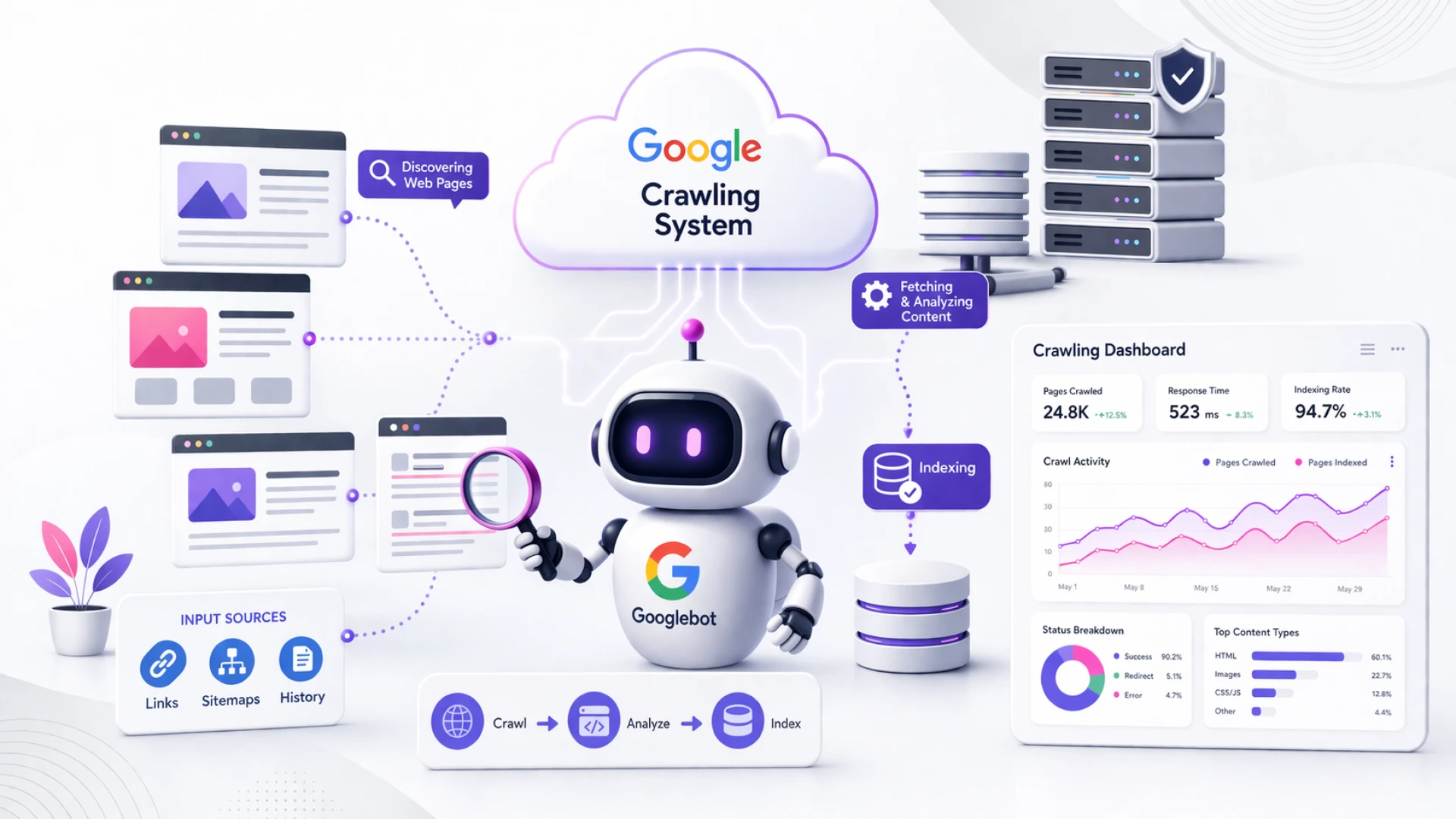

If your website isn’t ranking on Google, one of the biggest reasons is simple:
Google is not properly crawling or understanding your site.
Most business owners think “Googlebot” is just a simple bot visiting websites.
But in reality…
It’s a complex cloud-based system that decides what to crawl, when to crawl, and how much to crawl.
In this guide by MindHuntz, we’ll break down:
- How Google crawling actually works
- Why most websites fail in SEO
- How you can optimize your site for better crawling & rankings
What is Googlebot (Really)?
Most people imagine Googlebot as:
❌ A single bot
❌ A simple program
But that’s not true.
Googlebot is actually just one client interacting with a larger crawling system
Real Explanation:
- Google has a central crawling infrastructure (like a SaaS system)
- Different systems send requests to fetch pages.
- Googlebot is just one of those “clients”
Think like this:
Googlebot is not the engine — it’s just one driver using the engine.
How Google Crawling Works
URL Discovery
Google finds URLs from:
- Internal links
- Backlinks
- Sitemaps
- Previously crawled pages
Crawl Request
Google sends a request to your server:
“Can I fetch this page?”
Server Response
Your server responds with:
- HTML content
- Headers
- Status codes (200, 404, etc.)
Crawl Decision
Google decides:
- Should I crawl more pages?
- Should I slow down?
- Is this content valuable?
Indexing
If valuable → added to Google index
If not → ignored
Why Google Doesn’t Crawl Your Site Properly
Crawl Budget Waste
If your site has:
- Duplicate pages
- Parameter URLs
- Thin content
Google wastes time crawling useless pages
Slow Website
Google monitors server speed.
If your site slows down: Google reduces crawl rate
Wrong Robots.txt
Blocking important resources (like CSS/JS):
Google cannot understand your page
Weak Internal Linking
If pages are not linked properly:
Google cannot discover them easily
Important Insight Most People Don’t Know
From the transcript:
Google automatically slows down crawling if your server struggles or returns errors
Example:
- Server response time increases
- Google detects it
- Crawling reduces
Crawl Limits (Very Important)
Google does NOT crawl everything fully.
There are limits.
Key Limits:
- Default fetch size limit (around MB-level thresholds)
- Large pages may be partially ignored
- Heavy pages reduce efficiency
Geo-Blocking Can Kill Your SEO
If your site blocks users from certain countries:
Google may fail to access your content
Result:
- Pages not indexed
- Rankings drop
How to Optimize Your Website for Google Crawling
Fix Technical SEO First
- Allow CSS & JS
- Fix robots.txt
- Use proper sitemap
Improve Internal Linking
Create clear structure:
- Homepage → Services
- Services → Sub-pages
- Blogs → Services
Reduce Crawl Waste
Remove:
- Duplicate pages
- Thin content
- Unnecessary parameters
Improve Page Speed
- Use CDN
- Compress images
- Optimize scripts
Build Authority
Google crawls high-authority sites more.
Final Thoughts
Google crawling is not random.
It’s a smart, controlled system designed to:
- Avoid overloading websites
- Prioritize valuable content
- Optimize resources



























Sign in to leave a comment.