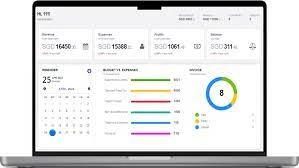

Managing invoices can be a hassle, can't it? If you’re running a small business in Australia, you probably spend a significant chunk of your time dealing with invoicing. Well, invoicing software might be the game-changer you need. This software automates the invoicing process, making it faster, more accurate, and less stressful. Let's dive into how invoicing software can help streamline your business operations and keep things running smoothly.
Understanding Invoicing Software
Definition and Purpose
So, what exactly is invoicing software? In simple terms, it’s a digital tool that automates the process of creating, sending, and managing invoices. Instead of manually crafting each invoice, you can use the software to generate them automatically, track payments, and even send reminders to clients. It's like having a personal assistant dedicated to handling your billing!
How Invoicing Software Works
The way invoicing software works is pretty straightforward. You input your client information, the details of the services or products provided, and the payment terms. The software then generates professional invoices that can be emailed directly to your clients. It also tracks which invoices have been paid and which are still outstanding, helping you keep an eye on your cash flow.
Benefits of Invoicing Software
Time-Saving Features
Imagine the hours you could save if you didn’t have to manually create each invoice. Invoicing software automates this task, allowing you to focus on more important aspects of your business. Automated features like recurring invoices for regular clients mean you set it once and forget it.
Improved Accuracy
Errors in invoices can lead to delays in payments and can make you look unprofessional. Invoicing software reduces the risk of errors by using templates and pulling information directly from your client database. This ensures that every invoice is accurate and consistent.
Enhanced Cash Flow Management
Cash flow is the lifeblood of any business. Invoicing software helps you manage it better by tracking payments and sending reminders for overdue invoices. This way, you can ensure that you get paid on time and maintain a healthy cash flow.
Professional Invoicing
First impressions matter, right? Sending out professional-looking invoices can enhance your business’s reputation. Invoicing software allows you to customize templates with your logo and branding, making sure every invoice reflects your business’s identity.
Cost-Effective Solution
Think about the money you spend on paper, postage, and manual labor. Invoicing software can significantly cut these costs. Plus, it reduces the time you spend on administrative tasks, freeing you up to work on growing your business.
Key Features of Invoicing Software
Automated Invoicing
One of the best features of invoicing software is automation. It takes care of generating and sending invoices, so you don’t have to do it manually. This is particularly useful for businesses with regular billing cycles.
Customizable Templates
Customizable templates allow you to create invoices that match your brand. You can add your logo, choose colors, and arrange the layout to make your invoices look professional and consistent with your business’s identity.
Payment Tracking and Reminders
Keeping track of who owes you money and when it’s due can be daunting. Invoicing software tracks all this for you and sends automatic reminders to clients with overdue payments. This ensures that you never miss a payment and helps maintain a steady cash flow.
Integration with Accounting Software
Integration capabilities mean you can connect your invoicing software with your accounting tools. This synchronization helps keep all your financial data in one place, reducing the need for manual data entry and minimizing the risk of errors.
Multi-Currency and Tax Support
If you do business internationally, multi-currency support is essential. Invoicing software can handle different currencies and tax rates, making it easier to manage international transactions and comply with various tax regulations.
Mobile Accessibility
With mobile accessibility, you can create and send invoices from anywhere. This is perfect for business owners who are always on the go and need to manage their invoicing tasks from their smartphones or tablets.
Top Invoicing Software for Small Businesses in Australia
Xero
Xero is a favorite among small businesses in Australia due to its user-friendly interface and comprehensive features. It integrates seamlessly with bank accounts, offers real-time financial reporting, and has a robust invoicing module.
MYOB
MYOB stands out for its localized features tailored to Australian businesses. It offers comprehensive GST and BAS reporting, payroll management, and time billing, making it an excellent choice for compliance-focused businesses.
QuickBooks
QuickBooks is globally recognized and offers powerful invoicing capabilities. It features customizable invoices, automatic tax calculations, and expense tracking, making it a versatile tool for small businesses.
FreshBooks
FreshBooks is designed with small businesses and freelancers in mind. It simplifies the invoicing process and provides excellent customer support, making it a great choice for those who need a user-friendly solution.
Zoho Invoice
Zoho Invoice is part of the larger Zoho suite of business applications. It offers customizable invoice templates, multi-language and multi-currency support, and seamless integration with other Zoho apps.
Invoice2go
Invoice2go is ideal for mobile-first businesses. It allows users to create and send invoices quickly from any device and offers integrated payment options, making it highly convenient.
Wave
Wave is a free invoicing software that offers a wide range of features, making it perfect for startups and small businesses on a budget. Despite being free, it provides professional invoicing, expense tracking, and receipt scanning.
Sage Business Cloud Accounting
Sage offers a comprehensive financial management tool that goes beyond invoicing. It’s perfect for small businesses that need a full-suite accounting solution with robust invoicing capabilities.
Reckon One
Reckon One is an Australian-developed software offering flexible pricing plans and modular features, making it highly affordable and customizable for small businesses.
Rounded
Rounded is specifically designed for freelancers and sole traders in Australia. It’s simple to use and covers all the basics without overwhelming users with too many features.
Choosing the Right Invoicing Software
Assessing Business Needs
Before you choose invoicing software, take a close look at your business needs. Consider the volume of invoices you generate, the complexity of your billing cycles, and the specific features you require.
Budget Considerations
Evaluate the cost of the software and determine whether it fits within your budget. Free options like Wave are available if you’re looking for a cost-effective solution, but make sure it meets your needs.
Ease of Use
The software should be user-friendly and easy to navigate. A steep learning curve can slow down your operations and reduce productivity, so opt for software that is intuitive and straightforward.
Customer Support
Reliable customer support is crucial, especially during the initial setup and implementation phases. Choose software that offers comprehensive support options to assist you whenever you encounter issues.
Integration Capabilities
Ensure that the invoicing software integrates seamlessly with your existing accounting, CRM, and other business tools. This integration streamlines operations and reduces manual data entry.










Sign in to leave a comment.