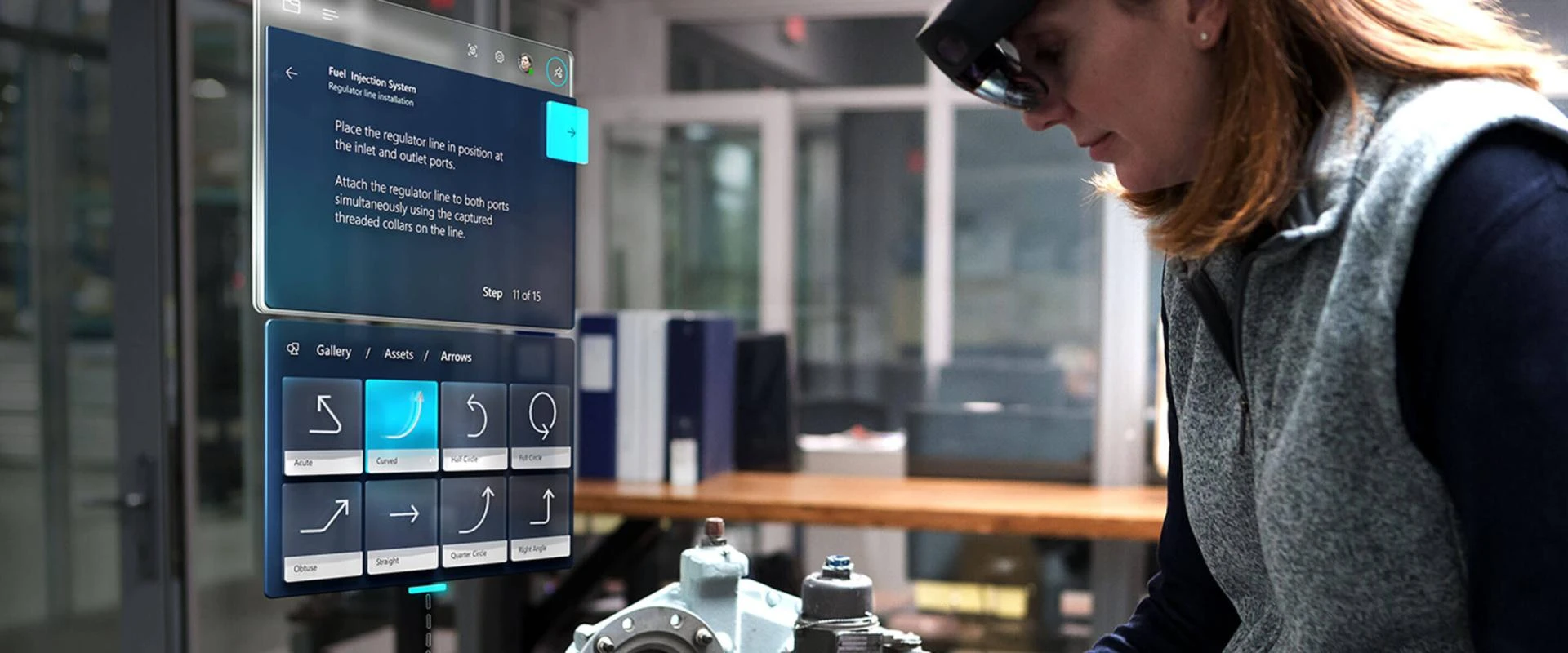

How Microsoft Incorporated mixed reality in Dynamics 365?
Microsoft entered the realm of mixed reality with HoloLens. A HoloLens is a smart-glasses headset that enables the wearer to view and interact with virtual objects and displays. However, Microsoft did not remain limited to that. It introduced Microsoft Dynamics 365 Mixed Reality apps and attempted to merge the virtual world with the professional workplace. It launched Remote assist and Layout. Here we will discuss each of these applications and get an overview.
Dynamics 365 Remote Assist:
Dynamics 365 Remote Assist is acclaimed and praised to the breakthrough in the industries where hands-free work and heads up are required, as it has the following features:
- It allows the employees to offer remote assistance to their colleagues in the field via a shared view.
- It allows the HoloLens wearer to make and receive calls through Skype or Microsoft Teams using an augmented reality.
- The AR content that appears on the physical spare of the wearer of the HoloLens can be created or interacted with, by operators or employees at either end of the video call.
- The wearer can also store relevant information that is pulled into the HoloLens through remote assist.
Dynamics 365 Layout:
Spatial design is another one of the fields where Microsoft Dynamics 365 Mixed Reality can prove to be game changing. With the virtue of this application, users can do the following:
- They can overlay 3D holographic versions of objects into the physical space, where they plan to place the product which turns their space into a virtual studio.
- The holograms can be adjusted, for example moved, grouped, duplicated, resized or rotated in real-time.
- By the virtue of this application, businesses can visualize objects in full size and can see how they fit into the real work and thus they can accurately review and design products, arrange floor plans, and envisage layouts.
- Microsoft Dynamics 365 implementation further more allows these virtual objects to be saved as files that can be streamlined to devices so that the employees can work on them and share them.
Along with it, there are new apps that are in preview and are expected to prove as successful as the other two. They are briefly discussed as follows:
Dynamics 365 Guides:
The Dynamics 365 Guides of Microsoft Dynamics 365 Mixed Reality is a learning app that uses 3D visuals, texts, diagrams, and interactive texts with the help of HoloLens headset to help people learn and train without the risks or expenses of operating in a real world situation.
Dynamics 365 Products Visualize:
Microsoft Dynamics 365 implementation of Product Visualize works like the customer-facing companion to Layout. It was build for people in sales where the users can showcase their products better than ever before. This helps them to understand their customers better.
SUMMARY
This article is about Microsoft Dynamics 365 Mixed Reality. It demonstrates the apps that are based on the principal and provides an overview of their functionalities.












Sign in to leave a comment.