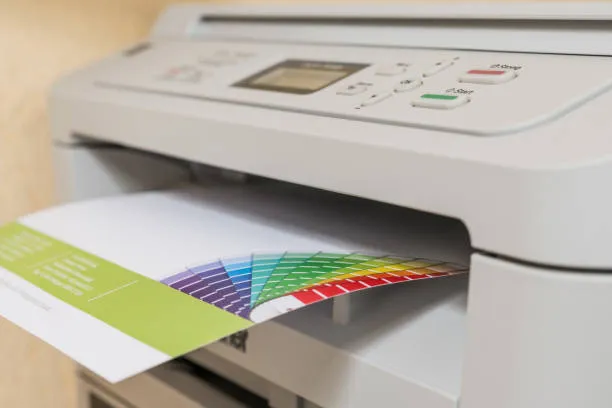

A reliable office printer is essential for keeping everyday business operations running smoothly. From printing invoices and reports to scanning contracts and copying important documents, a Sharp office printer can handle a wide range of workplace tasks. However, like any frequently used office equipment, regular servicing is important to maintain performance, print quality, and reliability.
So, how often should a Sharp office printer be serviced? For most businesses, a professional service every 6 to 12 months is a practical starting point. However, the ideal service interval depends on factors such as print volume, office environment, printer type, and how heavily the device is used.
Why Is Regular Office Printer Servicing Important?
Office printers contain numerous moving and electronic components that experience wear over time. Toner residue, paper dust and debris can accumulate inside the machine, while components such as rollers, drums and fusers can gradually wear down.
Regular servicing can help identify potential problems before they become expensive breakdowns. A technician can inspect the printer, clean critical components, check consumables and identify parts that may need attention.
Routine maintenance can help:
- Maintain consistent print quality
- Reduce paper jams
- Improve printer reliability
- Extend equipment lifespan
- Identify worn components early
- Reduce unexpected downtime
- Maintain scanning and copying performance
- Support efficient office workflows
For businesses that rely heavily on printing, preventative maintenance can be particularly important.
How Often Should a Sharp Printer Be Serviced?
There is no single servicing schedule that applies to every Sharp printer. The recommended frequency should be based on how the device is used.
Low-Volume Offices
If your Sharp office printer is used occasionally, servicing every 12 months may be suitable, provided the machine is operating normally and manufacturer maintenance requirements are followed.
Low-volume users should still arrange maintenance because infrequent use does not necessarily eliminate problems. Dust accumulation, ageing components and toner-related issues can affect performance even when print volumes are relatively low.
Medium-Volume Offices
For offices with regular daily printing, a 6 to 12-month service interval can be appropriate. More frequent inspections may be necessary if the printer regularly handles large print jobs or multiple users.
A technician can assess the printer's condition and recommend a maintenance schedule based on actual usage.
High-Volume Offices
High-volume environments such as education, healthcare, professional services and larger corporate offices may need more frequent maintenance.
If a multifunction printer is producing thousands of pages every month, waiting for an annual service could allow wear-related problems to develop. In these situations, maintenance may be scheduled according to page volume, manufacturer recommendations or the machine's service requirements, rather than simply by calendar date.
What Does a Sharp Printer Service Include?
A professional Sharp printer service typically involves inspecting, cleaning and testing the equipment. The exact maintenance performed depends on the model and its condition.
A technician may check:
1. Paper Feed Components
Feed rollers and separation components can become worn or contaminated with paper dust. This can contribute to misfeeds and paper jams.
2. Print Quality
Technicians can check for issues such as streaks, faded areas, uneven toner distribution or other print-quality problems.
3. Drum and Fuser
The drum and fuser are important components of many laser printing systems. Their condition can affect print quality and overall printer performance.
4. Scanning System
For Sharp multifunction printers, the scanner should also be inspected. Glass surfaces, feeders and related components can accumulate dust or debris that affects scanned and copied documents.
5. Internal Cleaning
Paper dust and toner particles can accumulate inside the machine. Cleaning appropriate areas can help maintain reliable operation.
6. Software and Network Functionality
Modern office printers are often connected to business networks and cloud-based workflows. A service check may also include reviewing relevant settings, connectivity and device functionality.
Signs Your Sharp Office Printer Needs Servicing
You do not always need to wait until your next scheduled maintenance appointment. Certain warning signs indicate that your Sharp printer may require professional attention.
Look out for:
- Frequent paper jams
- Slow printing
- Unusual noises
- Repeated error messages
- Faded or inconsistent prints
- Toner appearing unevenly
- Lines or marks on printed pages
- Paper feeding incorrectly
- Scanner or document feeder problems
- Increasingly frequent service calls
- The printer stopping unexpectedly
If the same problem keeps returning after basic troubleshooting, professional servicing can help identify the underlying cause.
Does Print Volume Affect Service Frequency?
Yes. Print volume is one of the most important factors when determining how frequently an office printer should be serviced.
A printer producing a few hundred pages a month experiences considerably less mechanical activity than a multifunction printer producing thousands of pages every week.
Businesses should therefore consider their average monthly print volume when creating a maintenance schedule.
A good approach is to monitor page counts and maintenance alerts rather than relying solely on a fixed annual service appointment.
How Can You Reduce Sharp Printer Problems Between Services?
Regular professional servicing is only one part of printer maintenance. Simple everyday practices can also help keep your office printer operating efficiently.
Use Suitable Paper
Poor-quality or unsuitable paper can contribute to paper jams and feeding problems. Always use paper appropriate for the printer and its intended application.
Keep the Printer Clean
Keep the area around the printer relatively clean and free from excessive dust. Avoid placing the printer in areas exposed to moisture, heat or other unsuitable environmental conditions.
Replace Consumables Promptly
Do not ignore toner or maintenance warnings. Using the machine while consumables or service components are at the end of their usable life can affect performance.
Avoid Overloading the Printer
If a printer is regularly being pushed beyond its intended workload, it may experience increased wear. Businesses with consistently high printing requirements should review whether their current device is appropriate for their workload.
Respond to Error Messages
Recurring error messages should not simply be dismissed. They can indicate developing mechanical, electrical or software issues.
Should You Wait Until the Printer Breaks Down?
Generally, preventative maintenance is preferable to waiting for a complete breakdown.
An unexpected printer failure can interrupt document-heavy processes and affect employees who depend on printing, copying or scanning. For businesses that use multifunction printers as part of everyday workflows, downtime can become more disruptive than the cost of routine maintenance.
Regular servicing allows potential issues to be identified earlier and gives businesses an opportunity to plan repairs or replacement parts before a major failure occurs.
Sharp Printer Servicing in Melbourne
For Melbourne businesses, professional Sharp printer servicing can help maintain reliable office printing and multifunction equipment. A qualified technician can assess the machine's condition, identify worn components and recommend an appropriate maintenance schedule based on usage.
Businesses with high print volumes may also benefit from a managed print services approach. Instead of dealing with printer maintenance reactively, managed print can help businesses monitor equipment, consumables, service requirements and overall printing performance.
Frequently Asked Questions
How often should a Sharp office printer be serviced?
For many offices, servicing every 6 to 12 months is a reasonable starting point. High-volume environments may require more frequent maintenance based on print volume and equipment requirements.
How do I know if my Sharp printer needs servicing?
Frequent paper jams, poor print quality, unusual noises, recurring errors and scanning problems can indicate that your printer needs professional attention.
Can regular servicing extend the life of a Sharp printer?
Regular maintenance can help identify wear and developing faults early, potentially reducing unnecessary downtime and helping equipment remain reliable for longer.
Does a multifunction printer need more maintenance than a standard printer?
A multifunction printer performs printing, copying and scanning functions and may therefore have additional components that require inspection and maintenance. Its service needs depend on the model and workload.
Is annual printer servicing enough?
Annual servicing may be sufficient for some low- to medium-volume offices. High-volume businesses should consider usage, page counts, manufacturer recommendations and the printer's condition when determining the appropriate maintenance frequency.
Final Thoughts
The right service schedule for a Sharp office printer depends on how frequently the machine is used, its print volume, operating environment and condition. While 6 to 12 months is a useful general maintenance interval for many businesses, high-volume offices may need more frequent servicing.
Rather than waiting for a breakdown, businesses can use preventative maintenance, monitor print volumes and respond promptly to warning signs. Regular professional servicing can help maintain print quality, minimise unexpected downtime and keep office printing workflows running efficiently.
























Sign in to leave a comment.