
The one thing about which most of the businesses out there are very specific about is the business solution that they use. You should know that we are living in a technology-driven era where each and every part of a business is influenced by technological advancement and in order to match up to the technological solutions, businesses will need to keep looking for what’s currently trending in the market. After that, they will need to let their workforce do some research on that latest business solution and start using it as soon as possible.
Well, businesses of the modern era need to use the same type of approach for their accounting solution as well. If you are running a business then you should know that accounting is one of the most important parts of any business as it is directly related to attracting investors, keeping stakeholders informed, and making a more accurate decision and when it comes to the best accounting solution then nothing can beat the powerful QuickBooks accounting solution. You should know that there are many different versions of QB available in the market and since it can be easily hosted on the cloud, a user can make the most of it without any hassle.
If you are using QB in your business then there are many things that you will need to know about it but in this blog post, we will be discussing one of the most important features of QB that every user should know and that is how to create a credit memo.
When will you need to create a credit memo in your business?
You should know that you will need to create a credit memo in your business when customers will not own any type of money to you or you need to pay any type of money to the customer. You should know that these are not the only cases where you will need to create a credit memo in your business and even if you will need to refund some amount of money for a particular reason like not being able to provide the service that you promised to offer.
There can be various other reasons why the need of creating a credit memo in your business can arise but the one thing that is very important here is learning how to create a credit memo in your firm.
A step by step method of creating a credit memo in QuickBooks
Here is a detailed and easy step-by-step process of creating a credit memo in your QuickBooks accounting software without any hassle.
Step 1-Making a credit memo
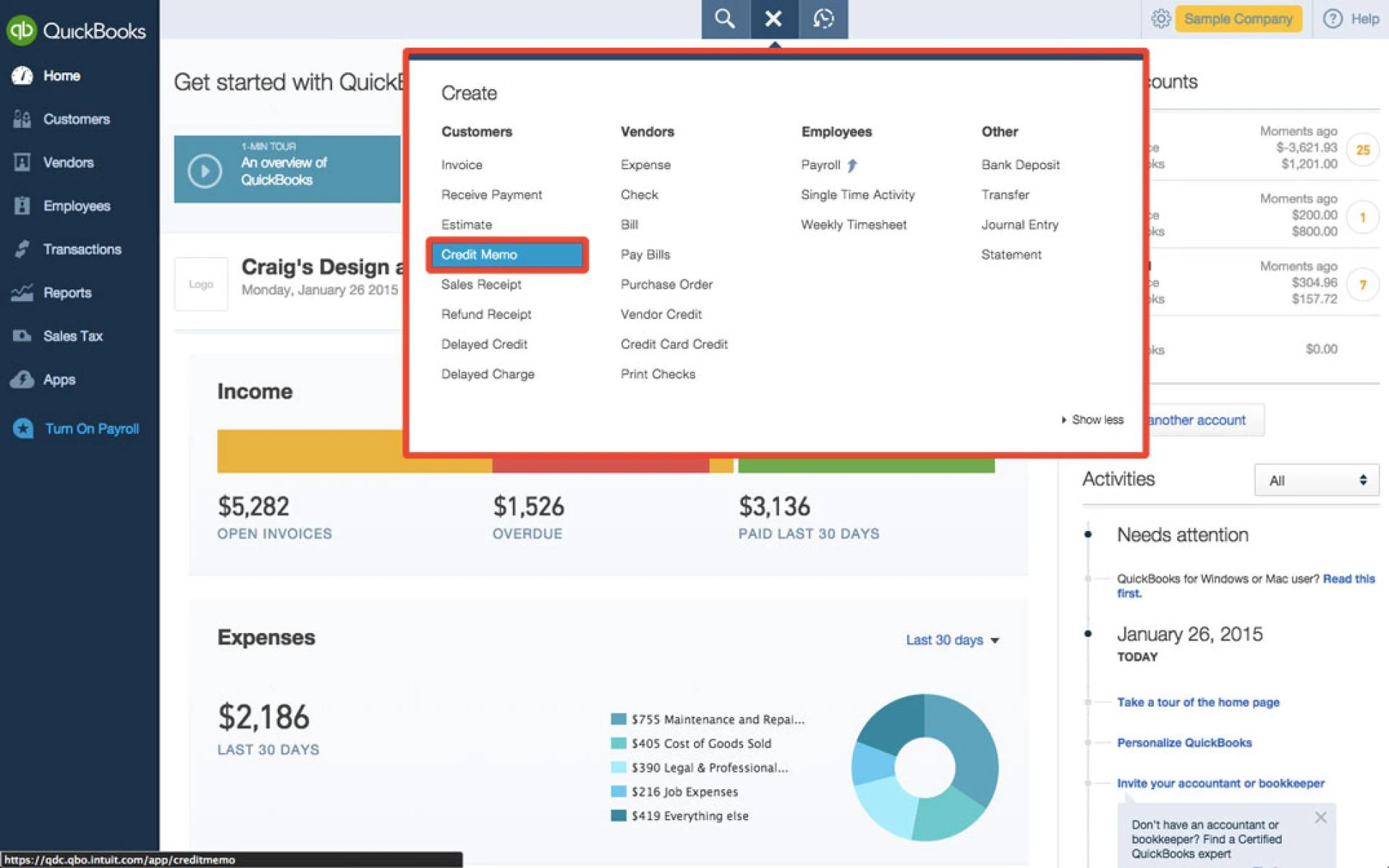
· You will need to begin your journey of creating a credit memo by first going to the top menu bar and then choosing the Customer from it. From there, you will have to select Create Credit Memo/Refunds option.
· Now, you will have to choose the Customer tab from the Customer job drop-down menu.
· Then, you will have to enter the particular name of the item for which you will be giving the credit.
· After making sure that all the fields have been filled accurately, you will just have to click on Save and Close.
Step 2-Choosing how to manage the credit
When you will get to the credit window then you will be given basically three options for managing the credit and these three options are as follows-
· Retain as an available credit- If you will choose this option then you will be able to use the credit for any other type of transaction as well. But one important thing to note down here is that QB will enter this credit as a negative transaction in the AR of the credit memo. If you will choose this option for managing the credit in QB then you will be able to see the credit available in the customer credit window.
· Give a refund- This is another option that you will get in QuickBooks for managing your credit. With this option, you will be able to give a refund in the form of cash, a credit card, or even in the form of a check as well.
· Apply to an invoice- This is the last option that you will get. You should know that QB will directly give you a window through which you can easily apply a credit to your invoice without any hassle and this is what makes QB one of the best accounting software solutions that can be easily used without any hassle.
You should know that the step-by-step method that we have explained in this article is one of the easiest methods that you will find online for creating a credit memo. At some point in your business, you will surely need to create a credit memo and if will not be aware of the process at that time then it will become problematic for you to deal with the situation. So, use the step-by-step method and create a credit memo in the easiest possible way.
Sign in to leave a comment.