
Today, the demand for online marketplaces is booming.
Businesses are increasingly creating digital platforms to connect with customers.
Thinking about starting your own online marketplace?
The better time is now — and QMarket makes it easy. It’s a no-code marketplace builder that enables anyone to create a SaaS marketplace in just a few steps.
How to Build a Rental Marketplace with QMarket
In this guide, you’ll learn how to build a marketplace using QMarket.
Are you ready?
Good! Let’s dive in!
5 Simple Steps to Build a Rental Marketplace with QMarket
Step 1: Sign Up for QMarket
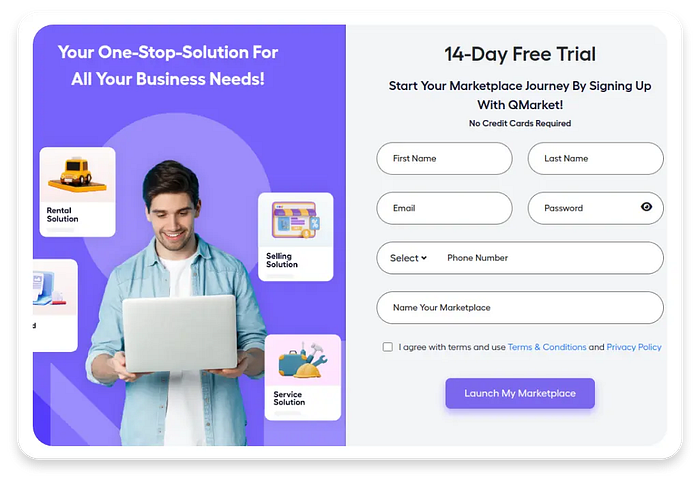
Sign Up for QMarket
The marketplace journey begins with a simple sign-up process.
Visit QMarket’s website and register for an account.
Once you’re in, you’ll gain access to a centralized dashboard where you can manage everything — listings, payments, user interactions, and more.
The platform is designed to be intuitive.
Even if you’ve never built a marketplace before, you’ll find the process easy with QMarket.
Whether you’re launching a rental software platform for vacation homes, camera gear, or coworking spaces, QMarket supports a wide range of rental categories.
Note: QMarket’s infrastructure is built to scale. That means you can start a small marketplace in the beginning and then develop it later on. Anytime you can add new features, integrations, categories, etc., to the platform.
Step 2: Design Your Marketplace As You Wish
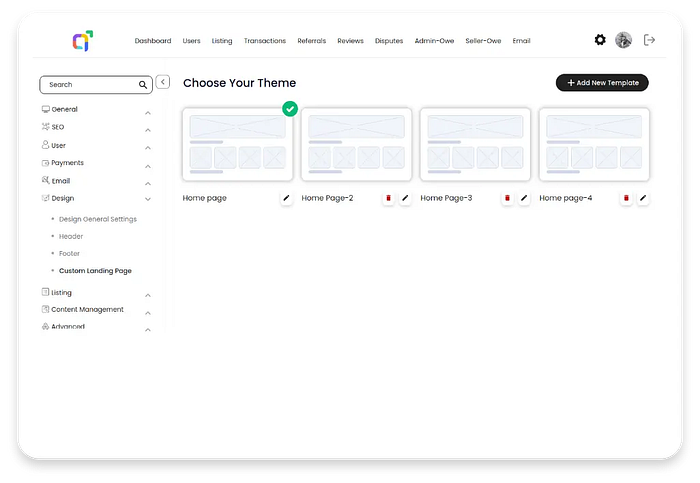
Design Your Marketplace As You Wish
Once you’ve signed up, it’s time to make your marketplace look and feel like your brand.
QMarket offers customization options. You can change the appearance of your site, like adjusting colors, fonts, logos, and even the layout of your homepage.
This is your chance to create a digital storefront that reflects your brand’s personality.
For example, if you’re making a short-term rental software for cozy beach cottages, you might choose soft colors like sandy beige and ocean blue, friendly fonts, and lots of photos showing comfy rooms and sunsets. This makes users feel relaxed and welcome.
But if you’re making a rental marketplace for construction tools, you’d go for a simple design with clear buttons, bold fonts, and exact icons — so people can quickly find and rent items they want.
Why Design is Important: First impressions count. A well-designed marketplace builds trust, encourages exploration, and helps users feel confident in making transactions. It’s not just about aesthetics — it’s about usability and credibility.
Step 3: Add Listing Fields and Filters
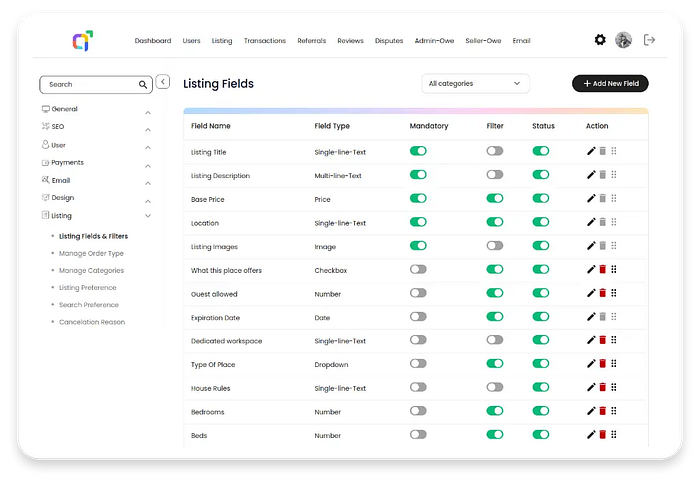
Add Listing Fields and Filters
With your design in place, it’s time to add your listings.
QMarket allows you to create custom fields and filters that make it easy for users to find items they’re looking for. This is especially important in a rental marketplace, where users often have specific needs and preferences.
Let’s say you’re building a short-term rental software platform. You should include filters such as:
📍 Location
💰 Price range
📅 Availability dates
🏡 Property type
🛏 Amenities (Wi-Fi, parking, pet-friendly, etc.)
These filters make the searching process easier and faster.
Bonus Tip: Use tags and categories to organize your listings on the platform. This works great for marketplaces that have different kinds of rentals or services.
Step 4: Complete the Payment Setup
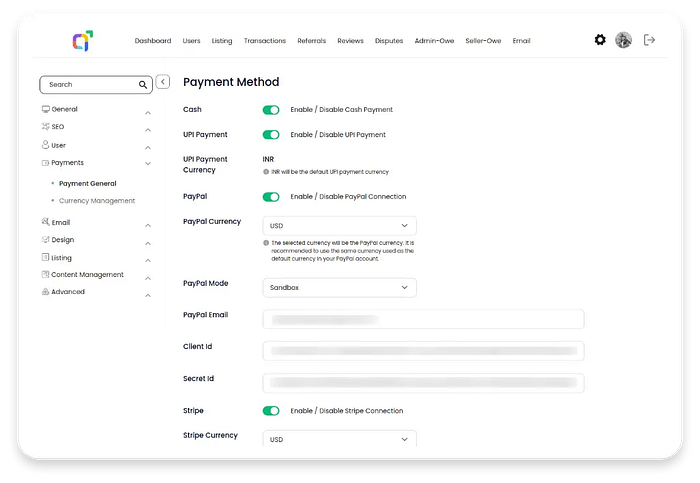
Complete the Payment Setup
No marketplace is complete without a payment system.
QMarket integrates seamlessly with popular payment processors like PayPal, Stripe, Razorpay, and UPI. This allows you to set up payment portals easily in your marketplace platform.
Plus, it enables users to pay for rentals directly through your platform, and you can manage payouts, commissions, and refunds without hassle.
Whether you’re offering rental software for vacation homes, vehicles, or event equipment, having a reliable payment setup is essential. It ensures that the transactions are happening smoothly and securely on your platform.
Security is First: QMarket uses encrypted payment gateways and complies with industry standards. This builds trust and reduces the risk of fraud or payment disputes.
Revenue Opportunities: You can also configure commission structures and listing fees to monetize your marketplace effectively.
Step 5: Connect with Users

Connect with Users
Your marketplace is live! Now it’s time to build relationships.
QMarket provides built-in tools to connect with users and foster community engagement.
You can enable messaging features, send updates, and offer customer support directly through the platform.
Think of this step as your digital handshake with users.
It’s your opportunity to welcome users, answer their questions, and make them feel that they’re part of the community.
Ways to Engage Users:
- Send welcome messages to new users
- Offer onboarding guides or tutorials
- Respond to their inquiries and feedback
- Create newsletters to share new updates & offers
Interaction is Vital: A successful rental marketplace isn’t just about transactions — it’s also about building relationships with users. The more connected your users feel, the more likely they are to return to your platform and recommend it to others.
Final Thoughts
Creating a rental marketplace used to be a complex, expensive process.
But with platforms like QMarket, it’s now accessible to anyone.
From signing up to customizing your design, adding listings, setting up payments, and engaging with users, QMarket simplifies every step.
It’s the ideal short-term rental software for entrepreneurs and startups.
So, what are you waiting for?
Start building your dream marketplace with QMarket today.
Sign in to leave a comment.