
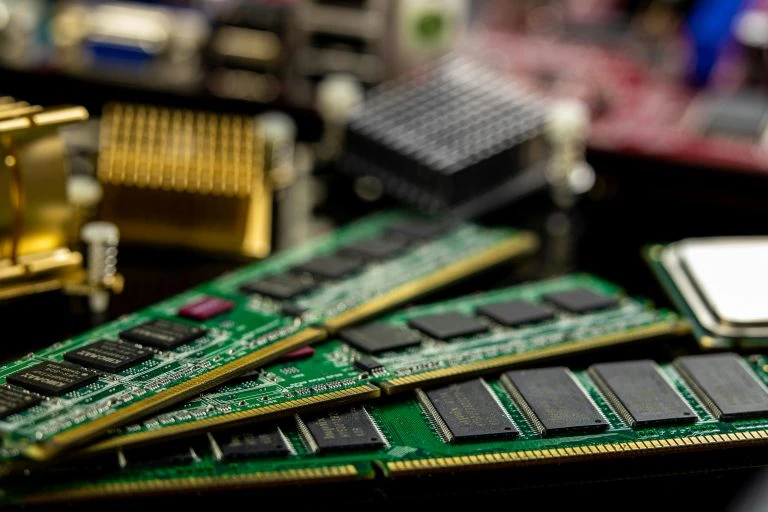
 Creating a Home Theater PC (HTPC) can transform your living room into a versatile entertainment hub, offering the ability to stream movies, play music, browse the web, and even play games on your television. A critical component in ensuring smooth performance and responsiveness in your HTPC is the RAM (Random Access Memory).
This article provides a comprehensive guide on choosing the right RAM for your HTPC, ensuring you get the best performance for your needs.
- Understanding the Role of RAM in an HTPC
What is RAM?
RAM is a type of volatile memory that stores data temporarily while the computer is running. It provides quick access to the CPU for currently active programs and processes. In an HTPC, RAM helps in smooth playback of high-definition videos, running multiple applications simultaneously, and maintaining overall system responsiveness.
Importance of RAM in an HTPC
- Smooth Video Playback: Adequate RAM ensures that high-definition videos, including 4K content, play without stuttering or buffering.
- Multitasking: An HTPC often runs multiple applications simultaneously, such as streaming services, media players, and web browsers. Sufficient RAM allows seamless multitasking without slowdowns.
- Fast Boot Times: More RAM can help reduce boot times and improve overall system responsiveness.
- Determining Your RAM Requirements
Typical HTPC Usage Scenarios
- Streaming Services: Services like Netflix, Hulu, and Amazon Prime Video require minimal RAM (around 4GB) for standard definition content, but higher resolutions like 4K benefit from 8GB or more.
- Media Libraries: If you store and play large media libraries locally, more RAM (8GB or higher) can help manage these files efficiently.
- Light Gaming: For casual gaming, 8GB of RAM is usually sufficient, but for more demanding games, 16GB is recommended.
System Requirements and Compatibility
- Motherboard Specifications: Check your motherboard’s manual for RAM compatibility, including supported types (DDR3, DDR4), maximum capacity, and speed.
- Operating System: Ensure your operating system can support the amount of RAM you plan to install. For example, 32-bit systems are typically limited to 4GB, while 64-bit systems can handle much more.
- Choosing the Right RAM Type
DDR Versions
- DDR3 vs. DDR4: DDR4 RAM is the current standard, offering higher speeds and better power efficiency than DDR3. Most modern HTPC builds should opt for DDR4 unless the motherboard only supports DDR3.
- DDR5: As of now, DDR5 is emerging but is primarily for high-end systems. It may be overkill for typical HTPC needs.
RAM Speed and Latency
- Speed: Measured in MHz, RAM speed affects data transfer rates. For HTPCs, speeds between 2400MHz and 3200MHz are generally sufficient.
- Latency: Lower latency (measured in CL, or CAS Latency) means faster data access times. While important, it\'s often less critical for HTPC use compared to gaming or professional applications.
- Optimal RAM Capacity for an HTPC
Basic Usage
- 4GB: Minimum for basic tasks like streaming SD/HD content and light web browsing. May lead to slowdowns with multiple applications.
Recommended Capacity
- 8GB: Ideal for most HTPCs, supporting HD/4K streaming, multitasking, and light gaming without performance issues.
Advanced Usage
- 16GB: Future-proofing your HTPC for more demanding applications, larger media libraries, and heavier multitasking. Suitable for users who also plan to use the HTPC for moderate gaming or other intensive tasks.
- Practical Tips for Choosing and Installing RAM
Buying Tips
- Brand and Reliability: Opt for reputable brands known for reliability and performance, such as Corsair, Kingston, G.Skill, and Crucial.
- Heat Spreaders: Consider RAM with heat spreaders if your HTPC is in a confined space or has limited airflow. This helps in maintaining optimal temperatures and performance.
- Dual Channel Kits: Purchase RAM in matched pairs (dual channel kits) to take advantage of dual-channel memory technology, which can improve data throughput and system performance.
Installation Tips
- Static Precautions: Ensure you’re grounded to avoid static electricity damage to the RAM or motherboard.
- Proper Seating: Make sure the RAM modules are properly seated in their slots. They should click into place securely.
- BIOS Settings: After installation, check your BIOS/UEFI settings to ensure the RAM is recognized and running at the correct speed and latency settings.
- Maximizing RAM Performance in Your HTPC
System Optimization
- Operating System Tweaks: Optimize your operating system by disabling unnecessary startup programs and services that consume RAM.
- Software Updates: Keep your OS, drivers, and applications updated for the best performance and compatibility.
Additional Hardware Considerations
- SSD Storage: Pair your RAM with an SSD for your operating system and key applications. SSDs offer faster data access than traditional HDDs, complementing your RAM’s performance.
- Graphics Card: If your HTPC tasks include gaming or heavy video processing, consider a dedicated graphics card with its own memory, reducing the load on system RAM.
Conclusion
Choosing the right RAM for your Home Theater PC is crucial for achieving the best performance and user experience. By understanding your specific needs, ensuring compatibility, and following best practices for installation and optimization, you can build an HTPC that delivers smooth, reliable performance for all your entertainment needs. For a wide selection of high-quality RAM and expert advice, visit our RAM Category at Computer Parts HQ.
By carefully selecting and optimizing your RAM, you can ensure that your HTPC handles everything from streaming and media playback to light gaming with ease, providing a seamless and enjoyable entertainment experience.











Sign in to leave a comment.